Exemptions for Shelf-Life
Last updated: May 18, 2026
We've added a new feature that allows brands to exempt shelf life requirements for retailers.
Before, if this was not turned on, you'd see an "Expiration Date Too Soon" error even if that retailer allowed sending product with that expiration date.
Setting Exemptions Up in the Dashboard
Note: you have to be a brand user to apply these exemptions.
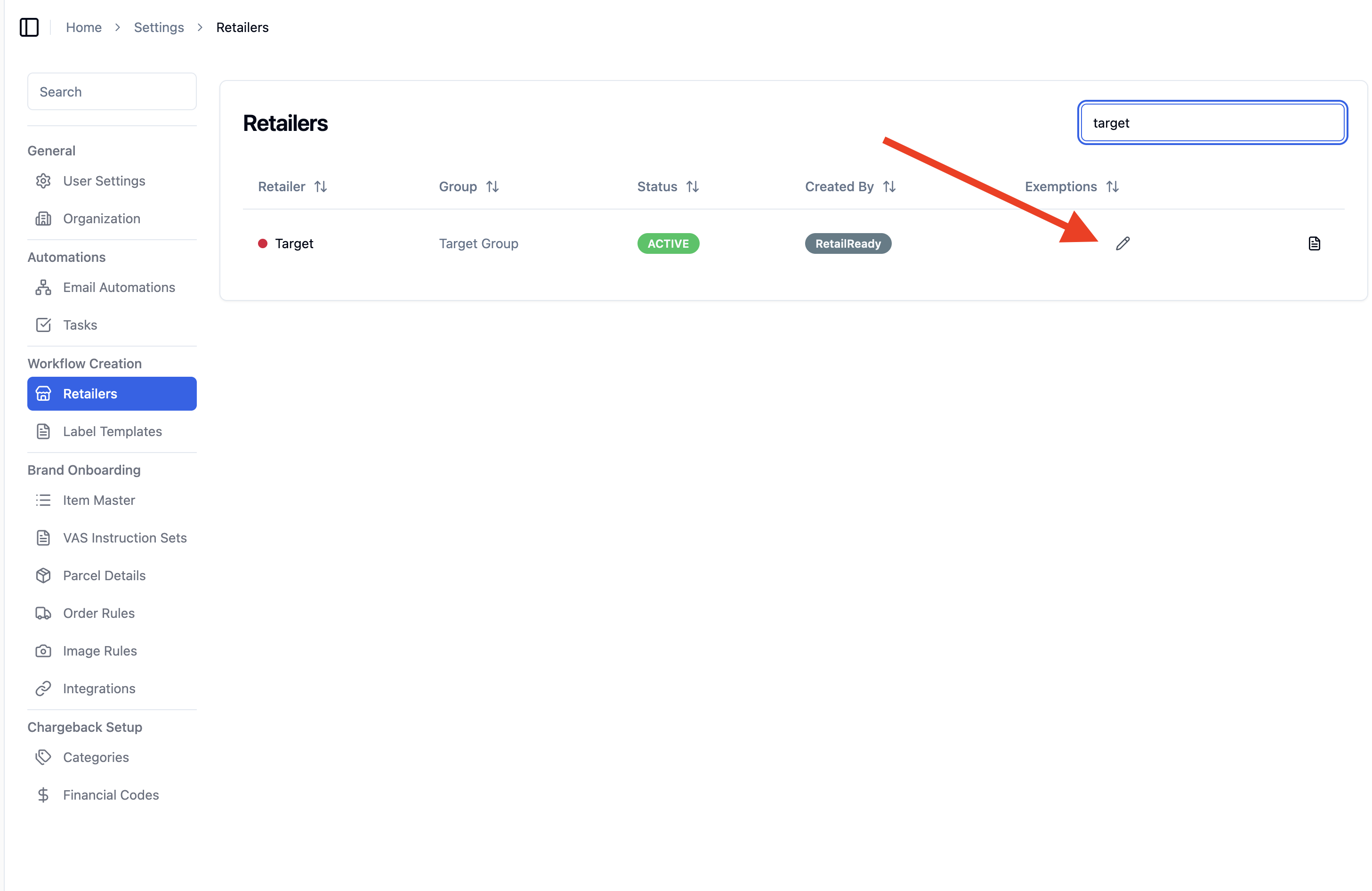
Navigate to 'Settings'
Click 'Retailers'
Click 'Exemptions' pencil icon ✏
Choose if you would like to 'Bypass' or 'Exempt'
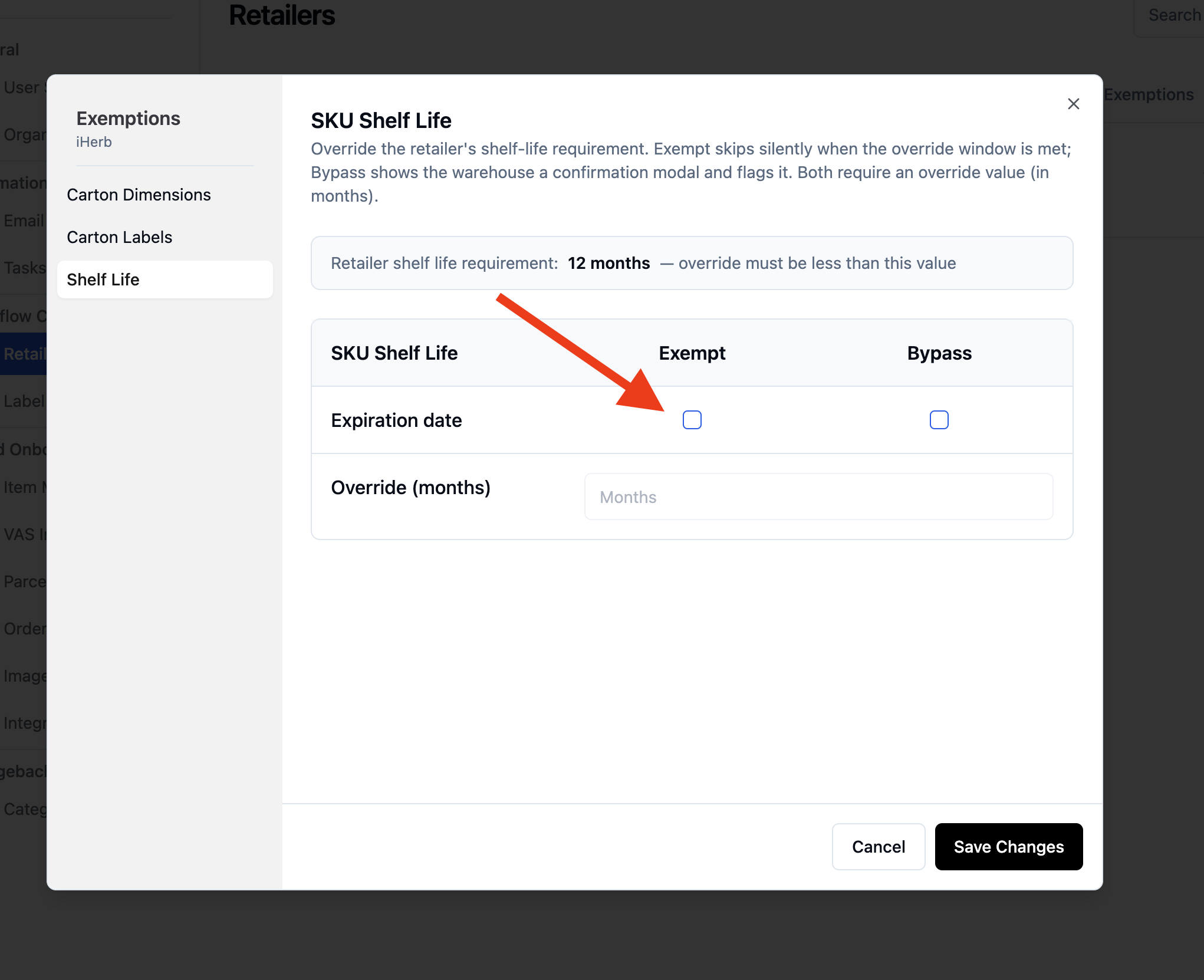
'Bypass' shows a pop up to the packer asking if they would like to bypass. This is good if you want to packer to make the decision and the brand did not get a full exemption.
'Exempt' allows the packer to ship out products with any expiration date and it will not be flagged at packout. This is good if the brand has an exemption from the retailer and expiration date does not matter.
How It Works in Packout
When you encounter a shelf-life issue during packout, the system will behave in one of three ways:
Standard Block (No Changes)
You'll see the usual "Expiration Date Too Soon" error and need to contact support, just like before.
Bypass Option (New)
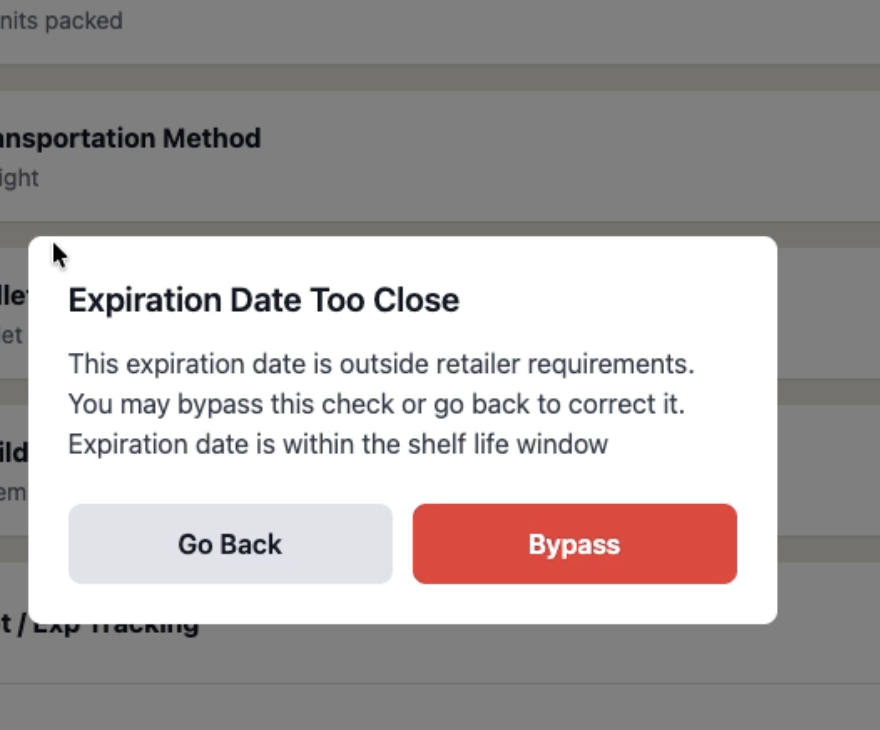
You'll see a warning message but have the option to continue anyway:
A modal will appear explaining the shelf-life issue
You can choose "Go Back" to select different inventory
Or choose "Bypass" to continue with the current expiration date
The system will remember your choice for this specific item
Automatic Skip (New)
The system will automatically allow the item through without any warnings or additional steps.
Important Notes
Only use the bypass option when you have explicit approval from the brand
All bypass actions are logged for record-keeping
Different retailers may have different exemption settings
FAQs
Why am I seeing different behavior for different retailers?
Each brand can configure their exemption settings separately for each retailer they work with. Some may allow bypasses, others may have automatic exemptions, and some may keep the original strict validation.
Will this affect my compliance with retailer requirements?
No. This feature only activates when the brand has specifically configured exemptions for that retailer relationship. The brand is responsible for ensuring any exemptions align with their retailer agreements.
What if I still see the old "Expiration Date Too Soon" error?
This means no exemption has been configured for this retailer. You'll need to contact support just like before, or ask the brand to set up appropriate exemptions if this is a recurring issue.