Amazon Vendor Central - Chargeback Dispute Process
Last updated: July 22, 2026
This article will walk you through how to use RetailReady to aggregate your Amazon Vendor Central chargebacks and automatically provide the evidence you need to effectively dispute the chargebacks.
Since Amazon Vendor Central requires MFA, RetailReady's AI agents cannot automatically login to the portal on your behalf. This requires you to export chargebacks from Amazon and upload into RetailReady, and submit the dispute in Amazon using the evidence RetailReady provides on your side.
Uploading chargebacks into RetailReady
Lot into Amazon Vendor Central
Click hamburger in top left > Reports > Operational Performance
Click view all to the right of "TOTAL CHARGEBACKS"
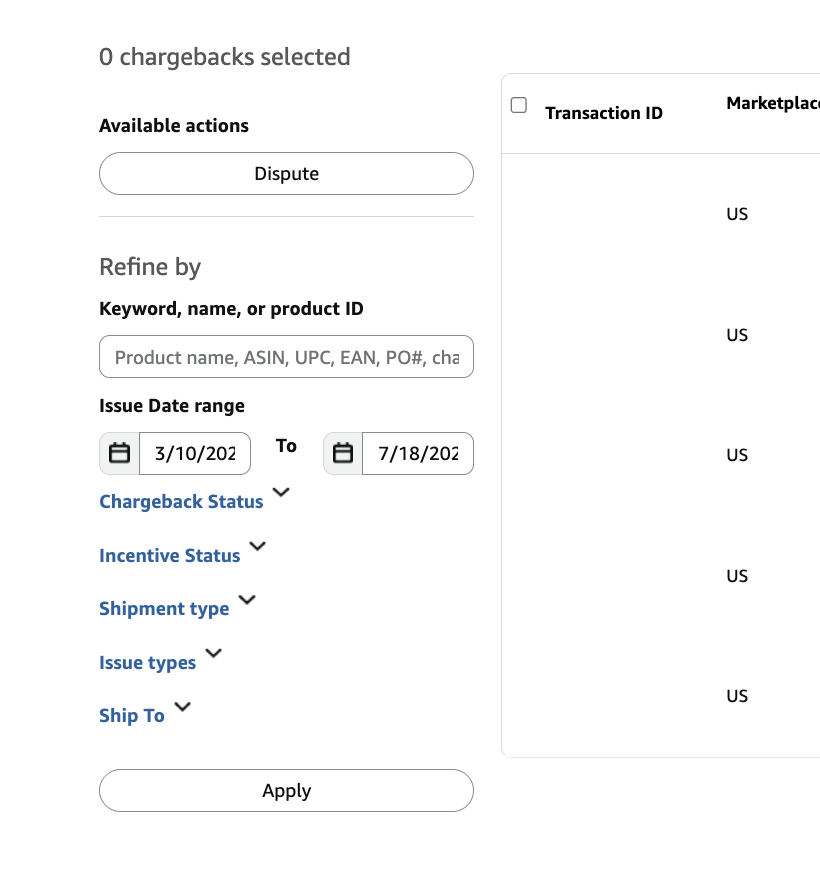
Enter filters, click apply, and click CSV Export above:
Click this hyperlink
Enter your desired filters and make sure chargeback status = charged if applicable then click CSV Export in the top right
Repeat this for each issue type
Navigate to Chargeback reports portal and click download report next to each new report that you generated by clicking CSV Export in the previous page
Then upload each CSV into RetailReady
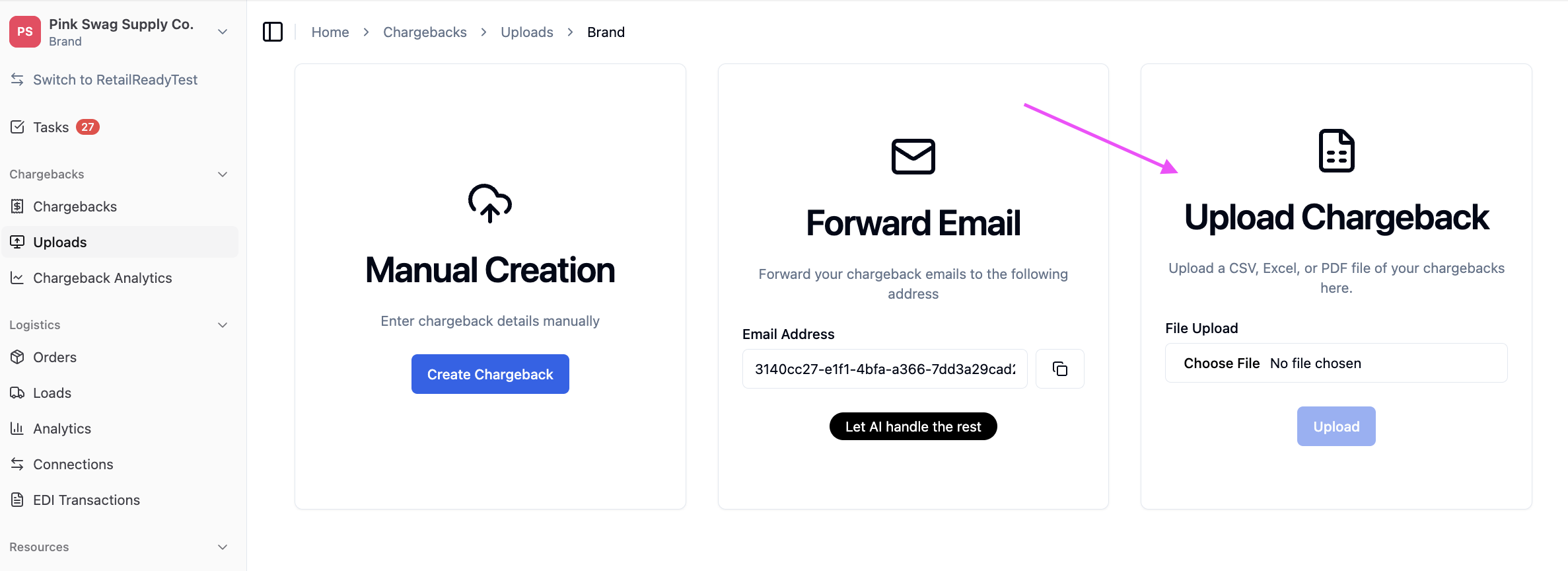
Once chargebacks are uploaded into RetailReady, we will automatically group them by PO Number and create disputes using the evidence we have on file. If you don't use RetailReady for compliance pack-out and/or EDI products, we won't have any evidence on file and you will have to upload your own evidence.
How to dispute chargebacks:
Follow the same login steps and navigate to step 4 from the previous tutorial above on how to upload chargebacks
For every chargeback eligible to be disputed, there will be a select button which you will click then click the dispute button, fill out dispute summary and upload supporting attachments
Navigate to the page from step 6 in the previous tutorial and enter your filters
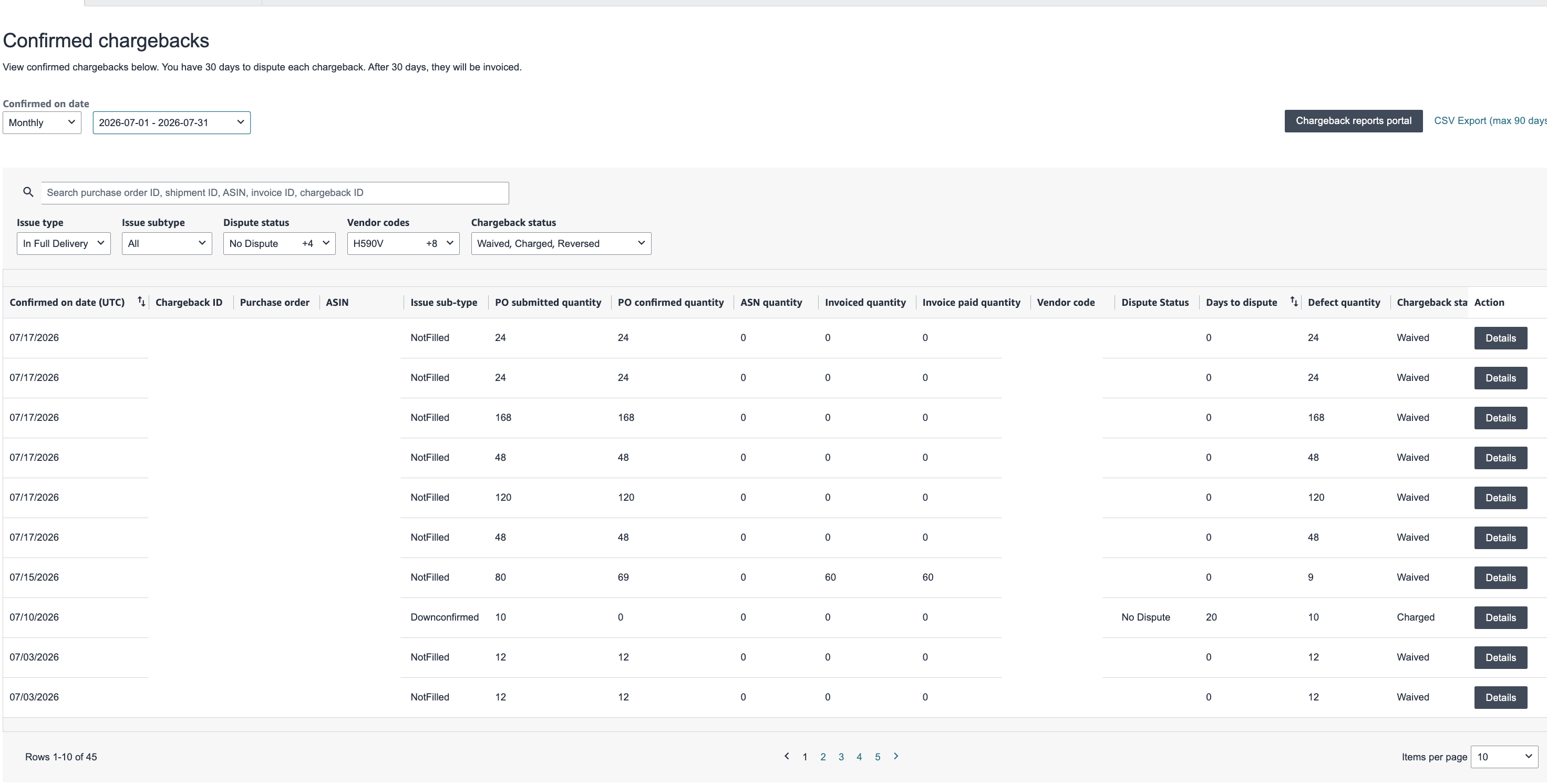
Click the details button to the right for the chargeback you want to dispute
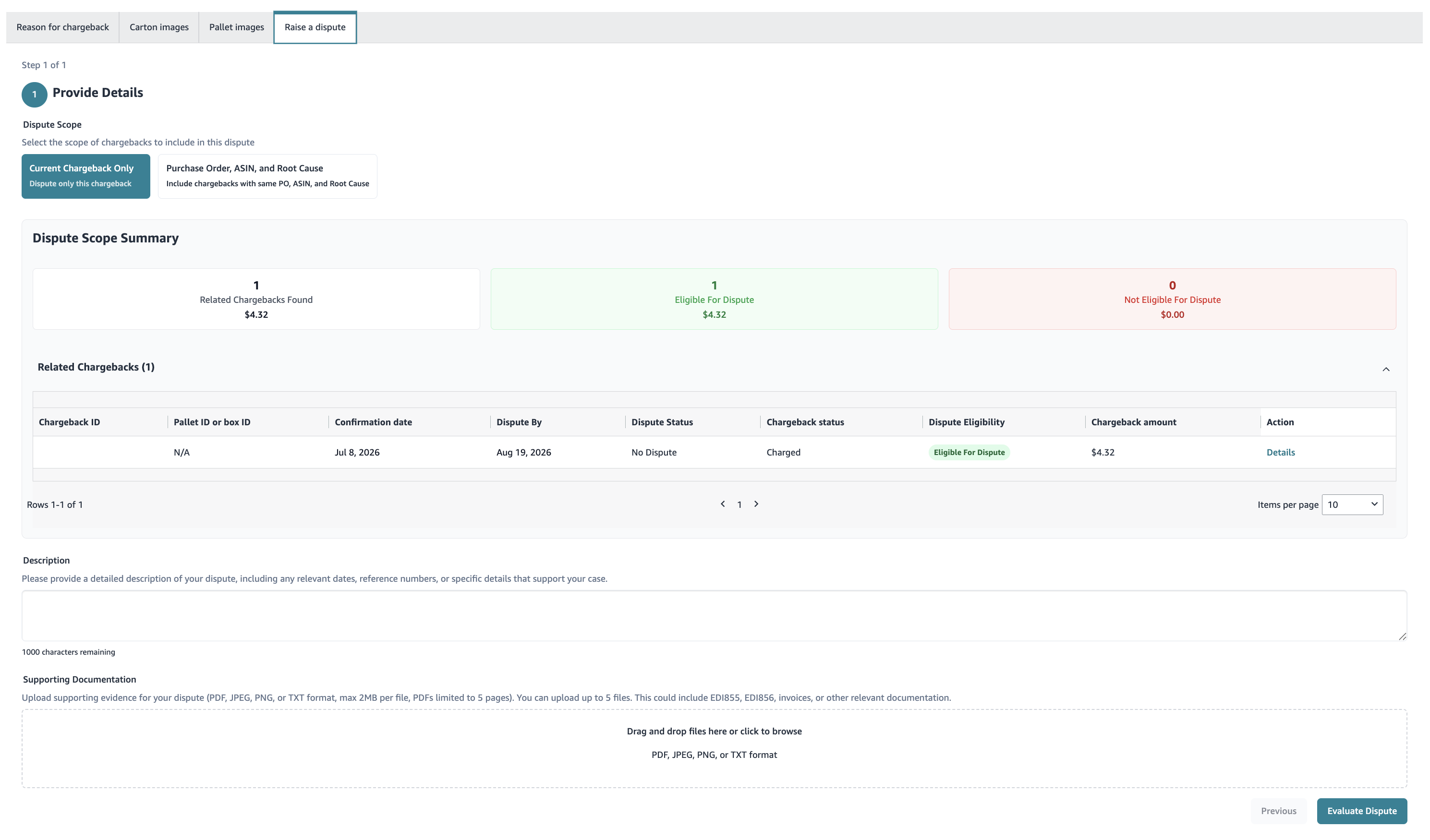
You will land on this page for which you can submit a dispute
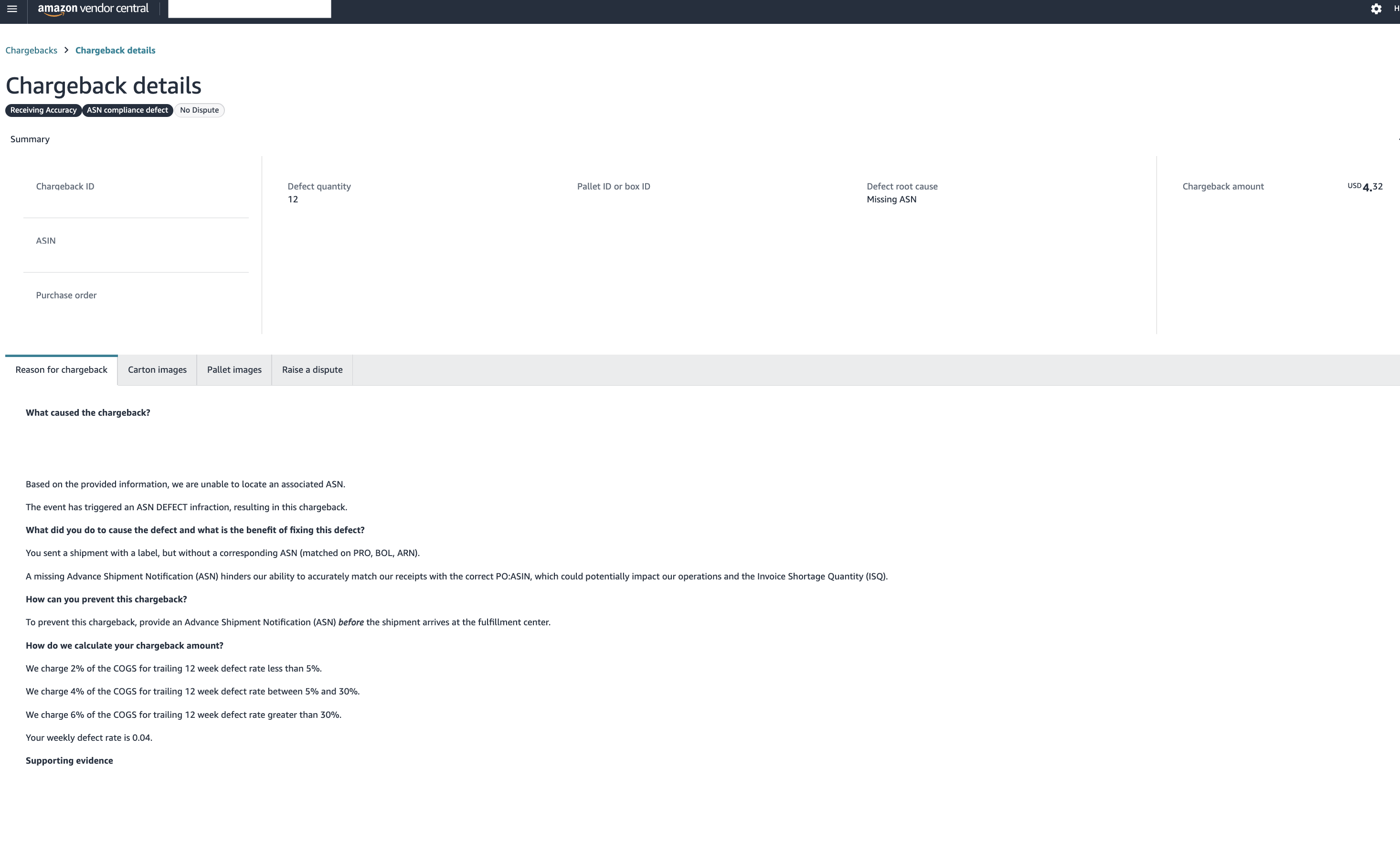
Fill out the form in "raise a dispute" using the content in your dispute proposal in RetailReady and submit it