CH Robinson EDI Integration
Last updated: May 15, 2026
What This Integration Does for You
No more emailing pallet dimensions manually. When an order moves to Staged status in RetailReady and our CH Robinson integration is enabled, we automatically send all pallet dimensions to CH Robinson as an EDI 204 Carrier Tender Load (CLT) document. CH Robinson uses that information, along with the retailer's requested delivery date, to schedule a pickup and emails you the Bill of Lading automatically.
How It Works
Here is the end-to-end flow once the integration is enabled:
An order in RetailReady moves to Staged status.
RetailReady automatically generates and transmits an EDI 204 Load Tender to CH Robinson, including all pallet dimensions for the order.
CH Robinson receives the 204, combines it with the retailer's requested delivery date, and schedules a pickup.
CH Robinson emails you the BOL directly. No manual steps required.

Setting Up the Integration
Email success@retailreadyai.com if you are interested in enabling this integration and we will get it added to our scope!
RetailReady will conduct a short testing period with CH Robinson
Go-live Scheduled
Resending Documents
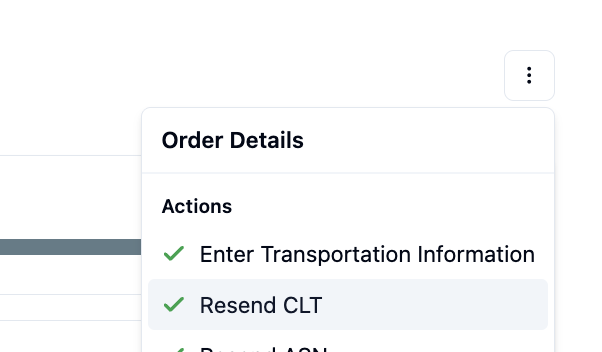
If you need to resend a 204 document:
Go to the order details page
Click "Resend CLT"
The system will send an updated version
Common Error Messages
"EDI Transmission Failed"
What it means: The document couldn't be sent to the carrier.
What to do: This is usually a temporary issue. Try resending the document. If it continues to fail, contact support.
"Missing PO Number"
What it means: The order doesn't have a purchase order number, which is required for 204 documents.
What to do: Add a PO number to the order before trying to send the 204 document.
Tips for Success
Verify carrier codes with your carriers before setting them up
Make sure all orders have PO numbers before enabling automatic sends
Keep your carrier contact information up to date