How to Setup an iPad for RetailReady
Last updated: March 20, 2026
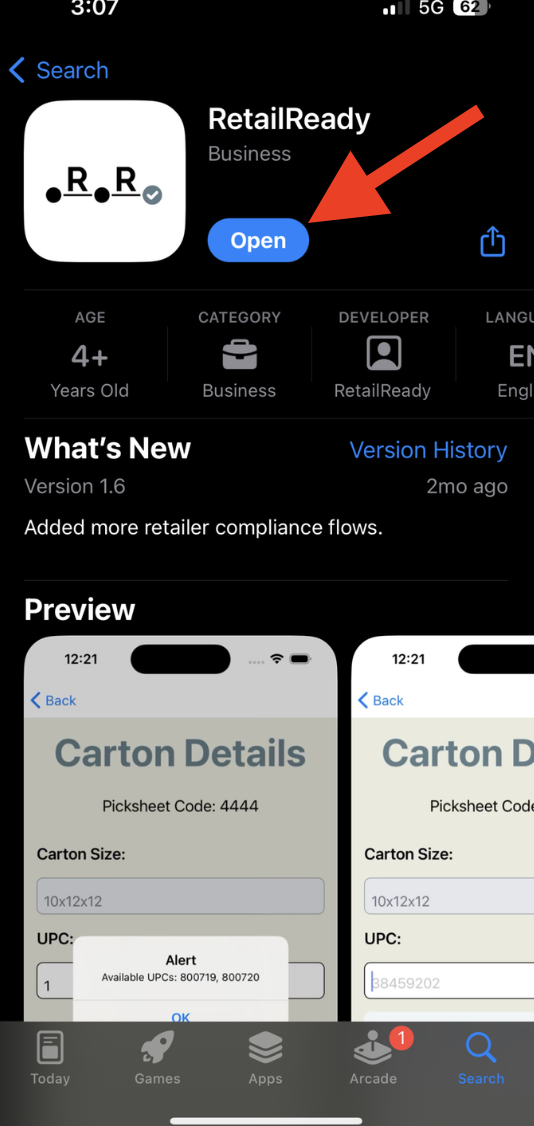
Navigate to the App Store in the iPad and download RetailReady app.
Click 'Open'
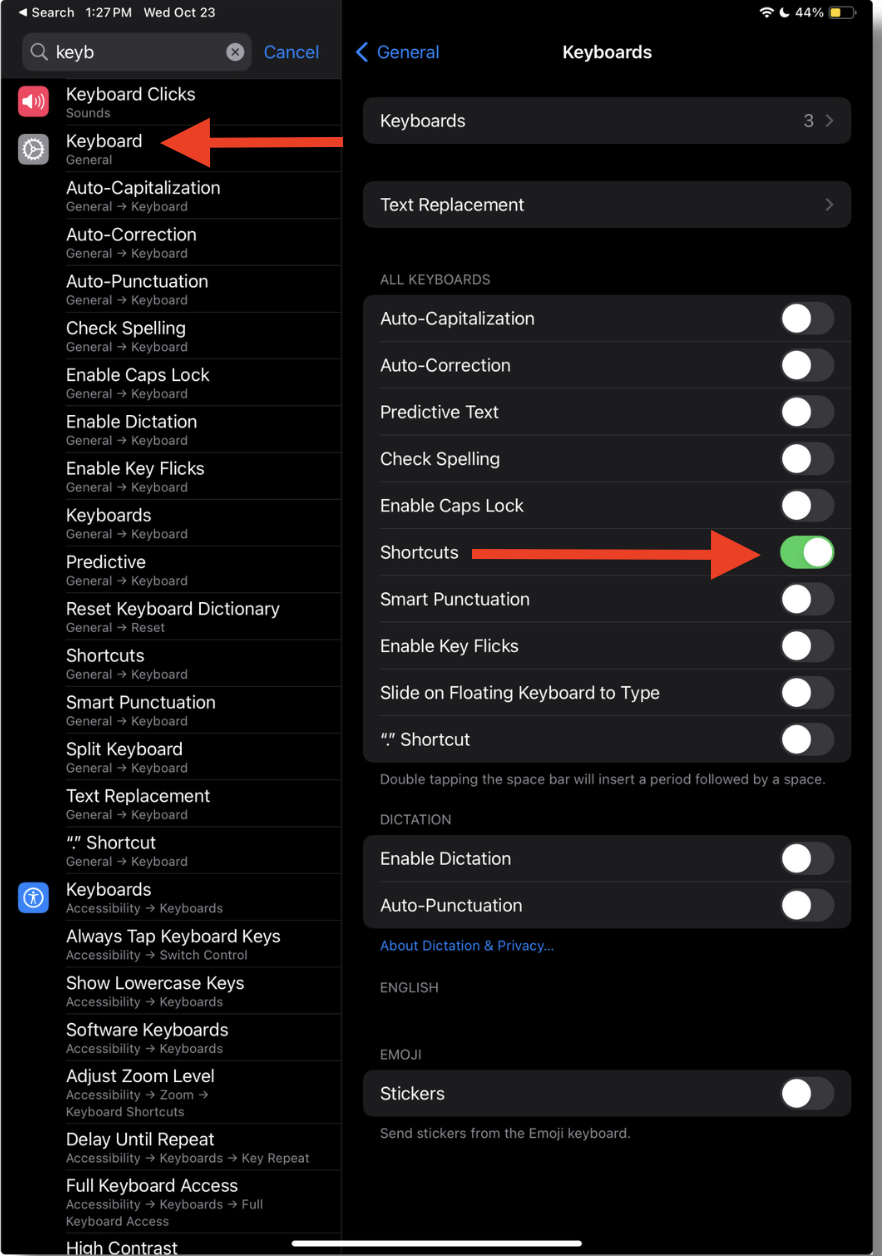
Navigate to 'Keyboard' in the setting of the iPad.
Configure iPad keyboard settings to only enable 'Shortcuts' under All Keyboards sections.
Confirm configuration matches what is display in the image.
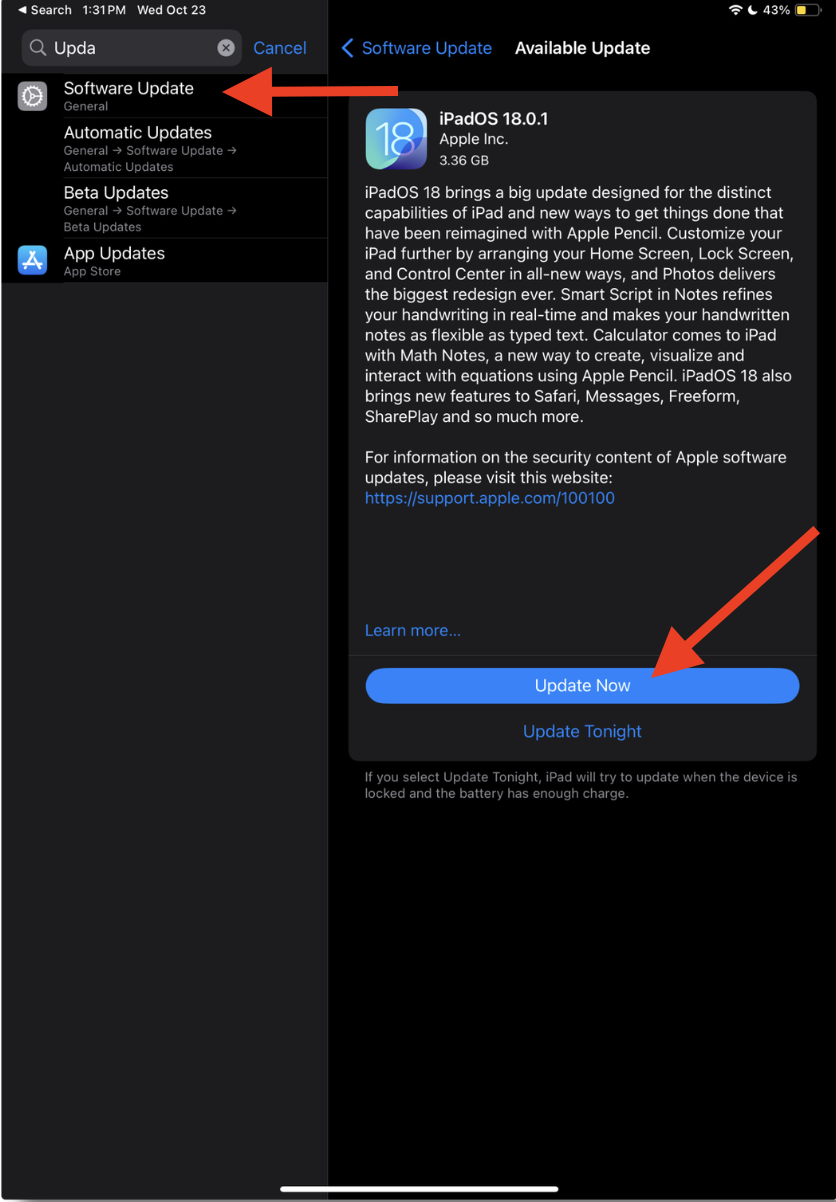
Navigate to 'Software Update' in the Settings of the iPad. Ensure the iPad has the latest Software update. If not, click 'Update Now'.