How to set up Image Rules Engine
Last updated: March 27, 2026
What is the Image Rules Engine?
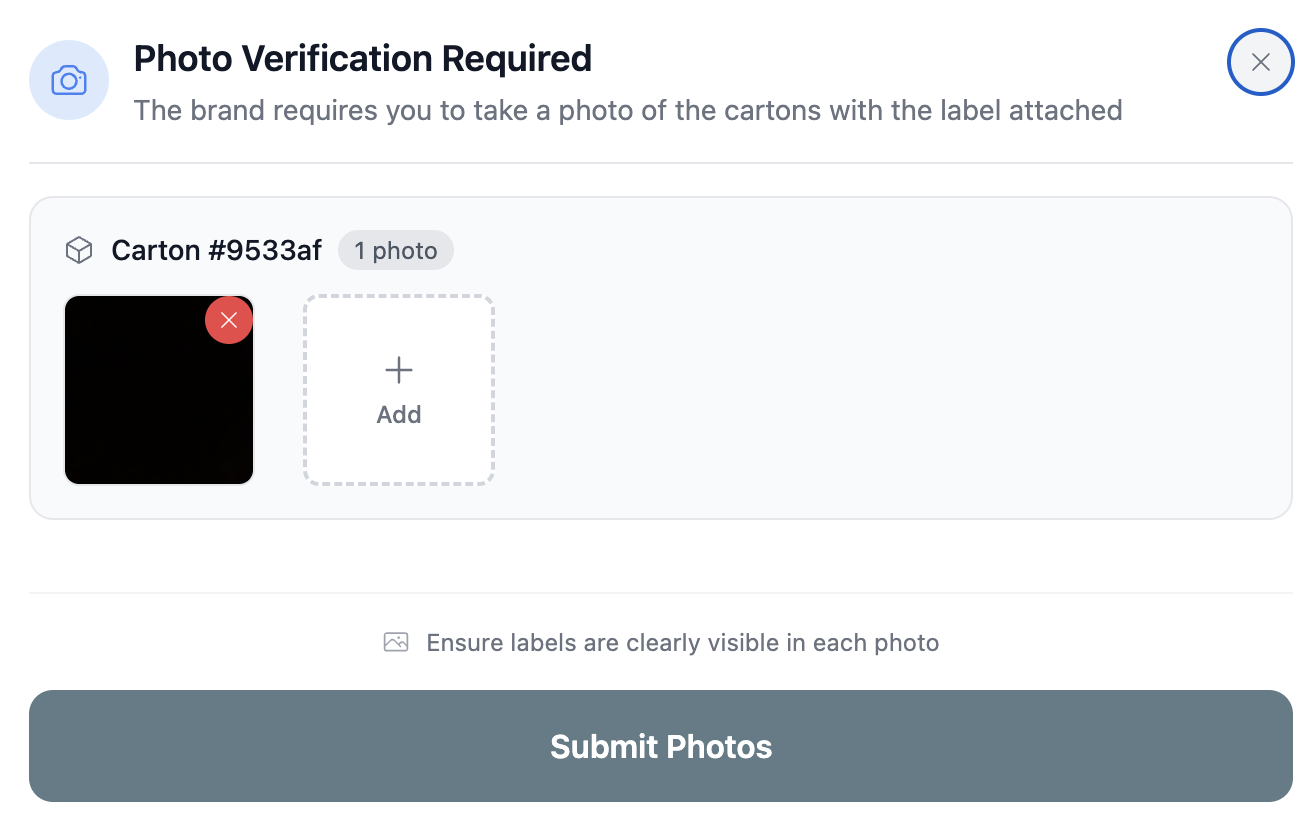
The Image Rules Engine is a feature in Retail Ready that allows you to control how often pictures are taken during the pack-out process. Pictures taken of cartons and pallets are a great way to track your process internally. They can also be used in chargeback disputes as proof that pack-out in the warehouse was compliant.
What do the image rules do?
The image rules determine when RetailReady will prompt the user to take pictures of the carton, pallet or packing slip at different stages of the pack-out process.
Setting up your Image Rules
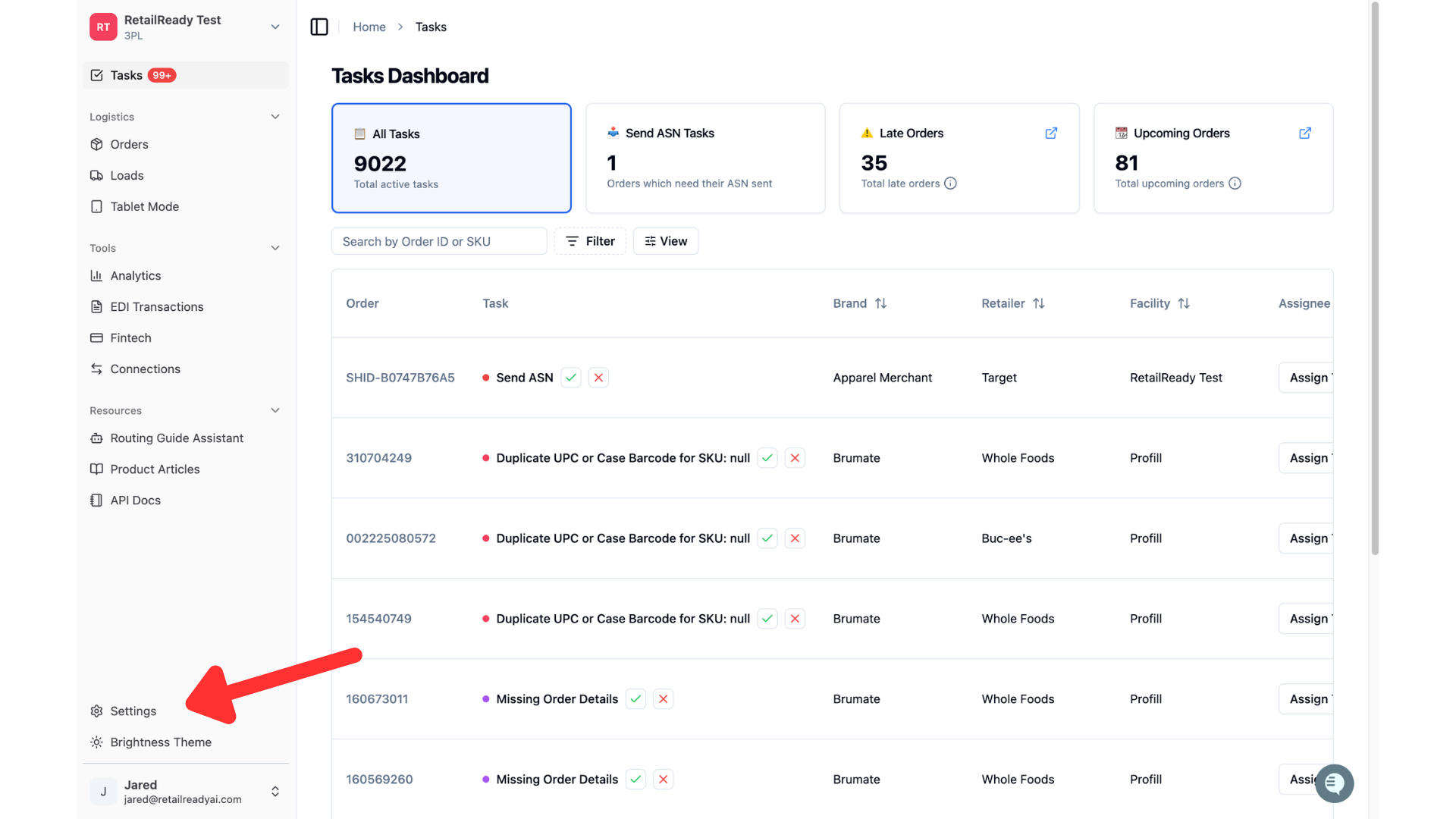
To navigate to the image rules engine page, click on 'Settings' in the bottom left corner.
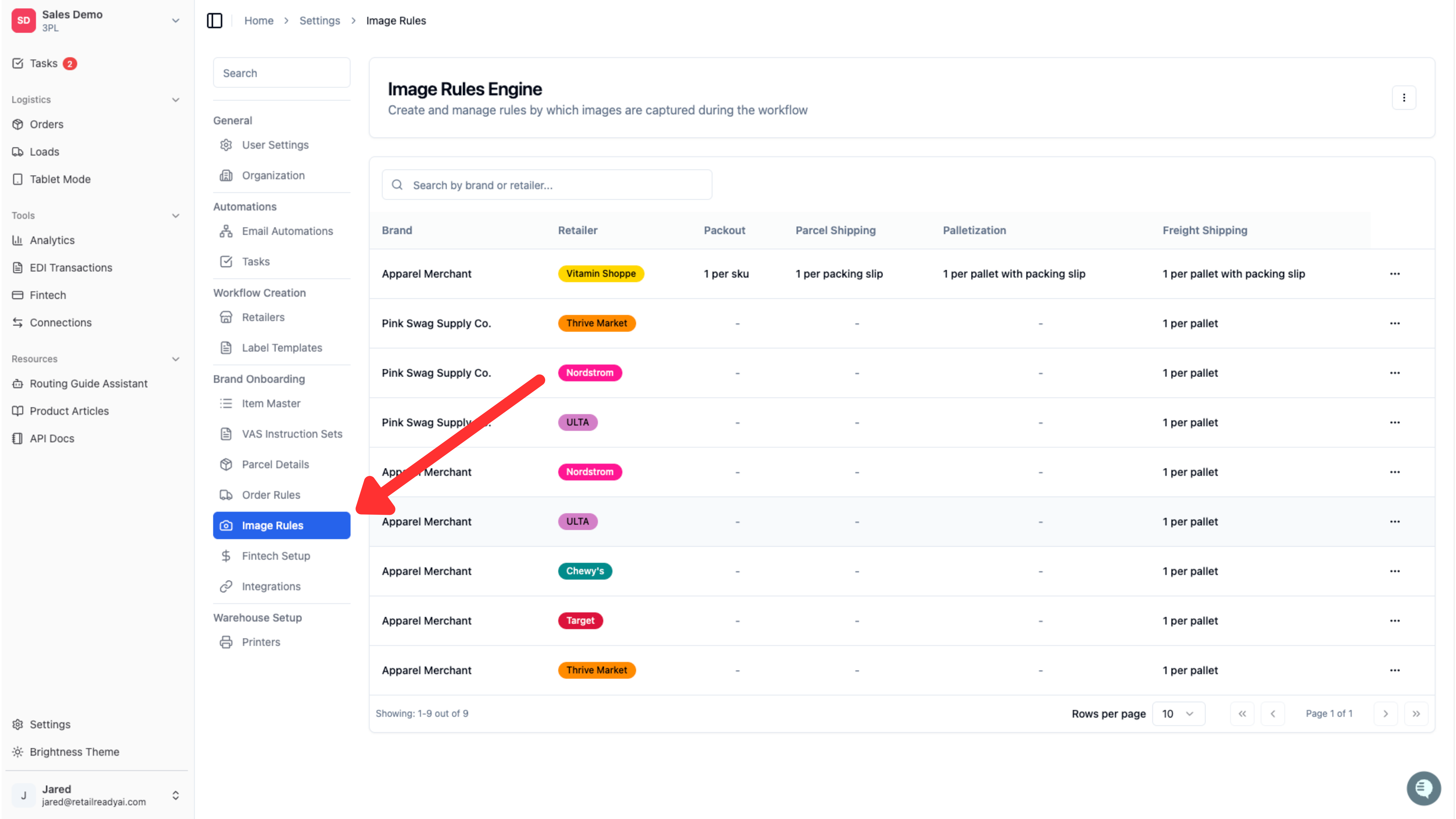
In the column that opens click 'Image Rules'
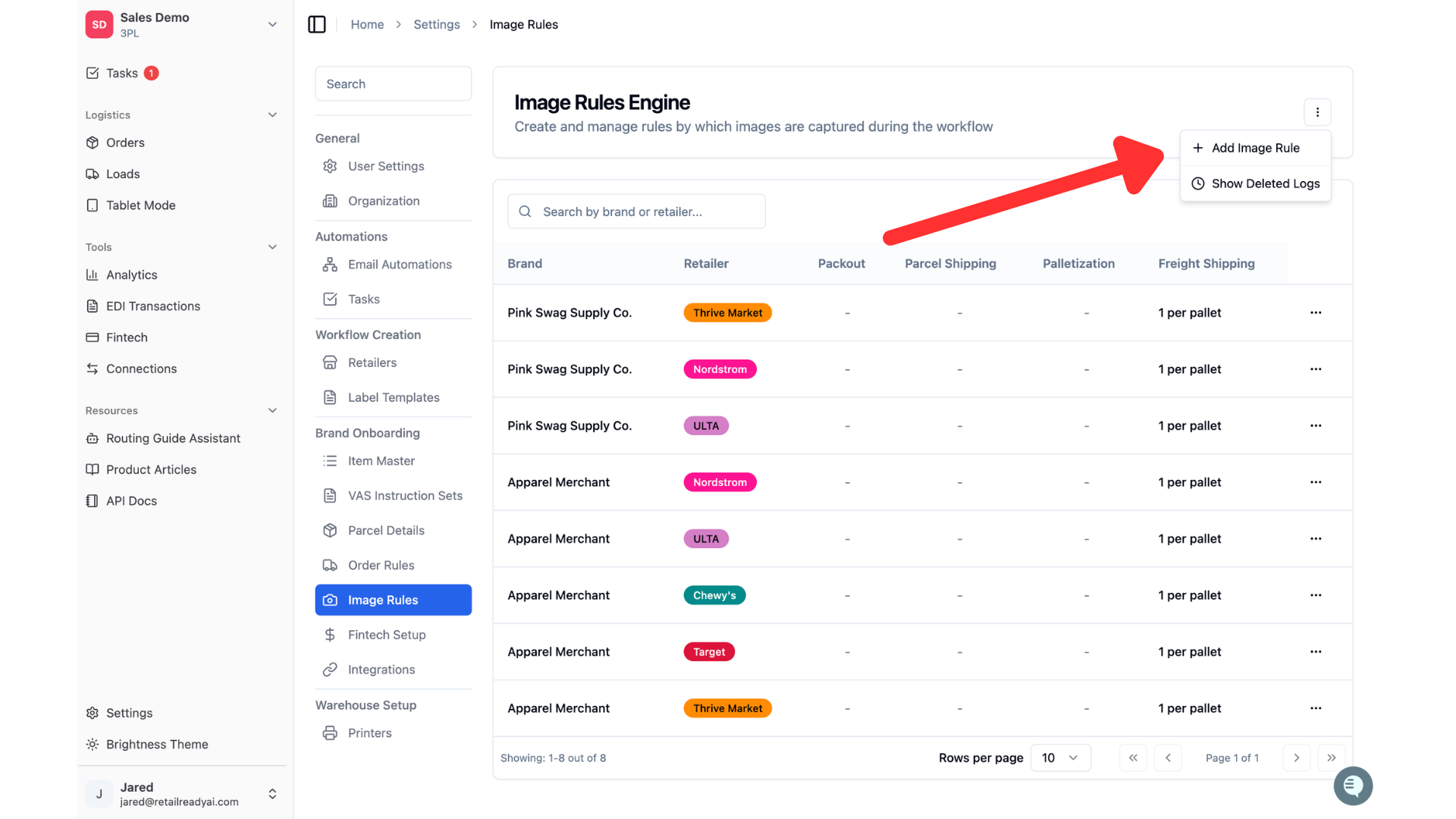
To create a new image rule, click the 3 dots in the upper right corner of the Image Rules Engine page, then click "Add Image Rule".
Select the brand and retailer that this rule will be assigned to.
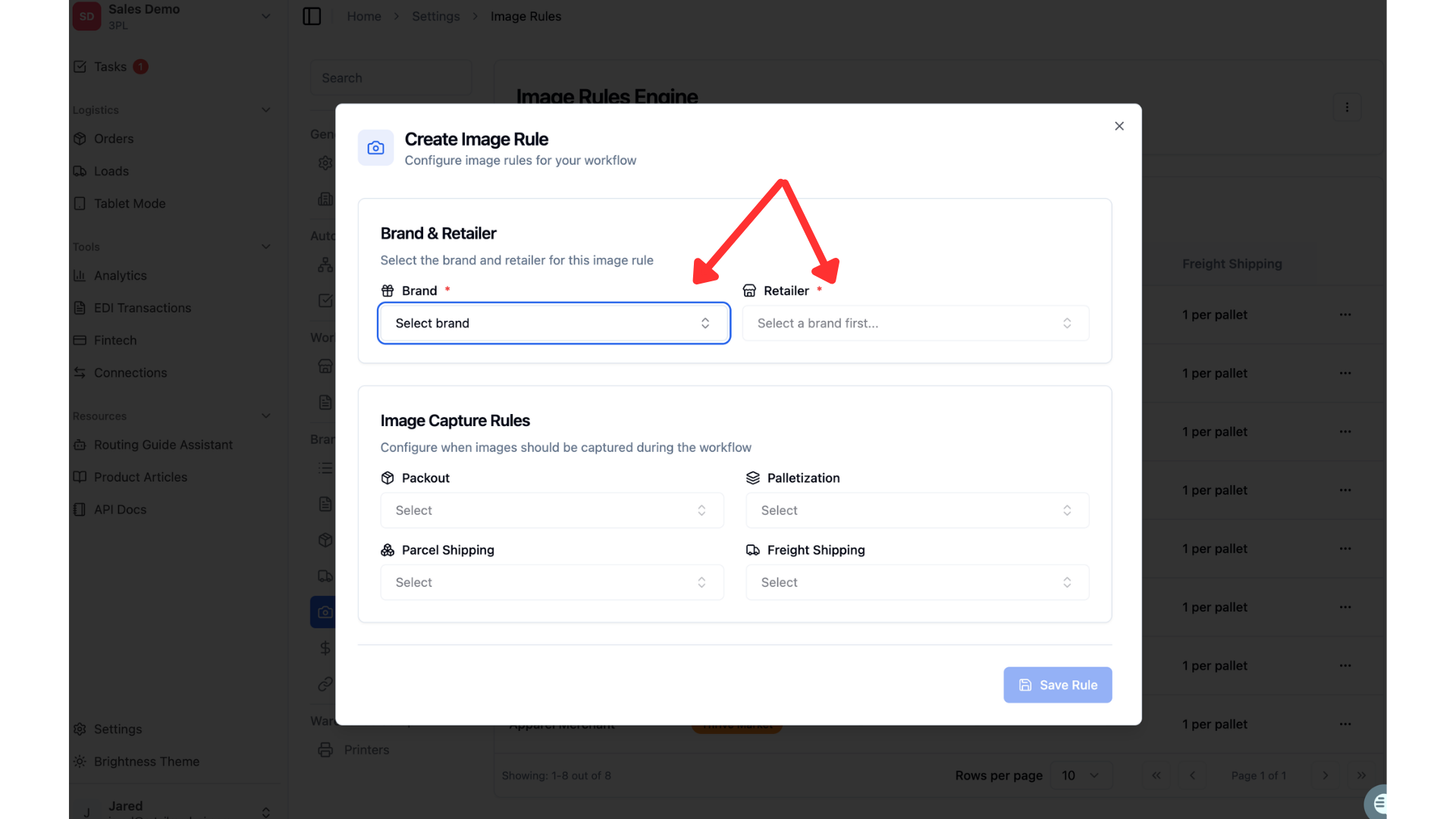
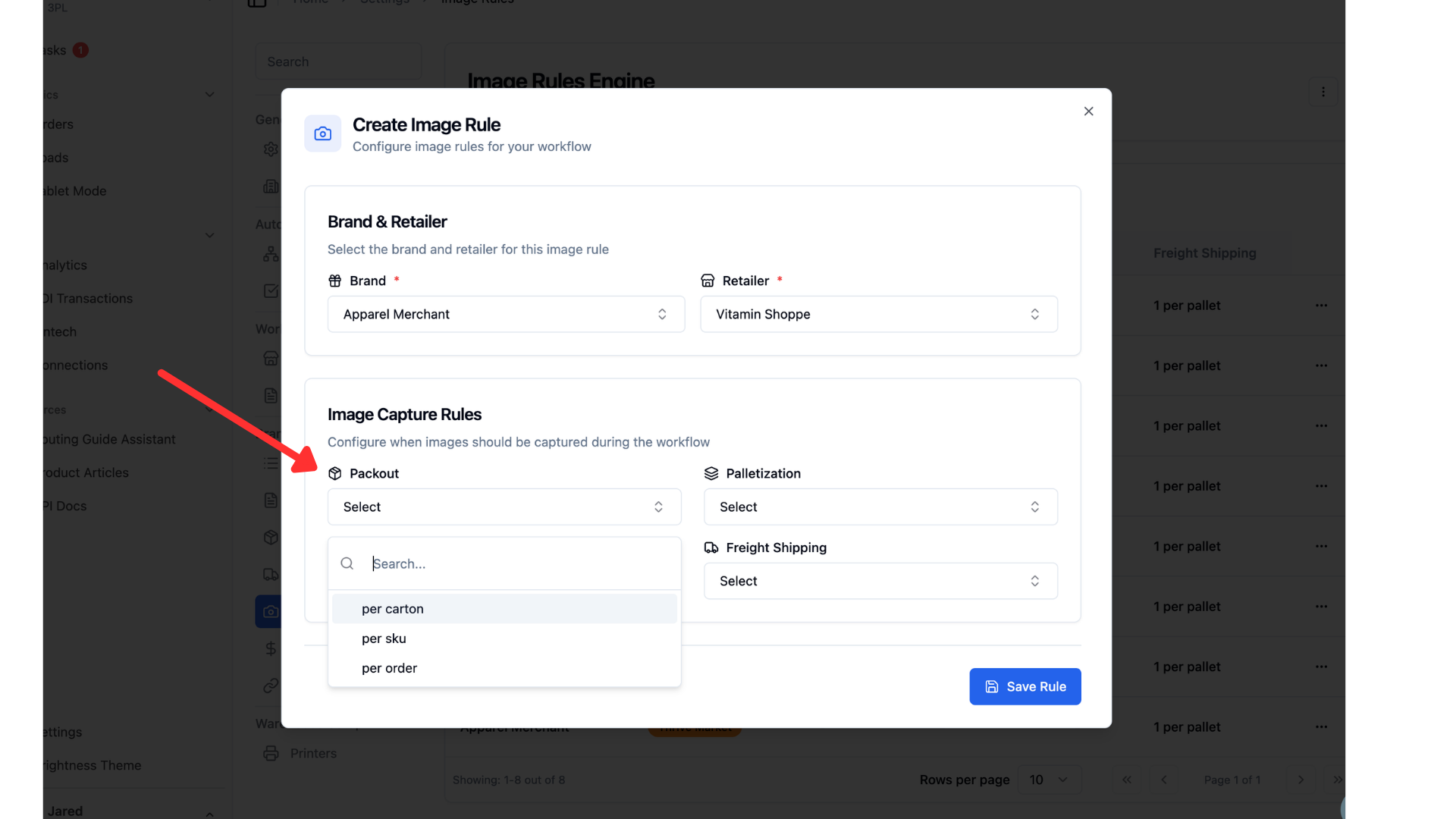
Once brand and retailer are assigned, you can start deciding the frequency that images will be taken during the pack-out process. For the "Packout" section, these photos will be captured during the carton labeling portion of the workflow. Options available require an image per carton, per SKU or per order.
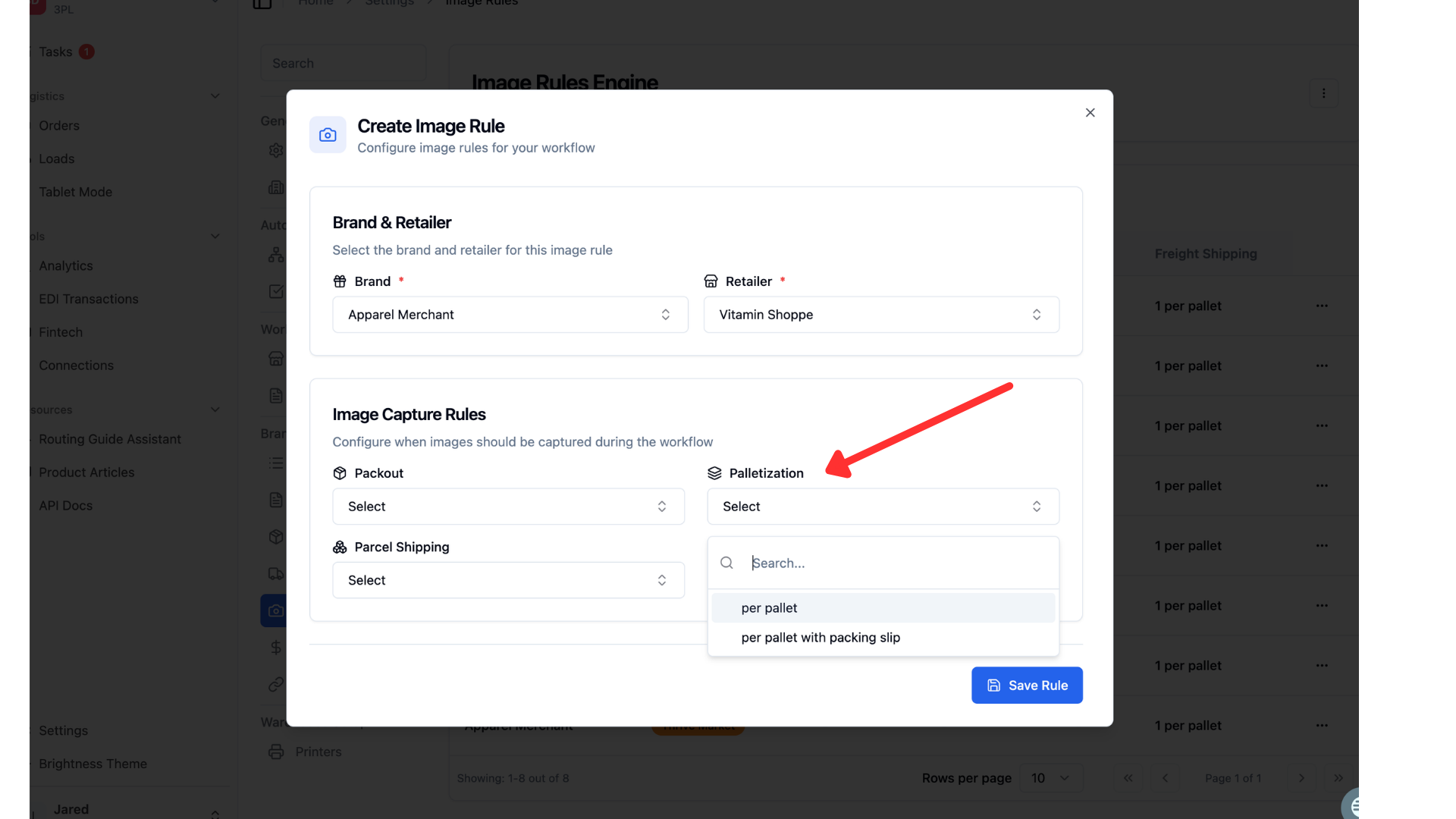
For the "Palletization" section, these photos are taken after the pallet label has been applied and the pallet has been shrink wrapped. Options available require an image per pallet or per pallet with a packing slip.
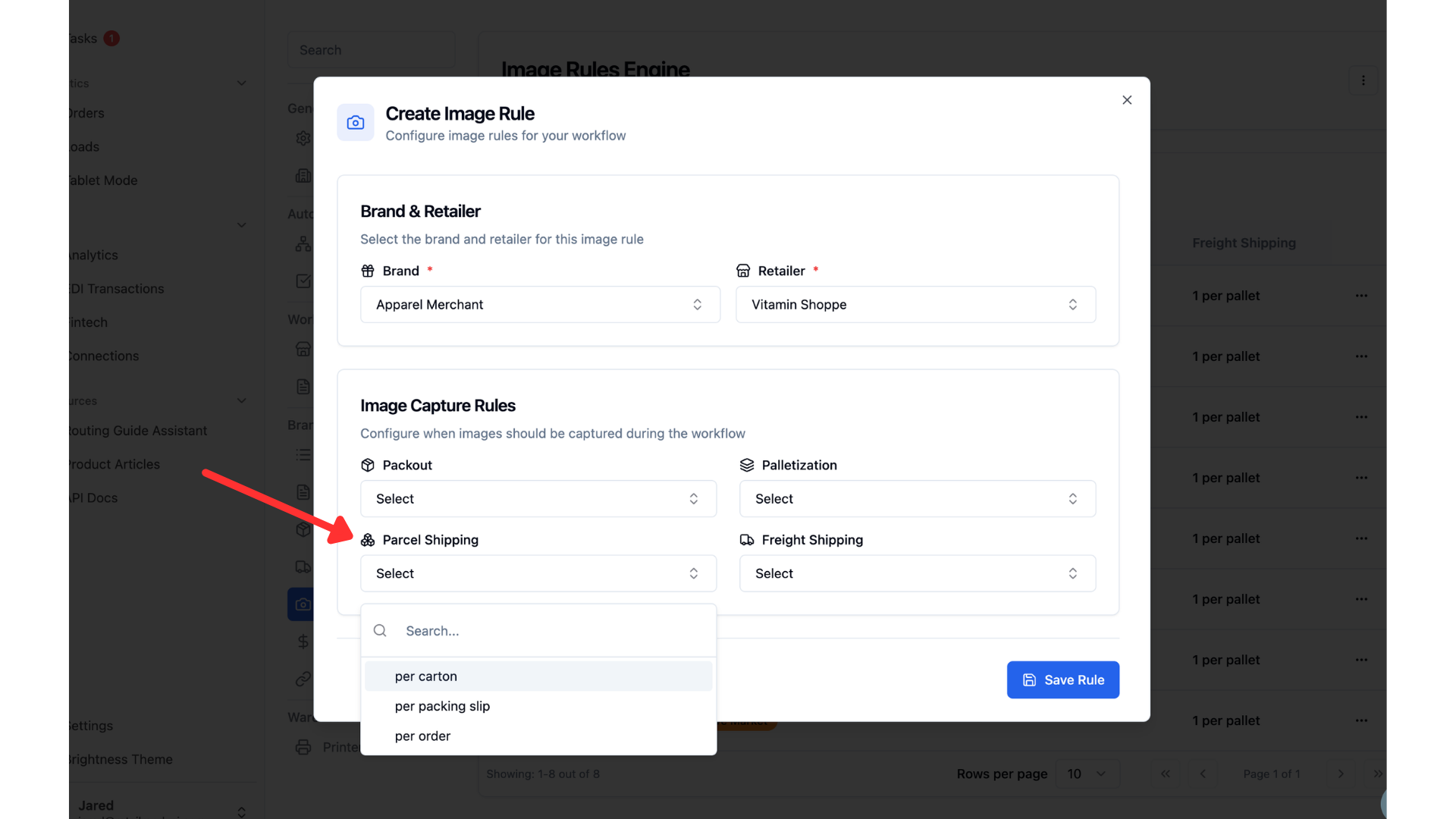
The Parcel shipping section applies to POs that are being sent parcel. There are options to require an image per carton, per packing slip or per order.
The Freight shipping images are taken while loading pallets onto the trailer. Options for this section are per pallet or per pallet with a packing slip.
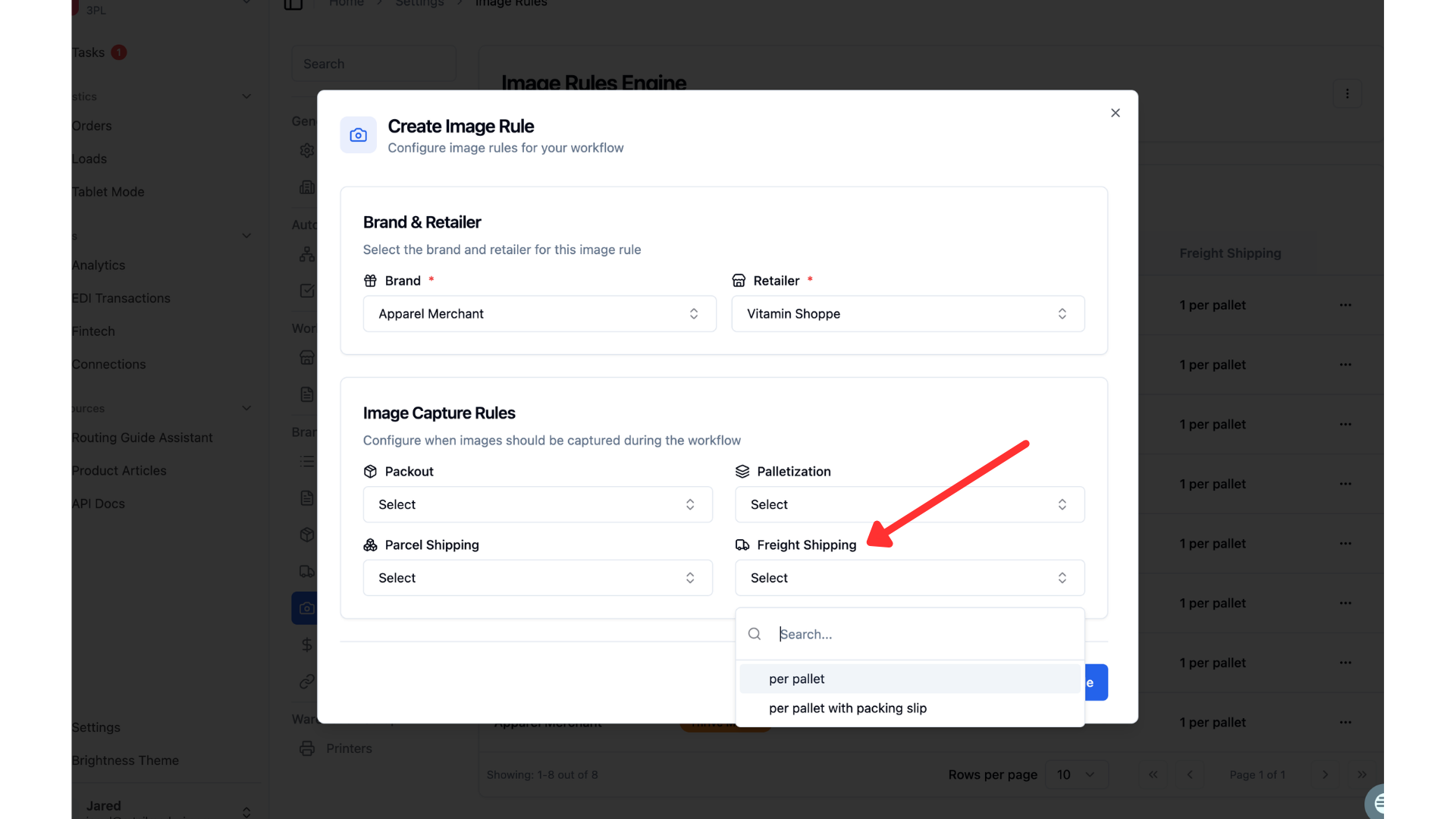
Once you have made your image rule selections you can click "Save Rule".
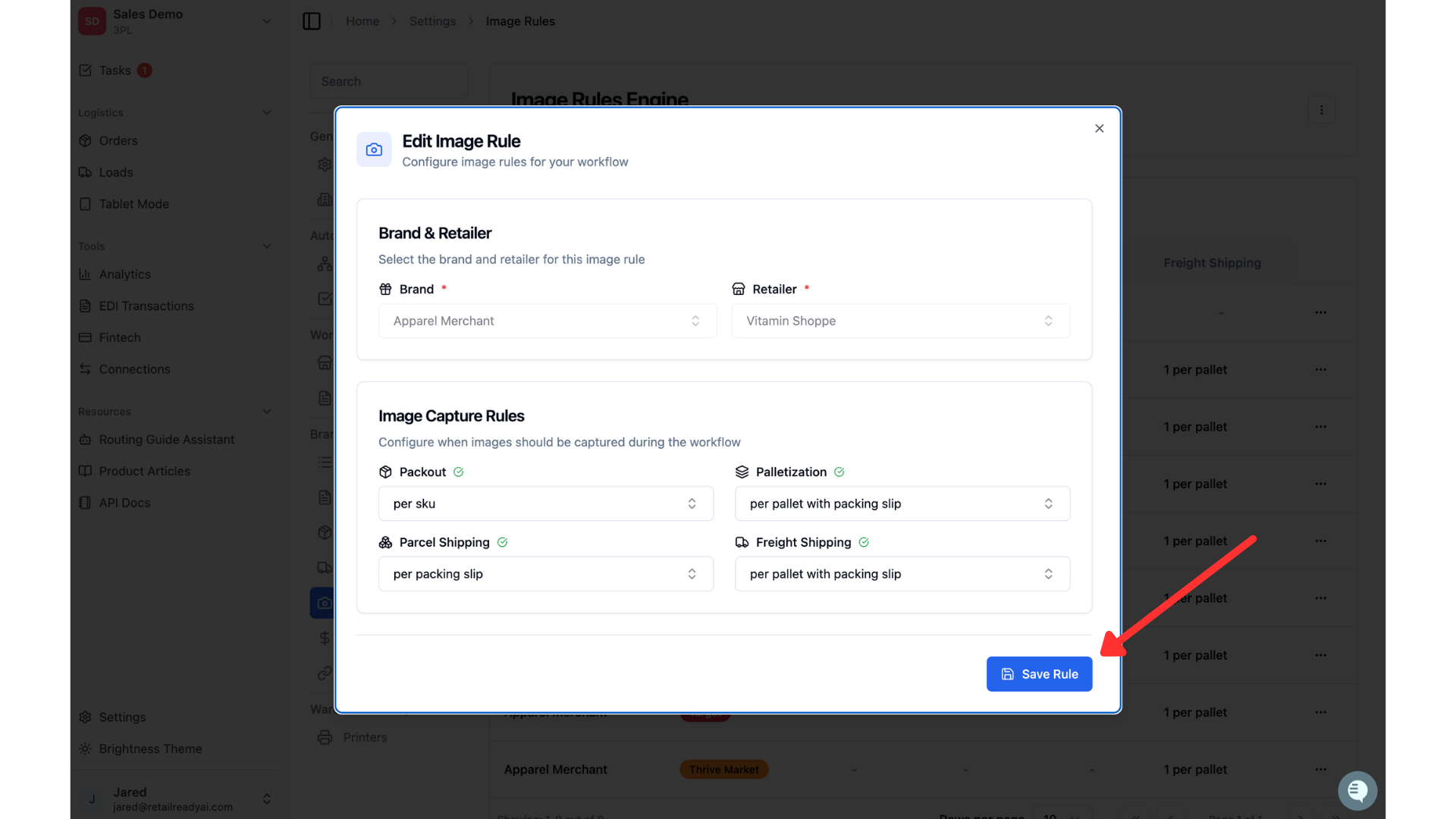
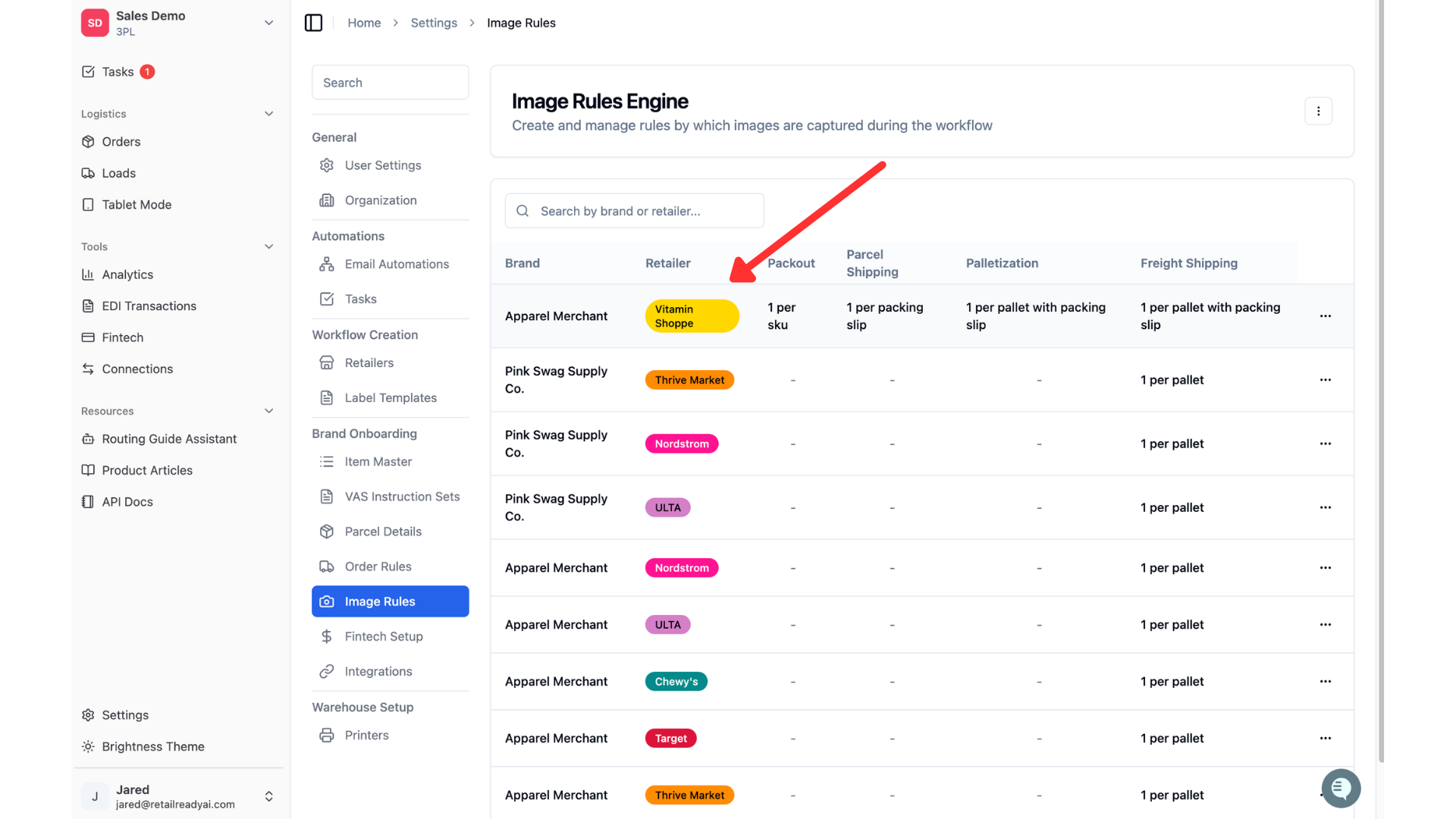
Once the rule is saved, you will see it in your Image Rules table.
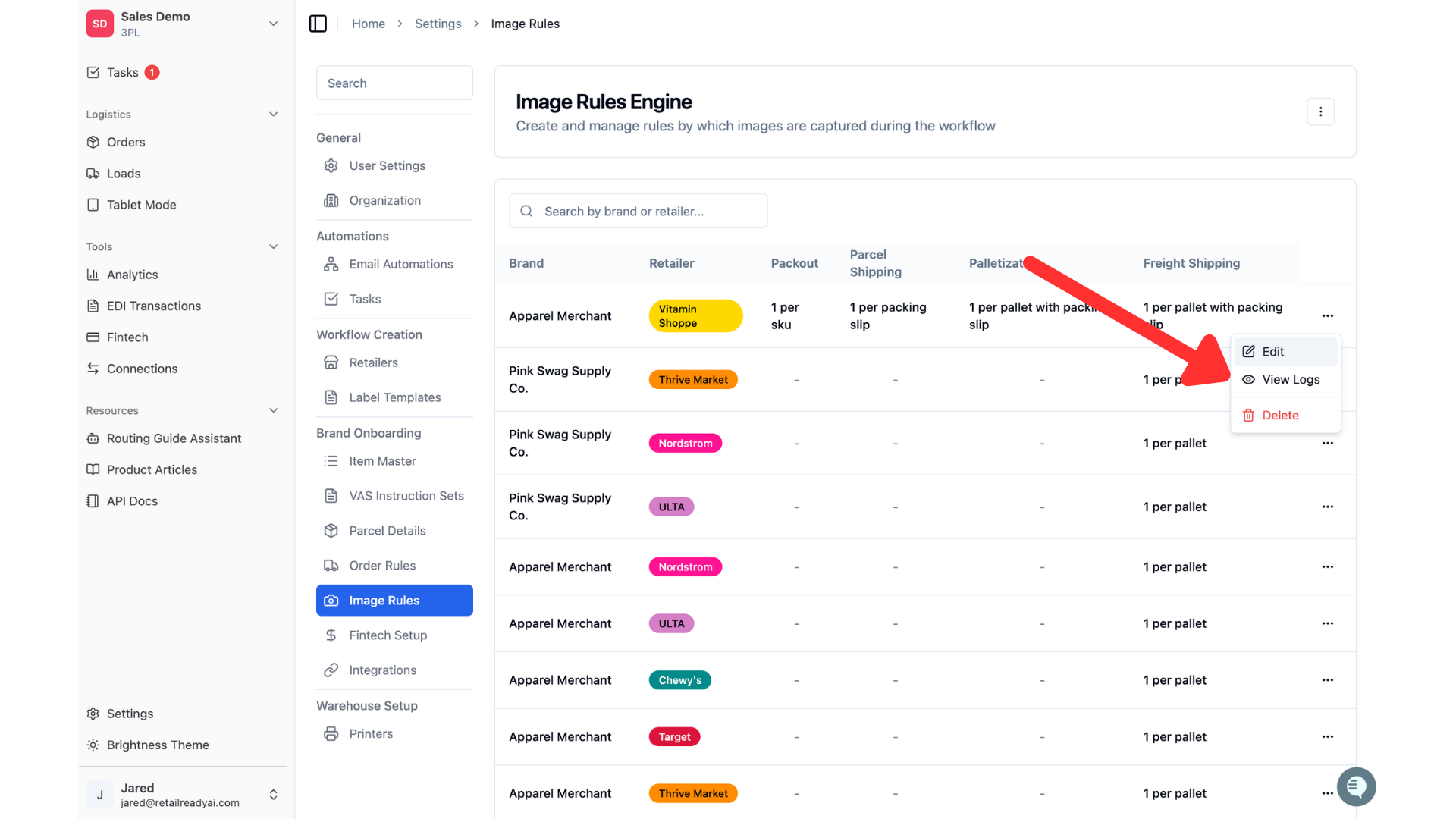
You can edit your existing rules by clicking the three dots on the right side of the rule, then clicking "Edit".
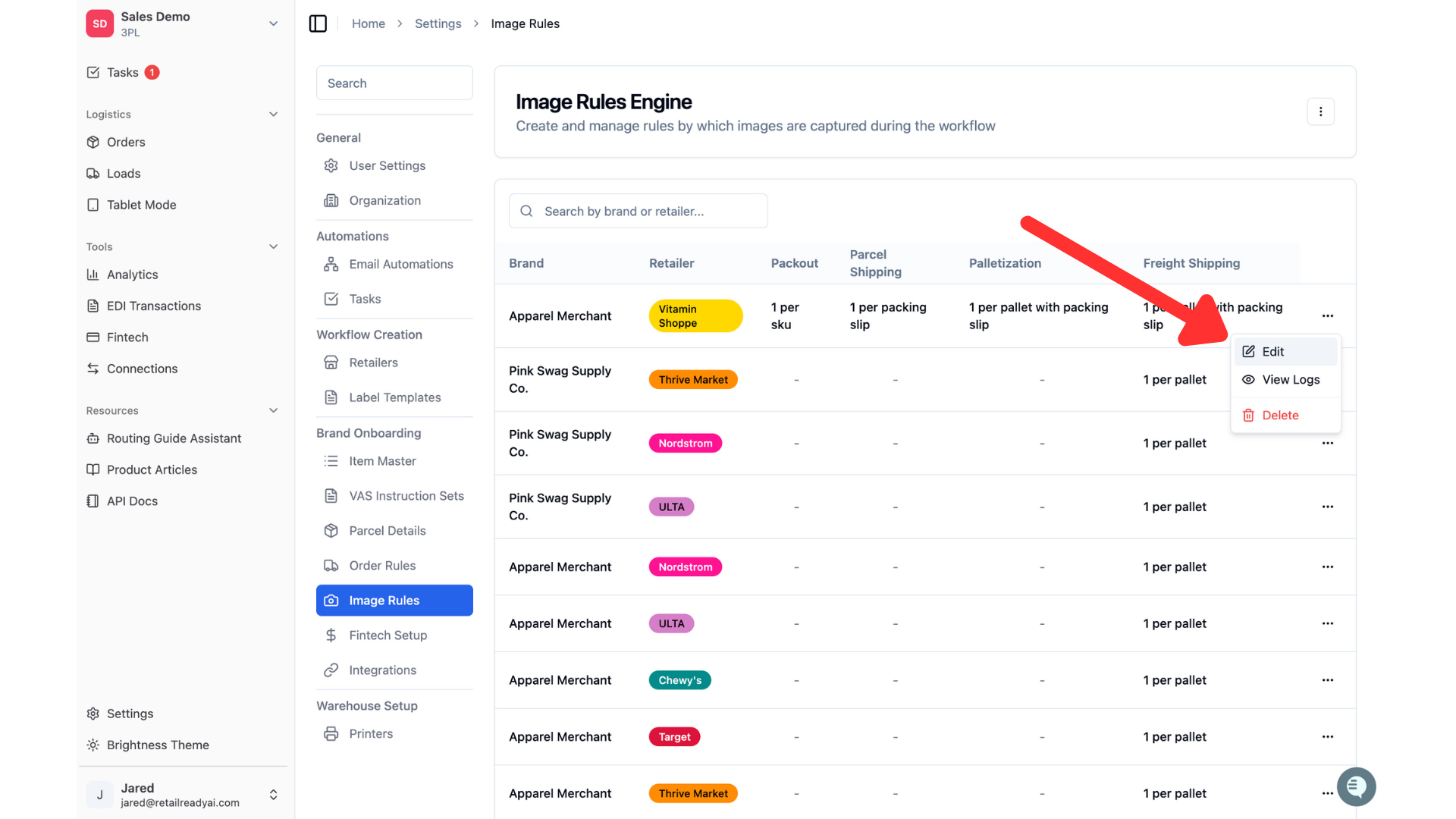
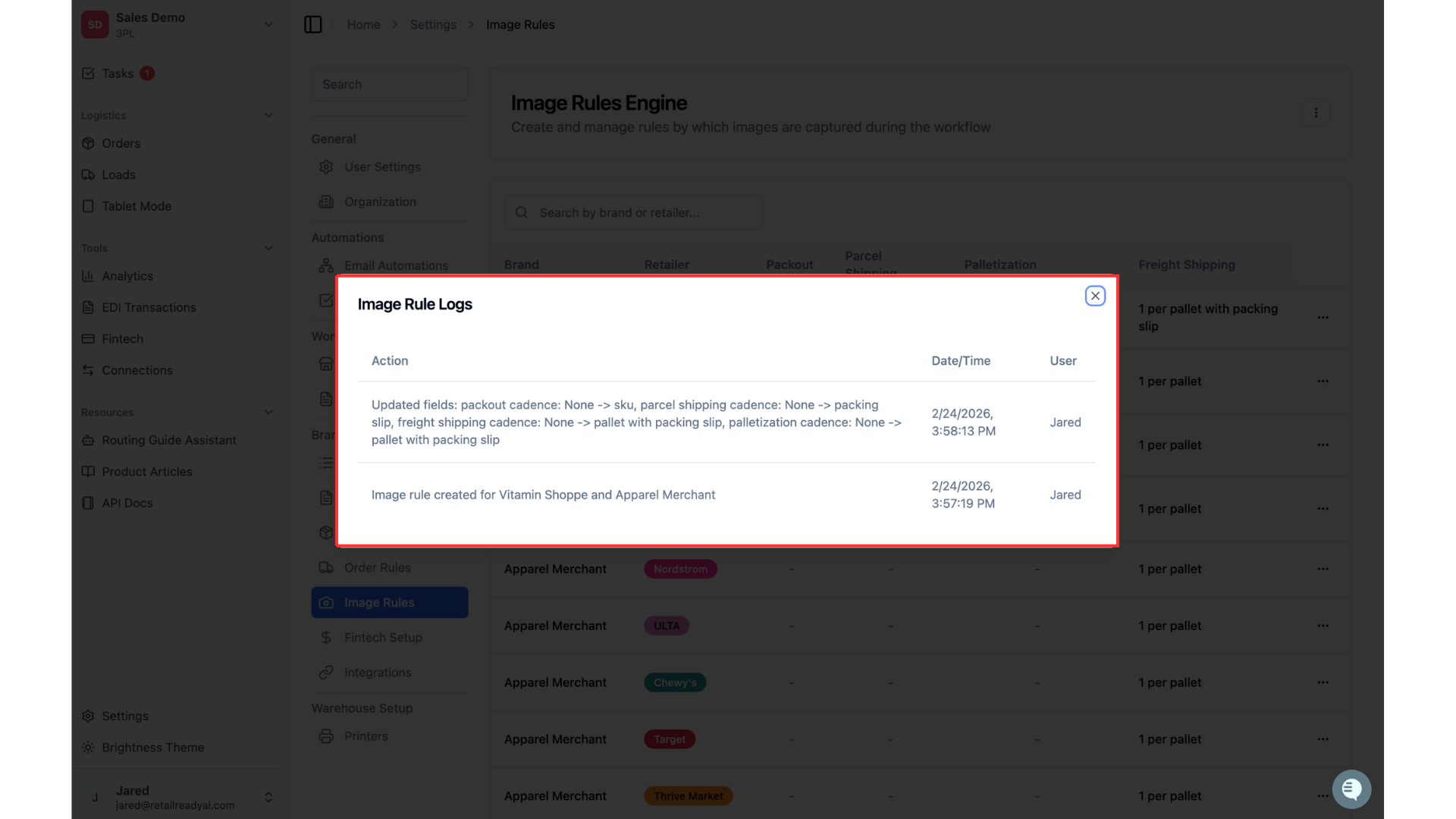
You can view the logs for this rule by clicking the 3 dots on the right side of the rule and then clicking "View logs".
This will show you the history of this rule and what changes have been made.
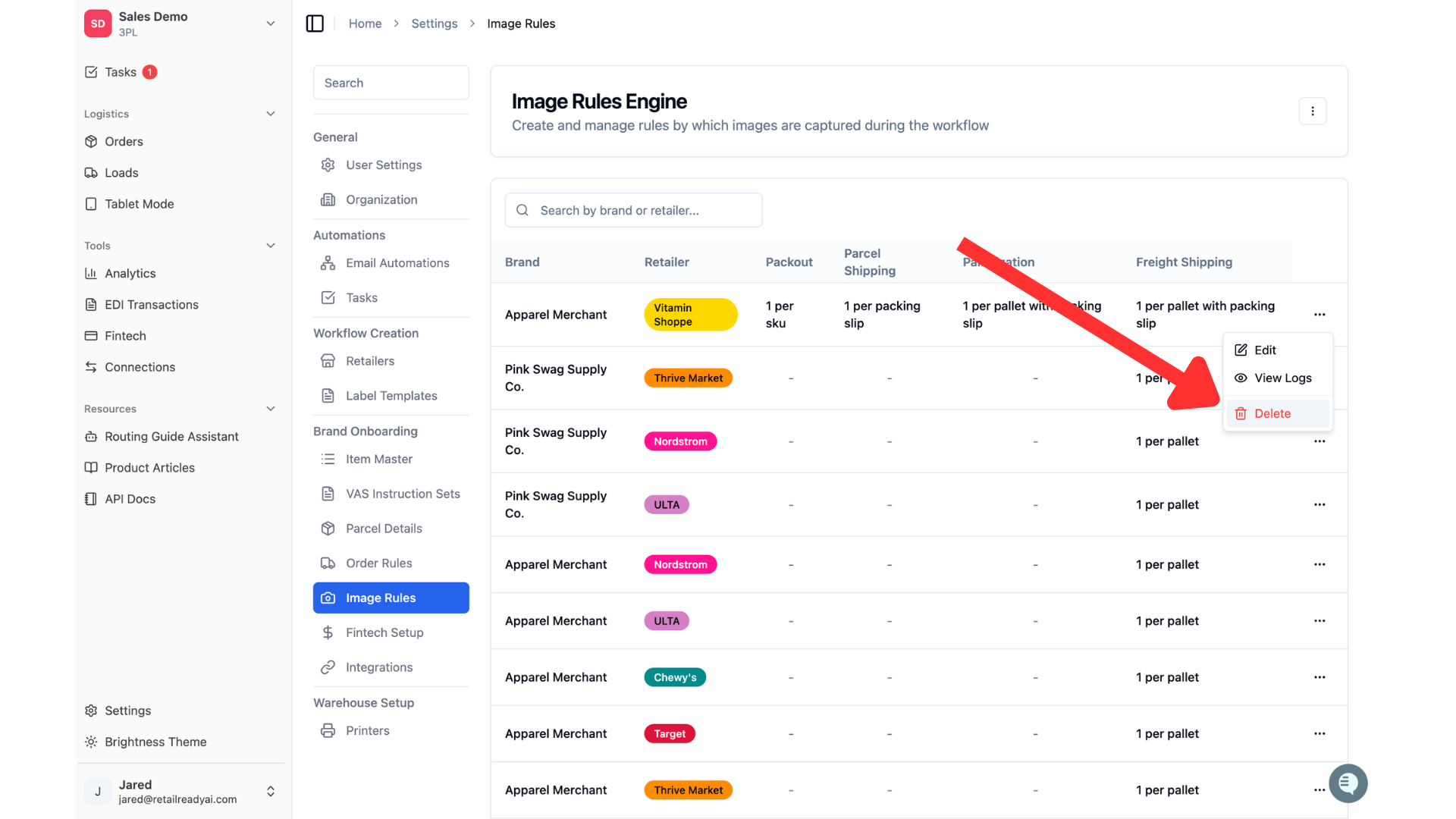
You can delete a rule by clicking the 3 dots on the right side of the rule and then clicking "Delete".
FAQs
Are image rules required?
No, image rules are not required to pack-out through RetailReady. Image rules are a way keep track of the way cartons and pallets are being packed. The images taken during pack-out act as a source of truth to dispute any chargebacks that do occur.
Why is there an image rule already set up?
We create an initial image rule for each one of your connections. This rule is for "1 image per pallet with packing slip" and ensures that proof of proper pallet construction and labelling has taken place. If the retailer tries to enforce a charge back, we have proof that can be used to dispute! Feel free to remove this if you would like.
Can I take multiple pictures during packing for a specific step?
Yes! You can click "+ Add" to take multiple pictures for an image capture step, before submitting the photos while packing the order.