3PL - How to Request A Connection
Last updated: October 8, 2026
What is a Brand<>Retailer Connection?
Connections represent each unique Brand <> Retailer relationship that uses RetailReady to ship through your facilities. Once a connection is activated, RetailReady receives orders from the Retailer on behalf of the Brand through that connection.
Now let's walkthrough how to request these connections!
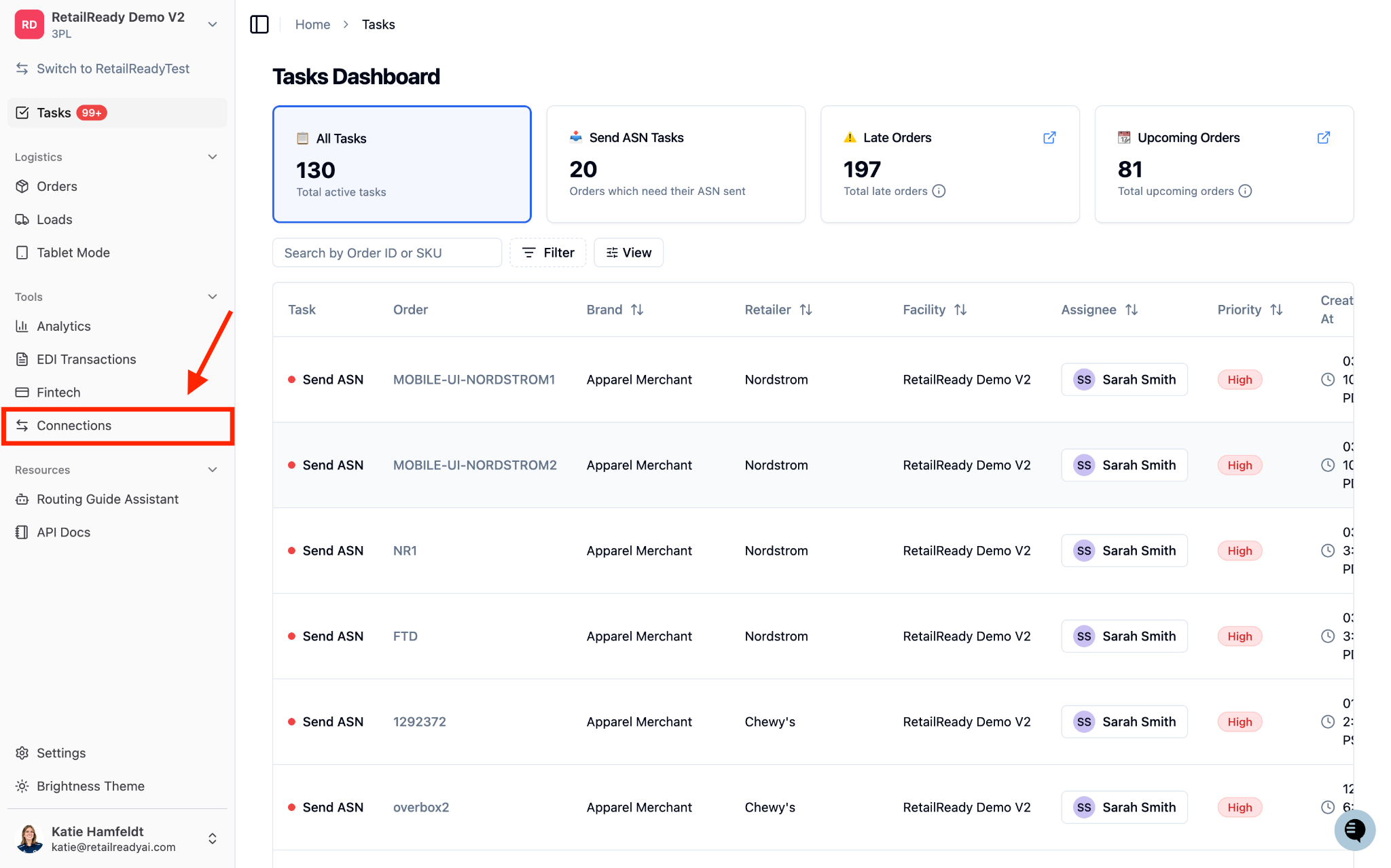
Open your RetailReady Dashboard and navigate to the 'Connections' page
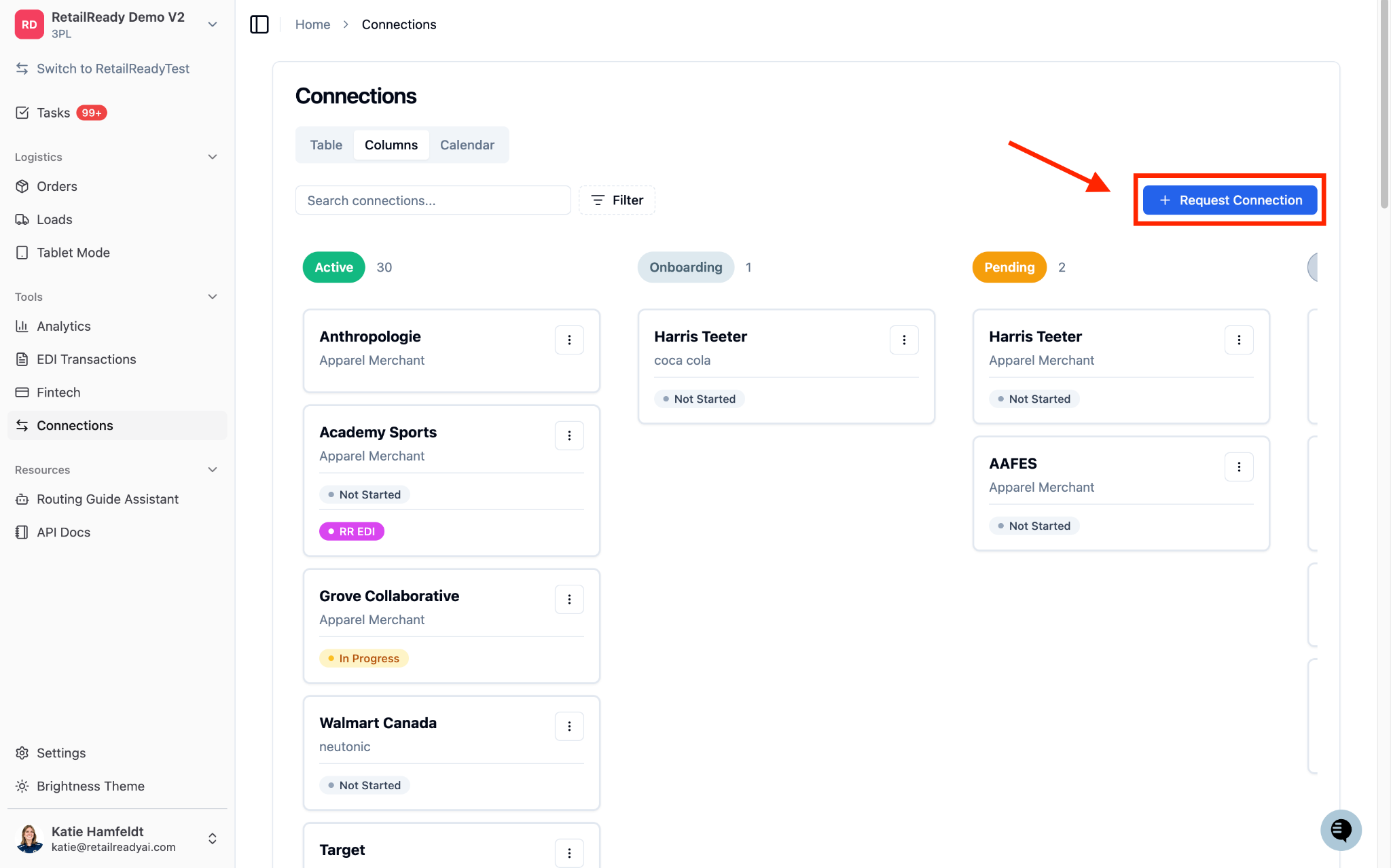
Now on Connections page, click '+ Request Connection' in the top right corner
Fill in the Brand details
If choosing an existing brand:
Select the Brand from the drop down menu and fill in the Brand contact email
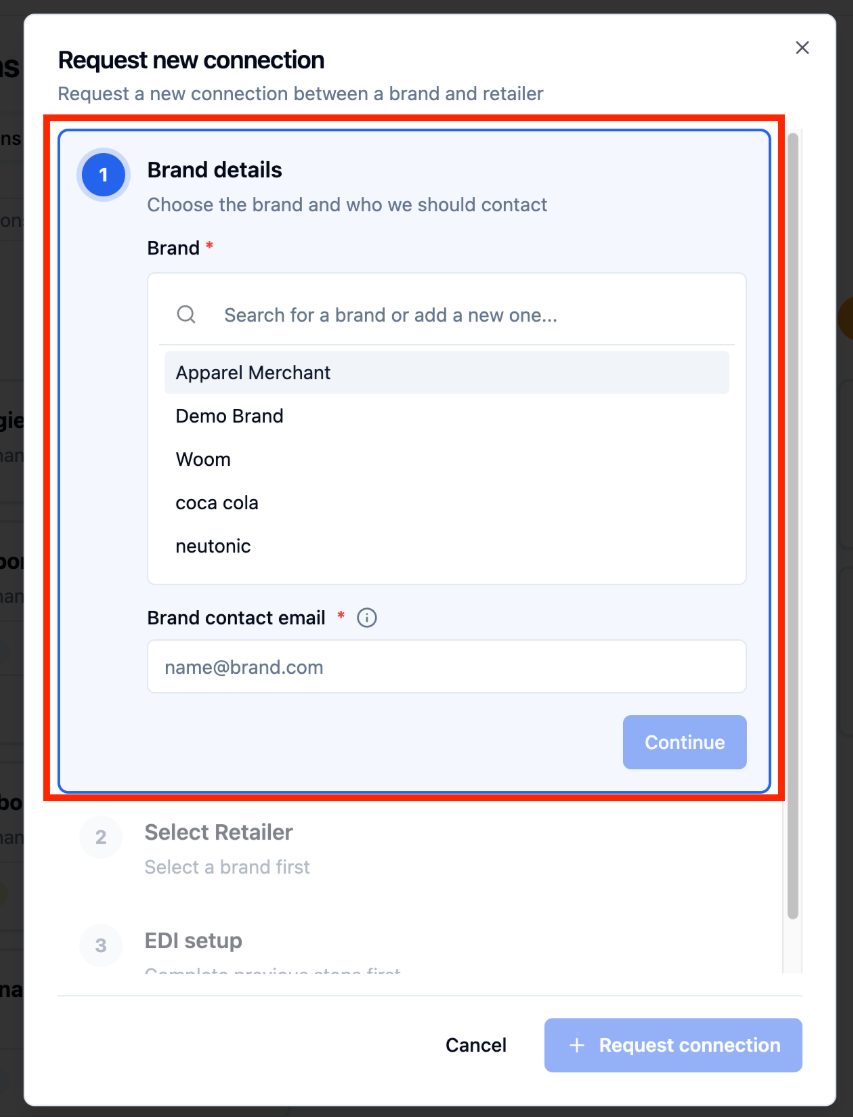
If it's a new Brand:
Type in the new Brand's name and click '+ Create New Brand'
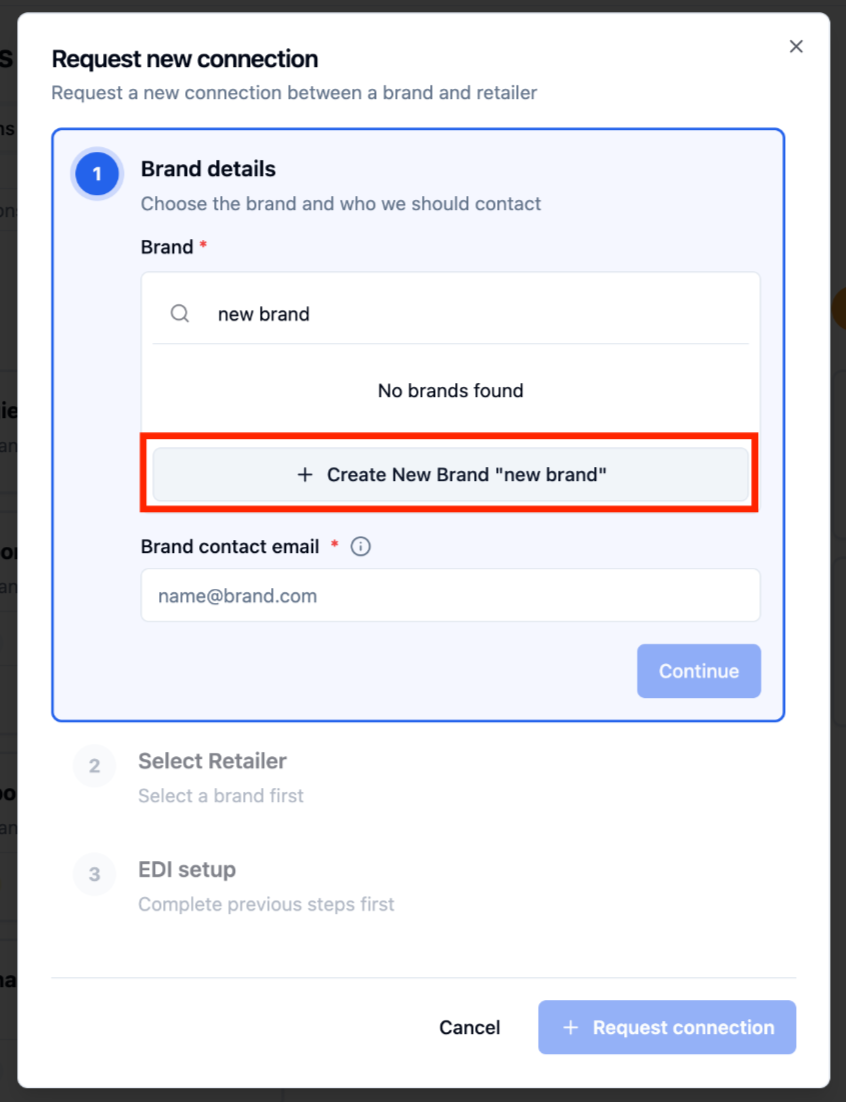
Fill in the Brand contact email
Click 'Continue'
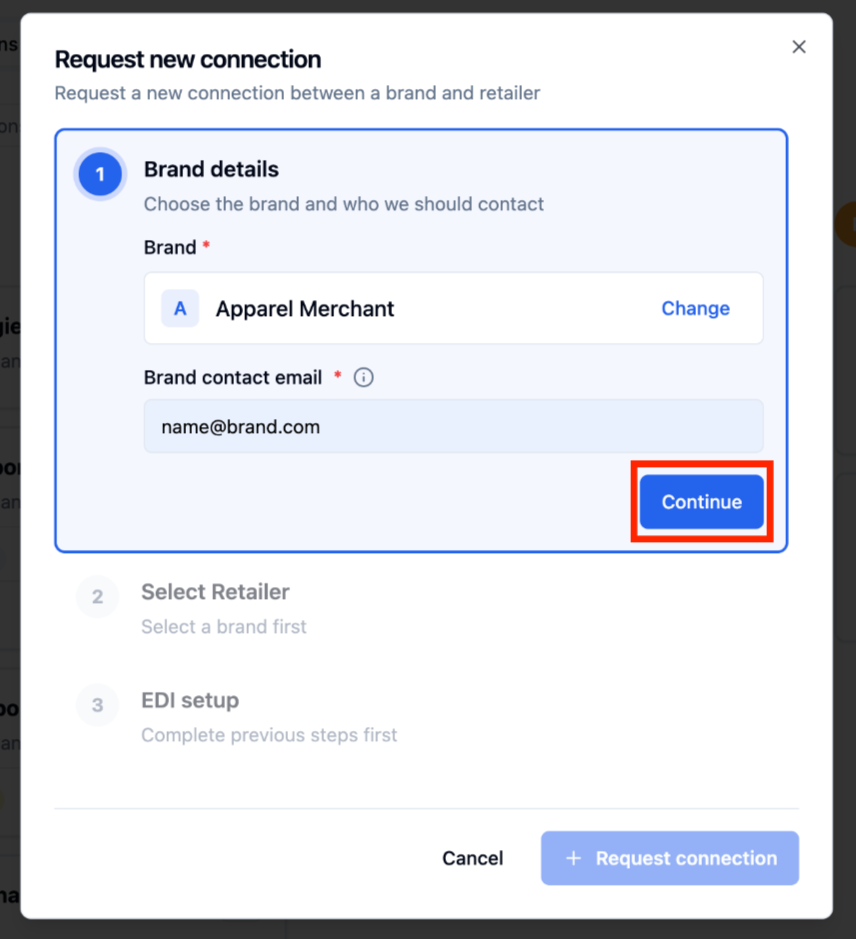
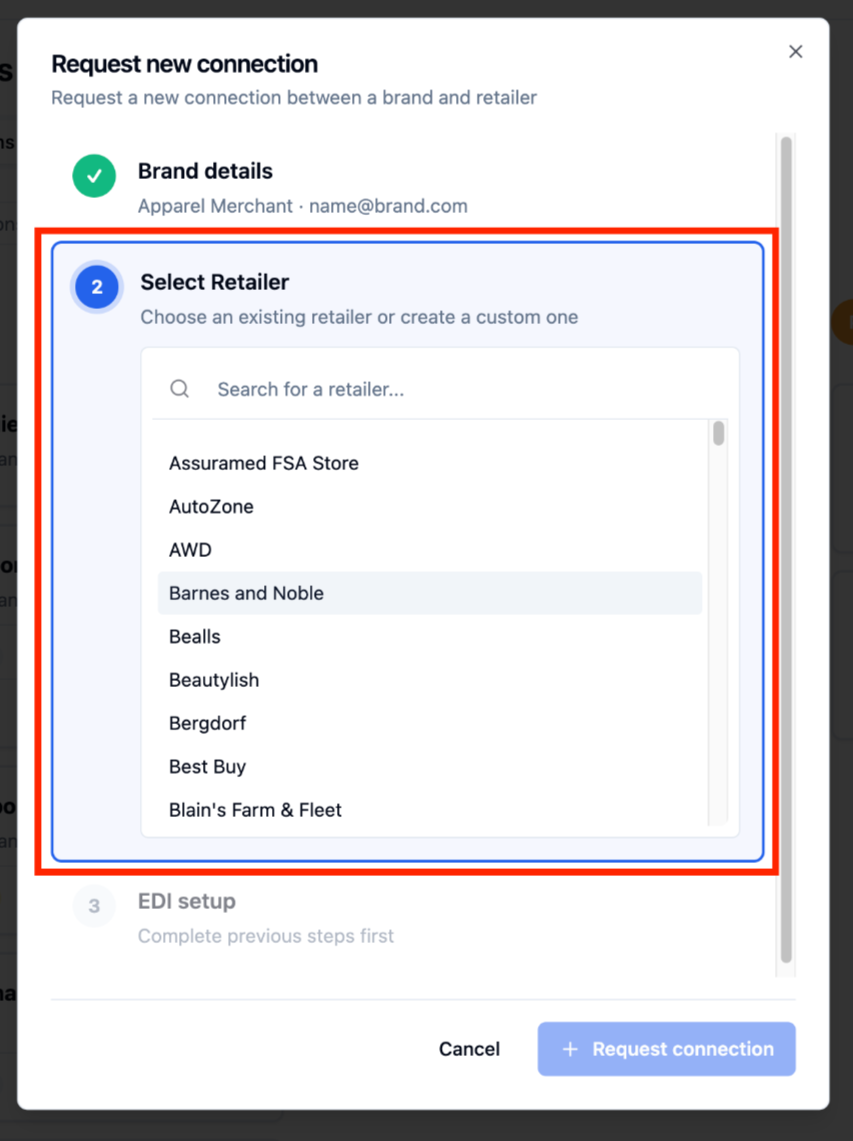
Select the Retailer
First search to see if the desired Retailer is in our catalog and click on the Retailer
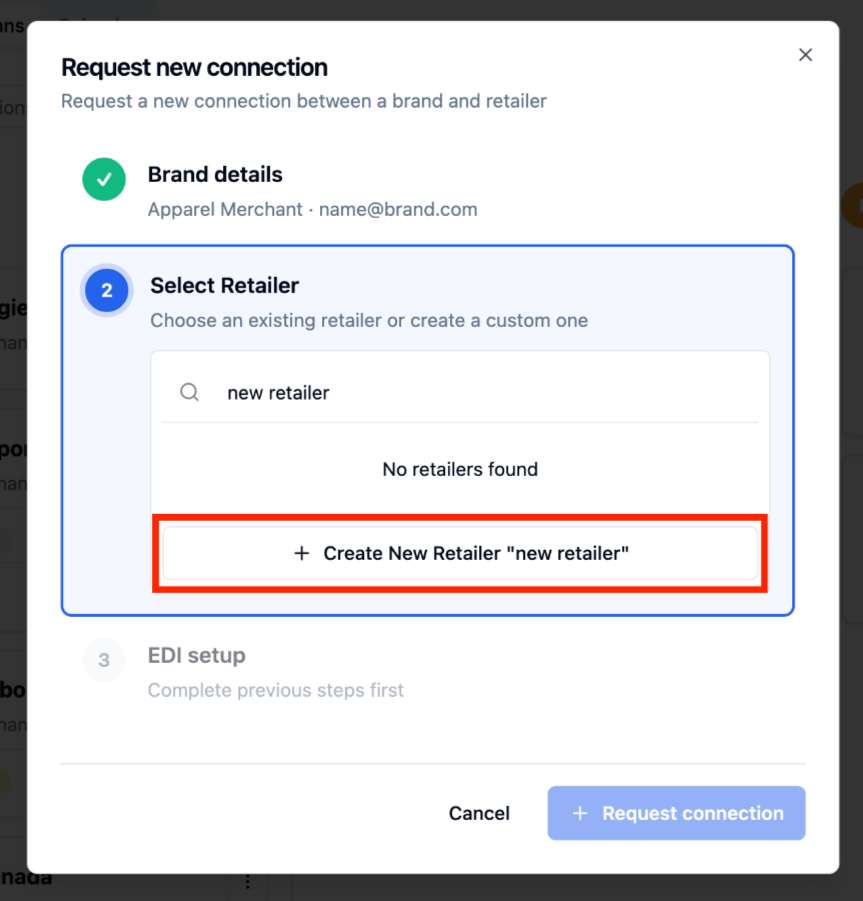
If your desired retailer is not in our catalog, type in the desired retailer and click '+ Create New Retailer'
Fill in the Brands EDI setup
If RetailReady manages the Brands EDI connection with this retailer:
Select 'RetailReady EDI'
Click '+ Request Connection'
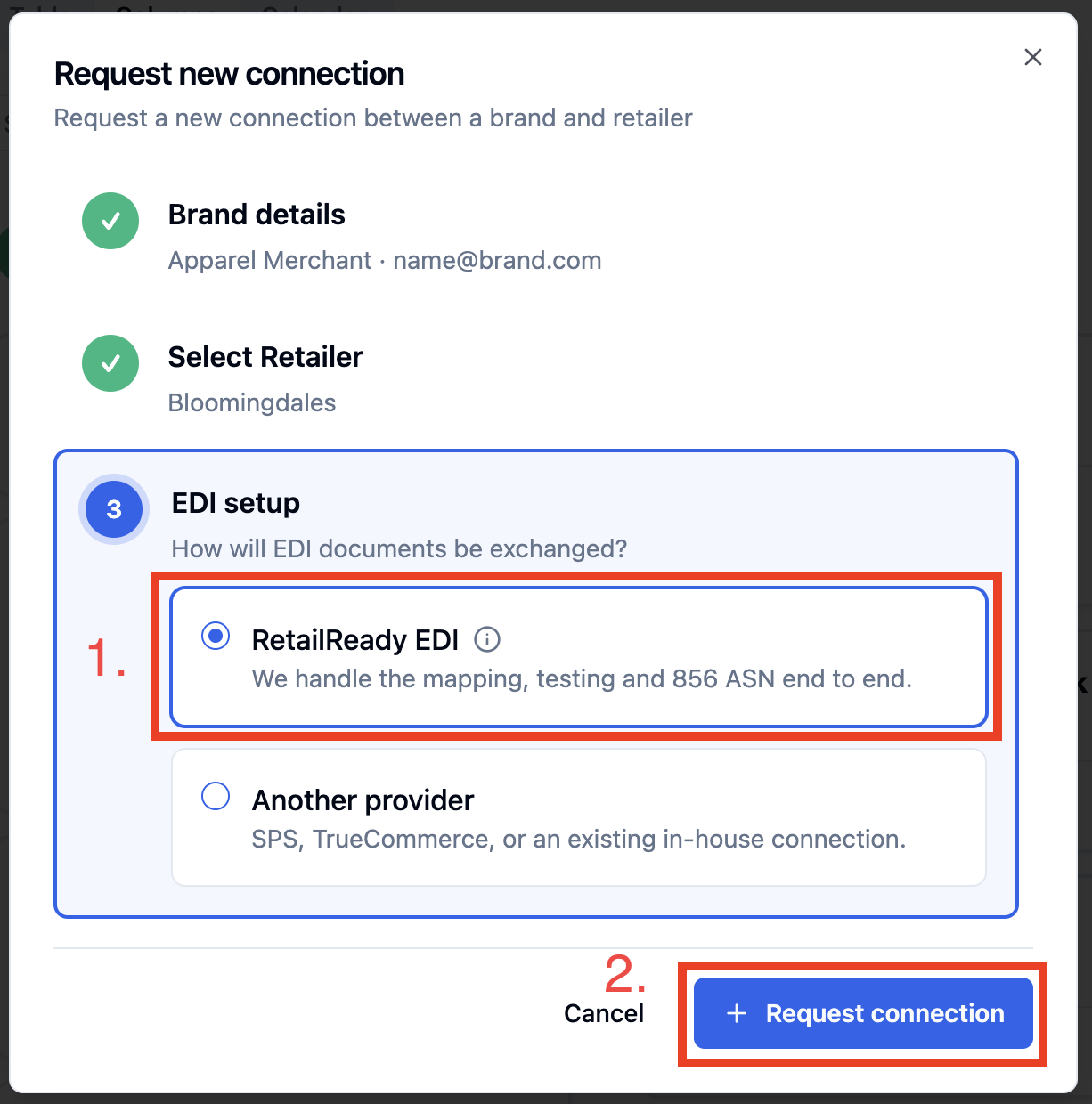
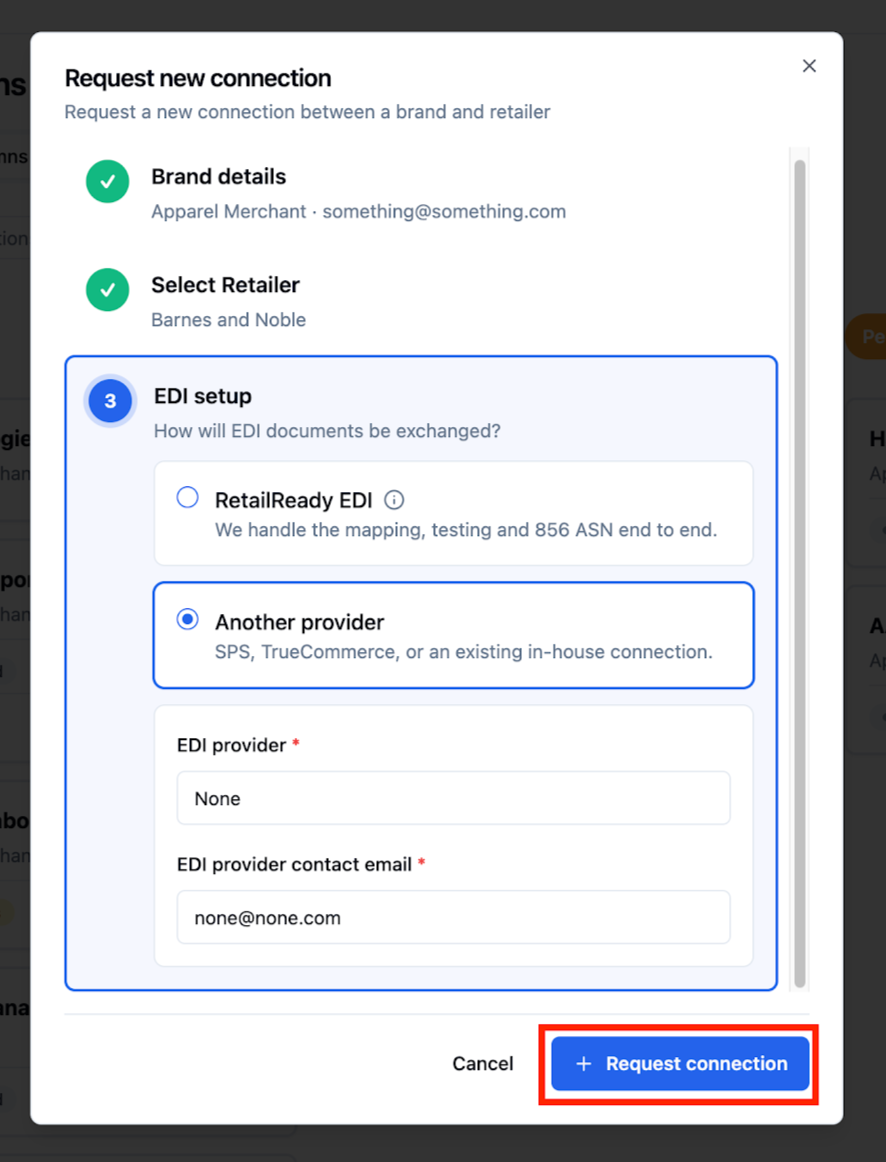
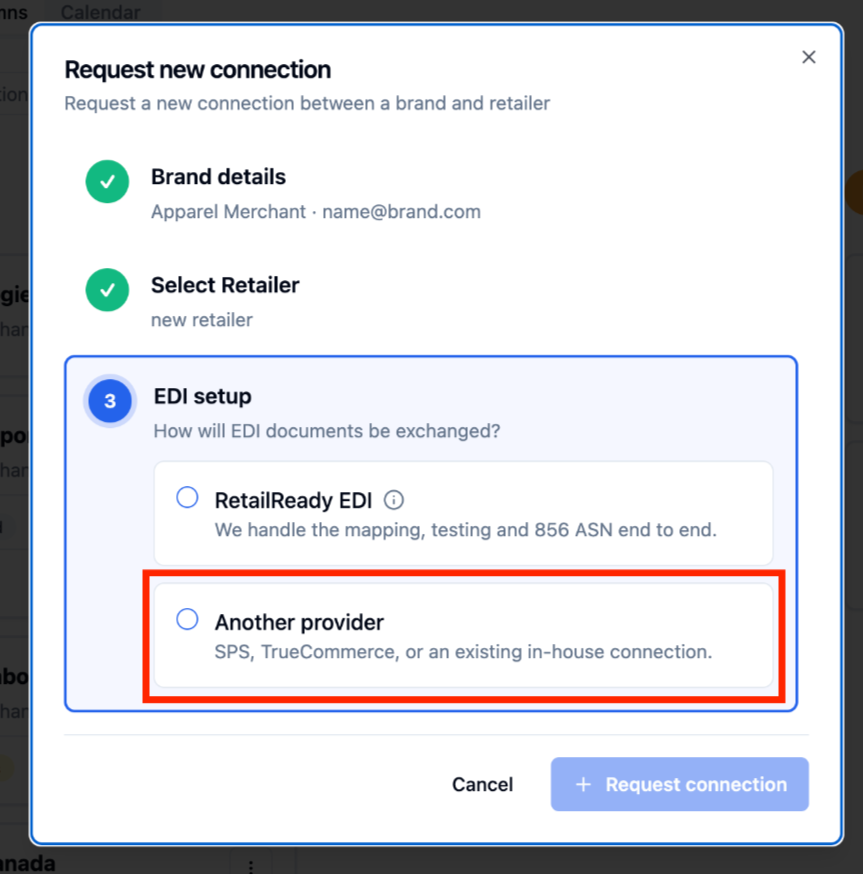
If the Brand uses another provider:
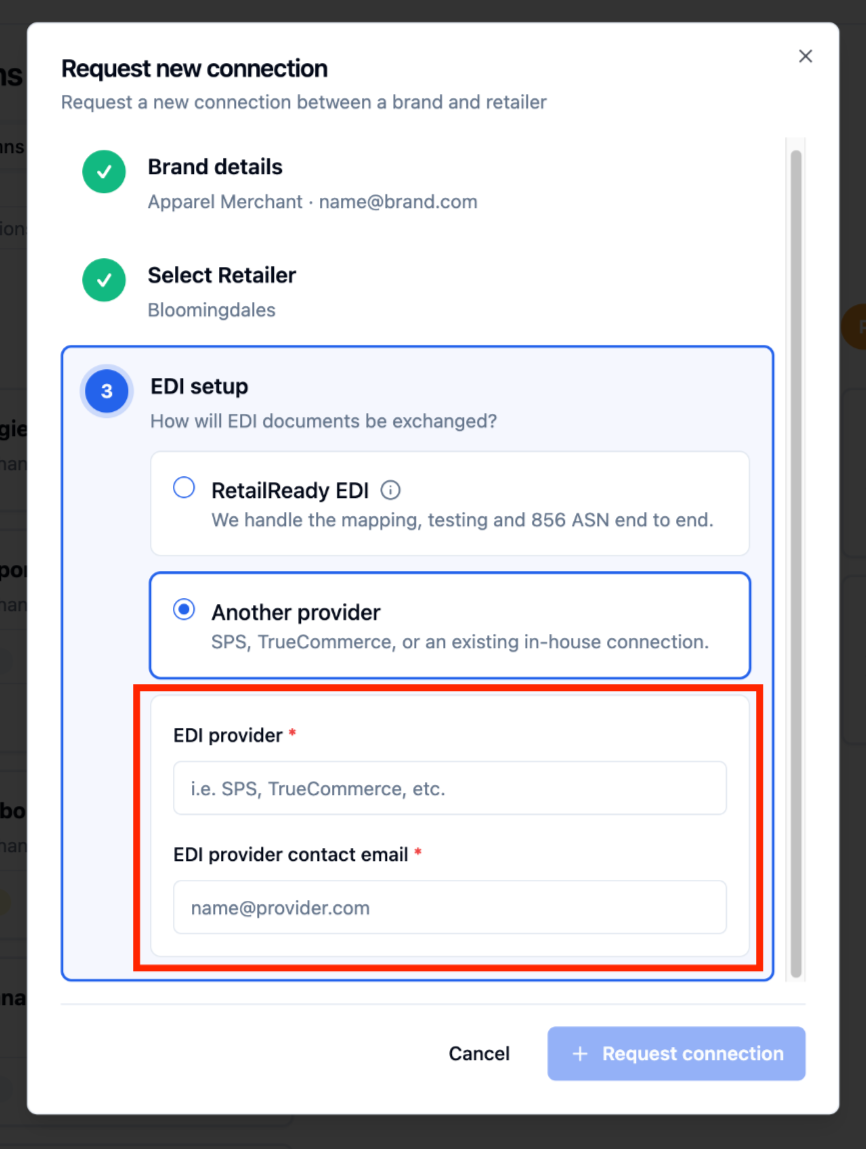
Select 'Another provider'
Fill in the EDI provider's name and their contact email
Click '+ Request Connection'
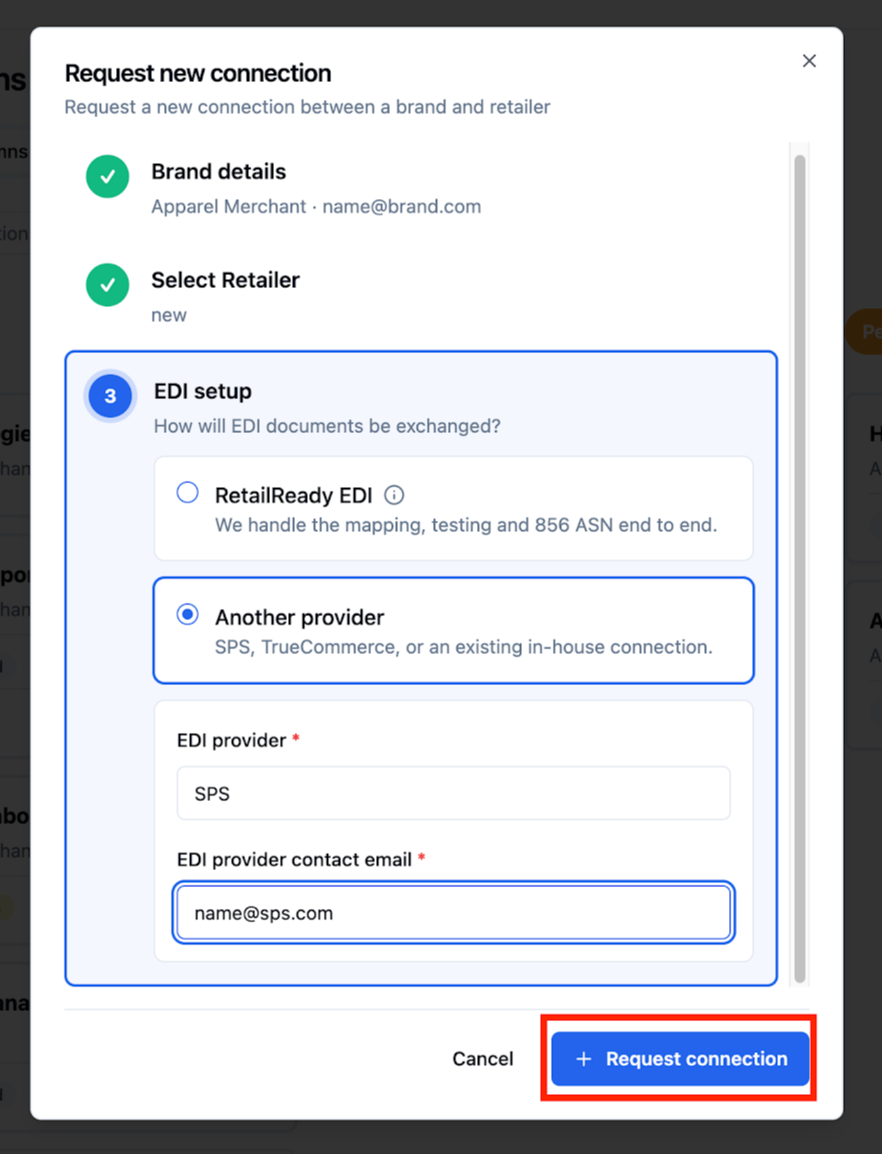
If the Brand doesn't require EDI support:
Select 'Another provider'
Type None for EDI provider and none@none.com for the EDI provider contact email
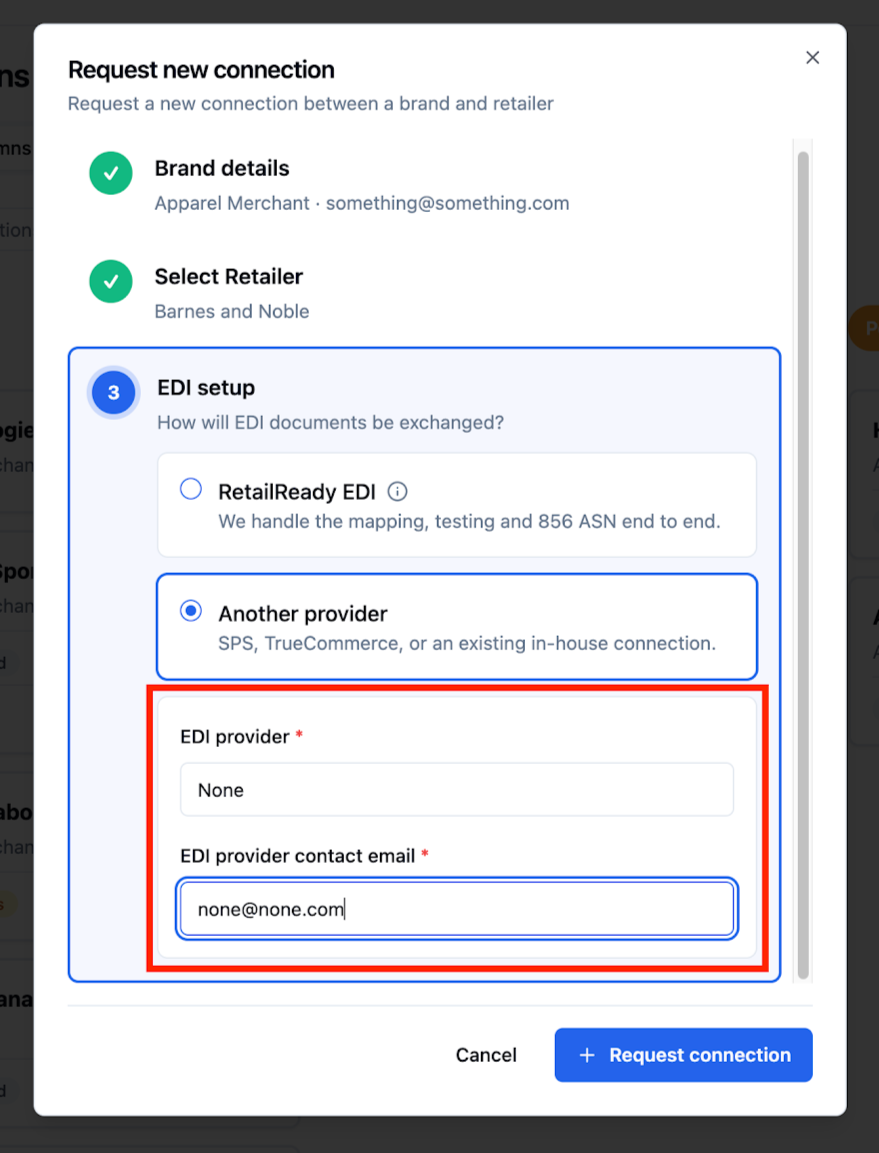
Click '+ Request Connection'