Enabling Automatic Parcel Account Assignment
Last updated: September 7, 2026
Automatic Parcel Account Assignment
We've added a new feature that automatically assigns the correct parcel account to orders coming from your warehouse management system. This helps ensure orders use the right shipping account without manual intervention.
What Changed
When orders are imported from your WMS, RetailReady now:
Looks for the parcel account number assigned to the order in your WMS
Automatically matches it to your parcel accounts set up in RetailReady
Assigns the correct shipping information to the order
Logs when it can't find a matching account
How It Works
Successful Auto-Assignment
When an order comes in with a parcel account number that matches one of your configured accounts in RetailReady, the system automatically:
Assigns the correct parcel account
Sets up the transportation information
Processes the order normally
To See The Auto-Assigned Account
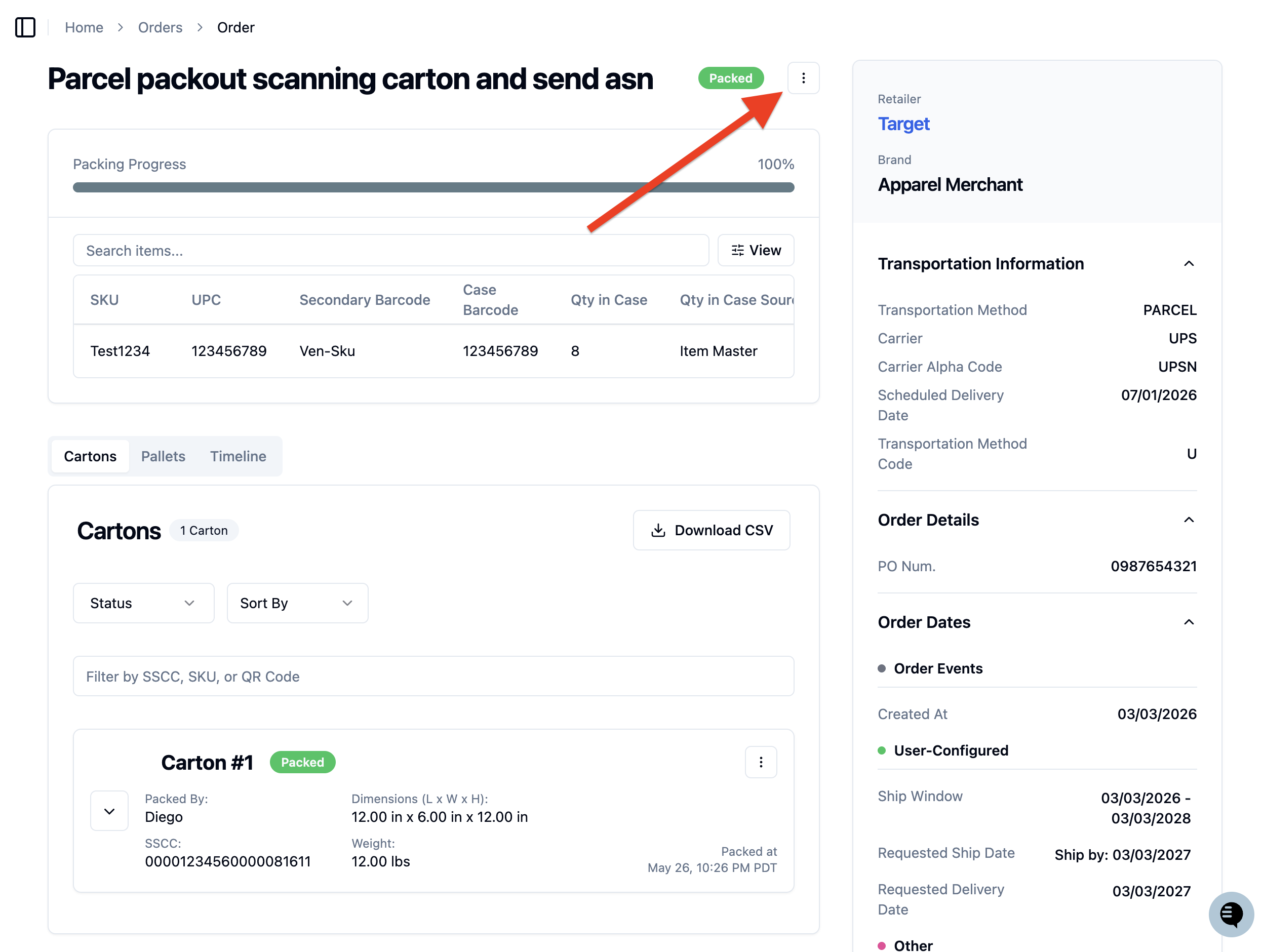
Click the 3 dots from the order view.
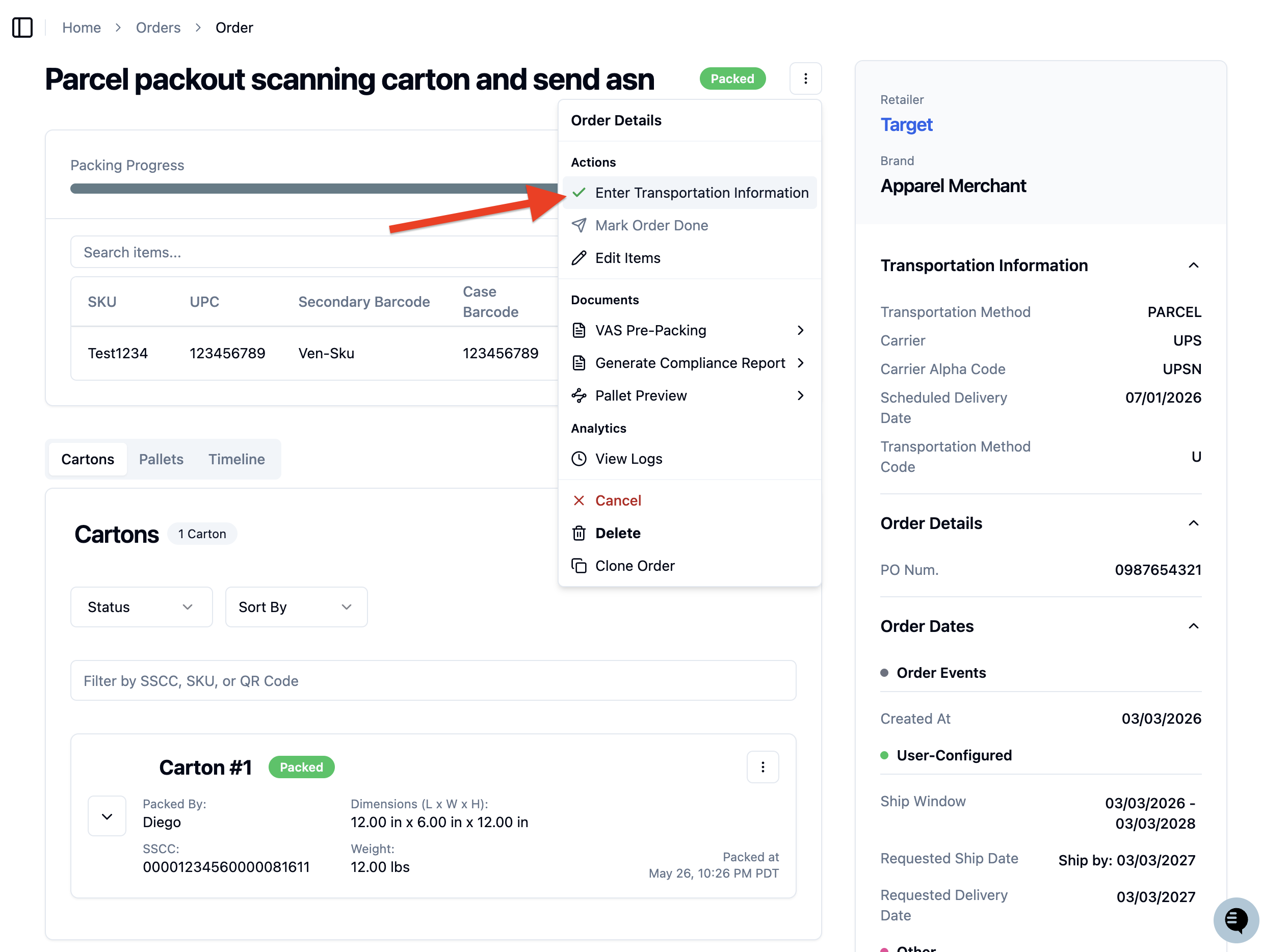
Click 'Enter Transportation Information '.
See you auto assigned transportation details!
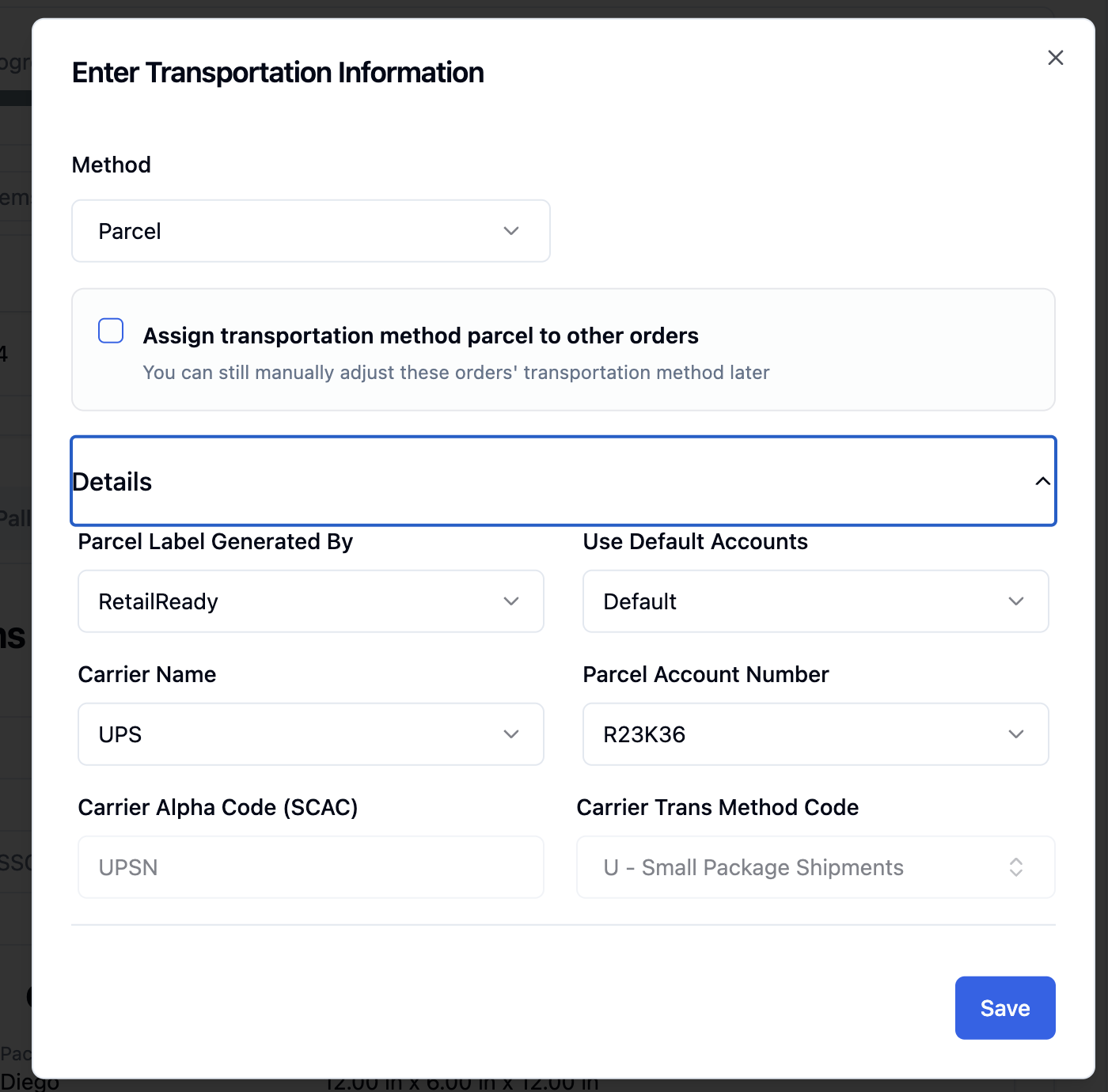
You don't need to do anything - the order will have the right shipping account attached already!
When Auto-Assignment Fails
If the system can't find a matching parcel account, you'll see a log message on the order like:
"Order from WMS contained parcel account C1H190, but could not find a match to the parcel information setup in RetailReady, so transportation information was not set"
What You Need to Do
Setup Required
For this feature to work properly, you must:
Set up all your parcel accounts in RetailReady's parcel information section. Follow the steps here!
Make sure the account numbers in RetailReady exactly match what's in your WMS
Benefits
Reduced Manual Work: Orders automatically get the right parcel accounts
Fewer Errors: Less chance of using the wrong shipping account
Better Tracking: Clear logs when assignments fail so you can fix setup issues
Faster Processing: Orders move through the system more quickly
Need Help?
If you're seeing frequent assignment failures or need help setting up your parcel accounts, contact our support team with the specific account numbers mentioned in the log messages.