Create Order from WMS
Last updated: July 27, 2026
The Create from existing WMS order feature enables warehouse operators to create orders in RetailReady by matching the WMS order number. Once entered, RetailReady locates the order in the WMS and creates it in your orders table for packing.
This functionality is currently available only for the Logiwa WMS and will appear only if the Logiwa WMS integration is connected.
Creating Orders from Logiwa Order Numbers
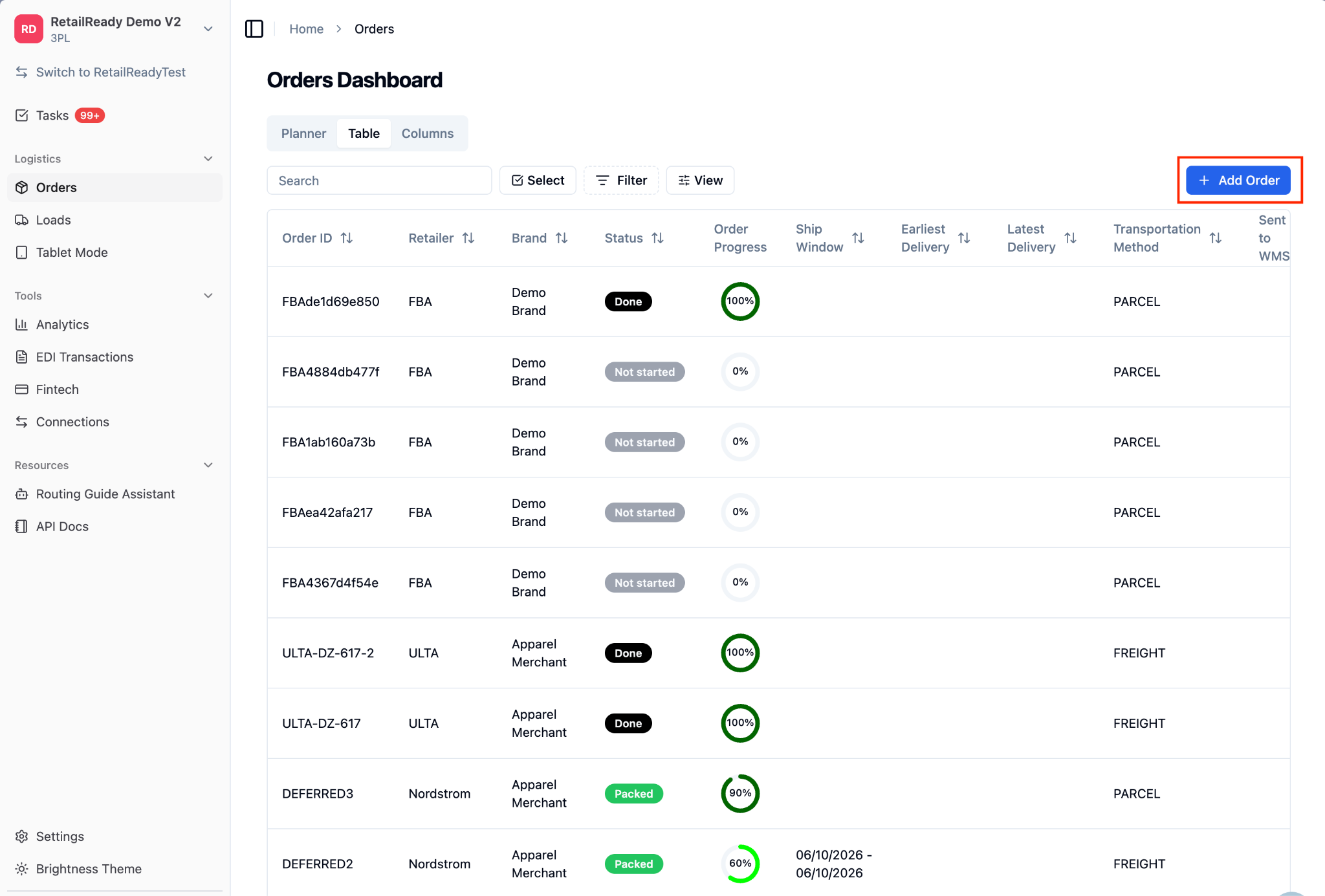
From the RetailReady dashboard, navigate to the 'Add Order' section for your facility.
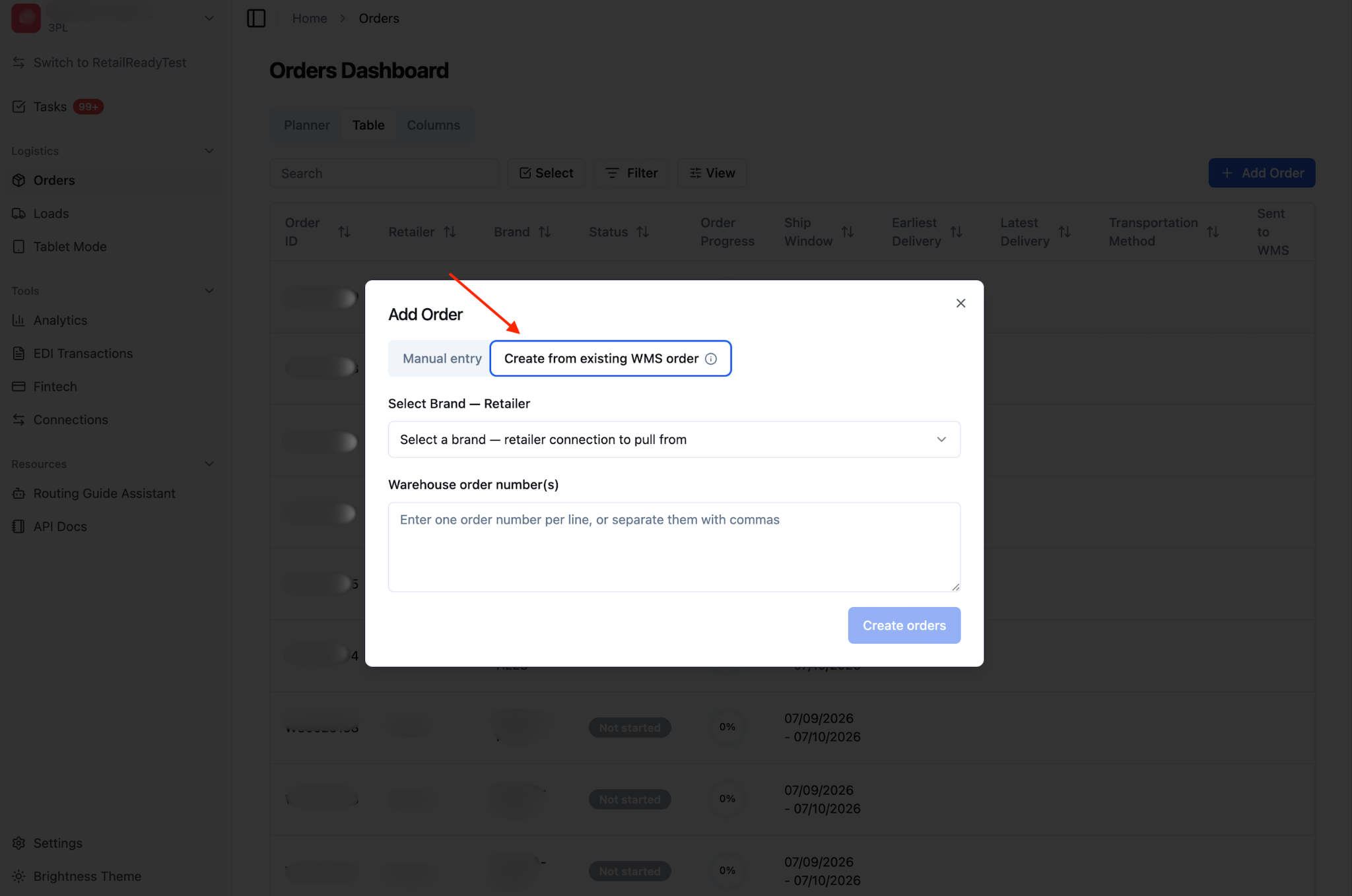
In the order form, locate the 'Create from existing WMS order' option. This option is available only for facilities connected to Logiwa with the order creation capability enabled. If you do not see this option, contact your RetailReady administrator.
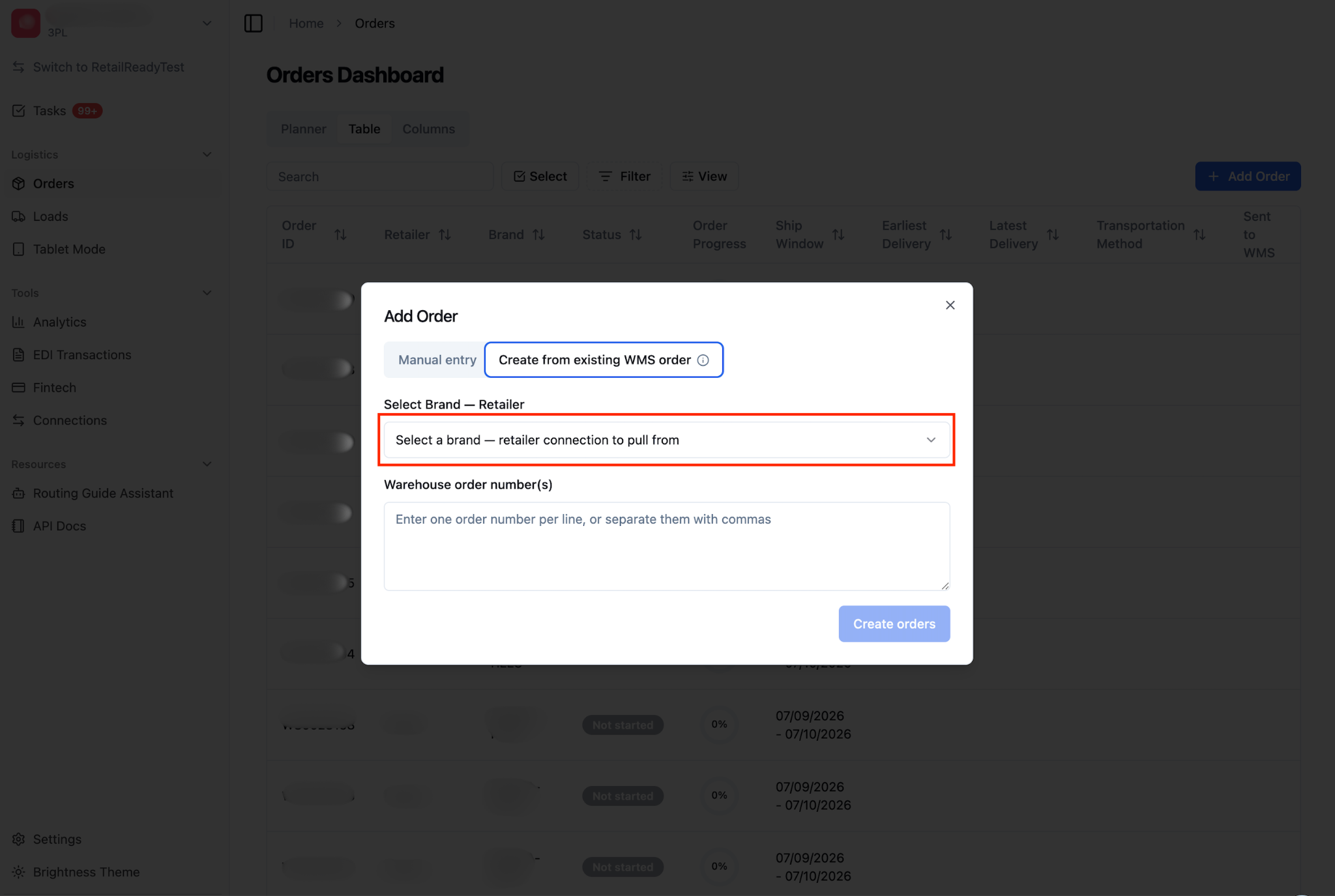
From the 'Select a brand – retailer connection to pull from' dropdown, select the applicable brand – retailer connection.
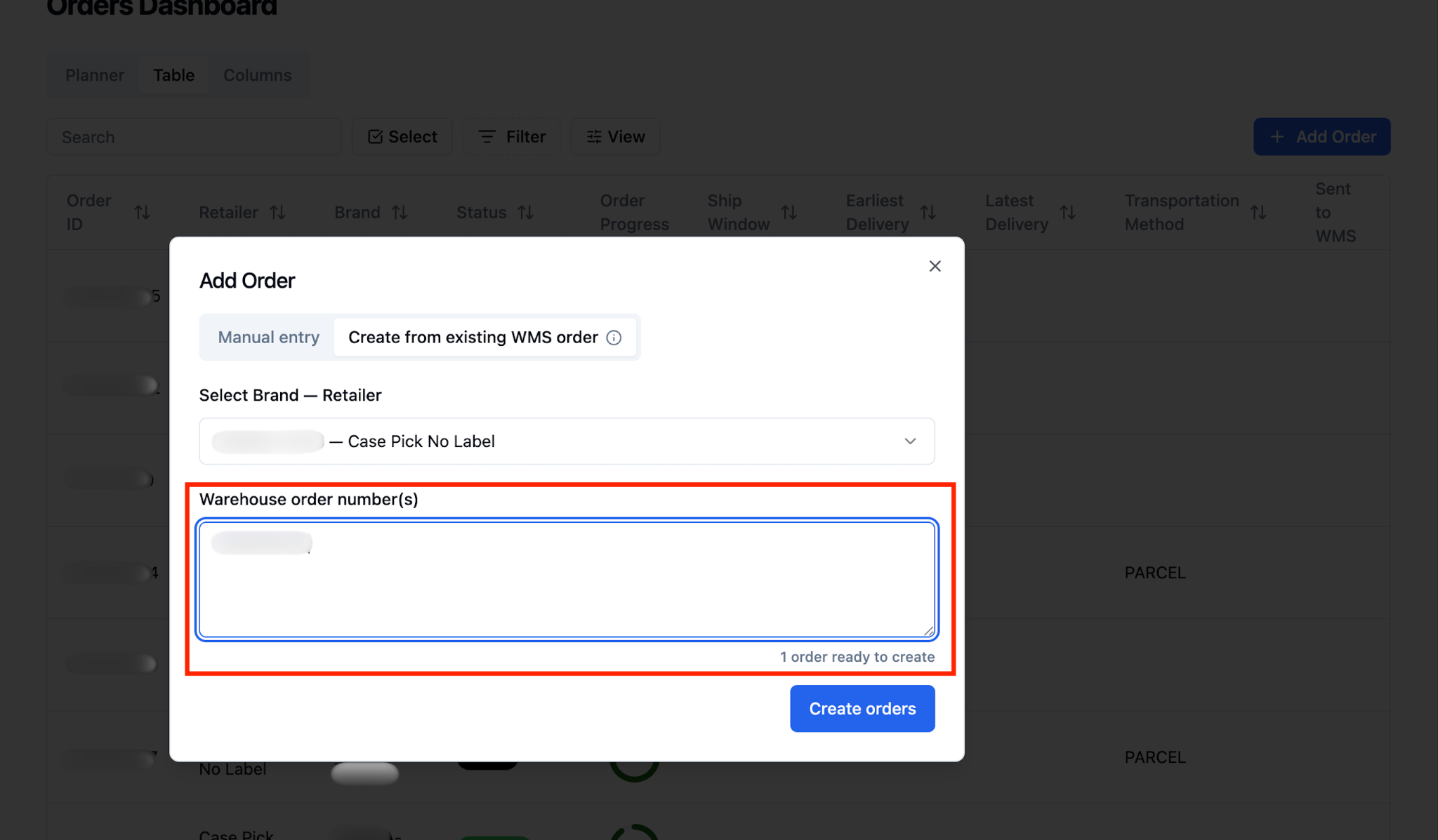
Enter one or more Logiwa order numbers into the input field. If you are entering multiple order numbers, add each order number on a new line or separated by a comma.
Click 'Create orders' to submit the order numbers for processing.
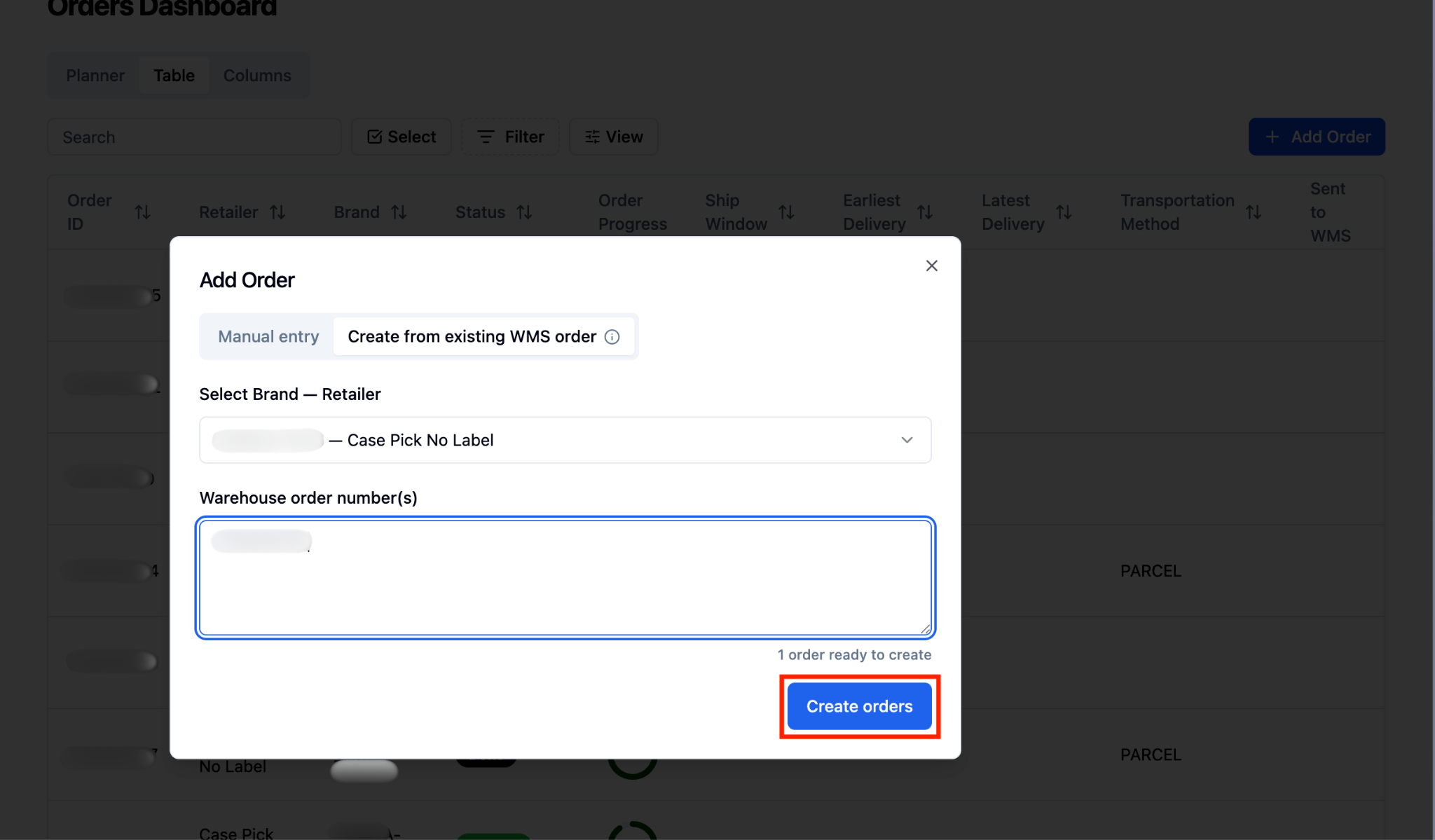
Wait for RetailReady to process your order numbers. The time will vary depending on how many order numbers were submitted.
Reviewing Your Results
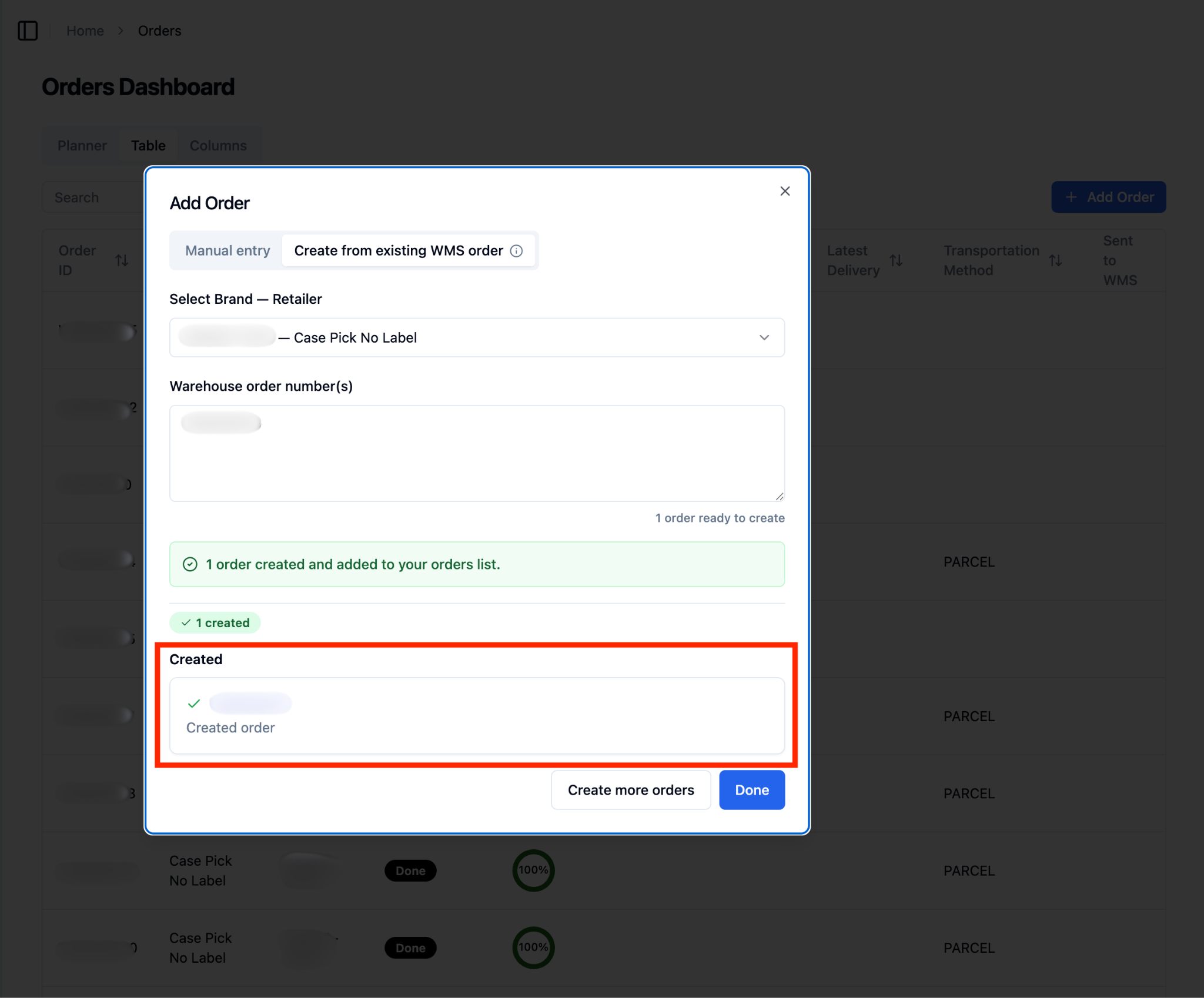
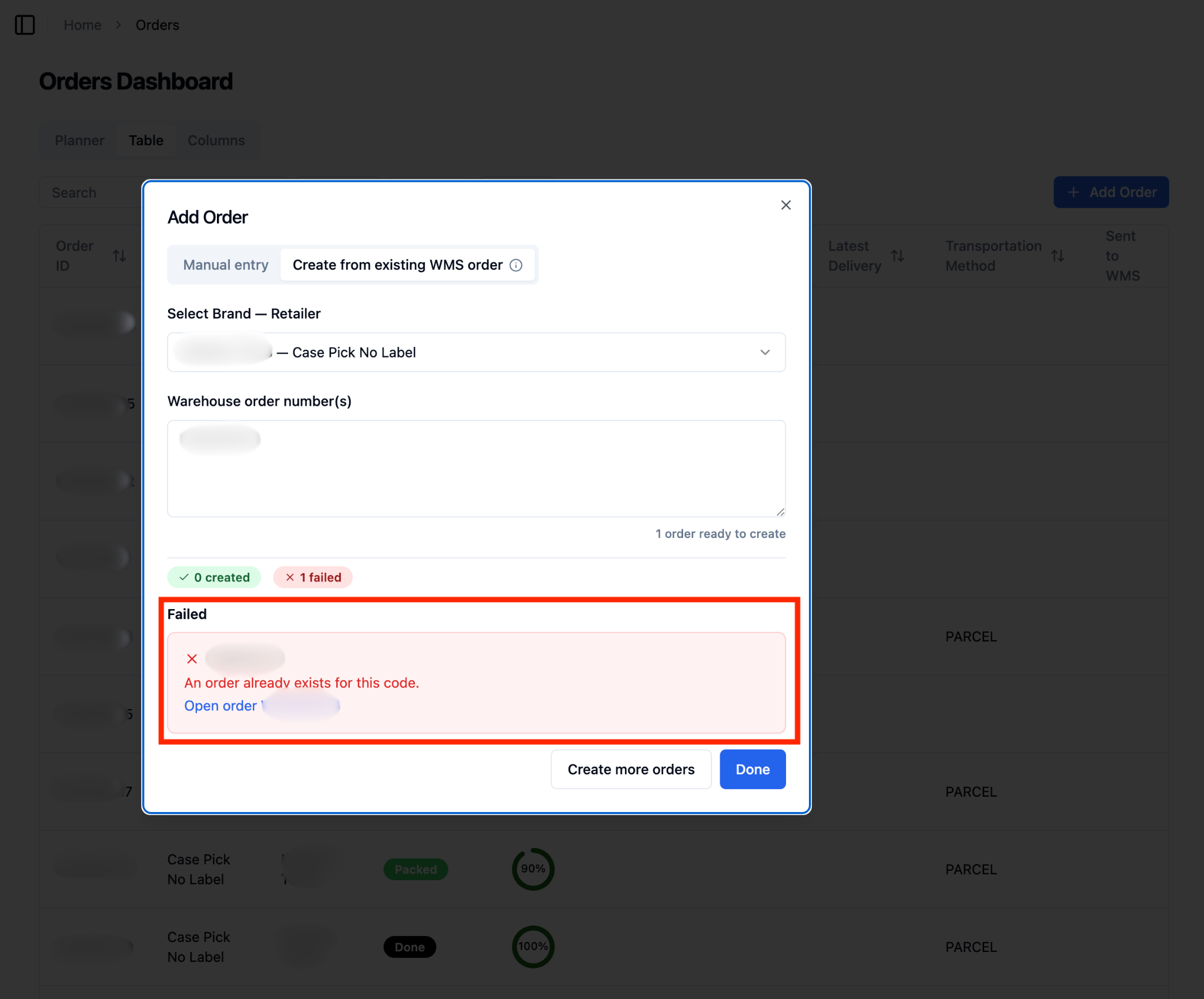
Once processing is complete, a results summary will appear on screen. It will show you how many orders were successfully created and how many order numbers could not be processed, along with the reason for each failure.
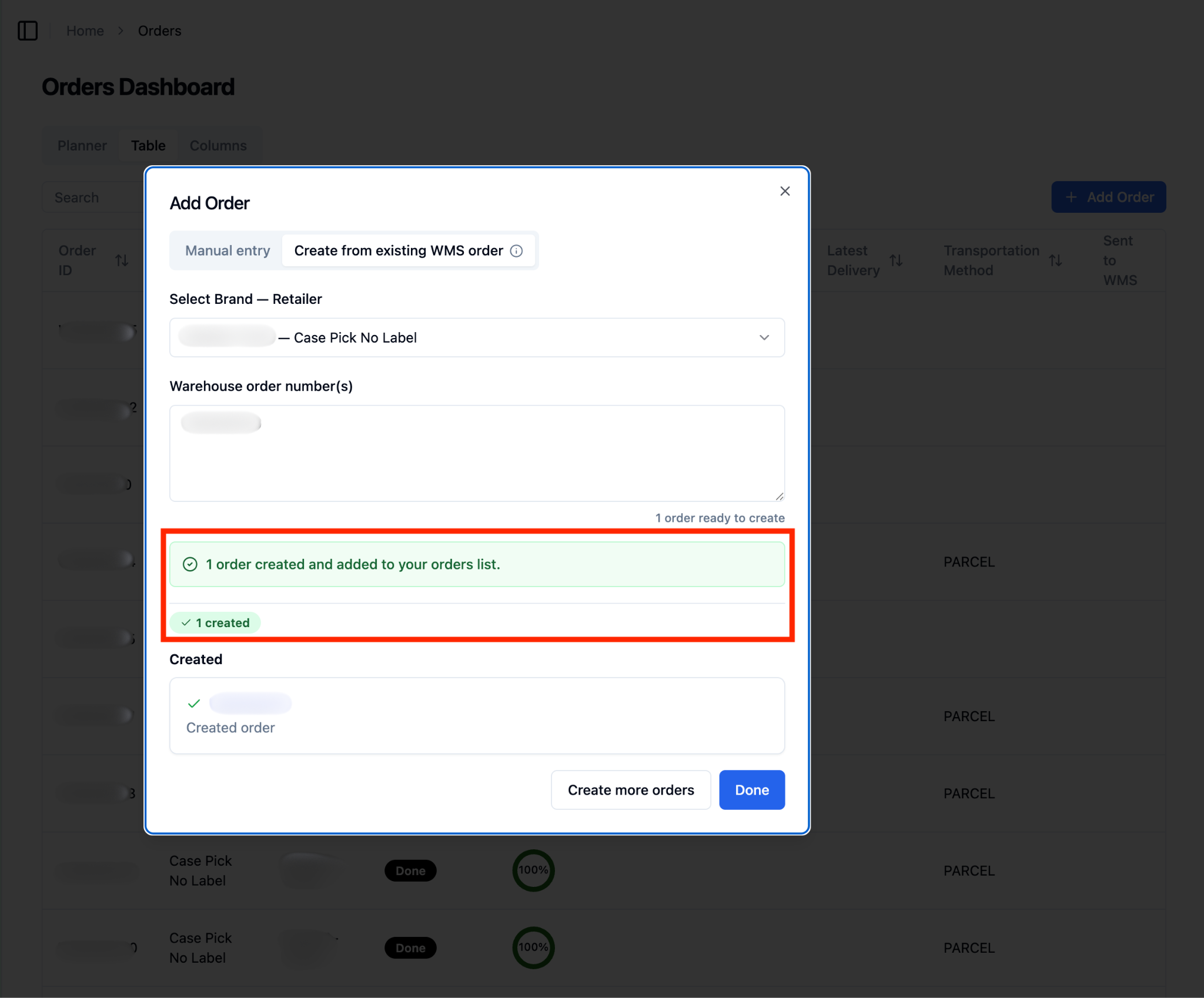
Review the 'Created' section to confirm which orders were successfully added to RetailReady. Each row will display the order number.
Review the 'Failed' section if any order numbers could not be processed. Each row will display the order number and a brief reason (for example, the order already exists in RetailReady).
For any failed order numbers, verify the order number is correct in Logiwa and try submitting it again. If the issue persists, contact your RetailReady support team.
FAQs:
What happens if some order numbers work and others don't?
Orders will be created for all valid order numbers, and any order numbers that could not be processed will be listed separately in the 'Failed' section with a reason. You do not need to resubmit the successful orders.
Why don't I see the 'Create from existing WMS order' option in my order form?
This feature is only available for facilities that are connected to Logiwa and have the order creation capability turned on. If you do not see the option, your facility's WMS configuration may not include this capability yet. Reach out to your RetailReady administrator or support team to have it enabled.
What does it mean if an order number fails with "Order already exists"?
This means an order with that order number has already been created in RetailReady. You can search for the existing order in your orders list. No duplicate order will be created.
Is this the same as the automatic Logiwa sync?
No. The automatic sync runs on a schedule and pulls orders into RetailReady without any action required from you. The 'Create from existing WMS order' feature is an on-demand tool that lets you immediately bring in a specific order by entering its order number manually — useful when you need an order in RetailReady right away without waiting for the next sync cycle.
Who can use this feature?
Any warehouse operator with access to the 'Add Order' form at a Logiwa-connected facility can use this feature, provided the order creation capability is enabled on that facility's WMS configuration. If you are unsure about your access level, contact your RetailReady administrator.