How to create FNSKU label and add to VAS action
Last updated: May 13, 2026
For some items in your Amazon catalog, Amazon requires a barcode containing the amazon assigned item name, known as an FNSKU. If your items don't already have an FNSKU barcode, you'll need to create a label and set up a VAS action so your packing team is prompted to apply it and has the label available during packout.
How to setup the item master
Navigate to Settings > Item Master
Search the SKU or SKUs you are setting up
Click on the three dots on the right side of the SKU and select Edit
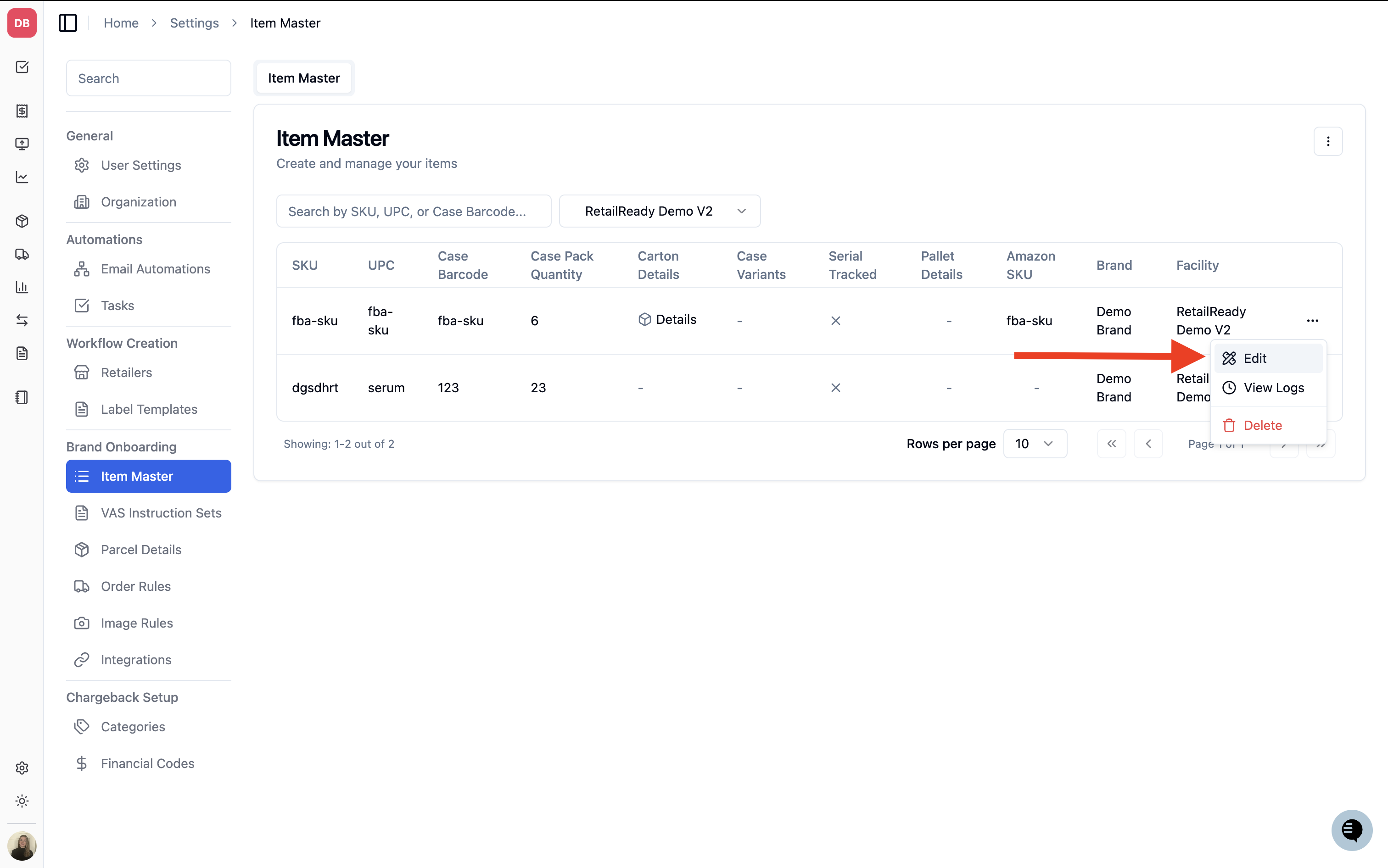
Under Secondary Barcode Mapping, select FBA as the Retailer, then enter the FNSKU under Secondary Barcode and the item description under Product Description.
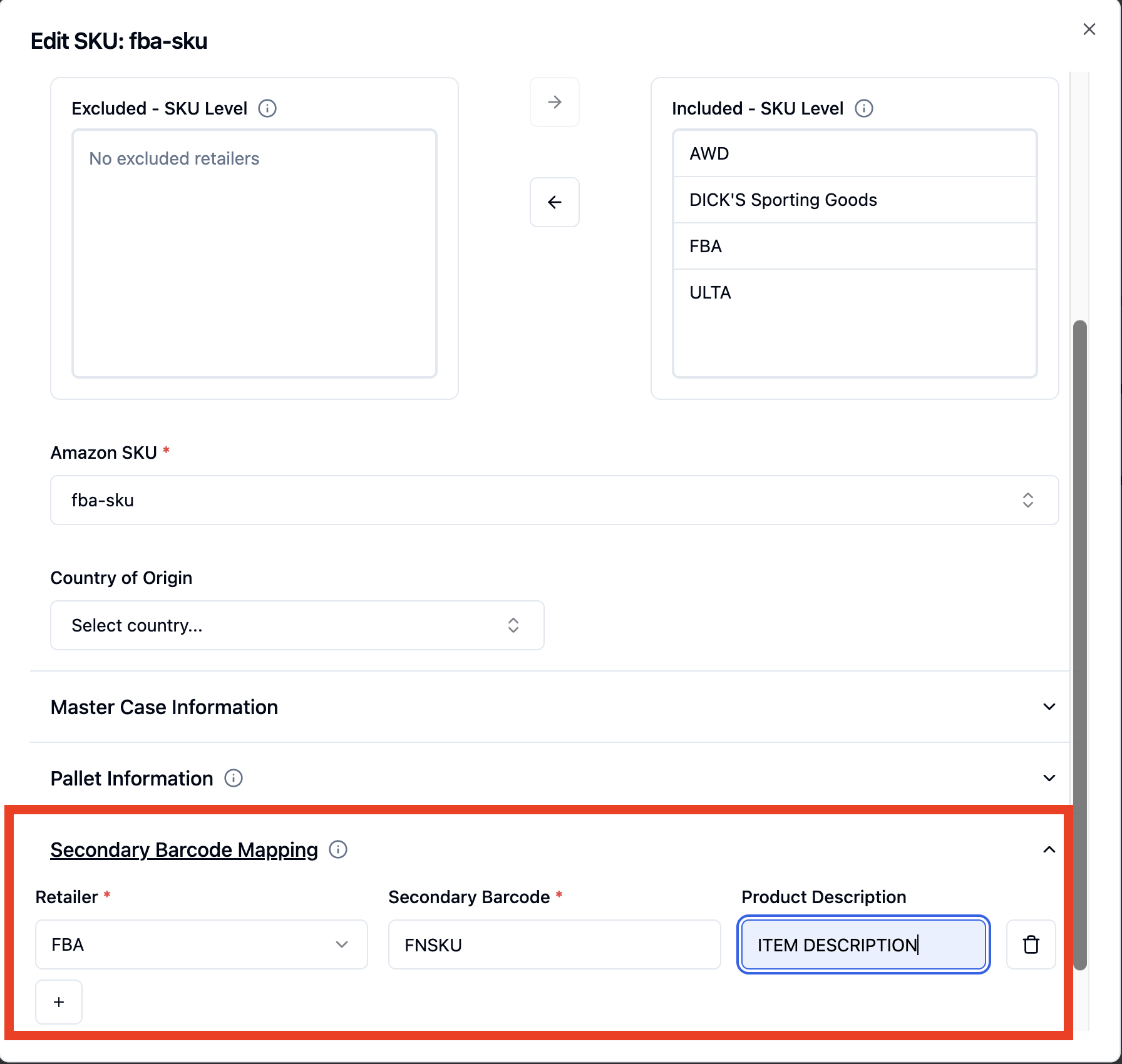
Select Save
How to create the label
Navigate to Settings > Label Templates
Select New Label > Create Custom Template
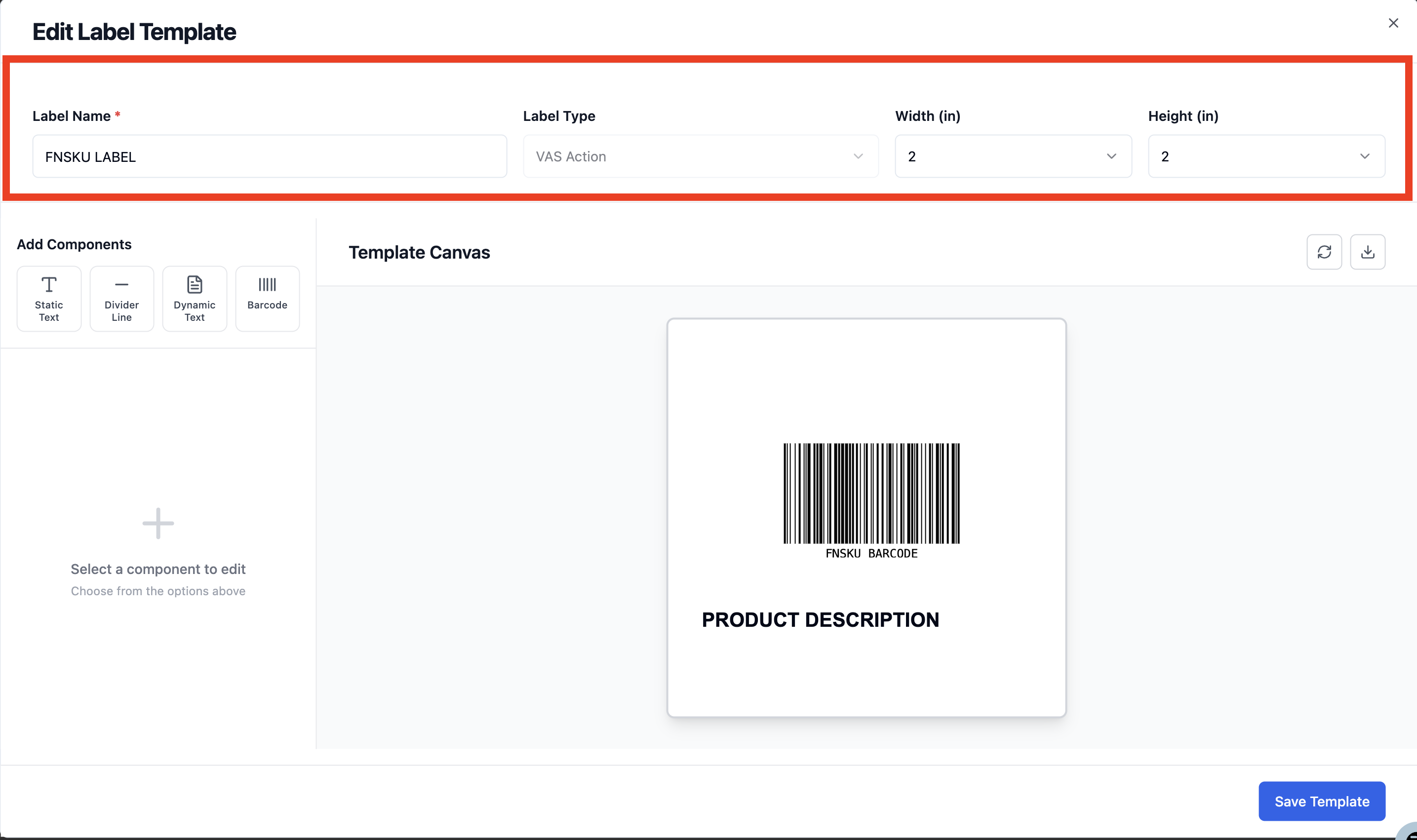
Name the label template and set the label size
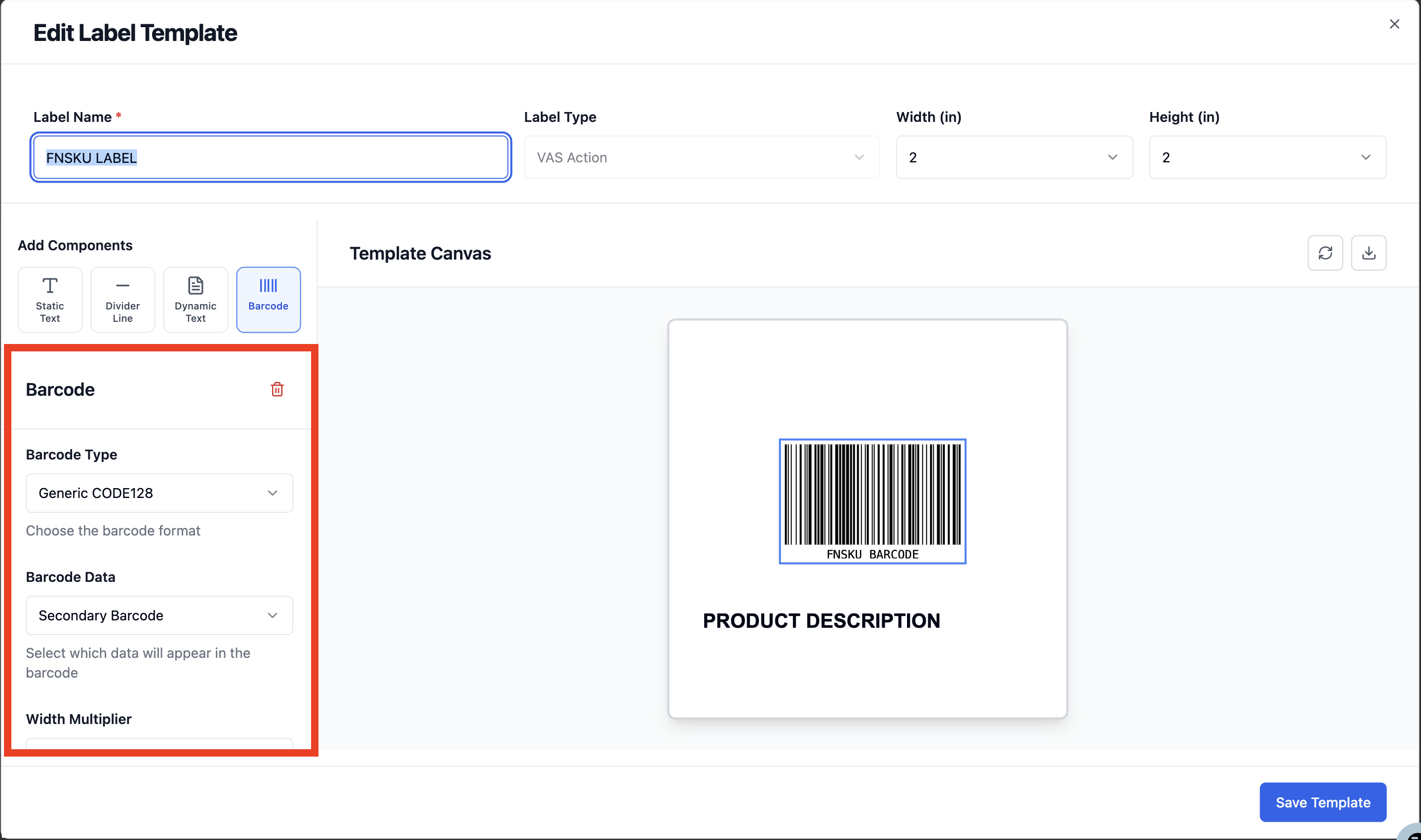
Add a barcode for the FNSKU
Set your preview text to resemble an actual FNSKU — this helps you visualize a real FNSKU label
Set Barcode Type to Generic CODE128
Set Barcode Data to Secondary Barcode
Use the width and height multiplier to adjust the size of the barcode
Drag the component to position the description on the label
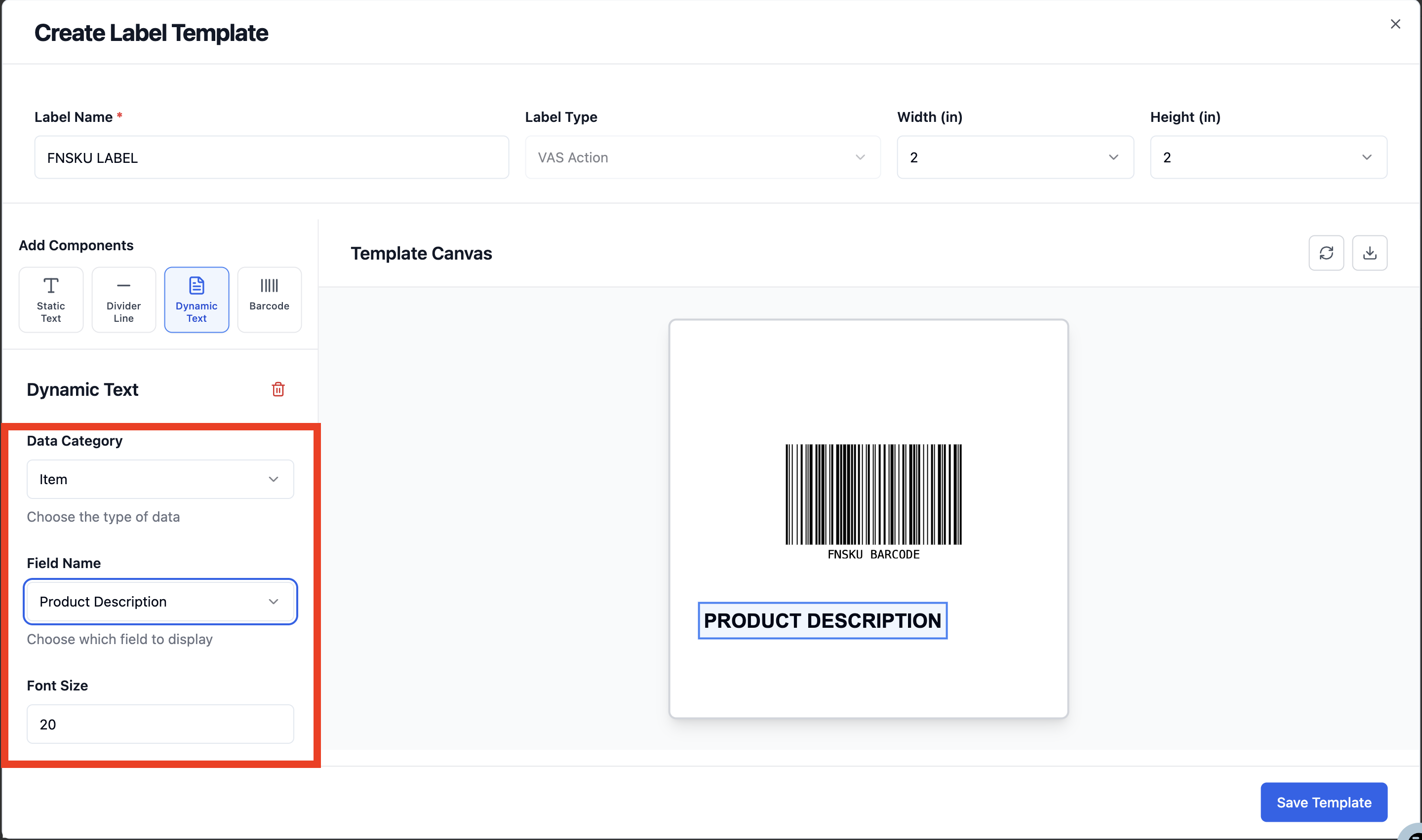
Add dynamic text for the product description
Set your preview text to resemble an actual product description — this helps you visualize a real FNSKU label
Set Data Category to Item
Set Field Name to Product Description
Adjust the font size as needed
Drag the component to position the description on the label
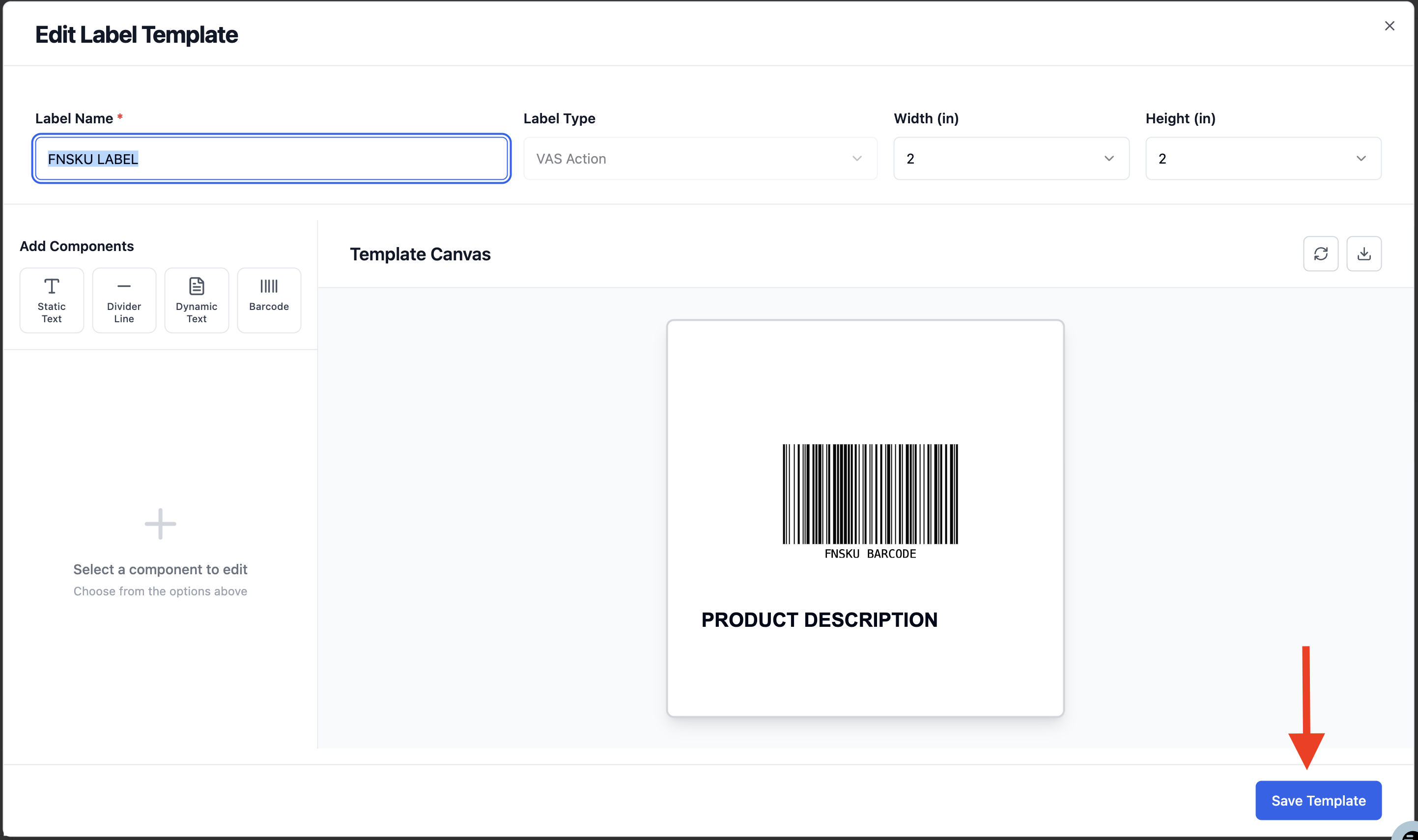
Select Save Template
How to associate the label to a SKU
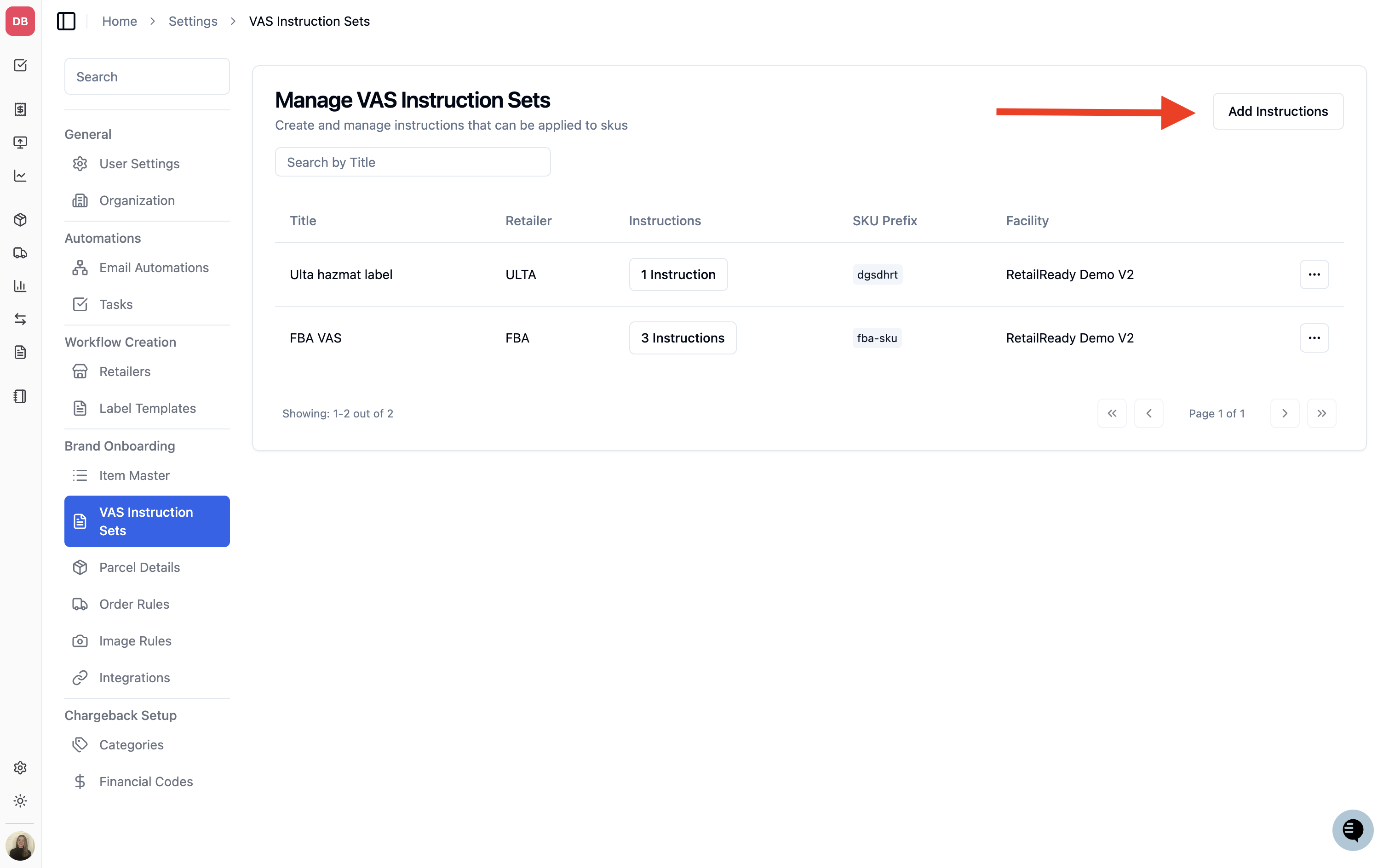
Navigate to Settings > VAS Instruction Sets
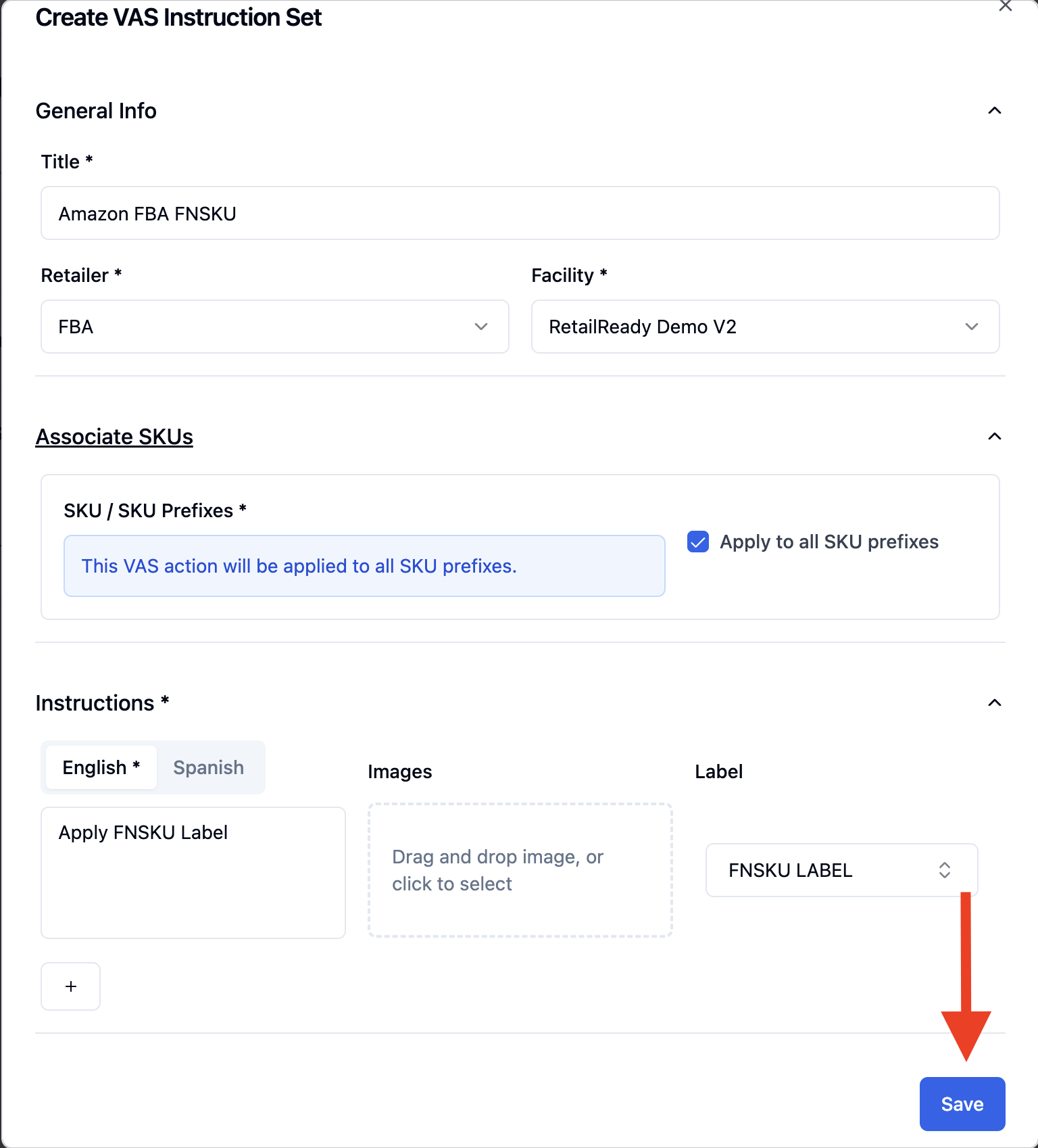
Select Add Instructions
Name the Instruction Set
Select FBA as the Retailer
Select the applicable Facility
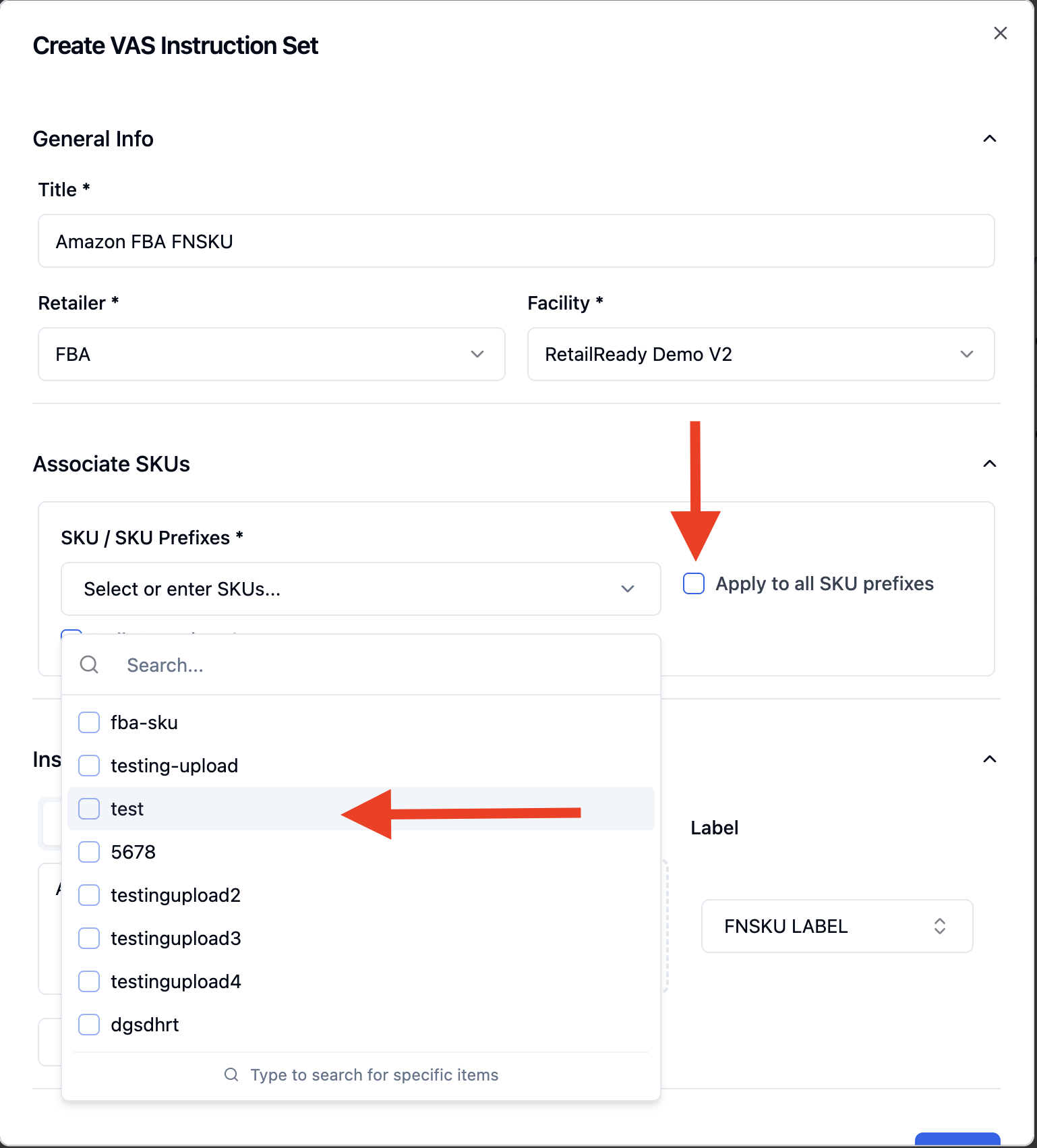
Associate SKUs
If all of your items require FNSKU labels select the checkmark for "Apply to all SKU prefixes"
If only a few of your items require FNSKU labels you can select them from the dropdown
Enter the packing instructions you would like the team to follow during packout (ie "Apply FNSKU Label")
Select the label you created
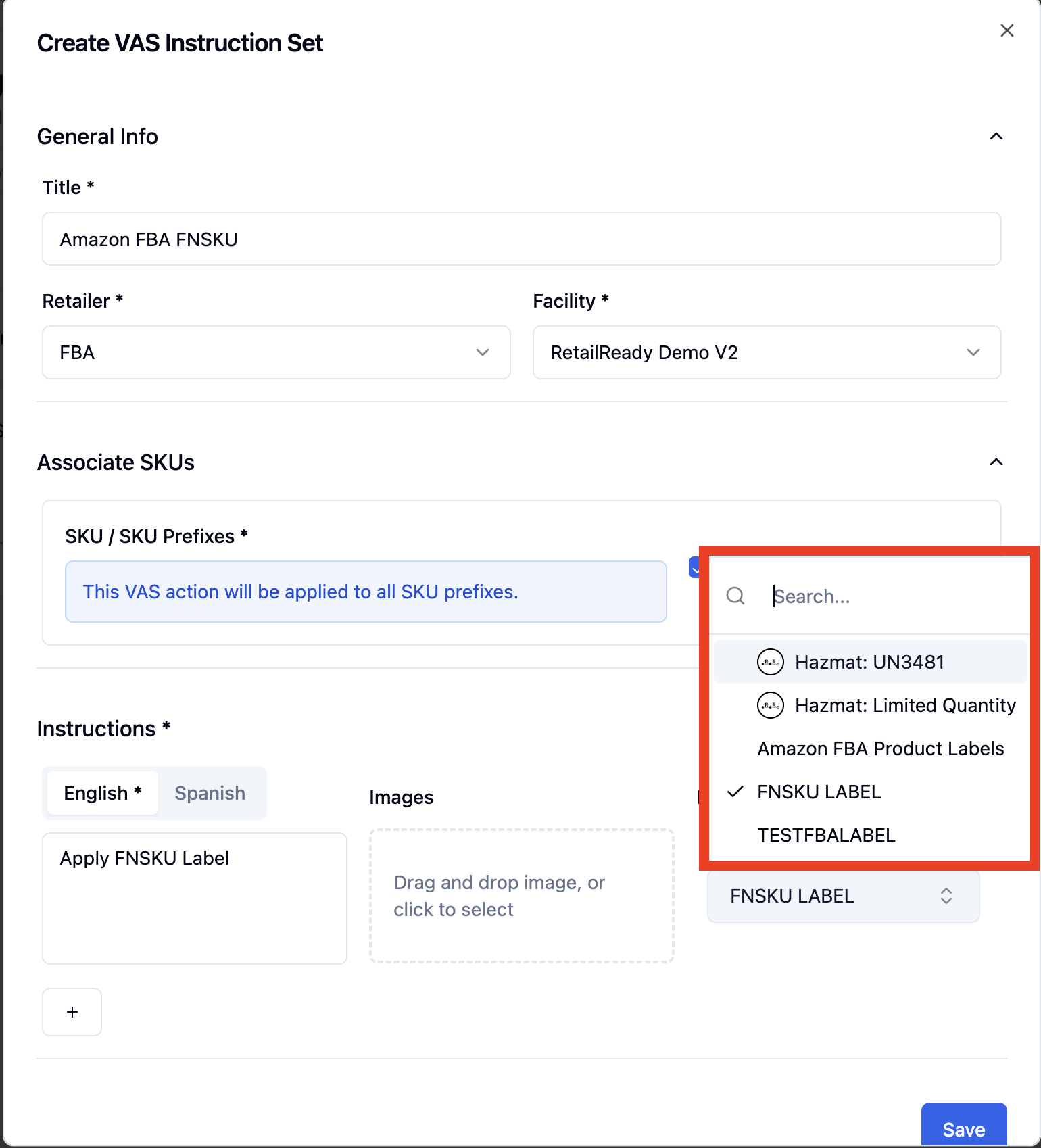
Select Save
FAQ
Will the labels generate dynamically?
Yes — as the team packs out each item, the label will automatically update with the correct FNSKU and item description.
How do I know if my SKUs require FNSKU labeling?
This is determined by Amazon during item setup.