Cancel FBA inbound plan orders in RetailReady
Last updated: October 8, 2026
This article applies when the cancellation window for your FBA inbound plan has already passed. Once the window has passed, you'll need to cancel the matching orders in RetailReady first, then cancel the inbound plan in Amazon Seller Central. This article covers the RetailReady step.
Cancelling FBA Inbound Plan Orders in RetailReady After the Cancellation Window Has Passed
RetailReady does not contact Amazon during this process. It only cancels the orders on the RetailReady side, so you'll still need to cancel the inbound plan in Amazon Seller Central after completing the steps in this help article.
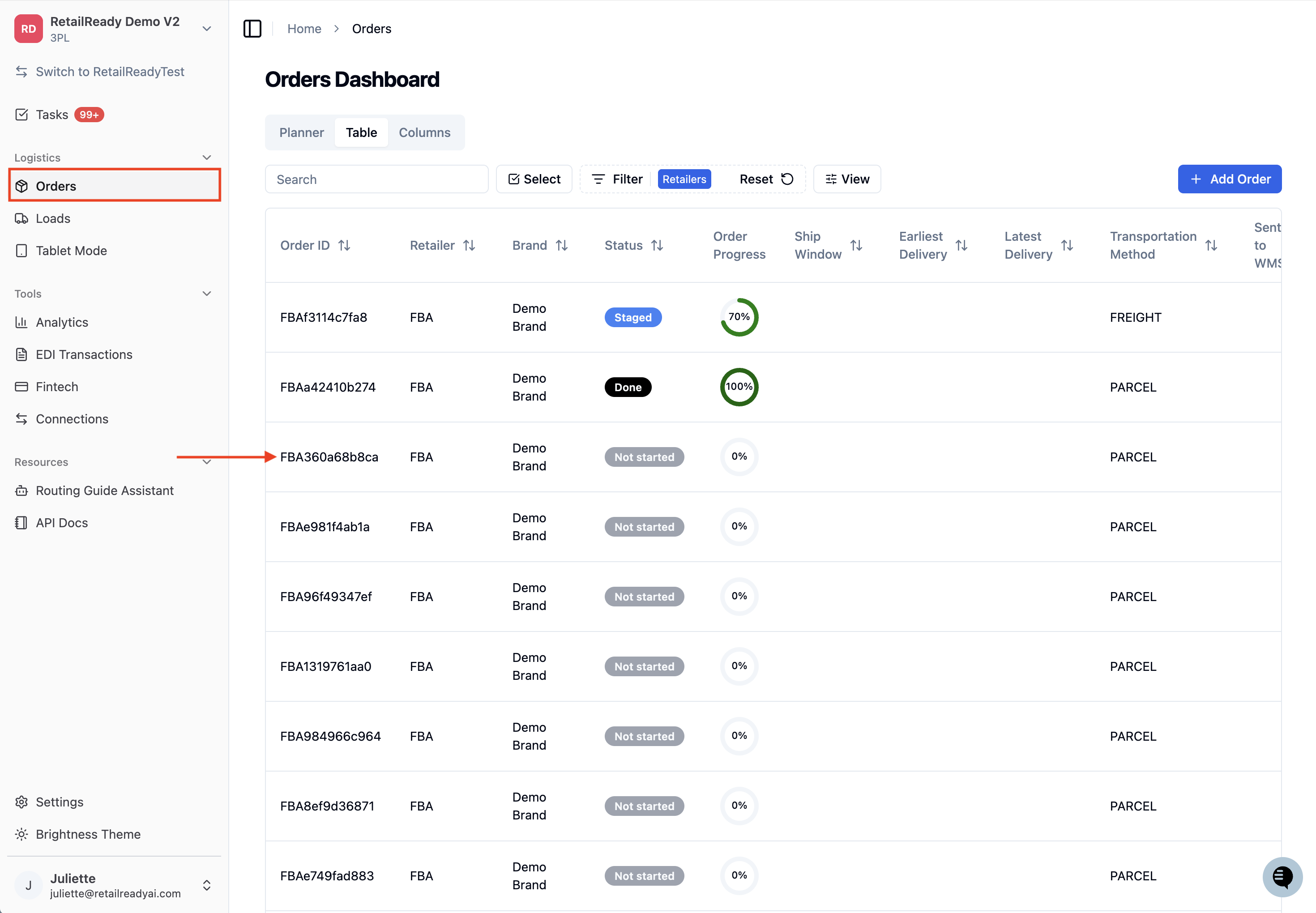
From the Orders page, open any order that belongs to the FBA inbound plan you want to cancel.
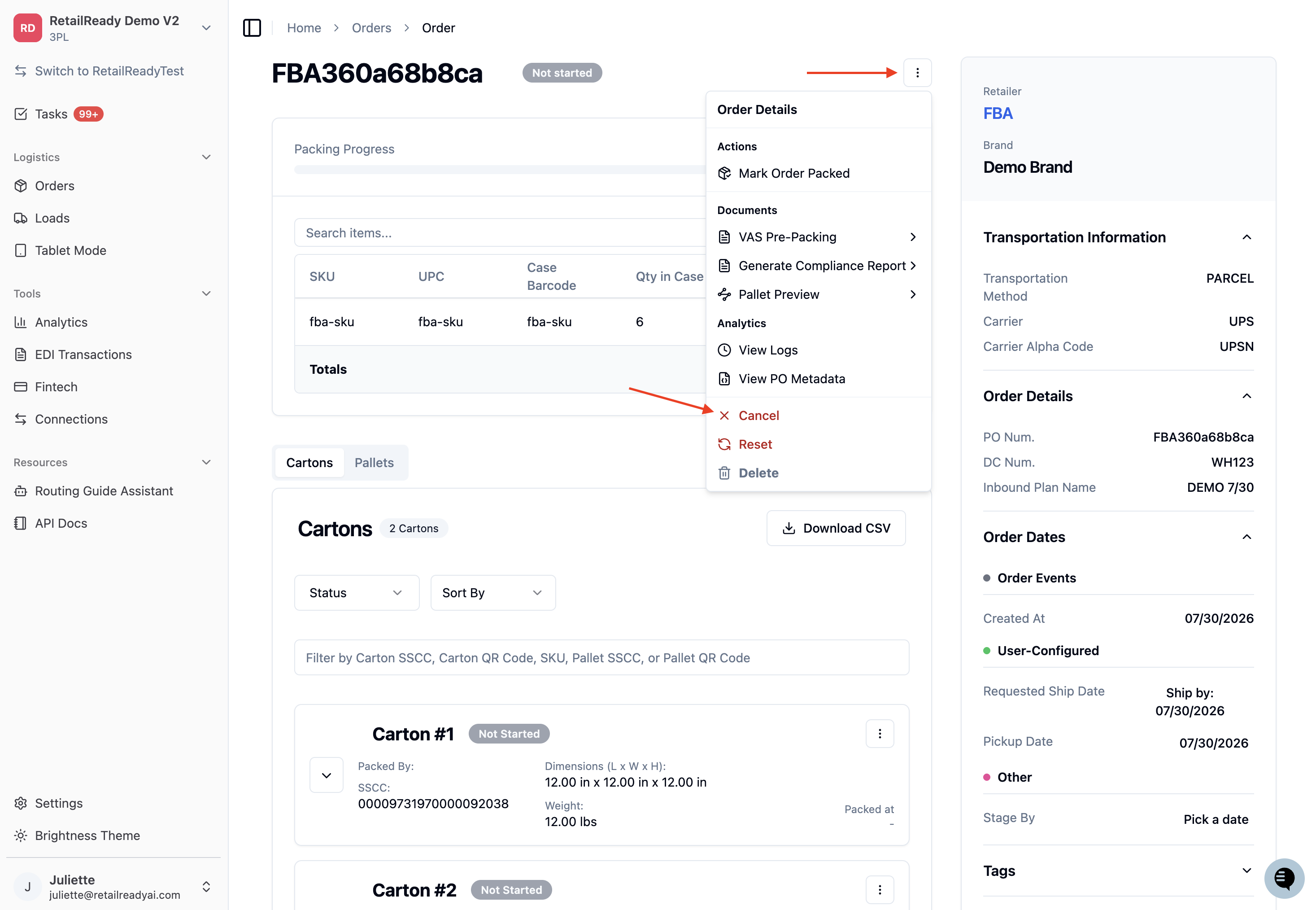
Click the 3 dot menu and select 'Cancel'.
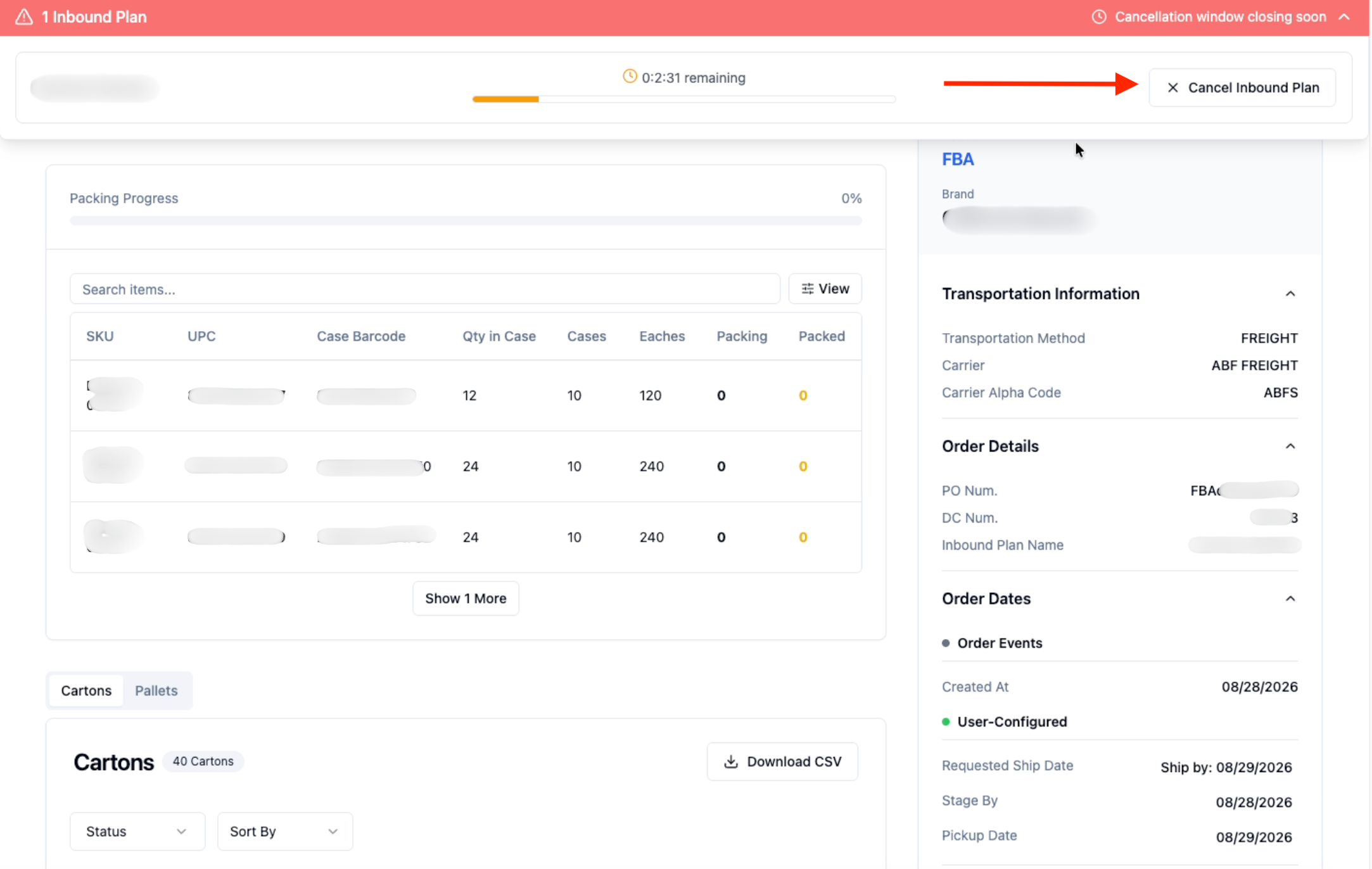
If the 'Cancel' option is not visible, the plan's free-cancellation window may still be open. In that case, use the cancellation banner that appears at the top of the order instead. If the banner is also gone and 'Cancel' is still not shown, check that you are logged in as a RetailReady admin and that the order is an FBA order (not AWD).
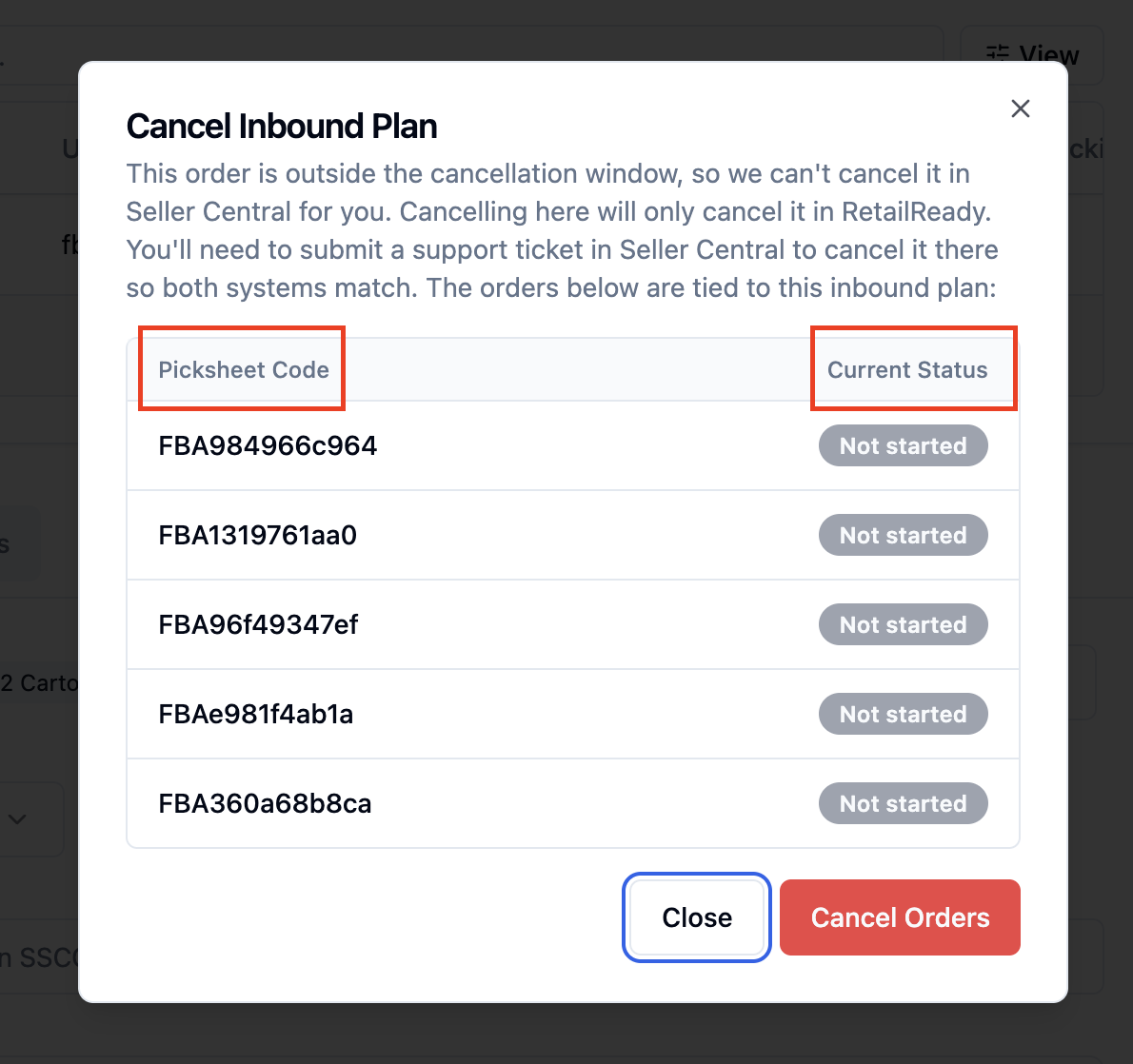
The 'Cancel Inbound Plan' modal will open. Review the message at the top, which confirms that all orders on the plan will be cancelled in RetailReady and that this action does not cancel anything in Amazon.
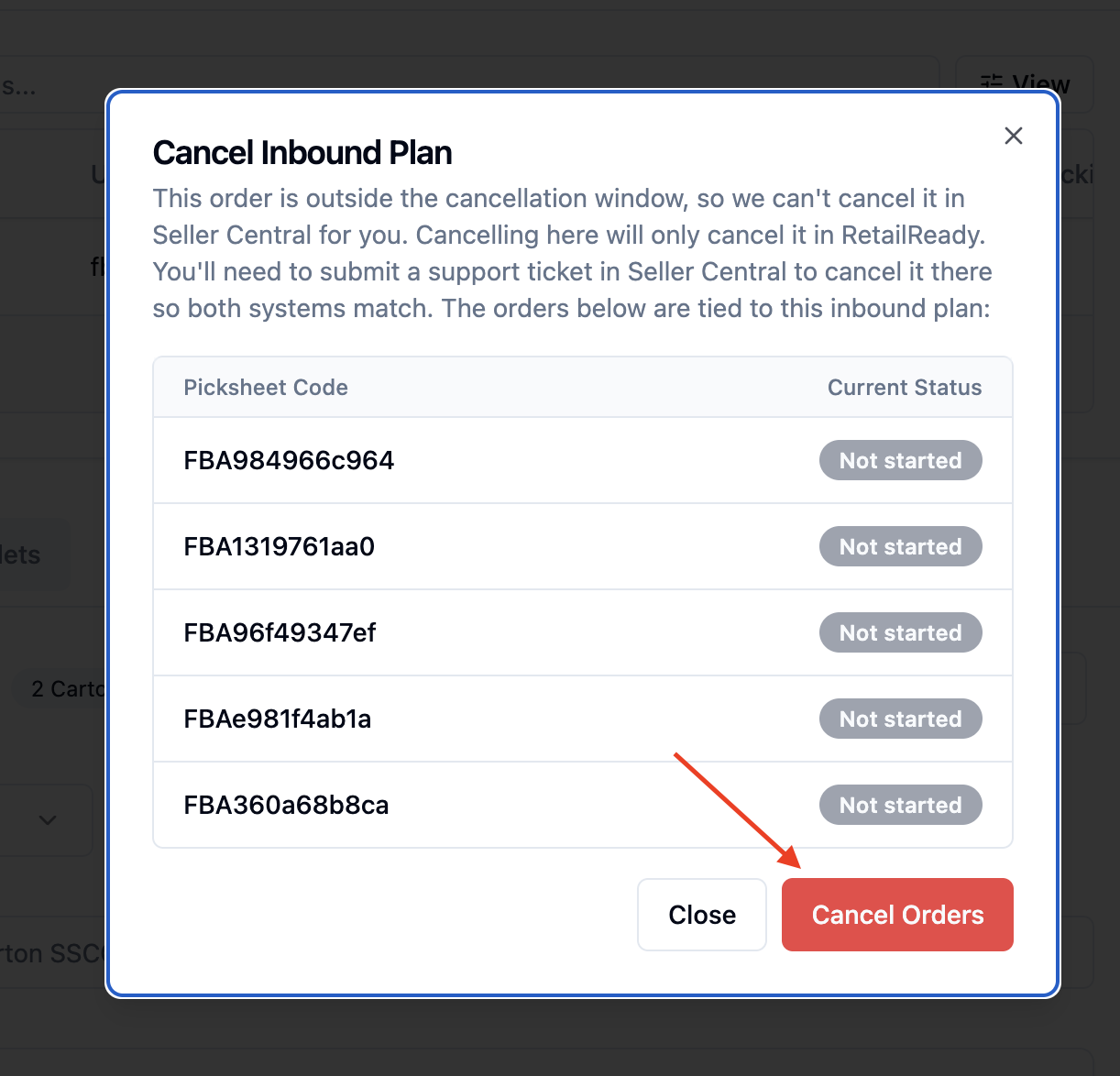
Review the list of orders shown in the modal. Each order displays its picksheet code and current status. Orders that are already cancelled are marked 'Cancelled' and will be skipped automatically.
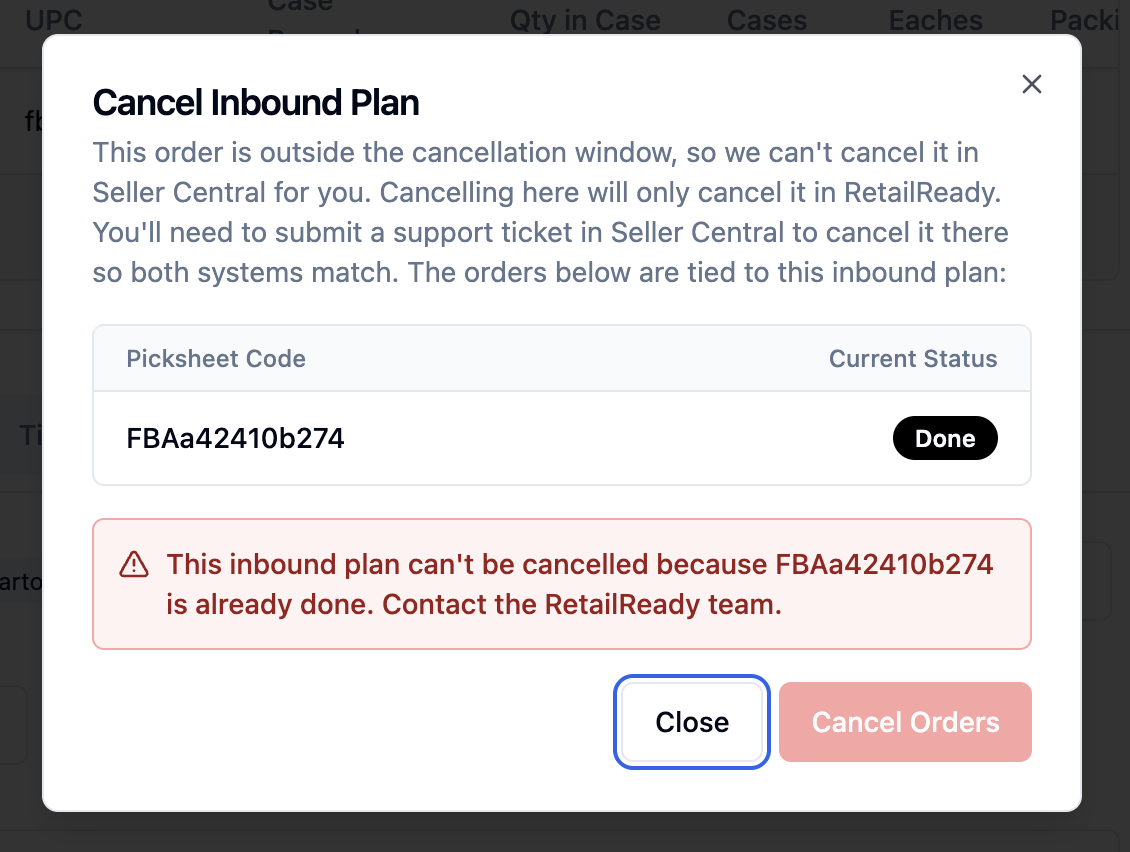
If you see a warning that one or more orders are already Done, the cancellation cannot proceed. Contact the RetailReady team for help with those orders. The 'Cancel Orders' button will remain unavailable.
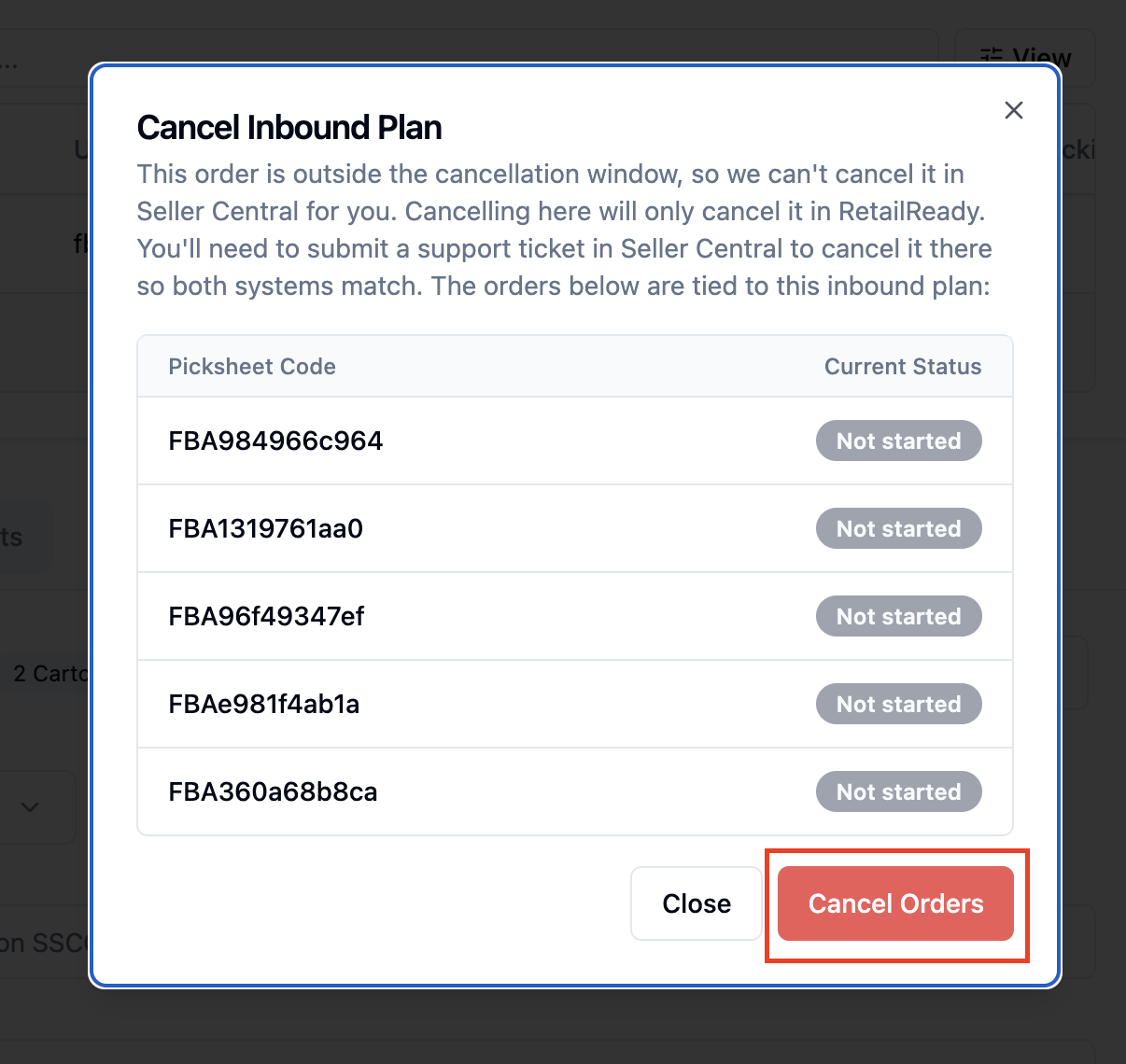
Select 'Cancel Orders'. All eligible orders on the plan will be cancelled in RetailReady.
Go to Amazon Seller Central and cancel the inbound plan.
FAQs:
Why do I also need to cancel in Amazon Seller Central?
RetailReady does not contact Amazon during this flow. You are responsible for canceling the inbound plan on the Amazon side after using this feature.
Who can cancel an inbound plan in RetailReady?
This option is only available to RetailReady admins. If you are not logged in as an admin, the 'Cancel' action does not appear on the order.
Why is the 'Cancel' option not showing on my order?
A few reasons. If the plan's free-cancellation window is still open, the cancellation banner at the top of the order handles cancellation instead and the 'Cancel' action does not appear. The option also will not appear if the order is an AWD order, if the order is already cancelled, or if you are not logged in as a RetailReady admin.
Will canceling one order cancel all of the orders on my inbound plan?
Yes. Because Amazon cancels inbound plans as a whole, this action cancels all open orders associated with the plan at once. The modal shows you every order on the plan, including picksheet codes and statuses, before you confirm.
What happens to orders that are already cancelled when I submit?
They are automatically skipped. They appear in the order list labeled 'Already cancelled', and no changes are made to them.
What should I do if one or more orders are in a Done status?
The cancellation cannot be completed through this flow. The modal displays a warning with the affected picksheet codes and the 'Cancel Orders' button is disabled. Contact the RetailReady team for assistance.
Can I use this feature for AWD orders?
No. This flow is for FBA inbound plans only. AWD orders are not supported and the 'Cancel' action does not appear for them.