How to Enter Transportation Information (Freight)
Last updated: March 21, 2026
Why is Entering the Transportation Information Important?
Entering transportation information is required in order to send an ASN (Advanced Shipping Notice).
Transportation details (such as method, BOL (Bill of Lading Number), Carrier Name and Carrier Alpha Code carrier,) are what allow the system to:
Generate and transmit the ASN to the retailer
Provide shipment visibility and tracking
Prevent compliance issues, chargebacks, or ASN-related errors
Without transportation information entered, the ASN cannot be sent, which may result in delayed receiving or retailer non-compliance.
How to Enter Transportation Information?
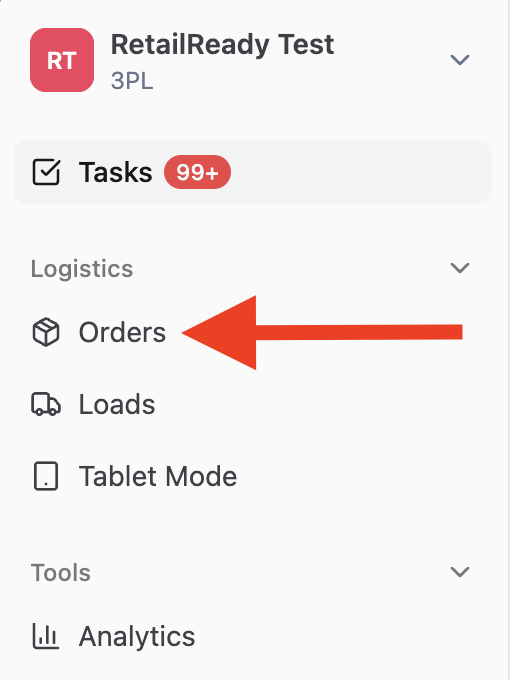
Navigate to 'Orders' from the right-side navigation panel.
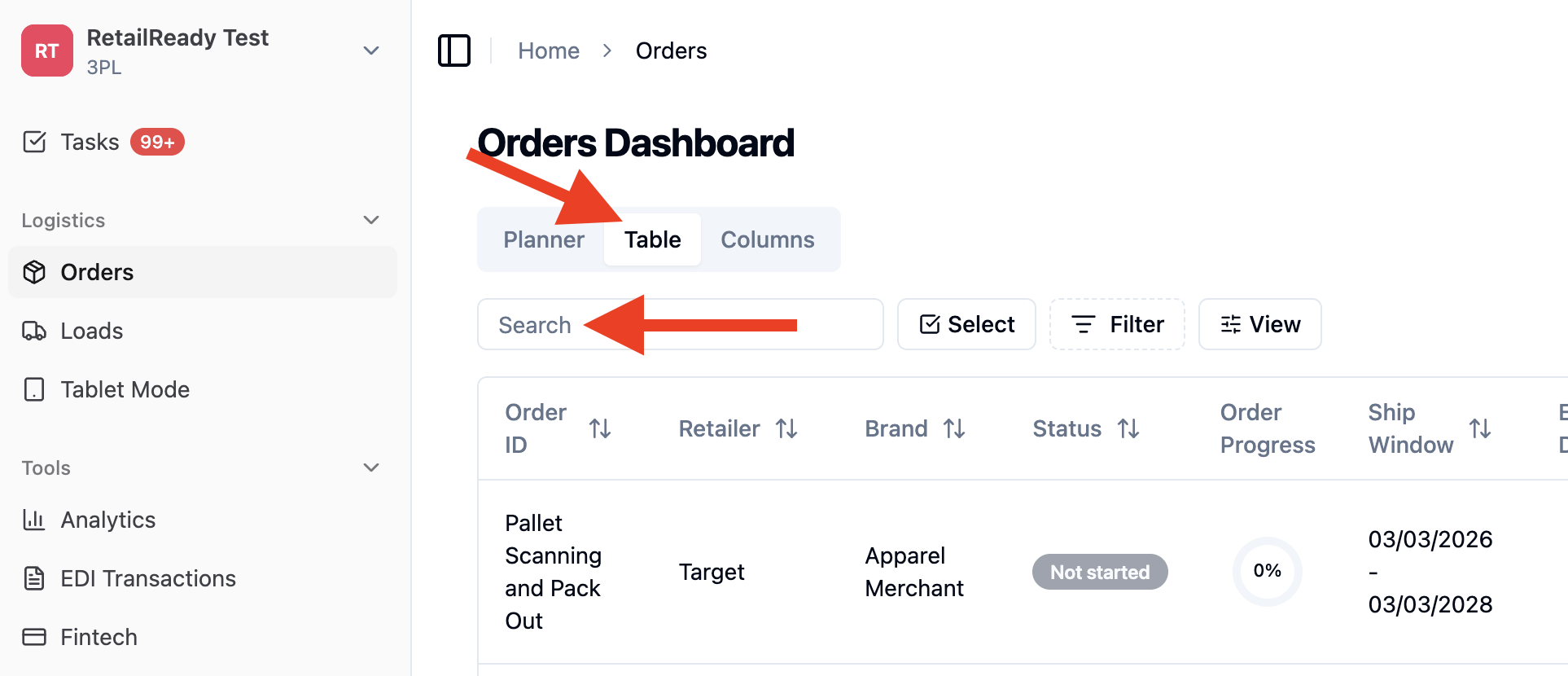
On the Orders page, select 'Table', then enter the order number in the search bar and select the order from the results.
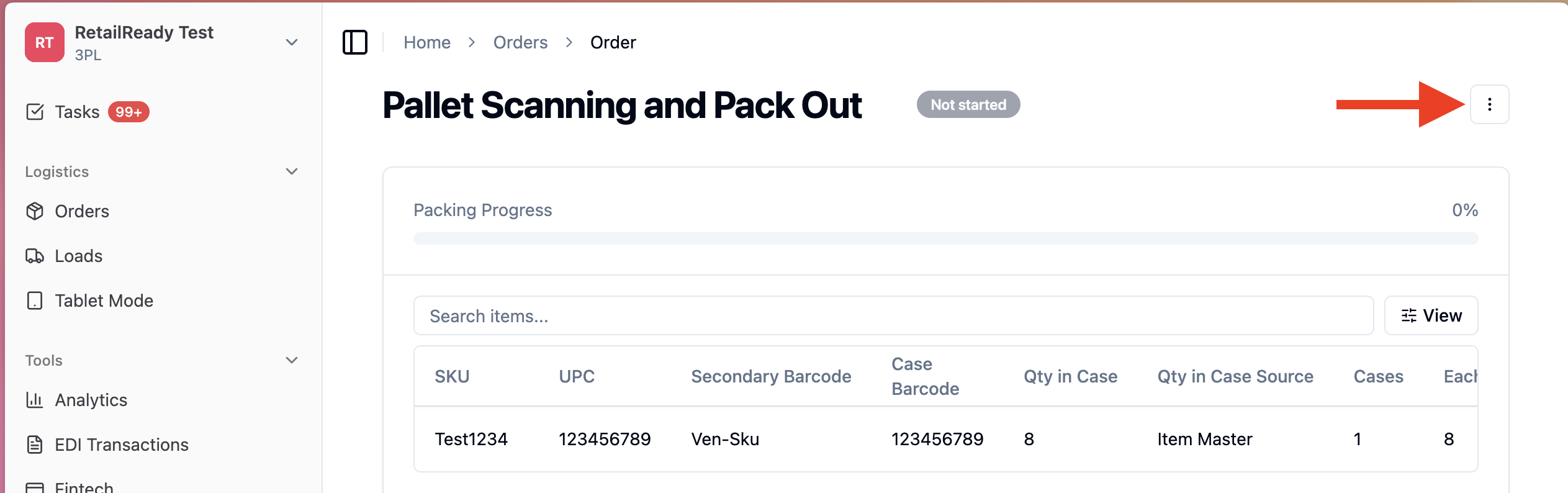
Click the three-dot menu in the upper-left corner.
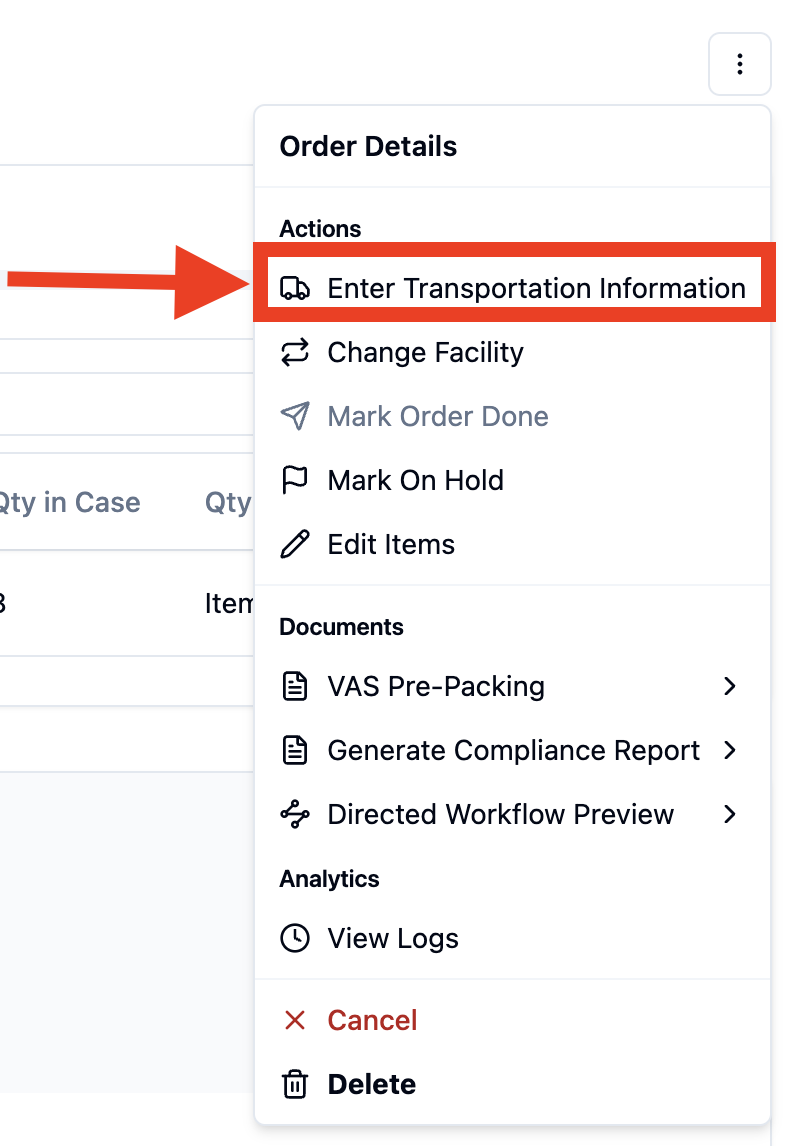
Select 'Enter Transportation Information'.
Transportation Information Field Descriptions:
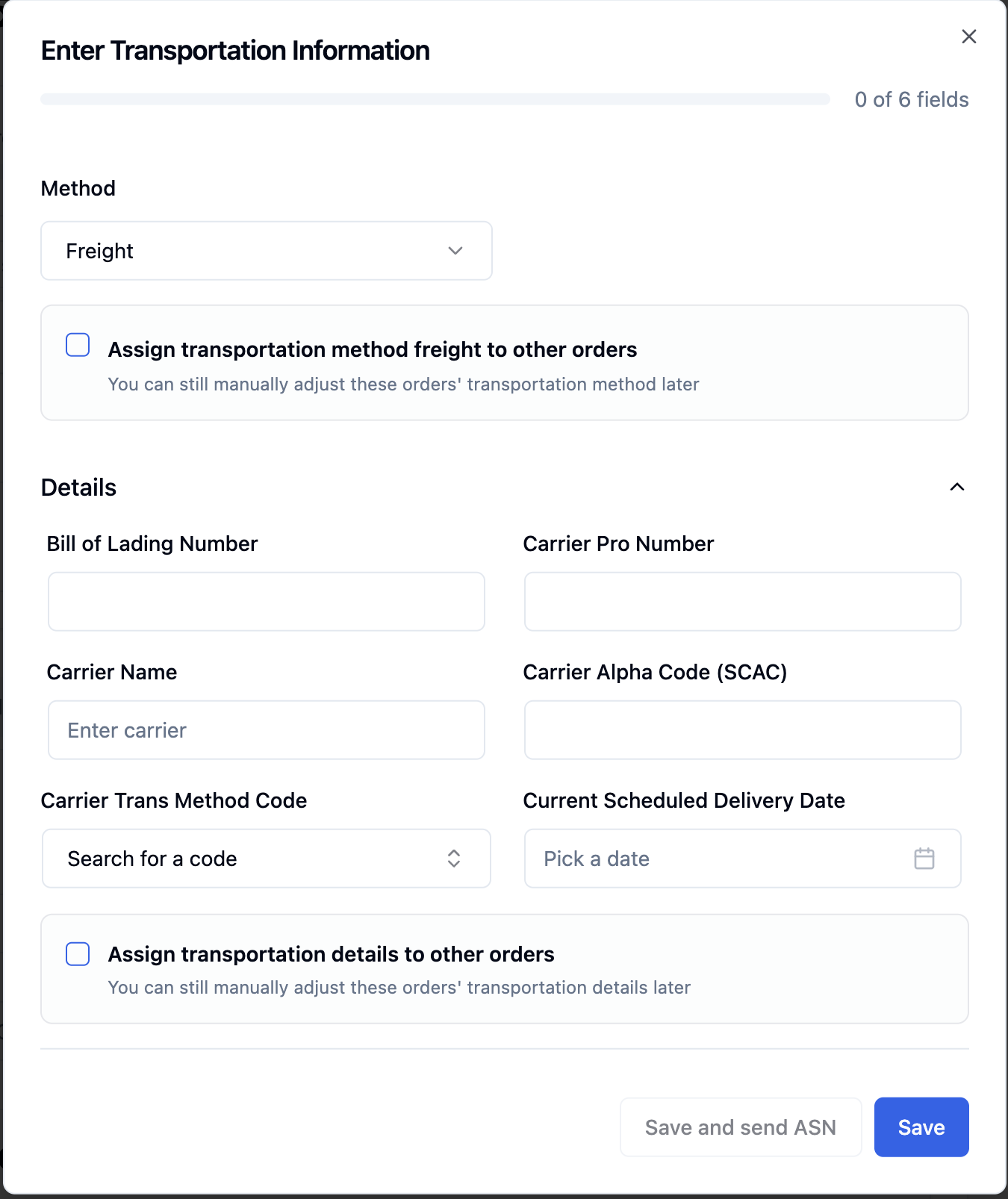
This information is obtained from the carrier (freight company or parcel provider) or the retailer portal ((e.g ShipIQ with Target).
Method: Defines how the order is being shipped (e.g., Freight or Parcel).
Assign transportation method freight to other orders: When checked, applies the selected transportation method to other eligible orders.
Bill of Lading Number (BOL): Carriers and retailers use this number to identify the freight shipment.
Carrier Pro Number: Used for shipment tracking and carrier reference.
Carrier Name: The name of the freight carrier transporting the shipment. (e.g FedEx Freight, UPS, Old Dominion, XPO, etc)
Carrier Alpha Code (SCAC): The Standard Carrier Alpha Code assigned to the carrier is a 4 letter code. Required by many retailers for ASN validation.
Carrier Trans Method Code: Defines the carrier’s transportation method. (e.g M-Tl or LTL, A- Air). The dropdown menu will be be retailer-specific and aligns for ASN compliance.
Current Scheduled Delivery Date: The expected delivery date of the shipment, which helps retailers plan receiving and dock scheduling.
Occasionally, the carrier or retailer portal will not provide this date, if so, make your best estimate of when it will arrive to the retailer.
Assign Transportation Details to Other Orders: When checked, applies all entered transportation details to other selected orders.
Useful when multiple orders ship together.
FAQs:
Where to obtain the Transportation Information?
Transportation information is provided by the carrier (freight company or parcel provider) or can be found in the retailer’s portal (e.g., ShipIQ for Target).
When should transportation information be entered?
Transportation information can be entered at any point in the order lifecycle, including when the order is in a Not Started status.
If the information is entered before the order reaches a Loaded status, the ASN will be sent automatically once the order is loaded.