FBA - Mark Order Staged/Packed (Parcel and Freight)
Last updated: September 18, 2026
The 'Mark Order Packed/Staged' action lets 3PL admins manually advance an FBA DWF (Directed Workflow) order to its correct pre-shipment status directly from the admin dashboard, bypassing the standard mobile packing process. This is intended for situations where packing has been handled outside of RetailReady's normal pack flow, for example when units were packed offline or a manual workaround is needed to move an order forward. The action is available for both FBA freight and FBA parcel orders, is restricted to 3PL admins, and only works on orders in 'Not started' status.
What Is ‘Mark Order Packed/Staged’ and When Should You Use It?
The action behaves differently depending on the order's shipping method, and RetailReady detects this automatically, so you don't need to choose which status to apply.
FBA Freight orders (pallet shipments): the action marks the order as Staged.
FBA Parcel orders (box/unit shipments): the action marks the order as Packed.
You do not need to choose which status to apply. RetailReady detects the order type automatically and applies the correct status.
How to Mark an FBA Order as Packed or Staged
From the RetailReady dashboard, navigate to the ‘Orders’ tab and press into the FBA order you want to mark as packed.
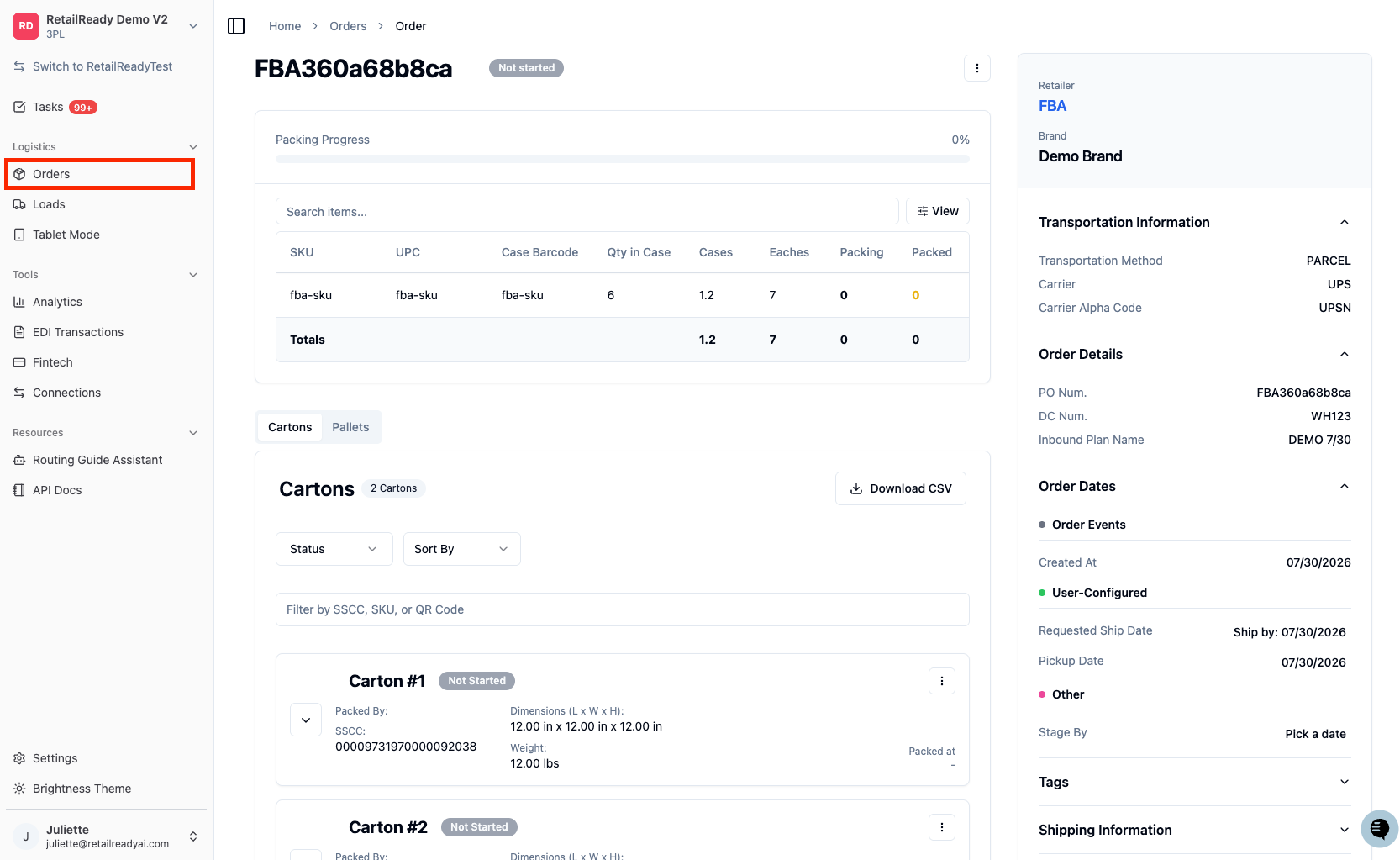
Open the order's action menu by clicking the three dot menu in the top right corner.
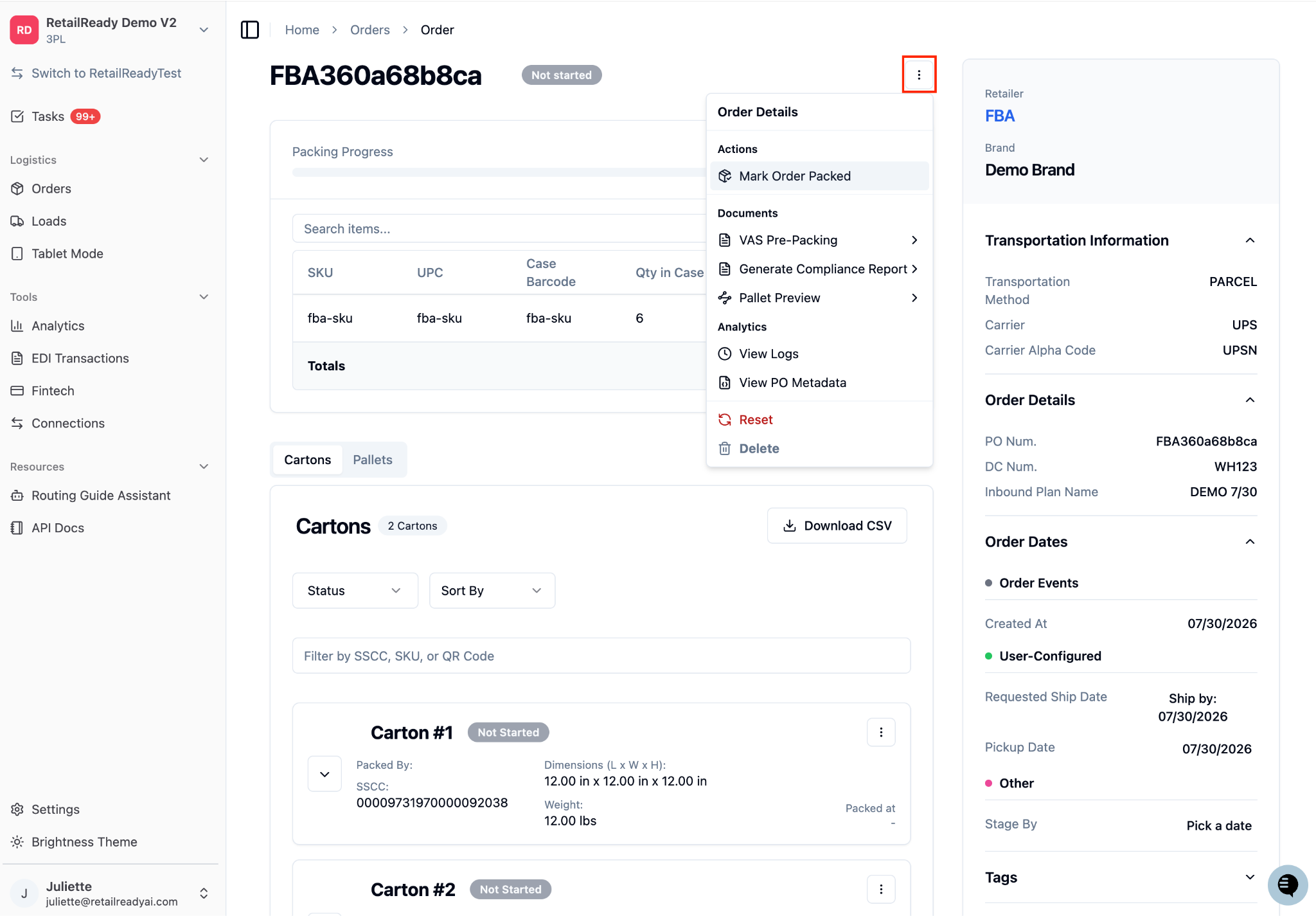
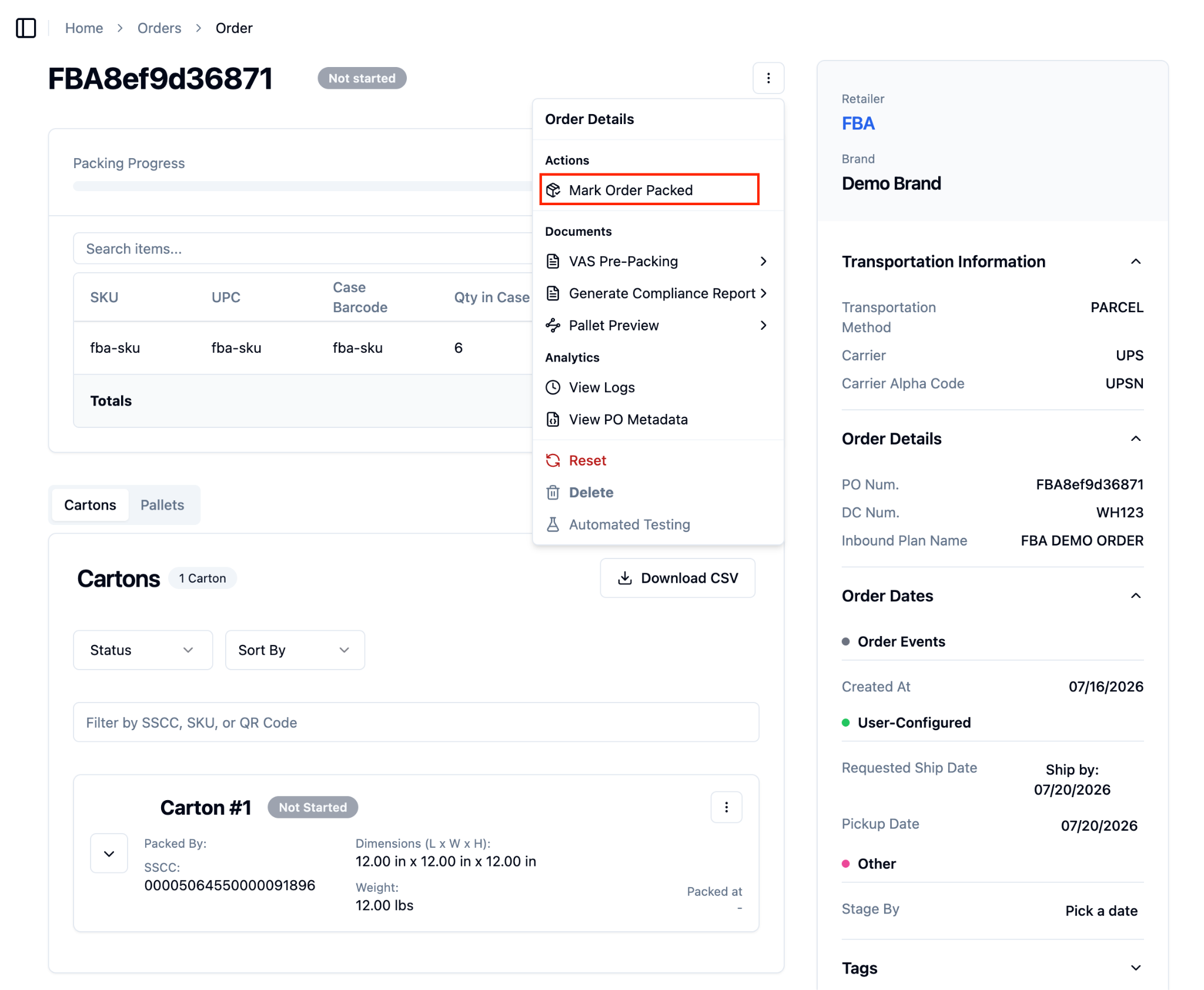
Select 'Mark Order Packed' from the menu. If this is a freight order, the button will automatically appear as 'Mark Order Staged' instead.
A confirmation modal will appear. Once you have read over the notice, type “I understand the compliance risk” in the box. The blue ‘Mark as Packed’ button will become clickable once you have typed in the sentence.
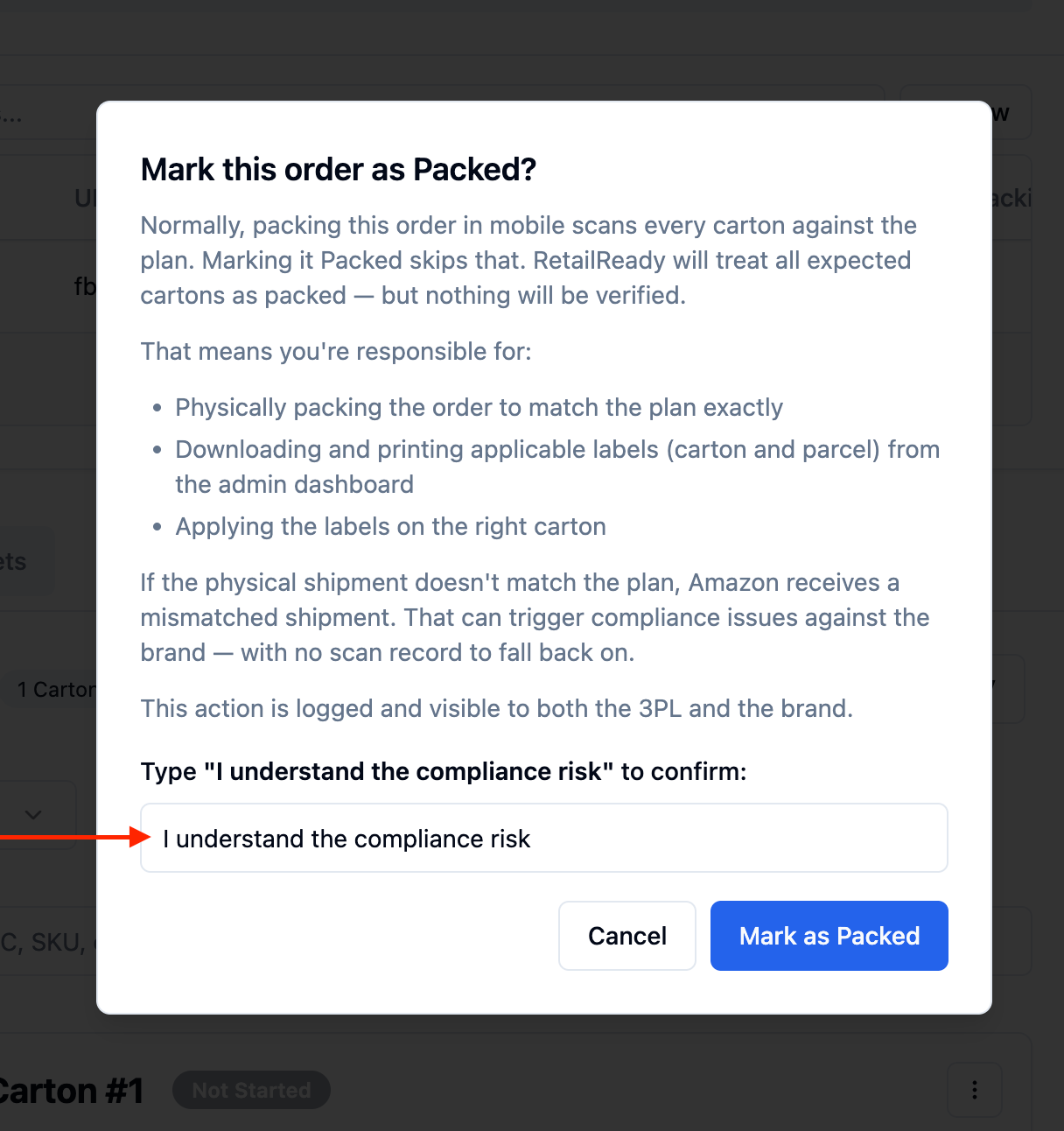
Click 'Mark as Packed' to complete the action. The order status will update to Packed immediately.
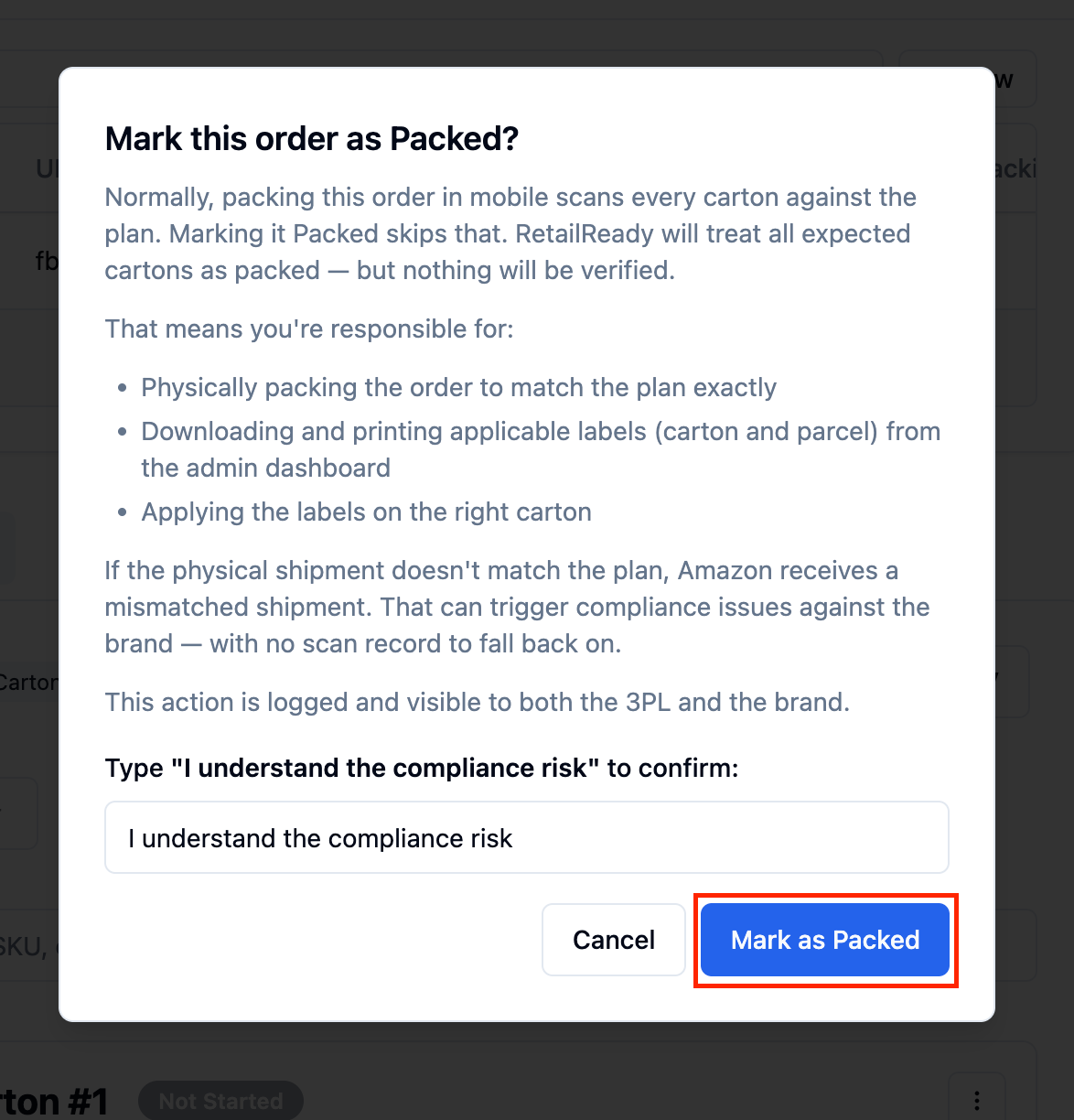
The process for freight orders is the same as above. The only difference is that the confirmation modal will display freight/pallet-specific language, and the resulting status will be Staged instead of Packed.
FAQs:
Is the 'Mark Order Packed' action available for all FBA orders?
Yes. The 'Mark Order Packed' action is available in the action menu for both FBA freight and FBA parcel orders. It was previously only available for freight orders.
How does RetailReady know whether to mark the order as Staged or Packed?
RetailReady automatically detects the shipping method on the order. You do not need to manually select a status, the system applies Staged for freight orders and Packed for parcel orders.
Will I see different wording in the confirmation modal depending on the order type?
Yes. The confirmation modal adjusts its language based on whether the order is a freight or parcel shipment, so you can confirm you are taking the right action before committing.
Does using 'Mark Order Packed' affect anything downstream, like label generation or carrier pickup?
'Mark Order Packed' advances the order status within RetailReady but does not replace other required steps such as generating shipping labels or scheduling carrier pickup. Make sure all other required tasks for the order are completed after using this action.