Wholesale Price Task For International Orders
Last updated: September 7, 2026
RetailReady automatically creates a task on international parcel orders when one or more items are missing a wholesale price. Wholesale prices are required on all items for international shipments to clear customs. This article explains when the task appears, how to resolve it by entering the missing prices, and what happens if you try to pack out before the task is cleared.
Understanding the Provide Wholesale Price Task
When RetailReady detects that an international parcel order has at least one item without a wholesale price, it automatically creates a 'Provide Wholesale Price' task on that order. You will see this task appear in the Tasks section of the order detail page.
The task is created in the following situations:
A new international order is received or created and one or more items are missing a wholesale price.
An existing order's destination country is changed to an international location while it is set to parcel shipping.
An order's shipping method is switched from freight to parcel while the destination is international and items are missing wholesale prices.
An EDI order modification (860) updates an order to an international parcel shipment with missing wholesale prices.
If all items on the order already have wholesale prices filled in, no task will be created.
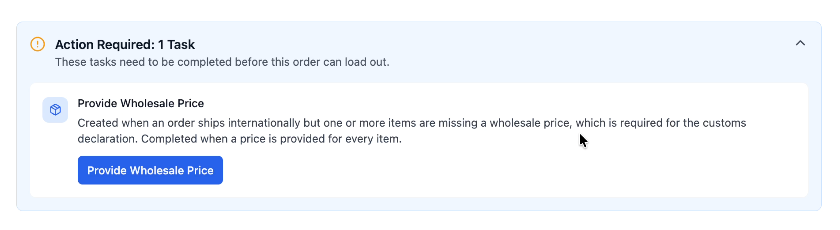
Resolving the Provide Wholesale Price Task
To clear the task, you will need to enter wholesale prices for all items on the order that are missing them. Follow the steps below.
Open the order in RetailReady and click into the ‘Action Required: 1 Task’.
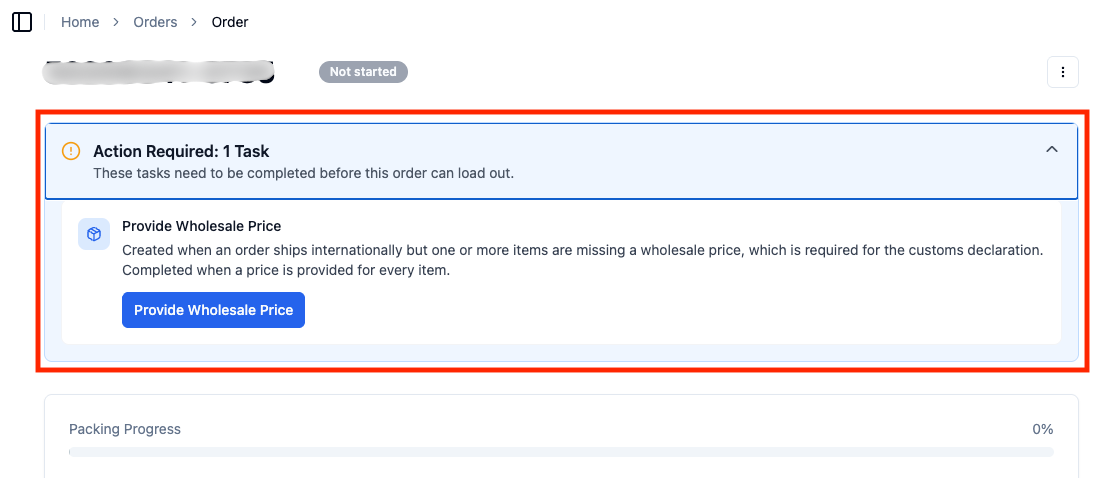
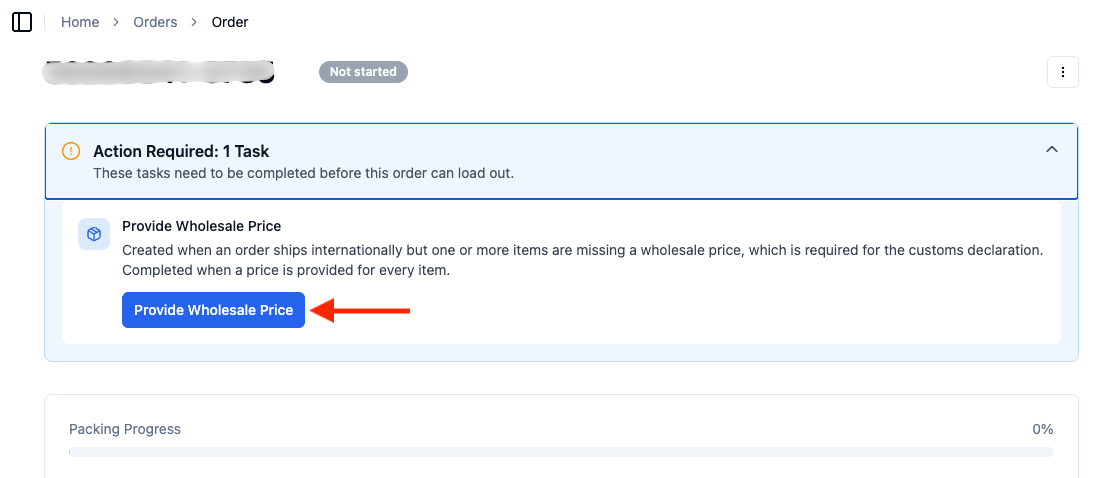
Click ‘Provide Wholesale Price’.
The 'Provide Wholesale Price' modal will open, showing all line items that are missing a wholesale price. Enter the correct wholesale price for each item listed.
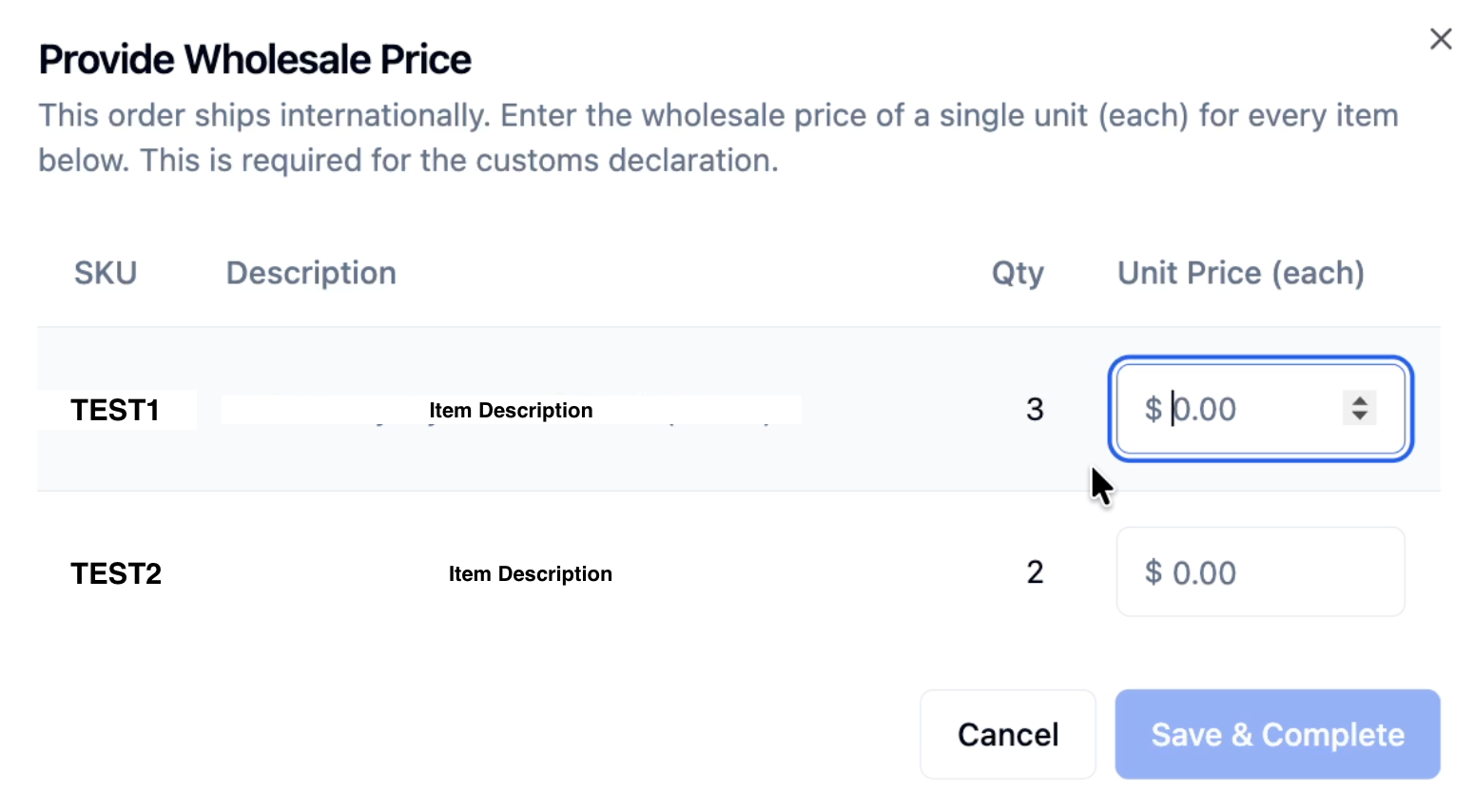
Once all prices are entered, click 'Save & Complete' to apply the changes.
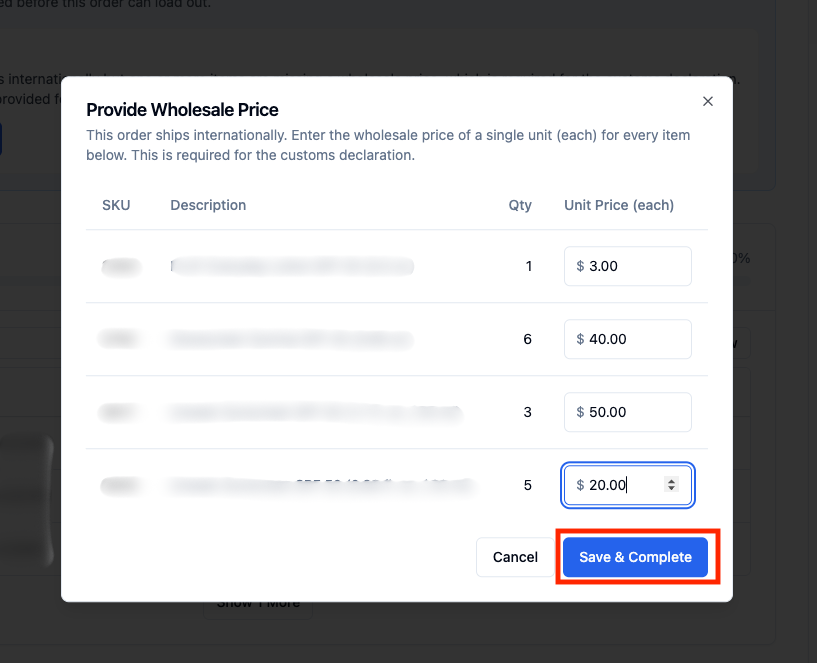
RetailReady will automatically check whether all items now have wholesale prices. If they do, the task will be cleared and the order will be ready to proceed to pack-out!
FAQs:
What happens if I try to pack out with an unresolved task?
RetailReady will block label generation and display an alert. You won't be able to complete pack-out until the task is resolved. Follow the steps in this help article to clear it.
What happens if I switch from parcel to freight or vice versa?
The 'Provide Wholesale Price' task only applies to international orders shipping via parcel. If you change an order's shipping method:
If you switch an international parcel order to freight, the task will be automatically canceled and the block will be removed.
If you switch it back to parcel, RetailReady will re-check the order and recreate the task if any items are still missing wholesale prices.
Why does RetailReady require wholesale prices for international orders?
International shipments require wholesale prices on all items for customs documentation. Without this information, shipments may be delayed or rejected at customs.
Will this task appear on domestic orders?
No. The 'Provide Wholesale Price' task only applies to orders shipping to international destinations via parcel. Domestic orders and international freight orders are not affected.
What if only one item is missing a wholesale price?
The task will still be created even if only a single item on the order is missing a wholesale price. All items must have a wholesale price entered before the task will clear.
Can I enter wholesale prices directly on the item record instead of through the task modal?
Yes. If wholesale prices are updated on the item records through another workflow, RetailReady will detect that all prices are now present and will automatically clear the task.
The task disappeared after I switched to freight shipping. Do I need to add the wholesale prices later if I switch back to parcel?
Yes. If you switch the order back to parcel shipping, RetailReady will re-evaluate the order. If any items are still missing wholesale prices at that point, the task will be recreated and will need to be resolved before pack-out.