How to Acknowledge a PO
Last updated: July 26, 2026
When you receive a purchase order (PO) from some retailers, you need to confirm you've received and accepted it before fulfillment can begin. This article shows you how to acknowledge a PO in RetailReady, which generates and sends an EDI 855 acknowledgment back to the retailer, confirming the order is accepted.
Acknowledging a PO
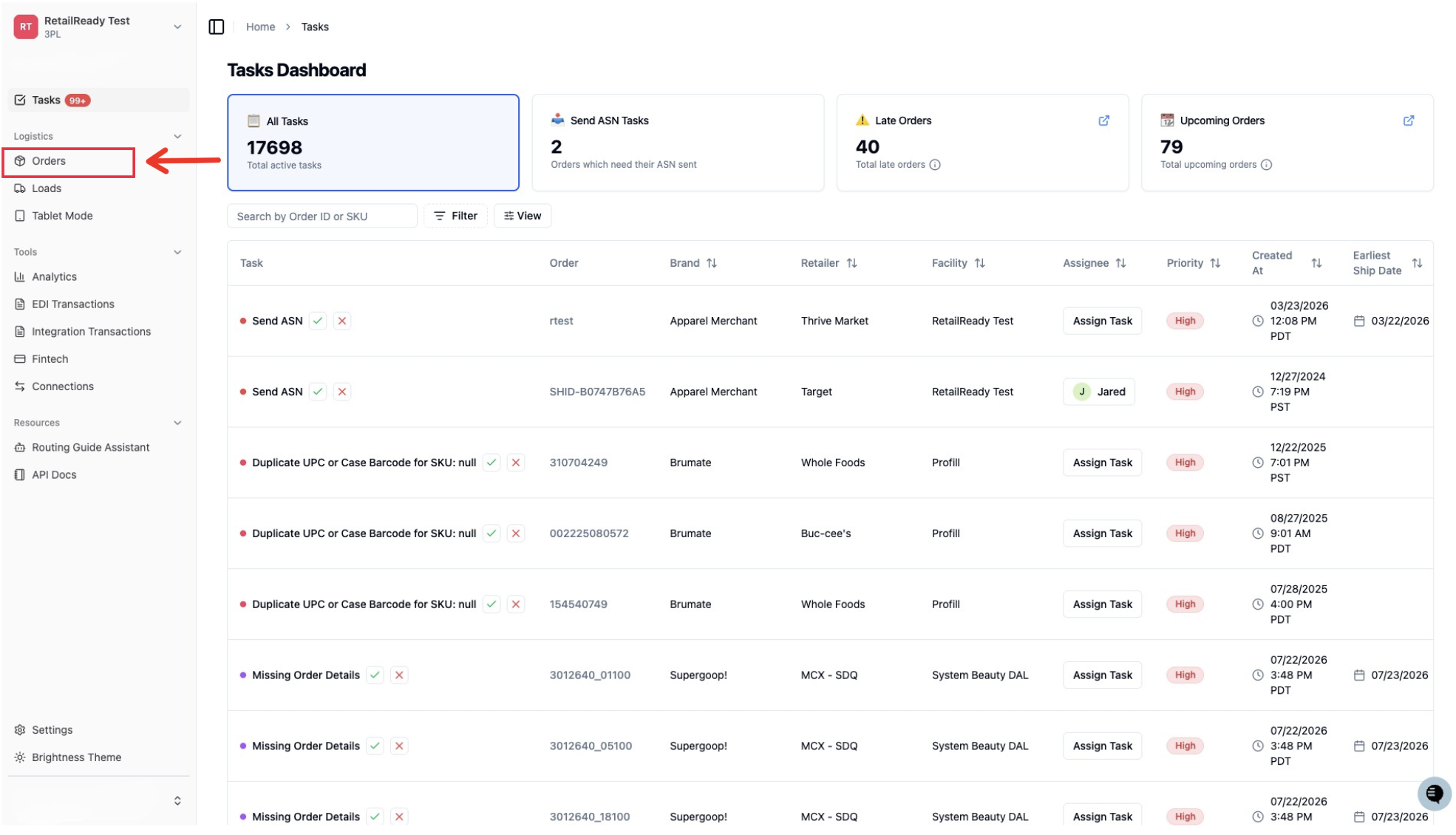
Open up your RetailReady Dashboard, and navigate to 'Orders' tab on the Left Hand Side.
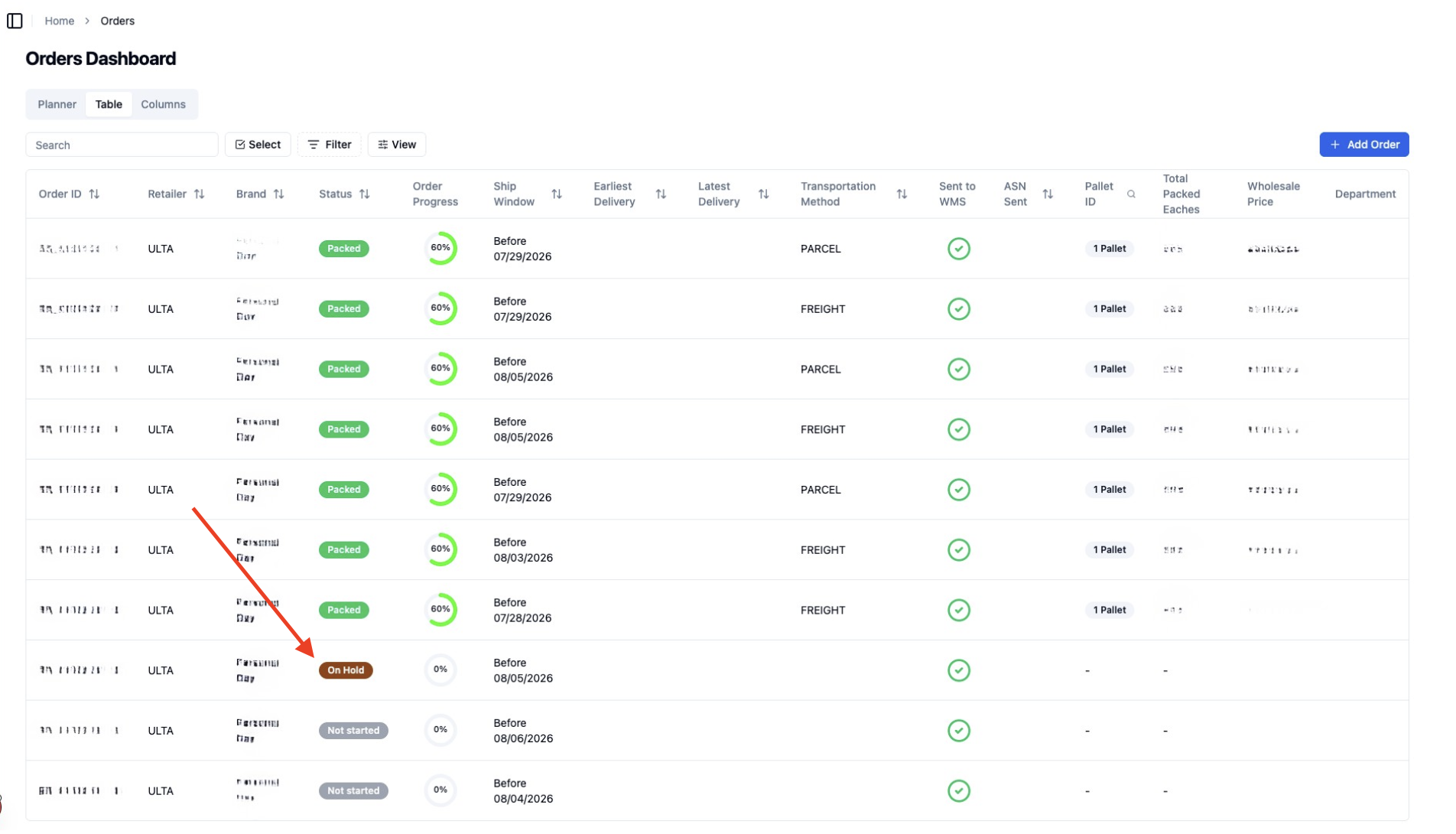
Navigate to the order you would like to acknowledge (Note: the order will be placed on hold until acknowledged)
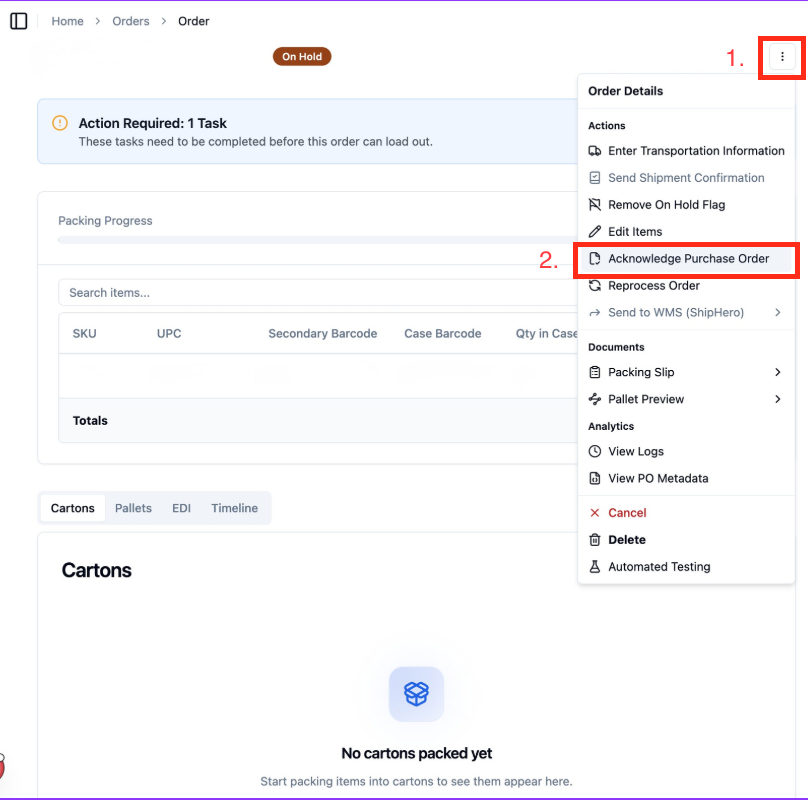
Acknowledge the PO
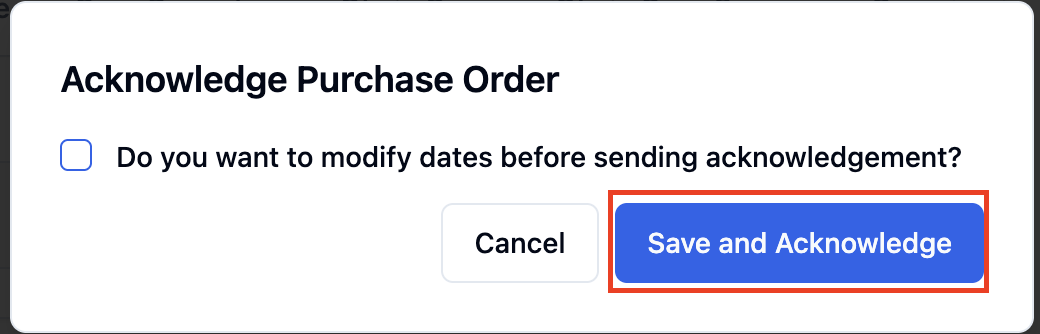
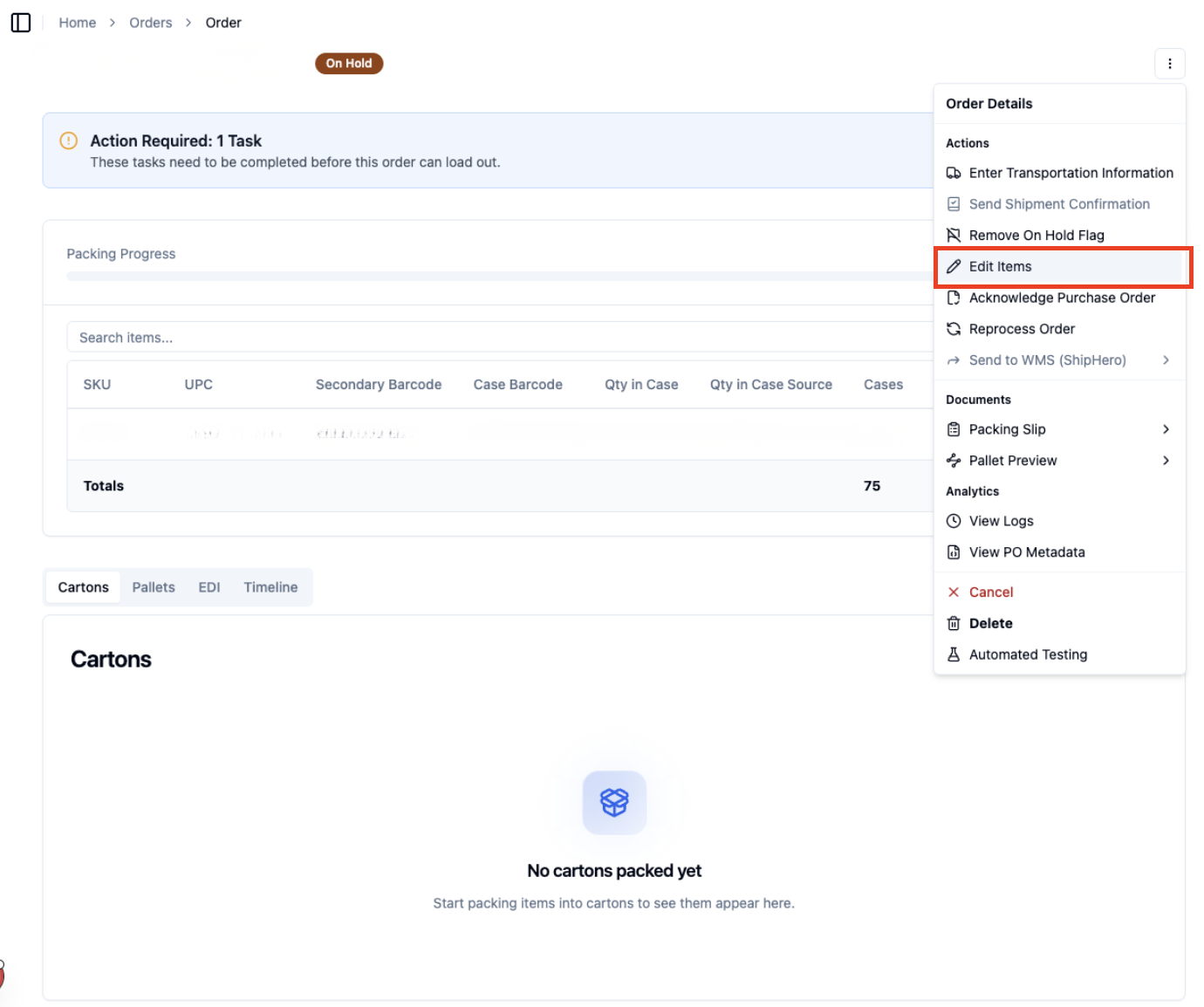
Navigate to the three dots in the corner, select 'Acknowledge Purchase Order', click 'Save and Acknowledge'
Partially Acknowledge:
Navigate to 'Edit Items'
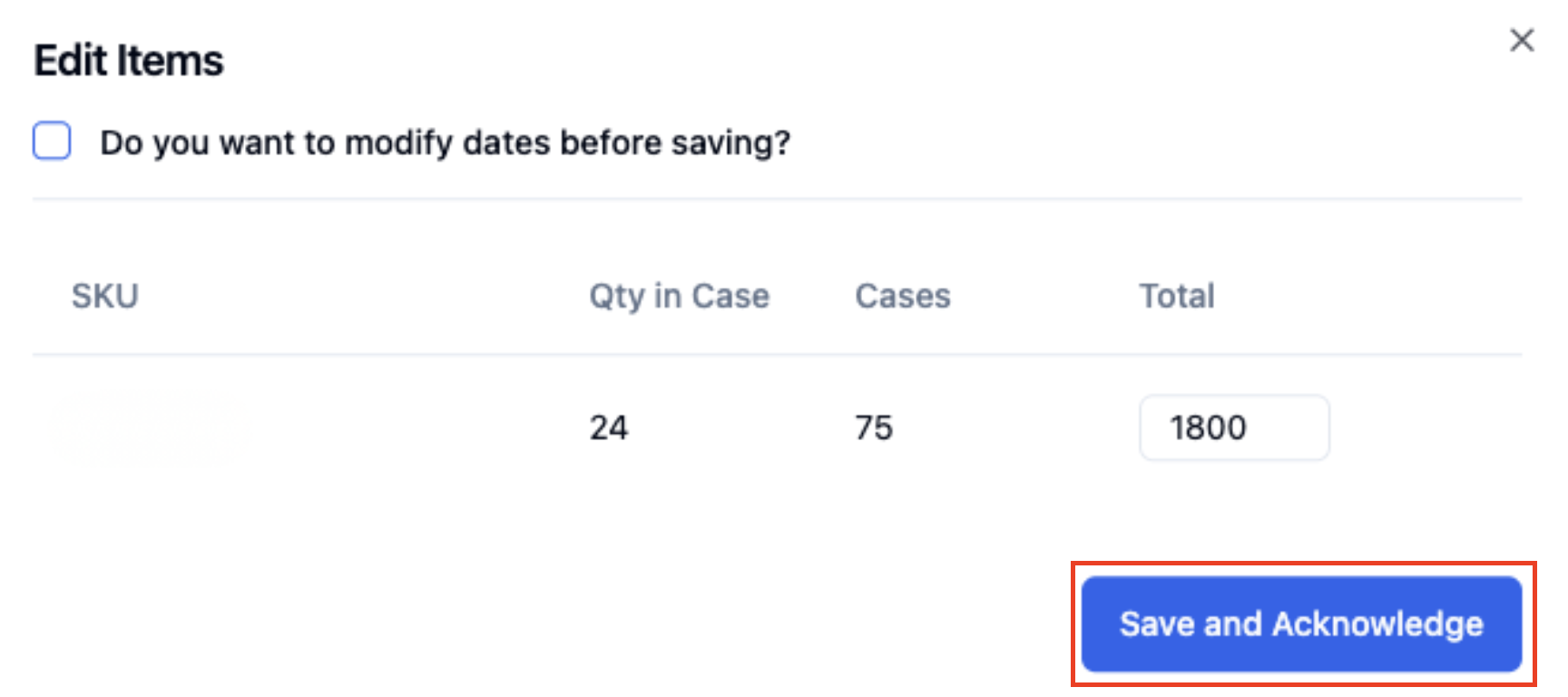
Adjust the necessary quantities, then click 'Save & Acknowledge'
FAQ
Can I auto accept every PO?
Yes! Just reach out to your onboarding manager to have that set-up.
What if I had already accepted a PO acknowledgement, can I edit and resend?
Yes!
Do I need to adjust the acknowledgement type if I have migrated my connection from an EDI provider to RetailReady?
No, it is now all handled in RetailReady!