VAS Label Preview & Download Functionality
Last updated: July 26, 2026
VAS Label Preview and Download
You can now preview and download VAS (Value-Added Services) labels directly from the RetailReady platform. This helps you check labels before printing and download them when needed.
Web Dashboard - Carton Level Downloads
When viewing a carton in the web dashboard, you'll now see a Download VAS Labels button if the carton has any VAS services applied. This downloads all VAS labels for that carton as a single PDF file.
Mobile App - Label Preview
When printing VAS labels on your mobile device, you can now preview the label before printing. A preview window will appear showing exactly what will be printed.
How to Use
Downloading Labels from Web Dashboard
Navigate to the 'Cartons' section on an order
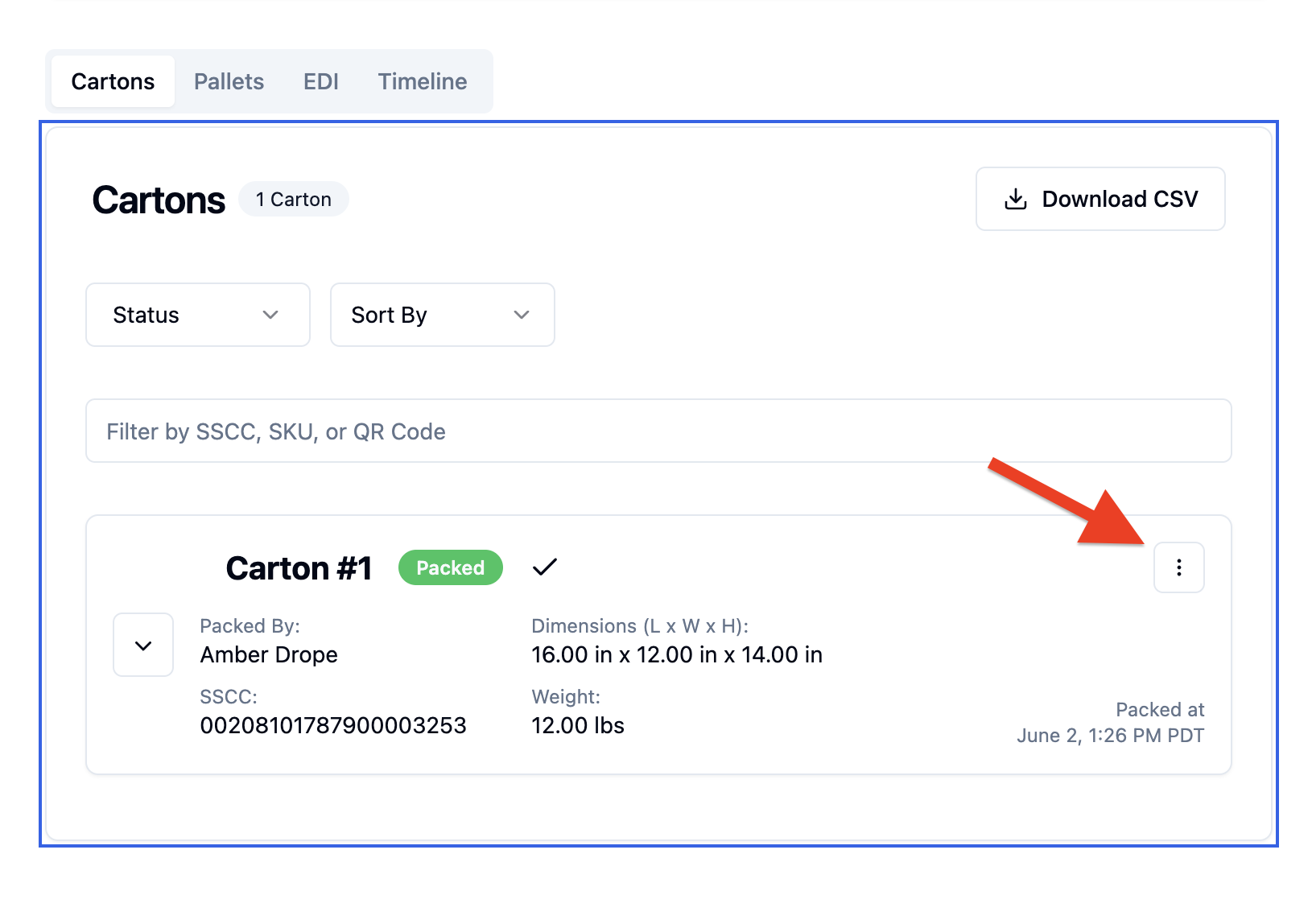
Look for the 'Download Labels' button (only appears if carton has VAS services)
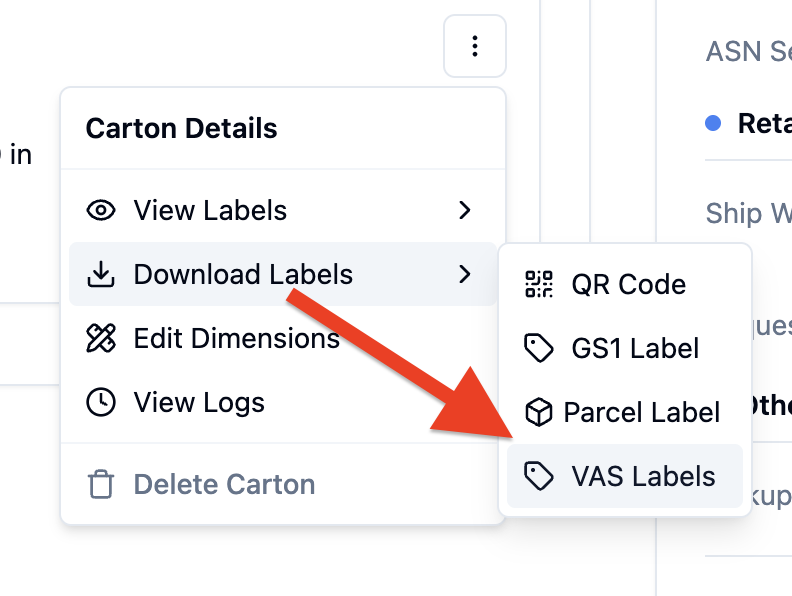
Click 'VAS Labels' to download all VAS labels as a PDF
Label Accuracy
The previews show exactly what will be printed - the same data, formatting, and layout you'll see on the physical label.
FAQs
Why is the download button not visible?
What it means: The carton either has no VAS services or the VAS actions aren't completed yet.
What to do:
Verify the carton has VAS services assigned
Complete any pending VAS actions
Refresh the page and check again