Reverse 855 PO
Last updated: May 26, 2026
You can now create PO suggestions (called Reverse PO 855 documents) to recommend purchase orders to your retail partners. This feature helps you proactively suggest orders based on available inventory!
What's New
We've added the ability to create and track Reverse 855 PO suggestion documents. These are not actual purchase orders, but suggestions you send to retailers about what products they might want to order from you!
How to Create a PO Suggestion
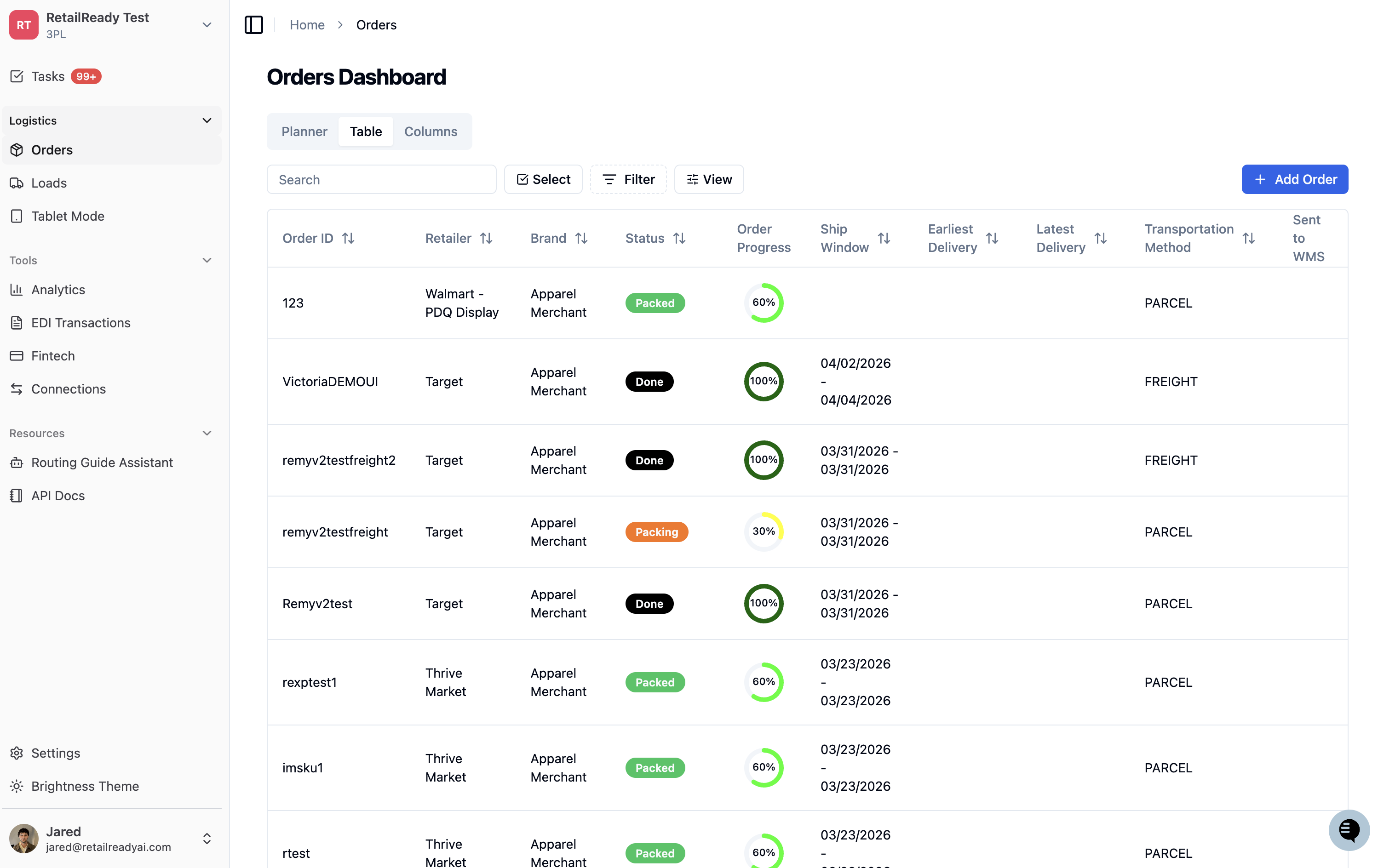
Go to the 'EDI Transactions' page
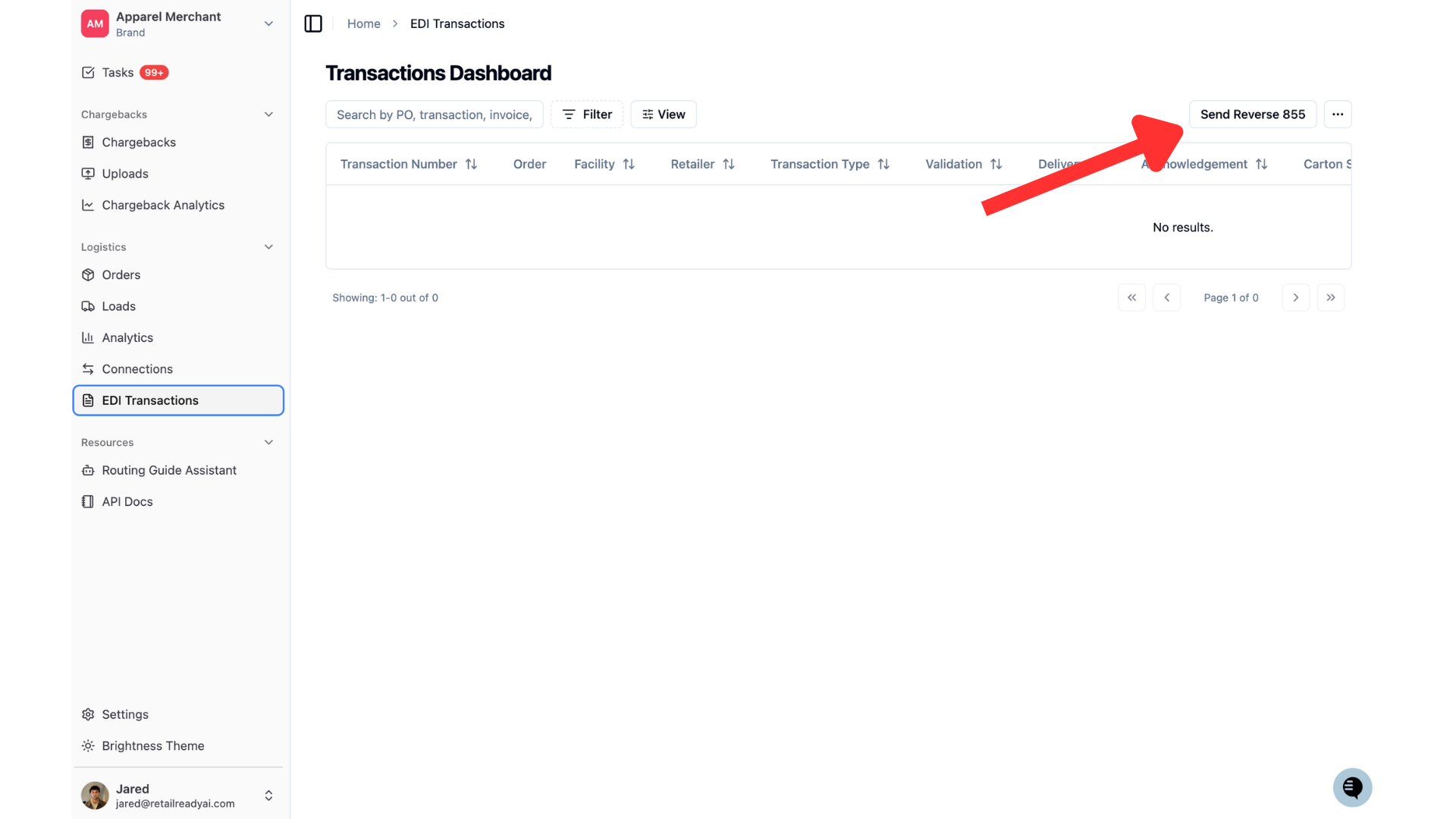
You will see the 'Send Reverse 855 PO' button available in the upper right corner, click on it.
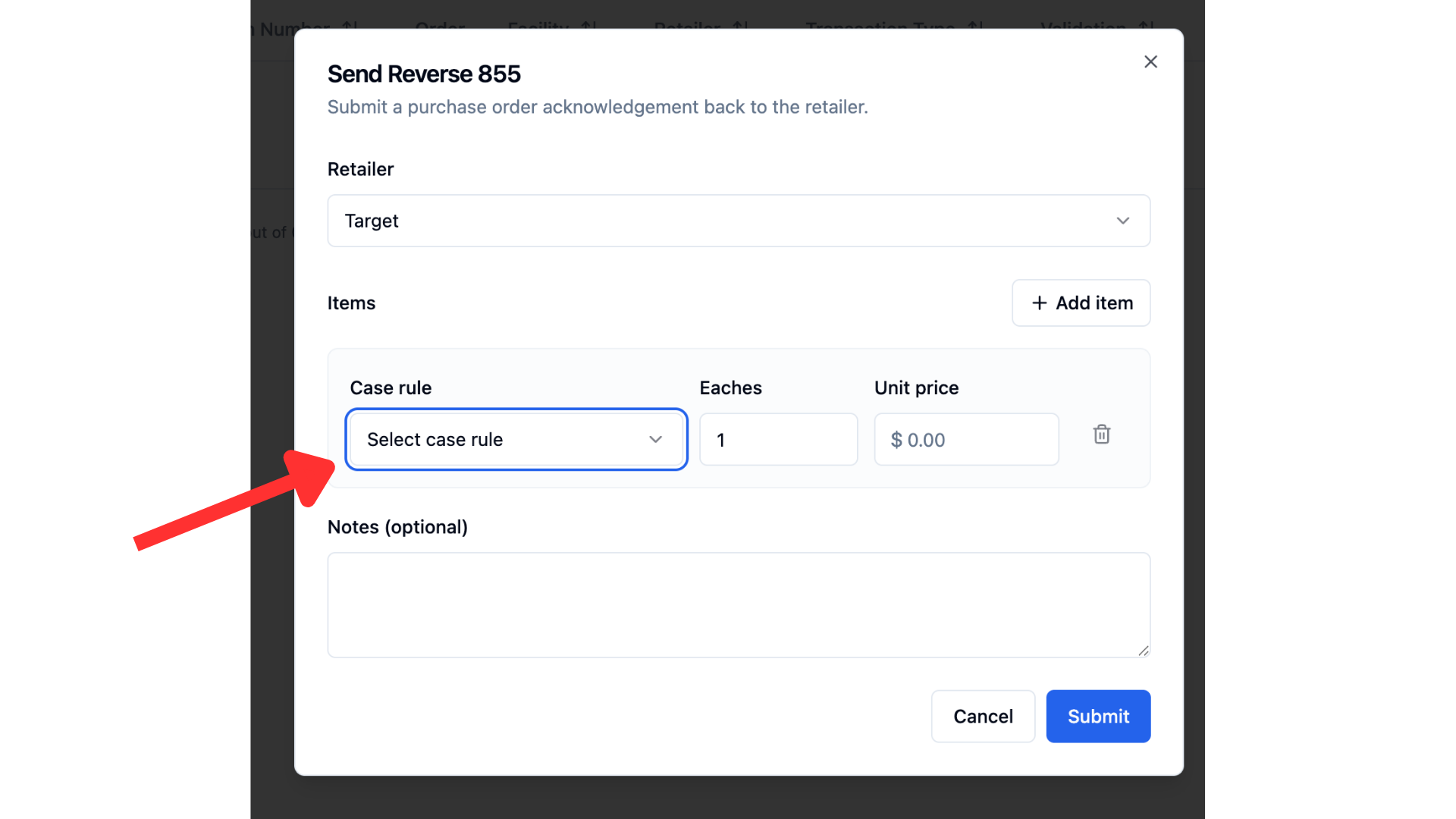
Select your retailer from the dropdown, then select the products (SKUs) you want to send as a suggestion to the retailer. You will be required to add quantity and unit price for each product.
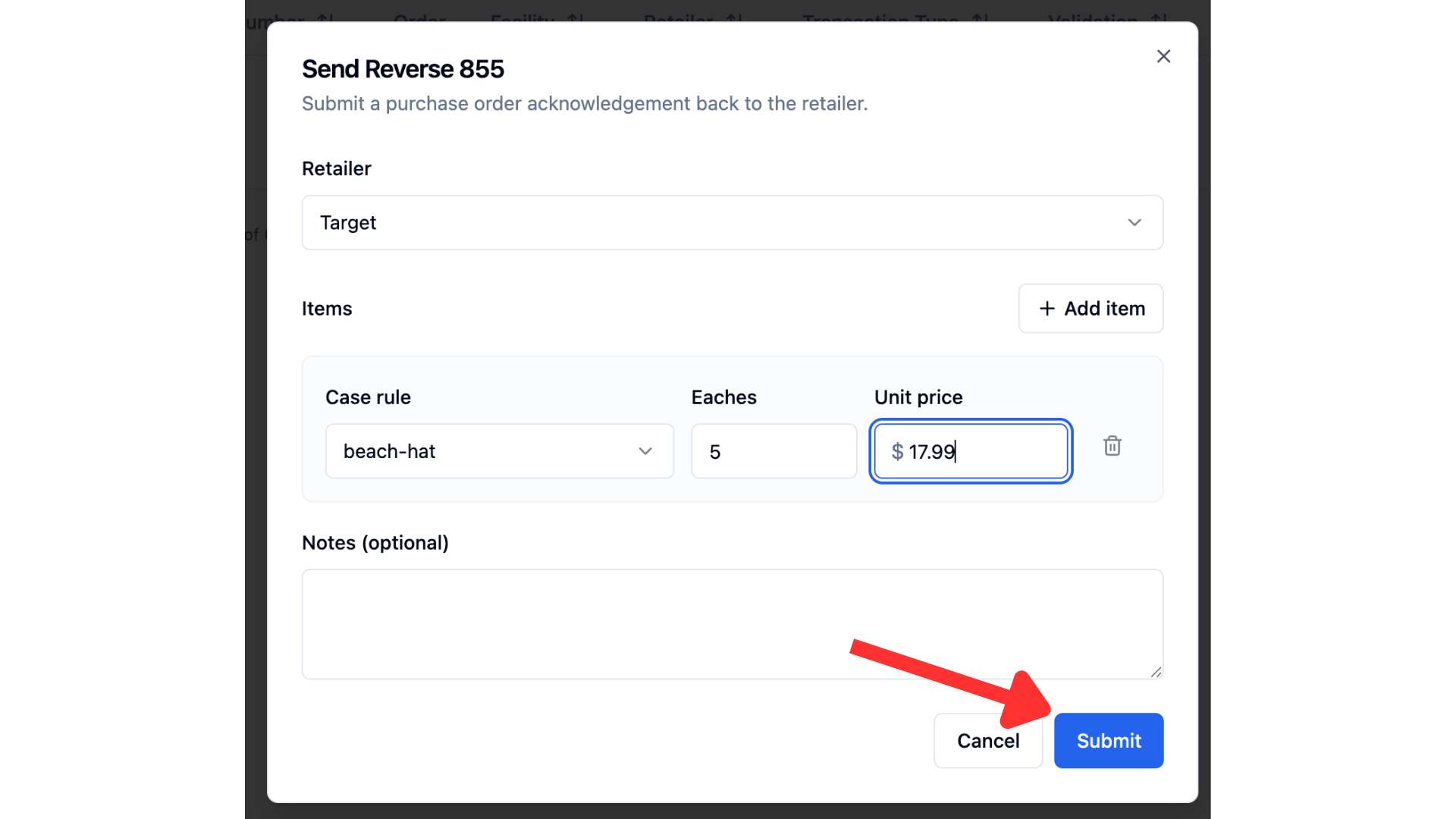
Click 'Submit' to send your suggestion
FAQs
Why don't I see the option to send a Reverse PO 855?
This option is only available for certain retailers. If you do not have any retailer connection that accept this document than it will not be available to send! If you do have a retailer that accepts this document and still do not have the option available, check your user role. Only admin users will be able to send this document. If you need your role to be changed, reach out to your onboarding manager!
How do I know if the retailer accepted it?
You will be able to see the status of the document in your 'EDI Transactions' tab. There will be an update when the document is delivered successfully to the retailer. If the retailer chooses to accept the suggestion, they will return a purchase order!