Exemptions - Carton Labels
Last updated: May 18, 2026
You can now set up different carton labeling requirements for different brands within the same retailer connection. This means you no longer need separate retailer setups when some brands need carton labels and others don't.
What's New
A new Carton Labels section has been added to the exemptions settings where you can exempt specific brands from carton labeling requirements.
How to Set Up Carton Label Exemptions
Only brands have the ability to do this, as they need permission from the retailer to be exempt.
Go to 'Settings' > 'Retailers'
Select the retailer you want to configure
Find the 'Exemptions' section
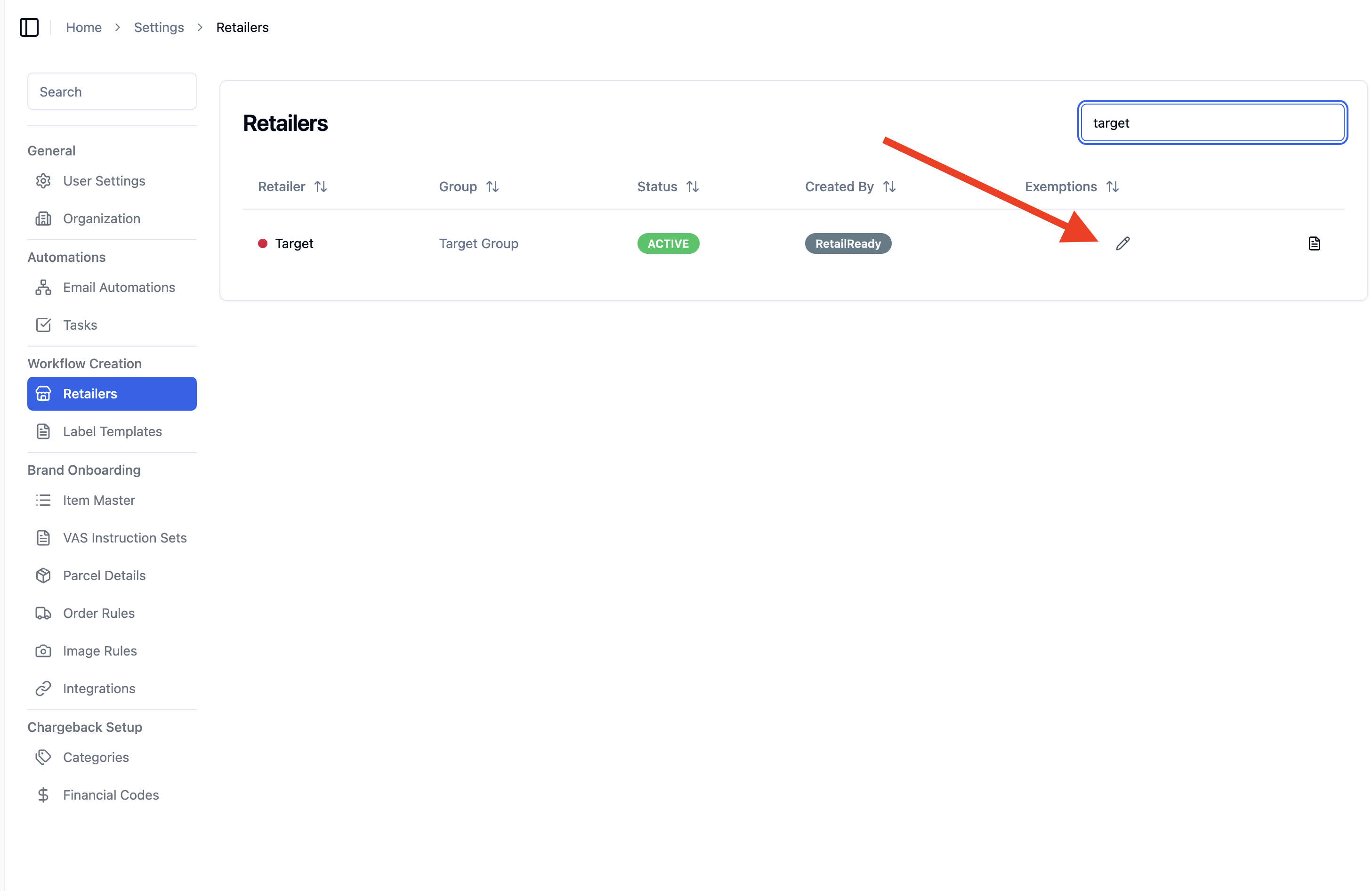
In the new 'Carton Labels' tab, select when you would like to skip printing carton labels.
You can choose to do this for either parcel or freight orders
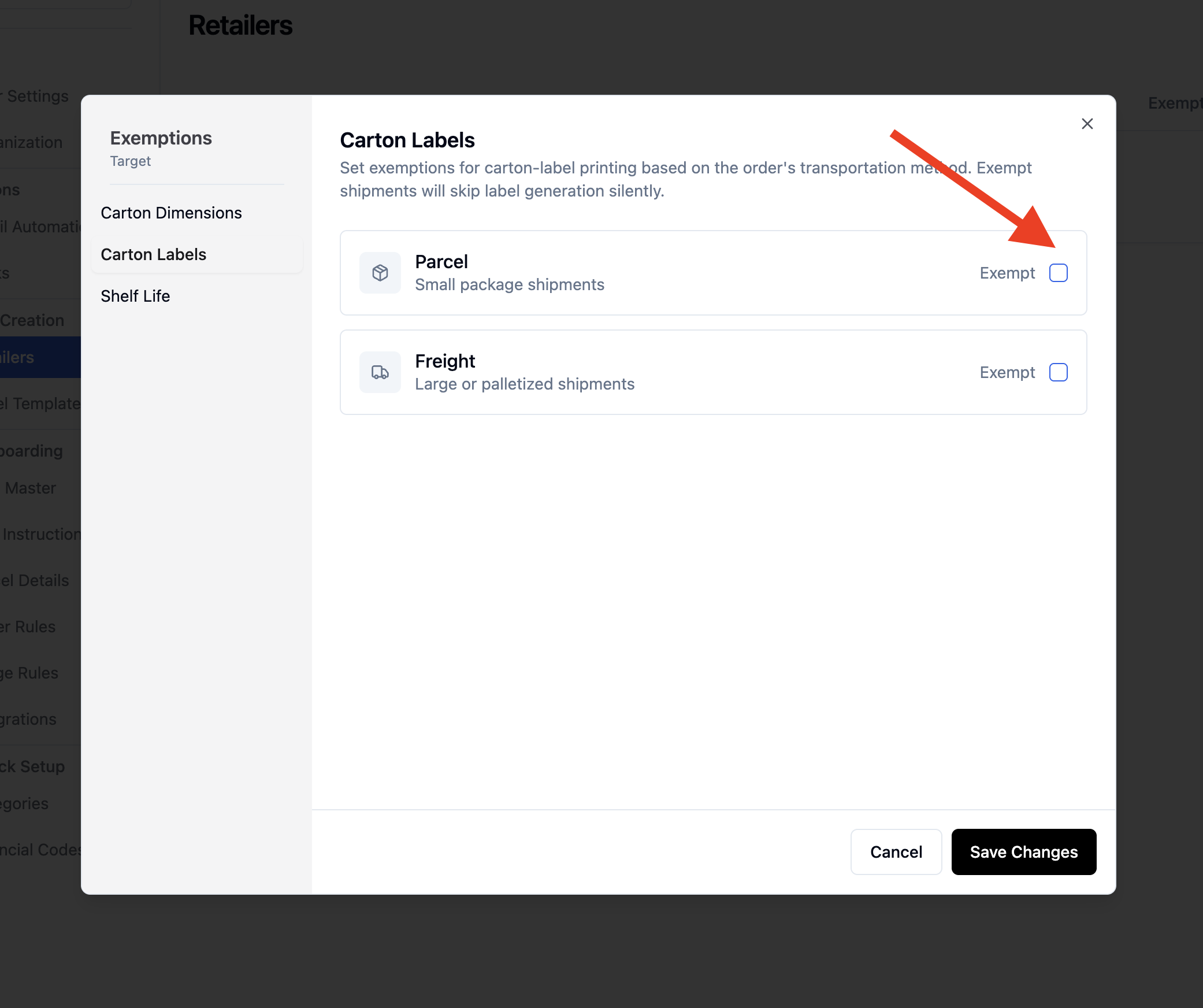
Save your changes
How It Works During Packout
When a brand is exempt from carton labels:
The GS1 carton label printing step will be completely skipped
Packers won't see the carton actions screen (unless other requirements like photos are needed)
The packout process moves directly to the next required step
What You'll See
In the analytics dashboard, we track when carton label exemptions are applied by not counting carton labels in analytics.
We also track exemptions in order logs. You can see these in the Order > 3 dots > 'View Logs'
Important Notes
Exemptions are set per brand <> retailer connections
You can have some brands that require carton labels and others that don't within the same retailer connection
Transport method selection (freight vs parcel) works the same as before
If a carton needs photos or other actions, those steps will still appear even if labels are exempt
FAQs
Can I change exemptions for orders already in progress?
Yes, but changes only apply to new cartons being packed. Cartons already in progress will follow the rules that were active when they started.
What if I need to add carton labels back for a brand?
Simply go back to the exemptions settings and remove the exemption. New orders for that brand will then require carton labels again.