Setting up UPS for International Shipments
Last updated: September 7, 2026
RetailReady now supports UPS international parcel shipping for orders going to Canada. To use this feature:
Your UPS parcel account needs to be configured with a customs certify signer.
Each international order needs a valid ship-to phone number.
An international enabled service level must be selected.
This article walks you through how to set up your UPS account for international shipments and how to make sure your orders have the right information before generating labels.
Setting Up Your UPS Account for International Shipping
Before you can generate labels for international UPS shipments, a customs certify signer name must be added to your UPS parcel account. This name appears on the commercial invoice that travels with international packages. You only need to do this once per UPS account.
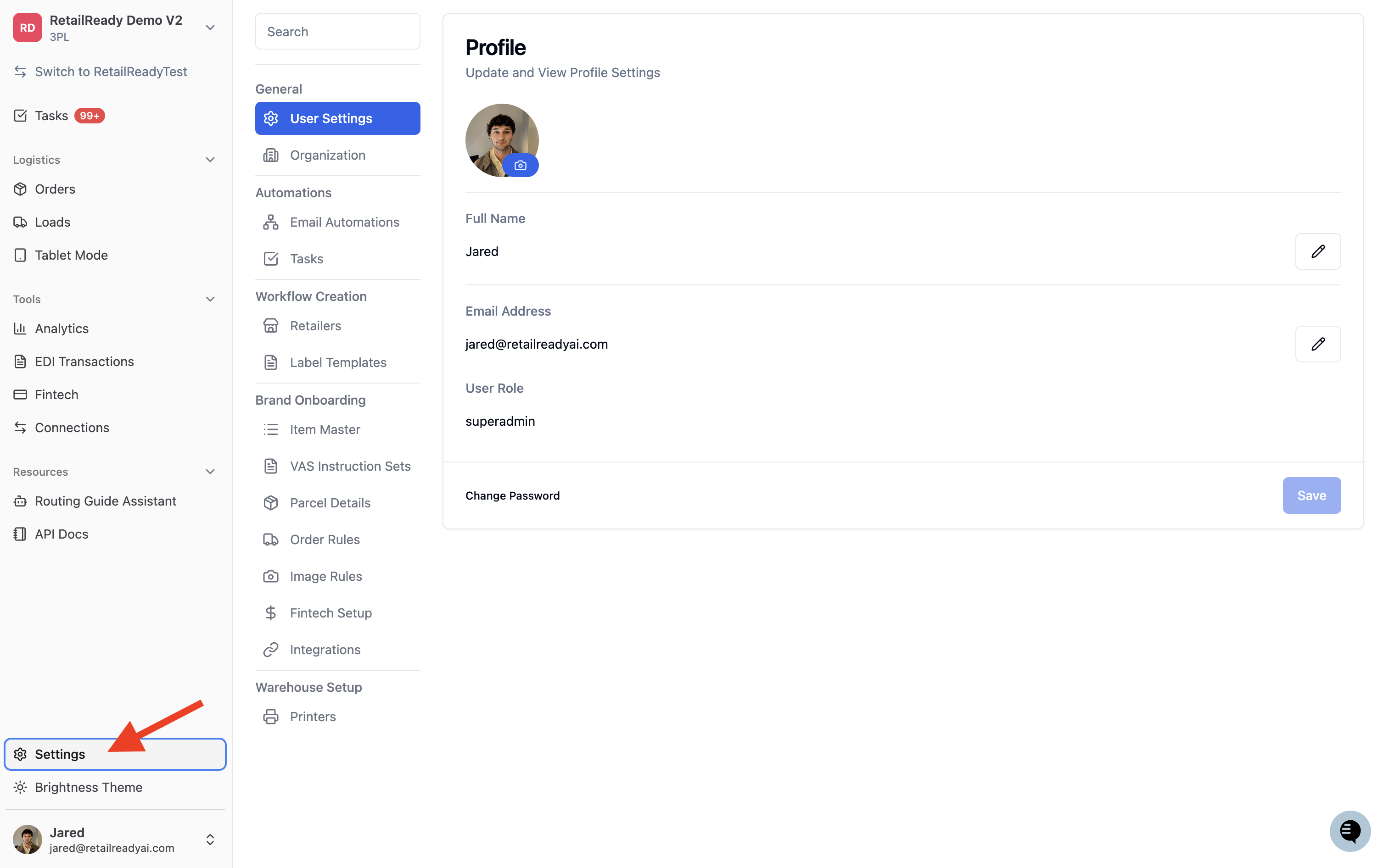
From the left navigation, go to 'Settings'.
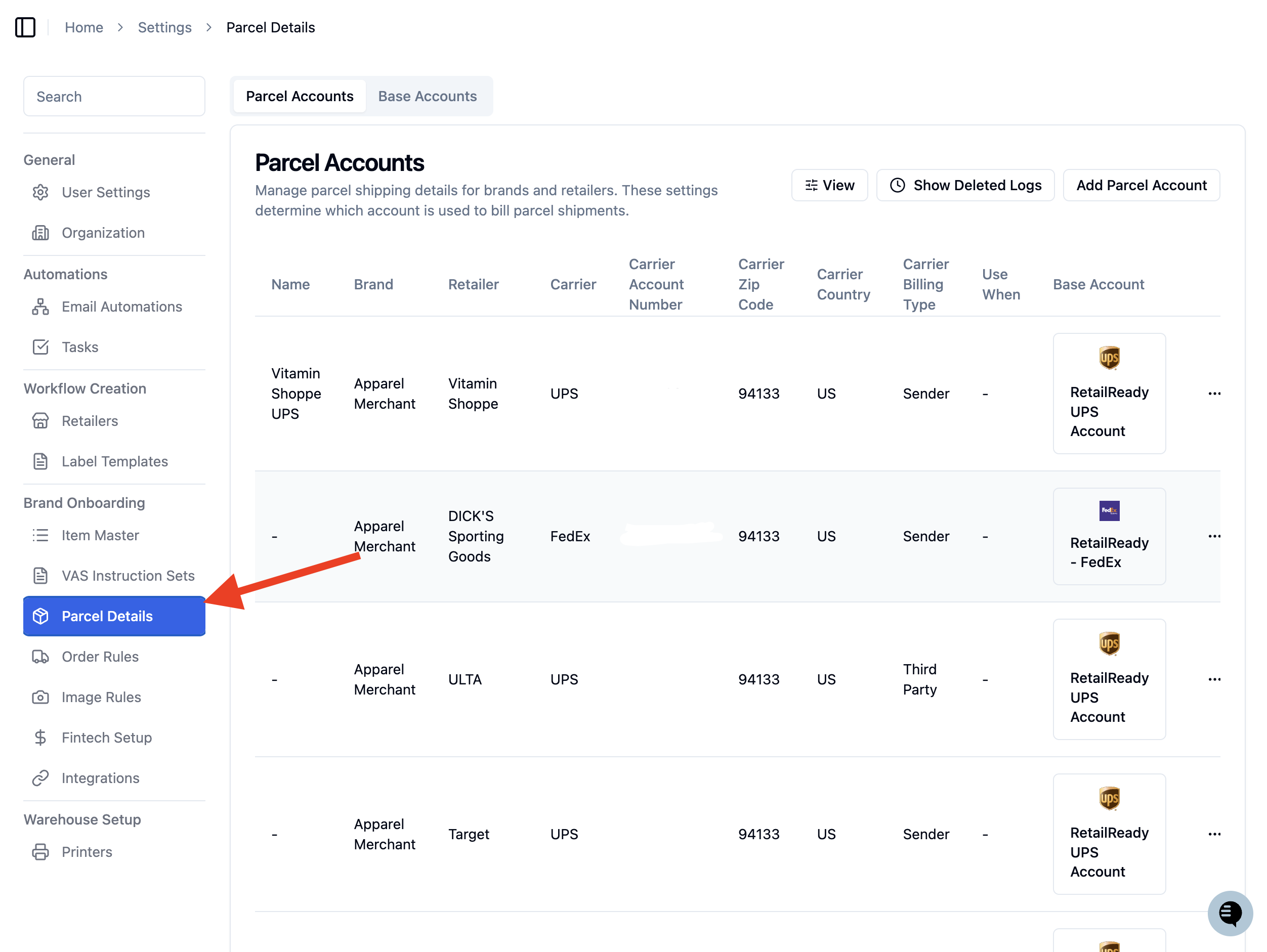
Select 'Parcel Accounts'.
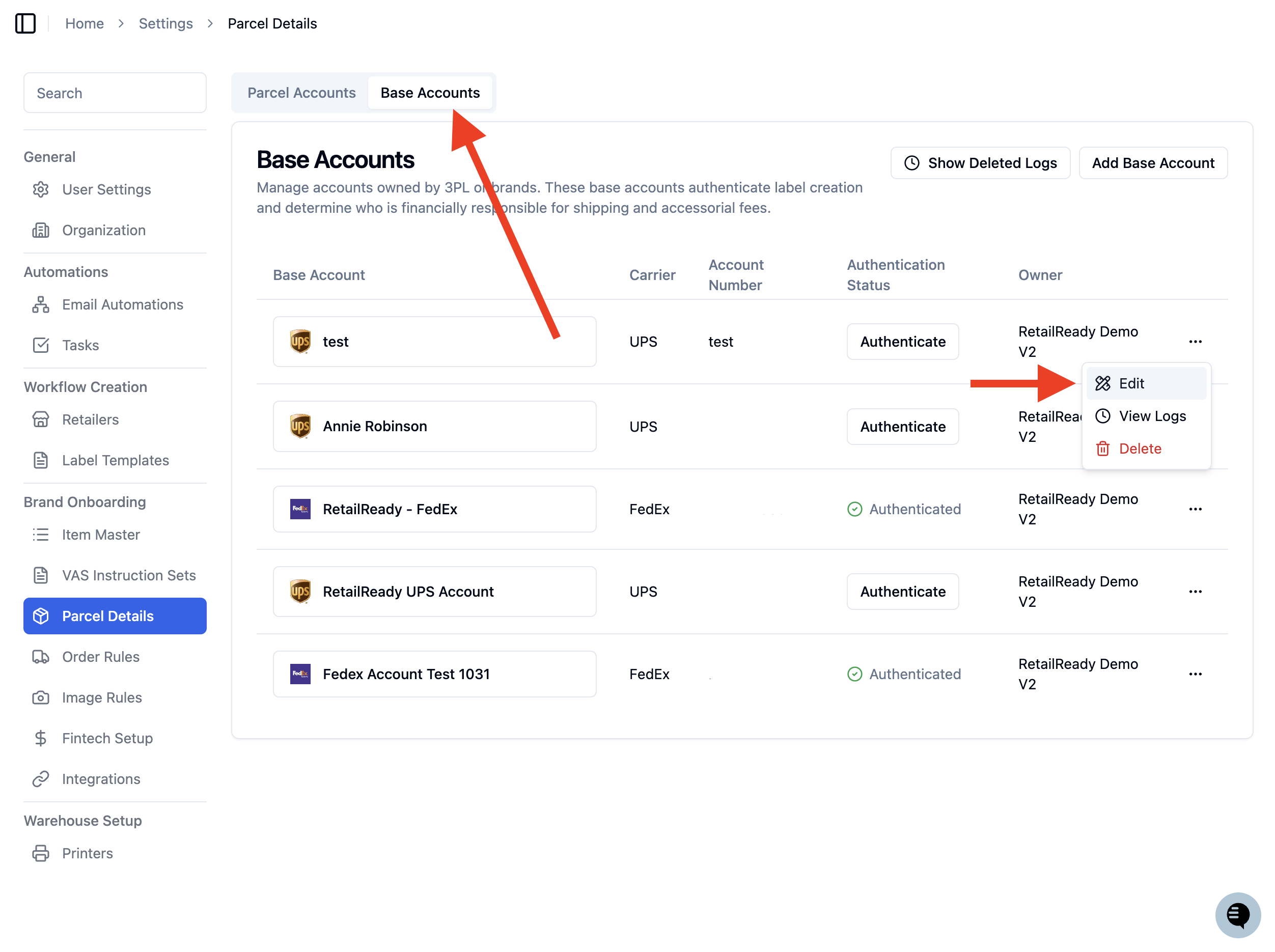
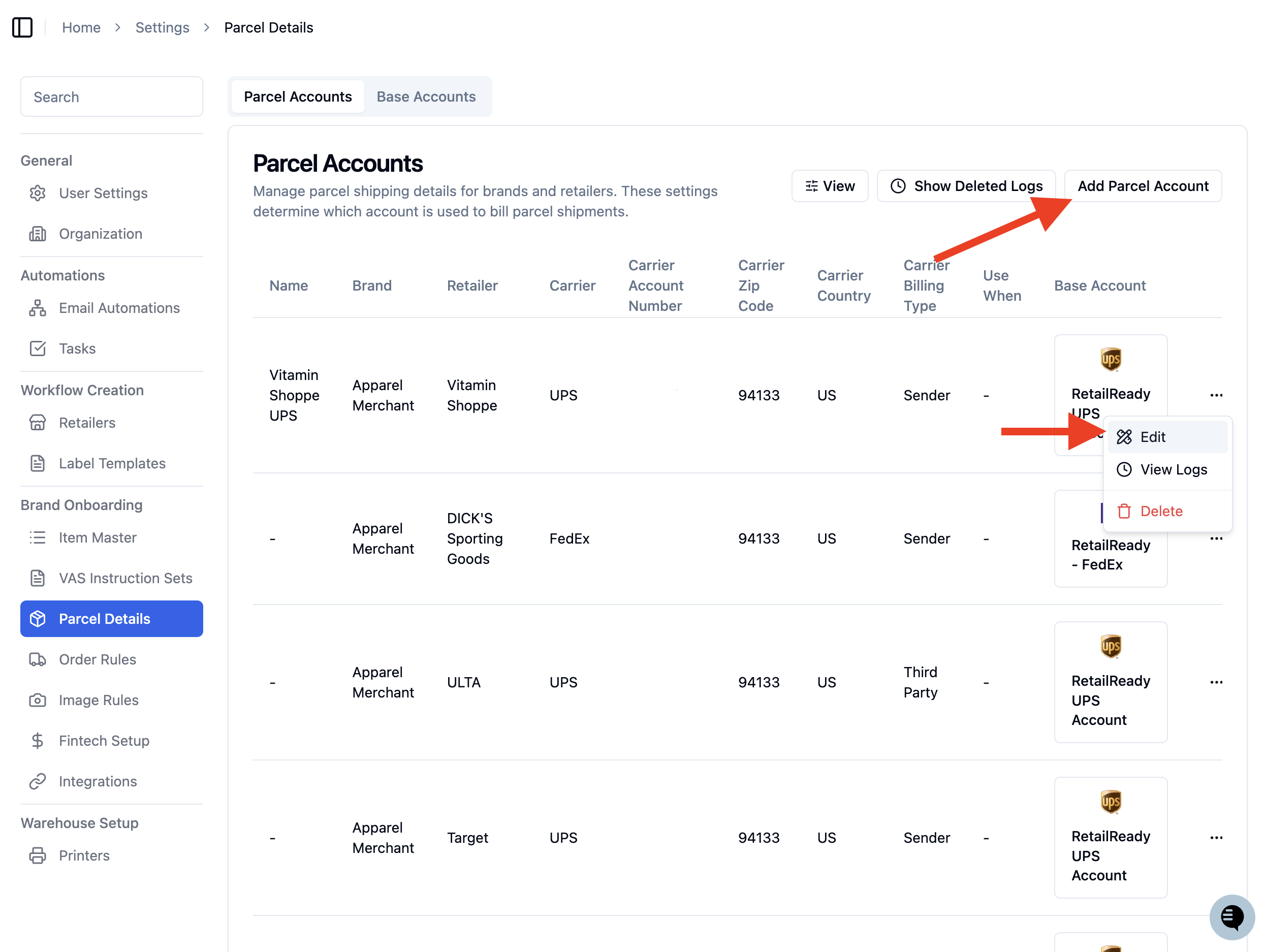
Find your UPS BASE account, click the 3 dots and 'Edit'.
Locate the 'Customs Certify Signer' field and enter the full legal name of the person certifying the customs information (for example, the account owner or compliance contact at your organization).
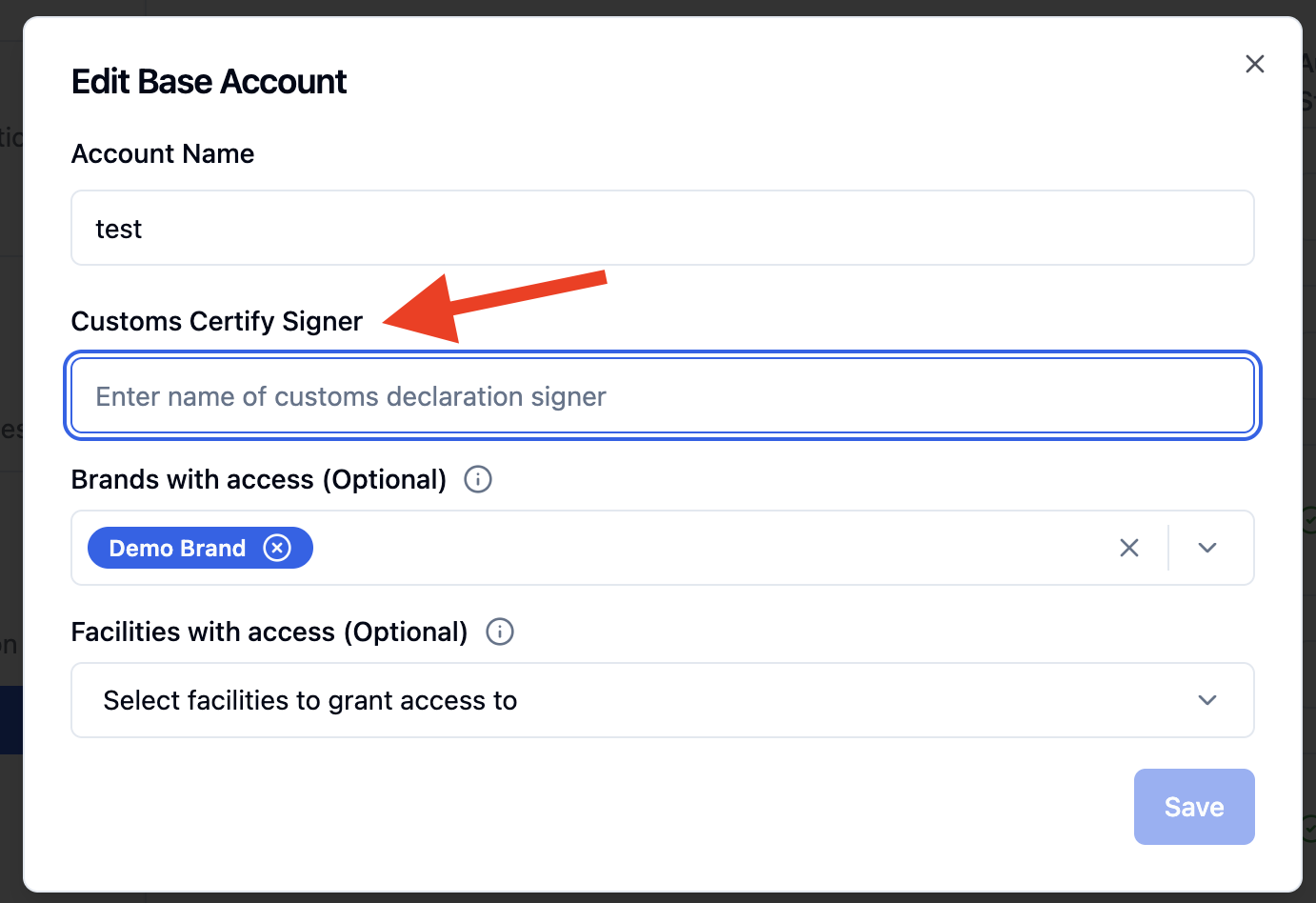
Click 'Save' to apply the changes.
Once saved, your UPS account will be ready to use with international service levels.
Choosing an International UPS Service Level
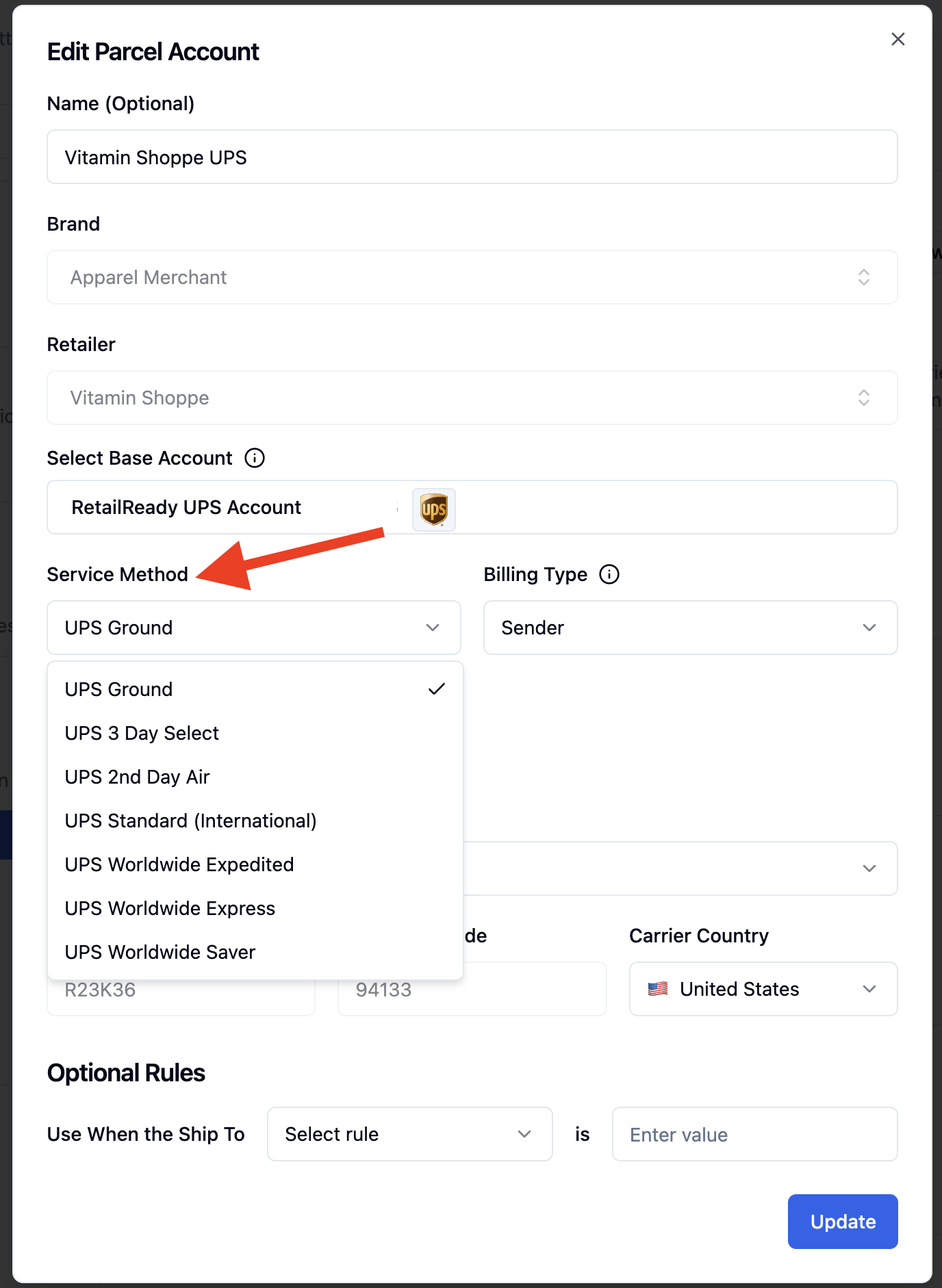
When adding or editing parcel details on an order, you will need to select a service level that supports international delivery. The following UPS service levels are available for international shipments:
UPS Standard℠
UPS Worldwide Expedited
UPS Worldwide Express
UPs Worldwide Saver
To assign an international service method to your parcel account:
Navigate to the 'Parcel Account' tab in 'Parcel Details'.
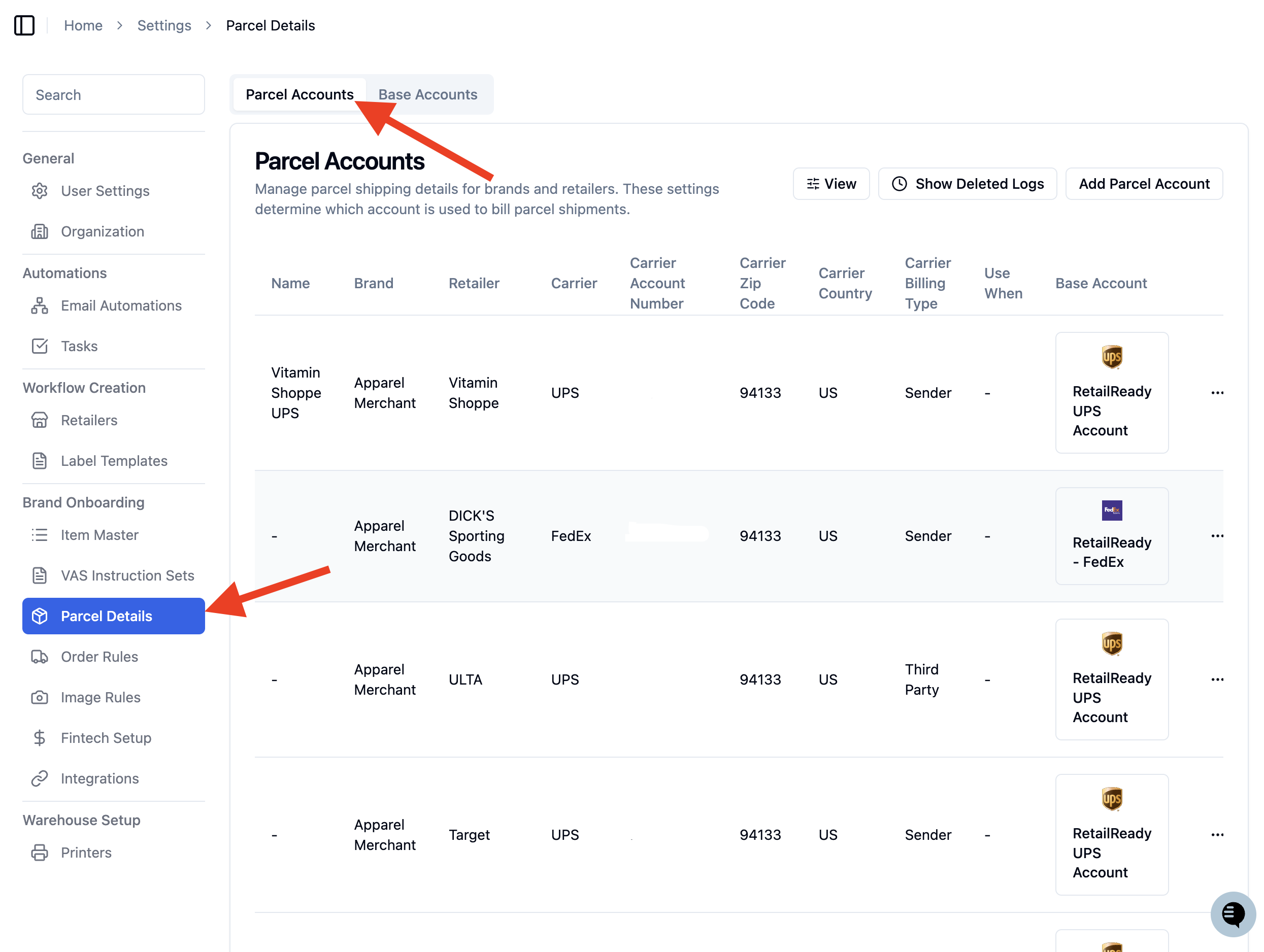
Click 'Edit' or 'Add Parcel Account'.
Under 'Service Level', select one of the international UPS options listed above.
Adding a Phone Number to the Ship-To Address
International shipments require a valid contact phone number for the recipient. If this is missing, the label will not generate. You can add or update the phone number directly on the order's ship-to address.
Navigate to your order in the order table.
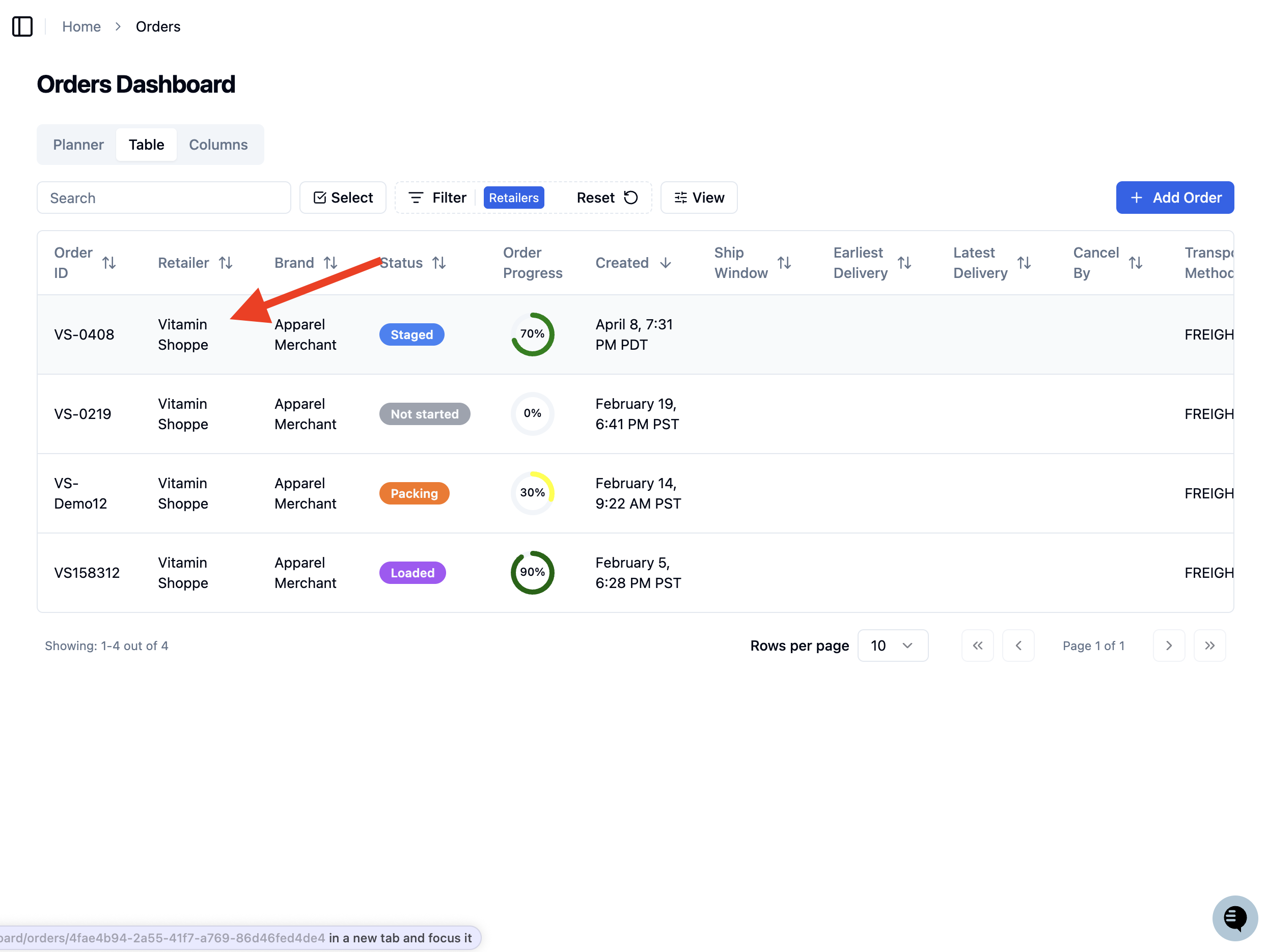
Open the order and find the 'Ship-To Address' section.
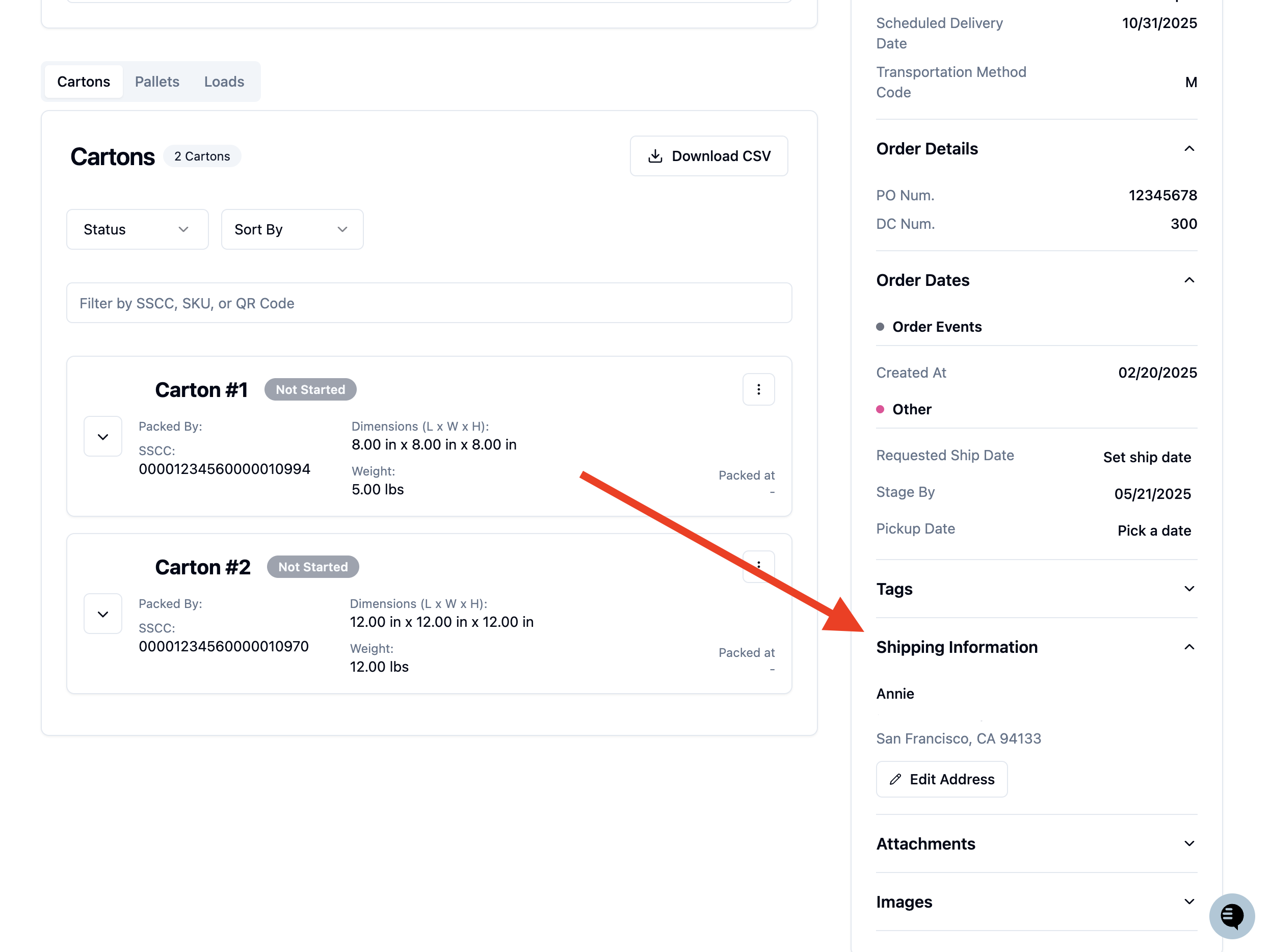
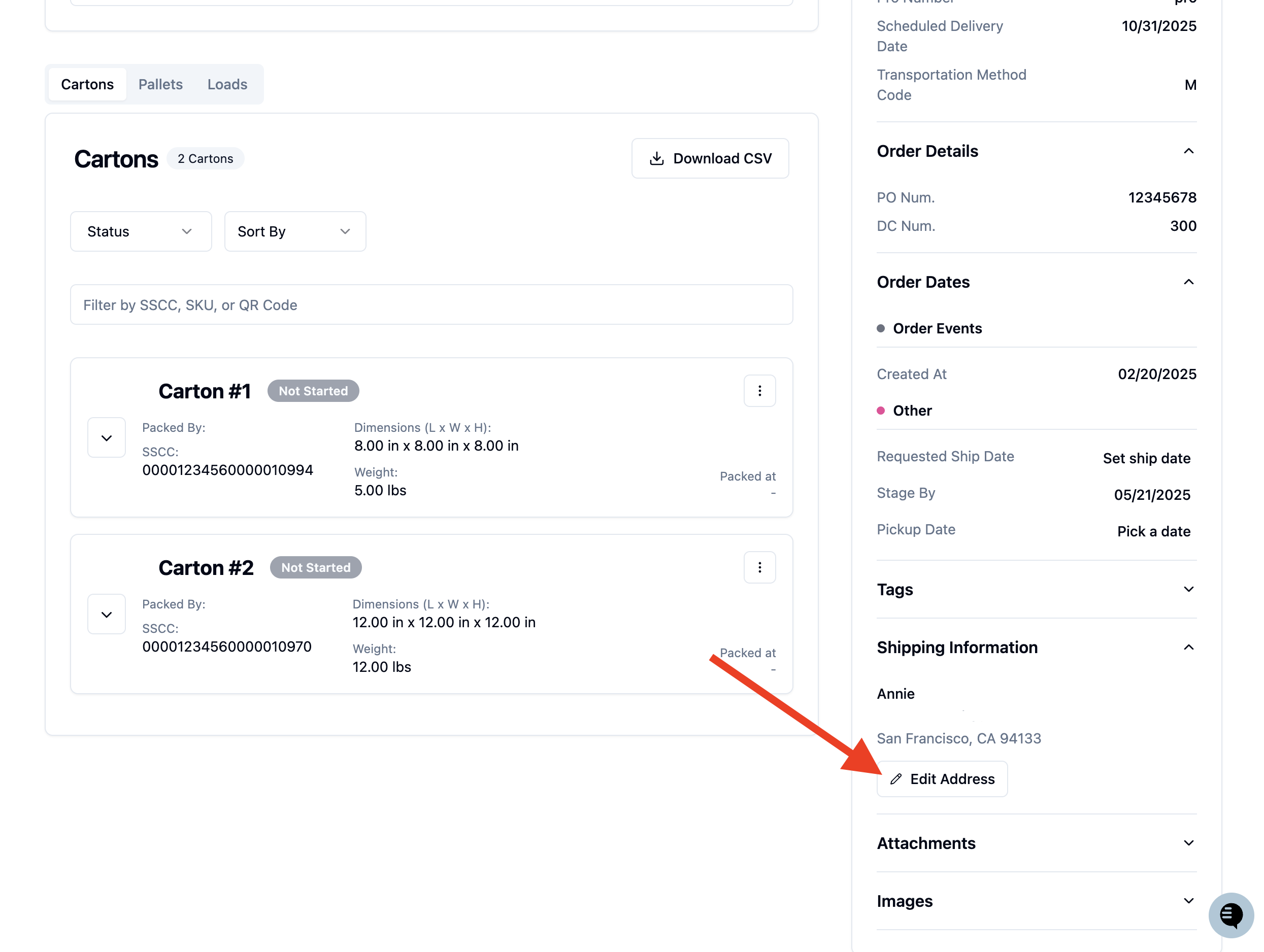
Click 'Edit Ship-To Address'.
Enter a valid phone number in the 'Contact Phone' field. Make sure this is a real phone number - placeholder values will not be accepted.
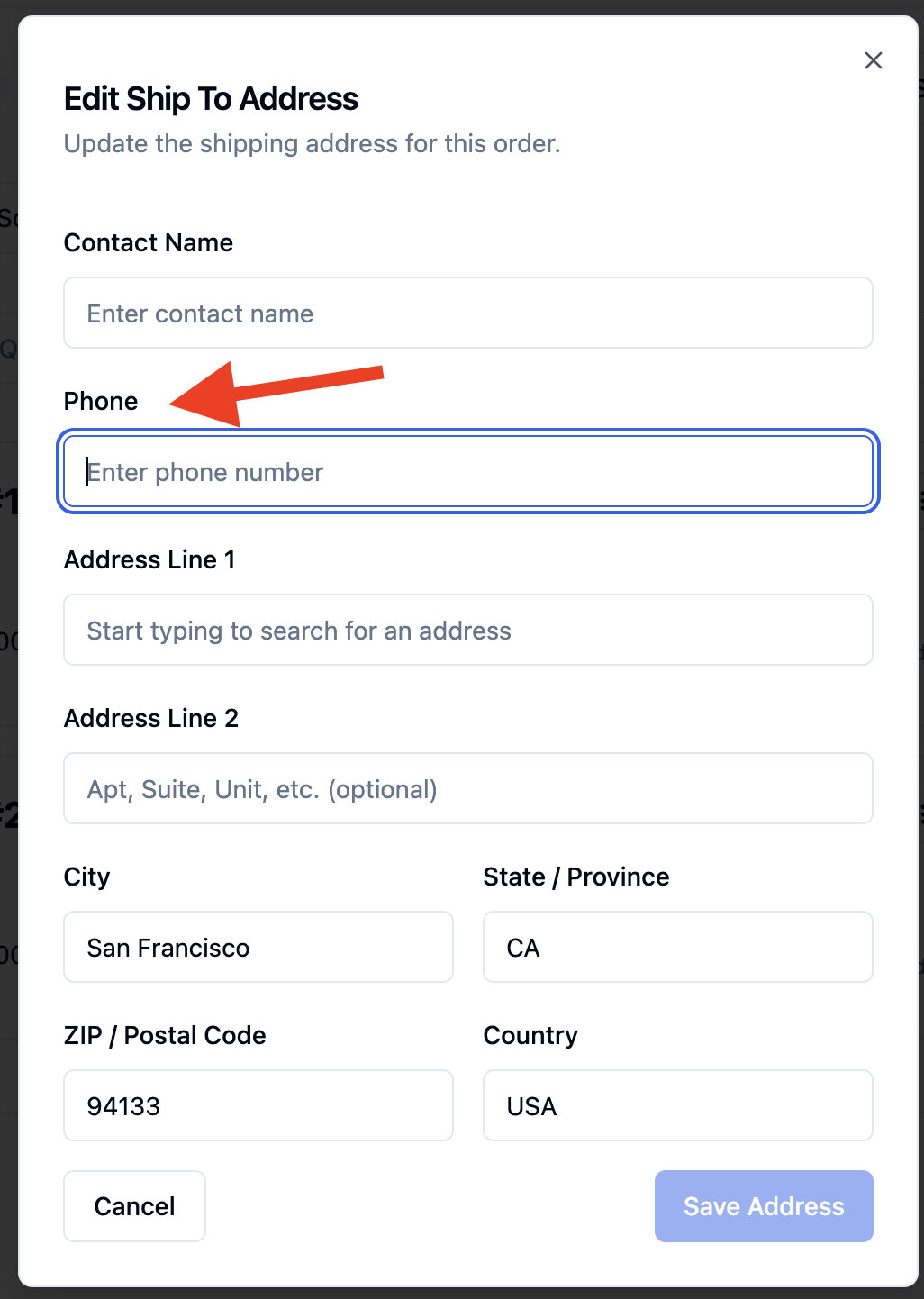
Click 'Save Address' to update the address.
FAQs:
What do I do if I see an error that says a customs certify signer is required?
This means your UPS parcel account does not yet have a customs certify signer set up. Follow the steps in the "Setting Up Your UPS Account for International Shipping" section above to add one. If you do not have access to edit parcel accounts, contact your RetailReady administrator.
What do I do if I see an error about a missing or invalid phone number?
International shipments require a real recipient phone number on the ship-to address. Open the order, click 'Edit Ship-To Address', and enter a valid phone number in the 'Contact Phone' field before trying to generate the label again.
Can I still use UPS Ground for domestic US orders?
Yes. UPS Ground is unchanged and continues to work for all domestic US shipments. The new international service levels are only required when shipping to Canada or other international destinations.
Which countries are supported for UPS international shipping?
At this time, international UPS shipping through RetailReady has been validated for shipments to Canada. If you need to ship to other international destinations, contact RetailReady support before attempting to generate labels.
Who is the customs certify signer and what do they certify?
The customs certify signer is the person at your organization who is certifying that the information on the commercial invoice — including item descriptions, values, and country of origin — is accurate and complete. This name will appear on the customs documentation that accompanies the shipment. It is typically the account owner or a compliance contact.
Will duties and taxes be billed to the sender or the recipient?
By default, international UPS shipments through RetailReady are configured as Delivered Duty Paid (DDP), meaning duties and taxes are the responsibility of the sender, not the recipient. If you need a different arrangement, contact RetailReady support.
What happens if UPS cannot deliver the package?
If UPS is unable to deliver an international package, it will be returned to the sender by default. Contact RetailReady support if you need to change the non-delivery handling for your account.