Edit Ship-To Address on Orders
Last updated: June 25, 2026
You can now edit shipping addresses directly in the RetailReady dashboard for all parcel orders, not just dropship orders. This helps you fix address issues and generate shipping labels without contacting support.
What's New
Previously, you could only edit shipping addresses on dropship orders. Now you can edit the ship-to address on any parcel order that hasn't shipped yet.
When You Can Edit Addresses
Orders with status: Pending, Processing, or Ready to Ship
Orders that haven't had shipping labels generated yet
Orders where you have edit permissions
When You Cannot Edit Addresses
Orders that have already shipped
Orders that are delivered or cancelled
Orders where labels have been printed
How to Edit a Shipping Address
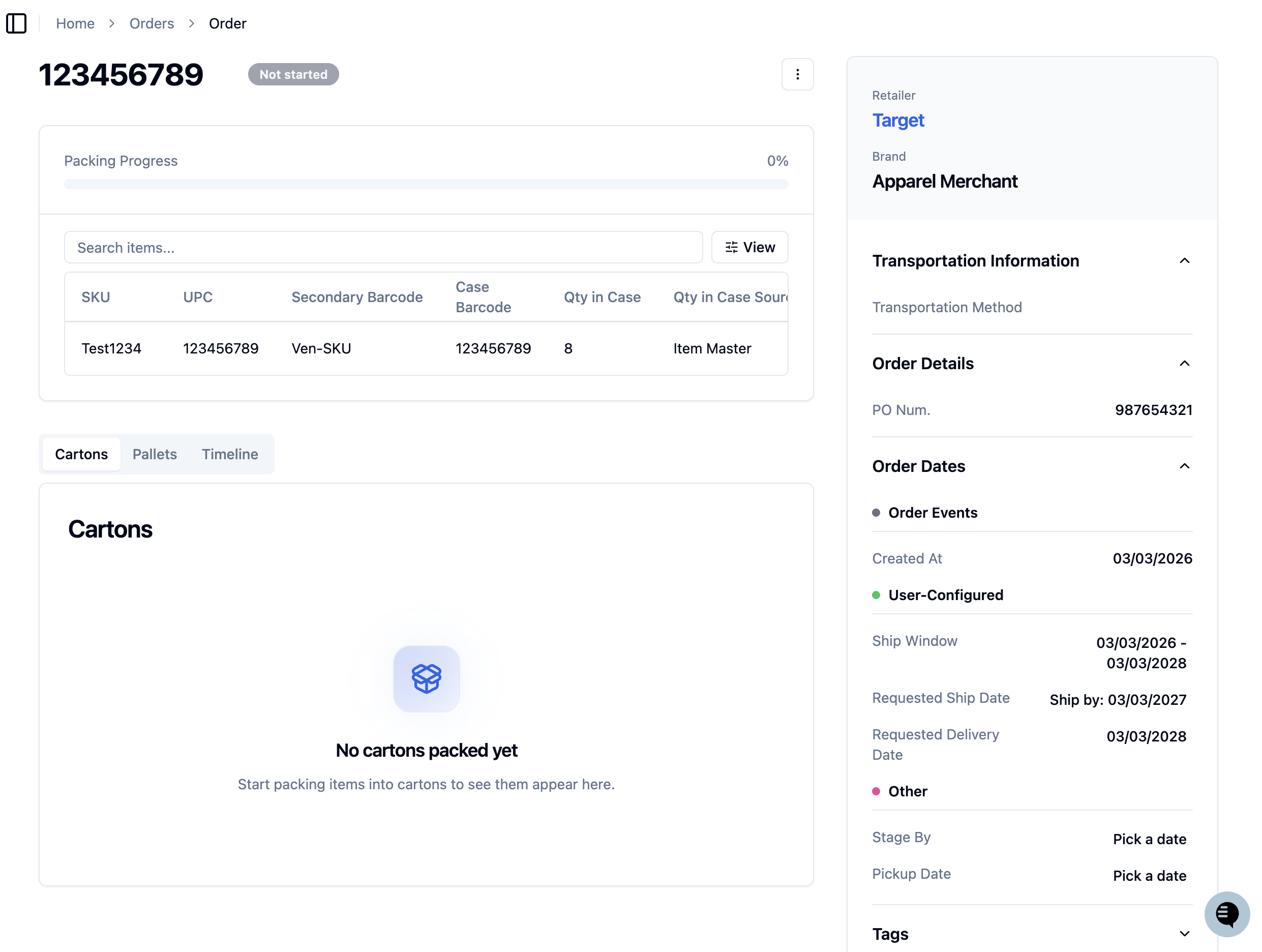
Go to the Order Details page
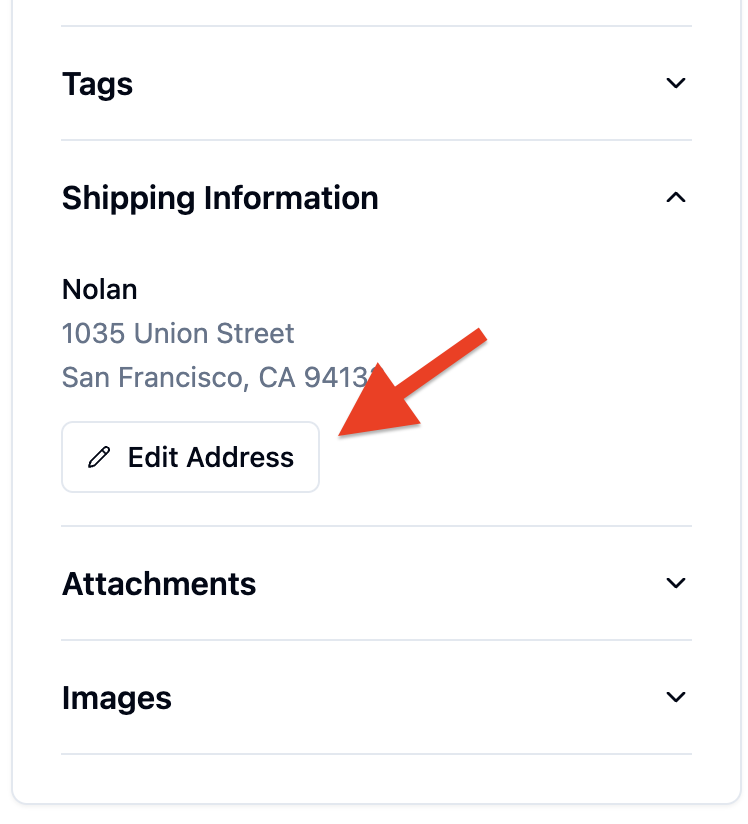
Find the Ship-To Address section and click the 'Edit' button next to the address
Update the address fields as needed
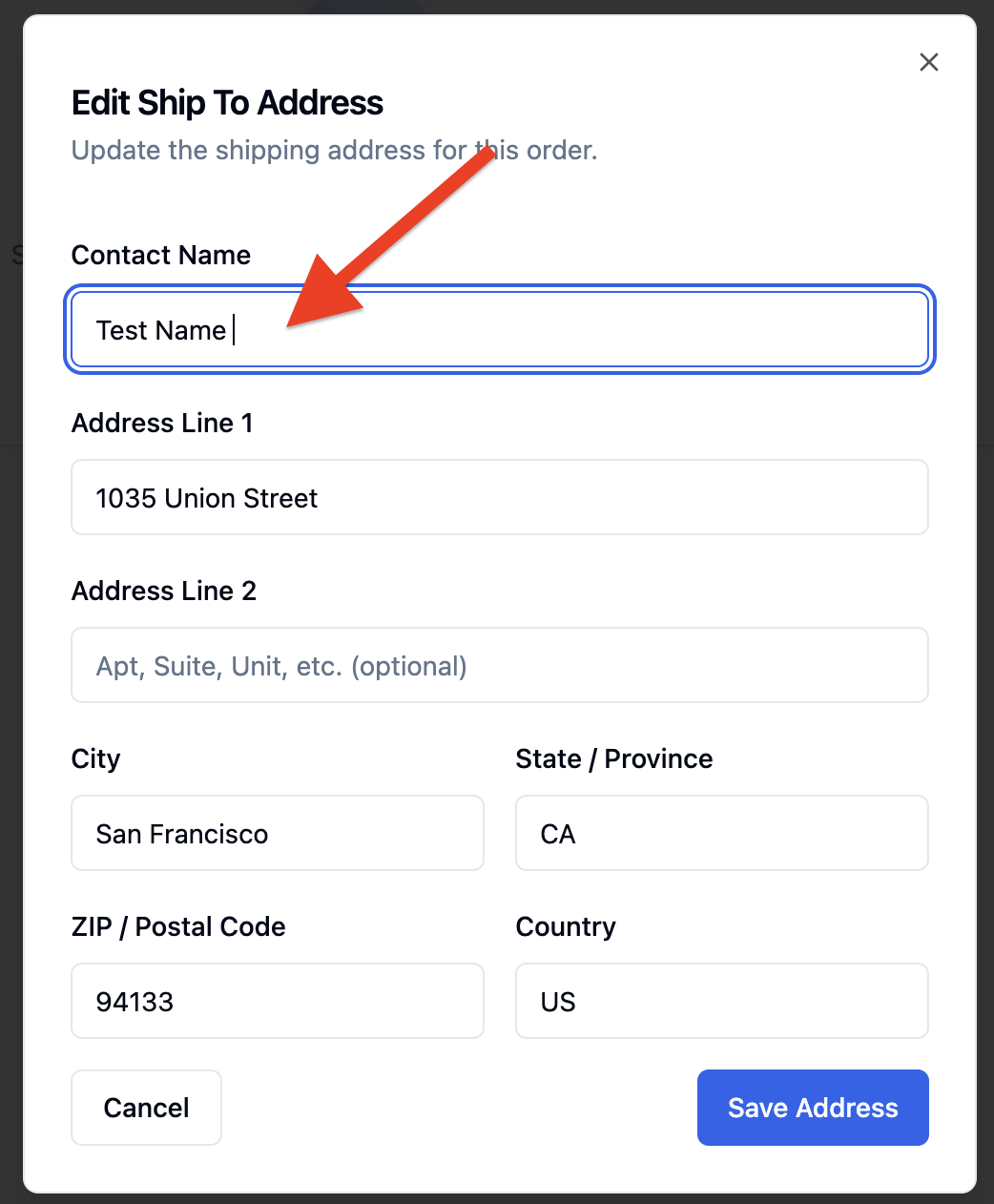
Click 'Save Changes'
The system will automatically validate the new address and update shipping costs if needed.
Common Error Messages
"Invalid postal code"
What it means: The zip code or postal code you entered is not valid.
What to do: Double-check the postal code with your customer and enter the correct code.
"Address cannot be verified"
What it means: The shipping carrier cannot confirm this address exists.
What to do: Contact your customer to verify the address details, especially the street number and name.
"Cannot edit address - order has already shipped"
What it means: The order is too far along in the shipping process to change the address.
What to do: Contact the shipping carrier directly to request an address change, or work with your customer on delivery alternatives.
"Undeliverable to this location"
What it means: The carrier cannot deliver to this address (like a PO Box for certain services).
What to do: Ask your customer for an alternative address or choose a different shipping method.
Important Notes
Shipping costs may change when you update an address, especially if it's going to a different state or country
Labels will be regenerated automatically if they were already created
Large cost changes (over $5) may require manager approval before the order can proceed
International orders may need updated customs forms when you change the address
Need Help?
If you're still having trouble with an address after trying to edit it, contact our support team with the order number and the address issue you're experiencing.