Acknowledge a Purchase Order (PO)
Last updated: April 13, 2026
Acknowledging a PO is important for a few key reasons:
It confirms receipt: it tells the retailer that their order made it to you successfully.
It sets expectations: you can communicate whether you accept the order in full, accept it partially/need to make changes (such as adjusted quantities )
It's often required: many retailers have EDI compliance requirements, and failing to send an acknowledgment or sending it late, can result in chargebacks or compliance violations.
How To Acknowledge a PO in Full
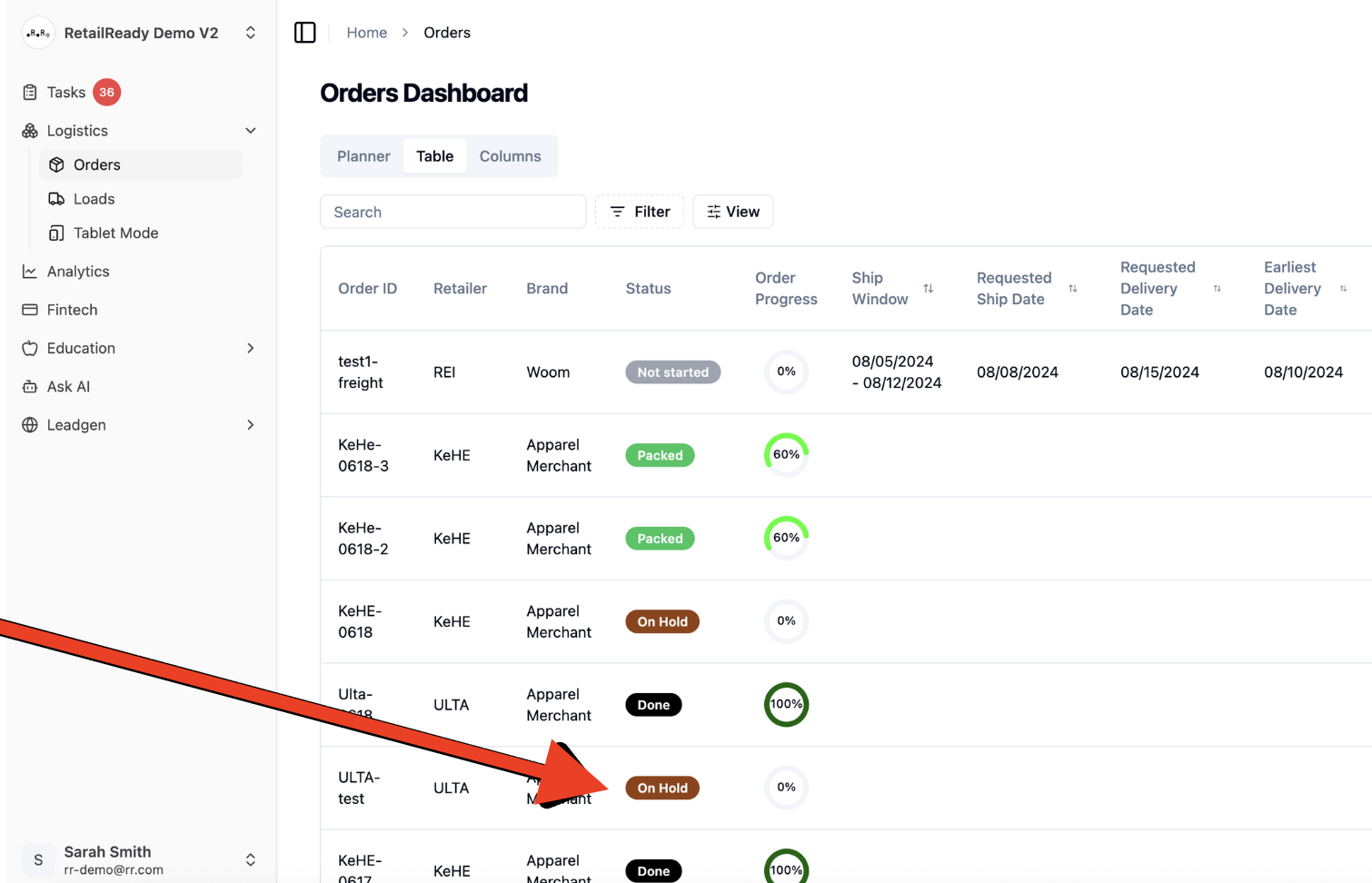
Navigate to the desired order on the Orders page
Orders will remain in On Hold status until acknowledged for RetailReady EDI users and if required by the retailer.
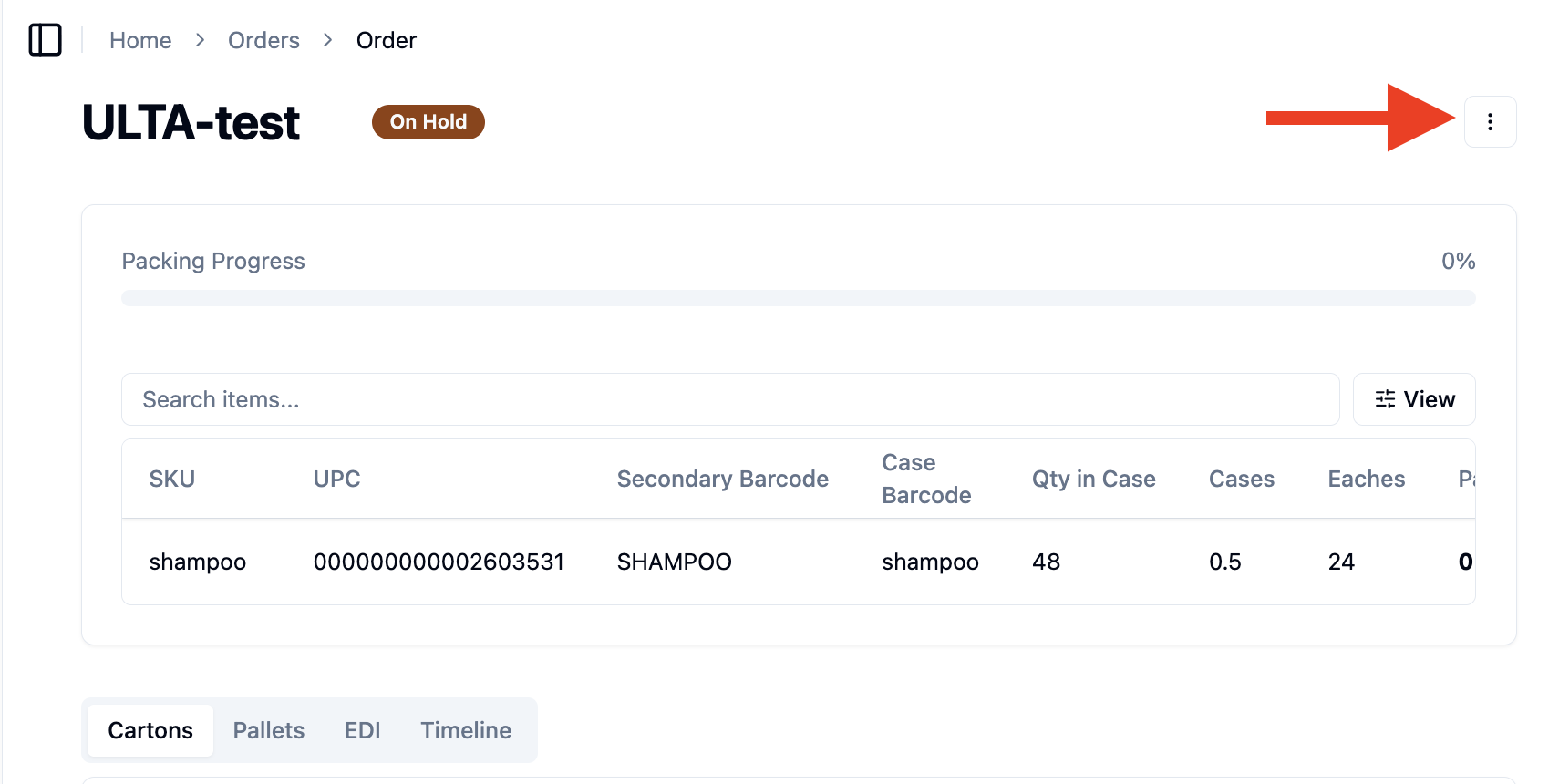
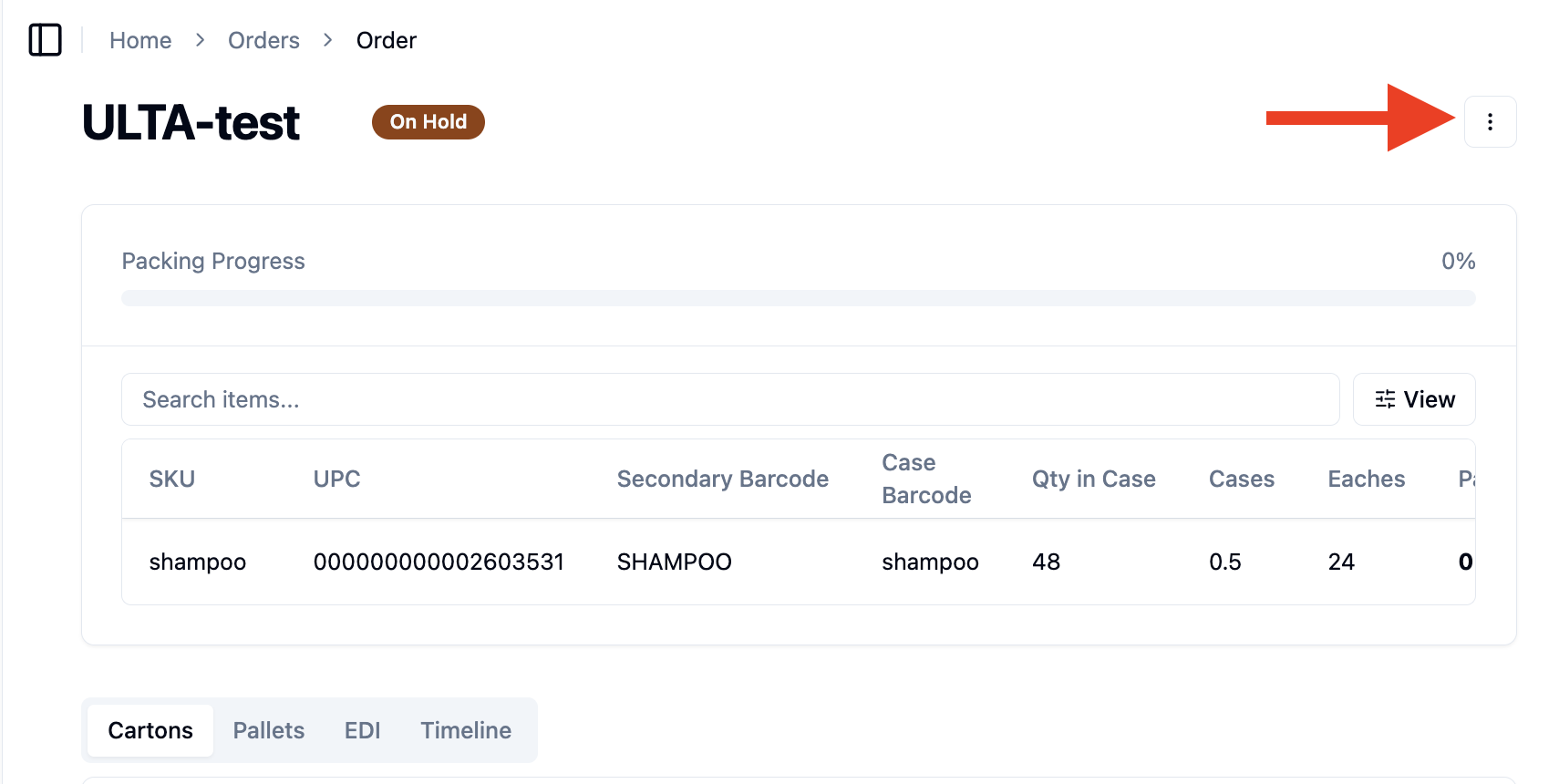
Open the 3-dot menu within the order
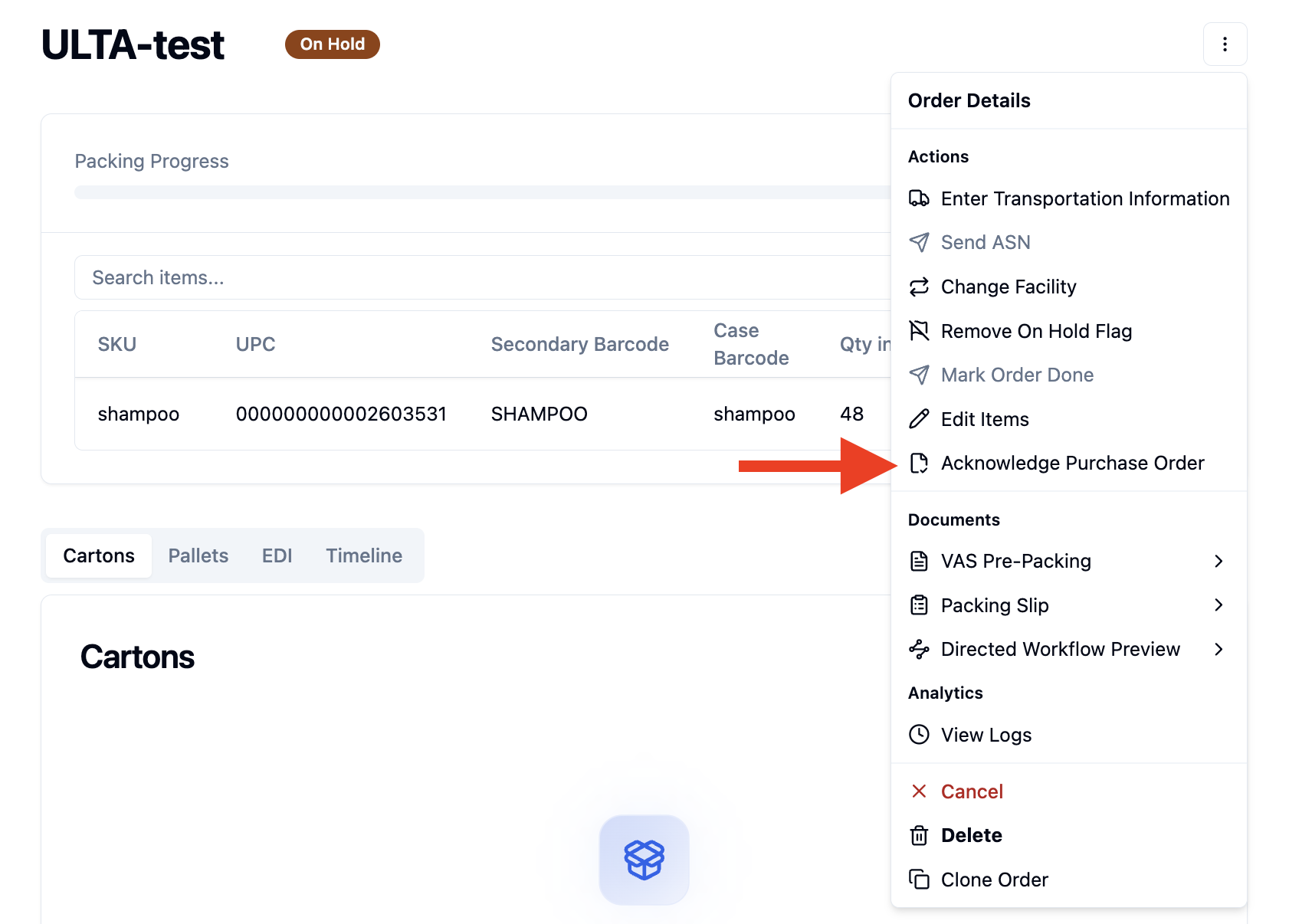
Select 'Acknowledge Purchase Order'.
Once completed, the order will move from On Hold to Not Started status.
How To Partially Acknowledge a PO
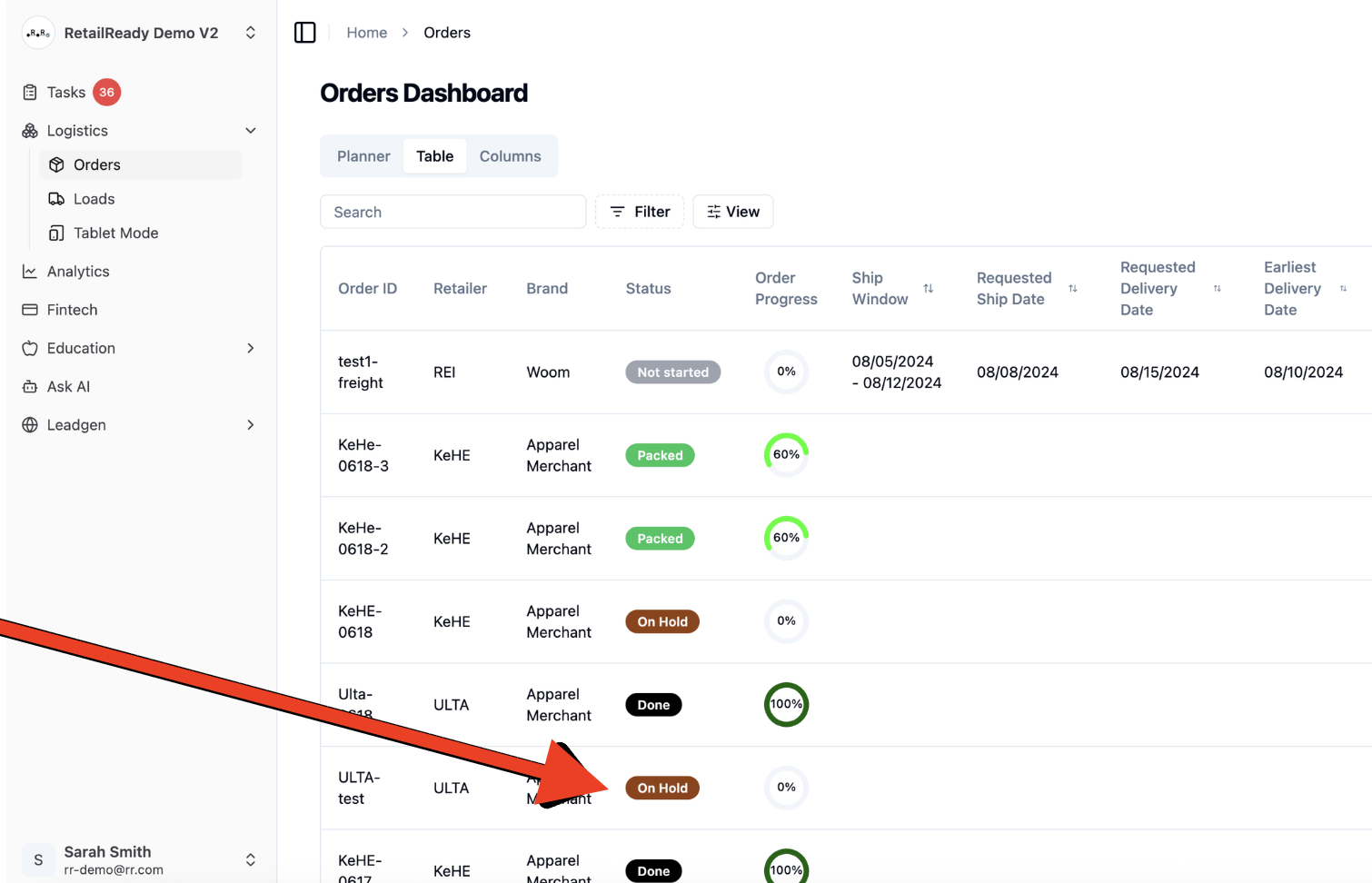
Navigate to the desired order on the Orders page
Open the 3-dot menu within the order
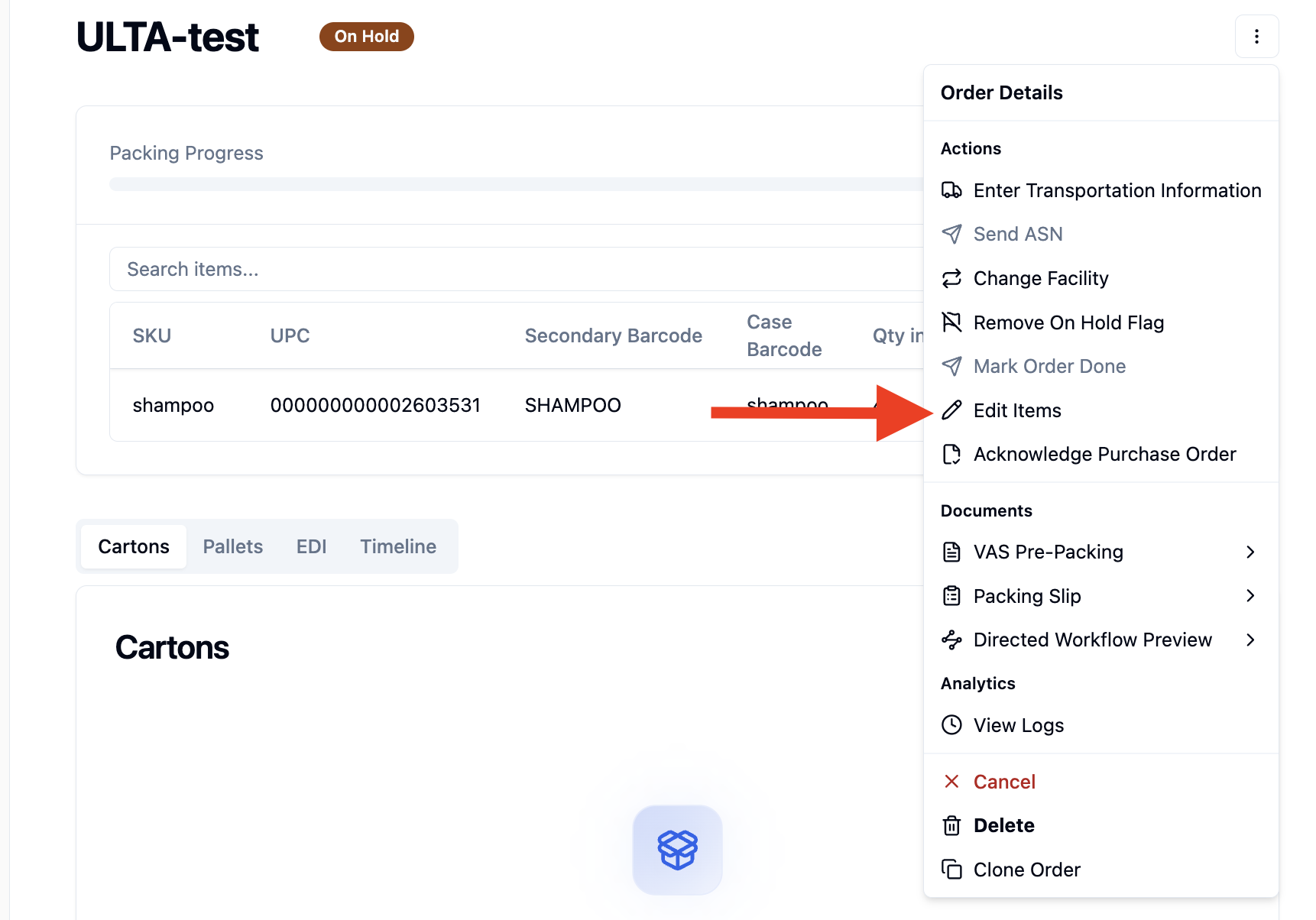
Select Edit Items.
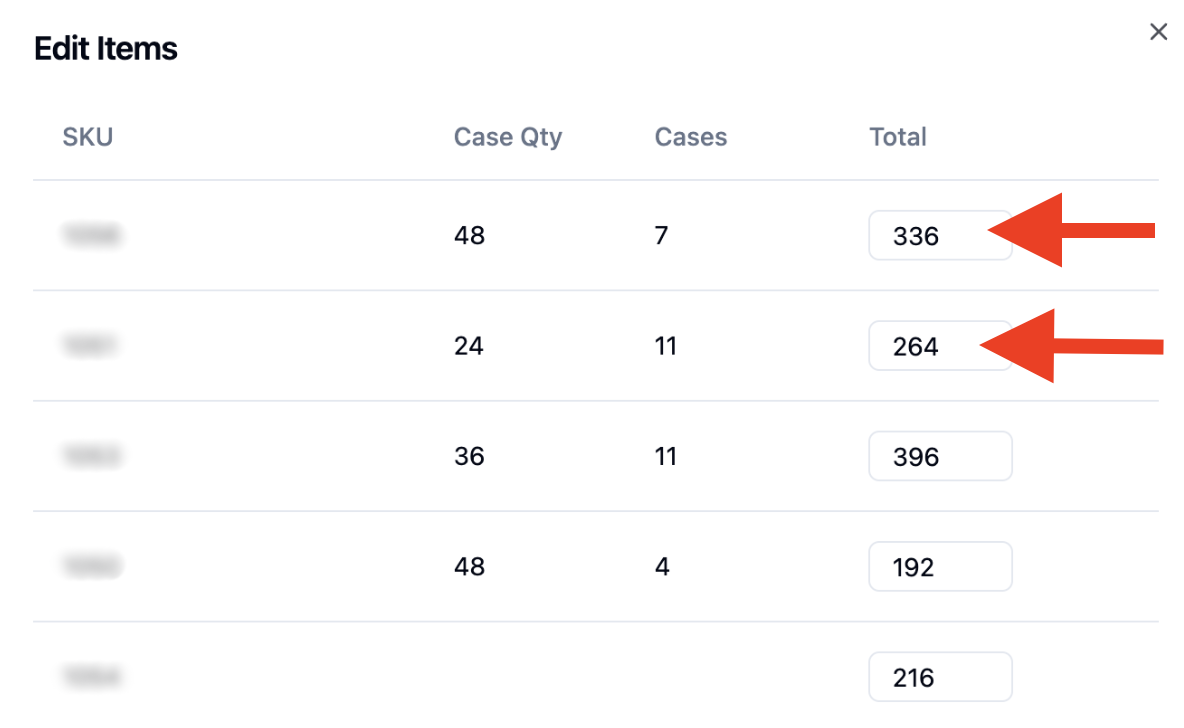
Adjust the quantities you want to acknowledge.
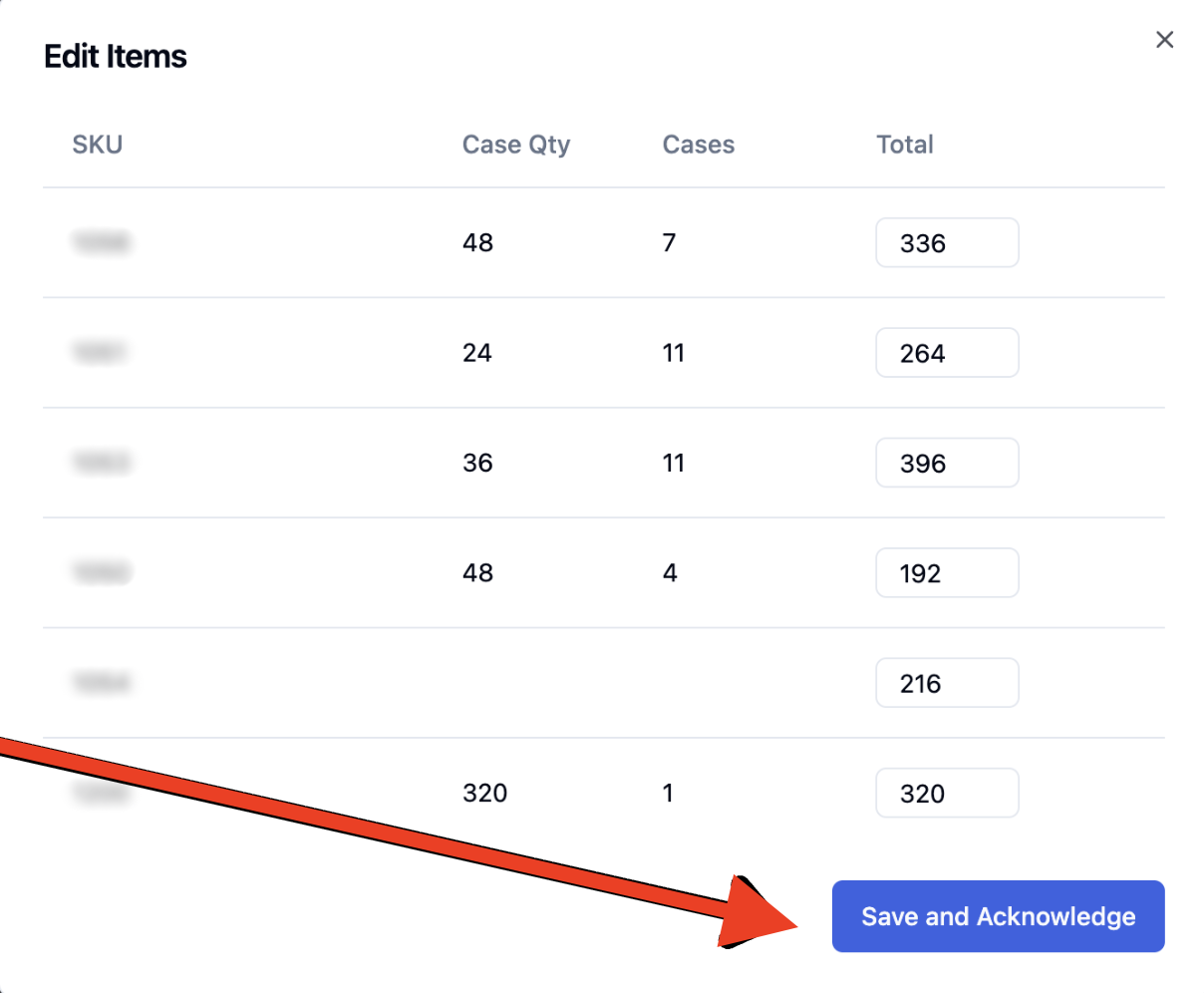
Click Save & Acknowledge.
Once completed, the order will move from On Hold to Not Started status.
FAQs:
Why Do I Need to Acknowledge a PO?
Retailer need to know you received it and whether you can fulfill it. This confirmation is called a Purchase Order Acknowledgment (EDI 855).