Filtering For Failed Shipment Confirmations Across All WMS Integrations
Last updated: July 27, 2026
RetailReady now tracks whether a shipment confirmation was successfully sent to your warehouse management system (WMS) for each order. A new 'Shipment Confirmation Sent' column and filter are available on the Orders table, making it easy to identify failed shipment confirmations. This article explains how to filter for failed shipment confirmations and surface them via the 'Shipment Confirmation Sent' column.
Enabling the Shipment Confirmation Sent Column
The 'Shipment Confirmation Sent' column is available on your Orders table but is hidden by default. Follow the steps below to turn it on.
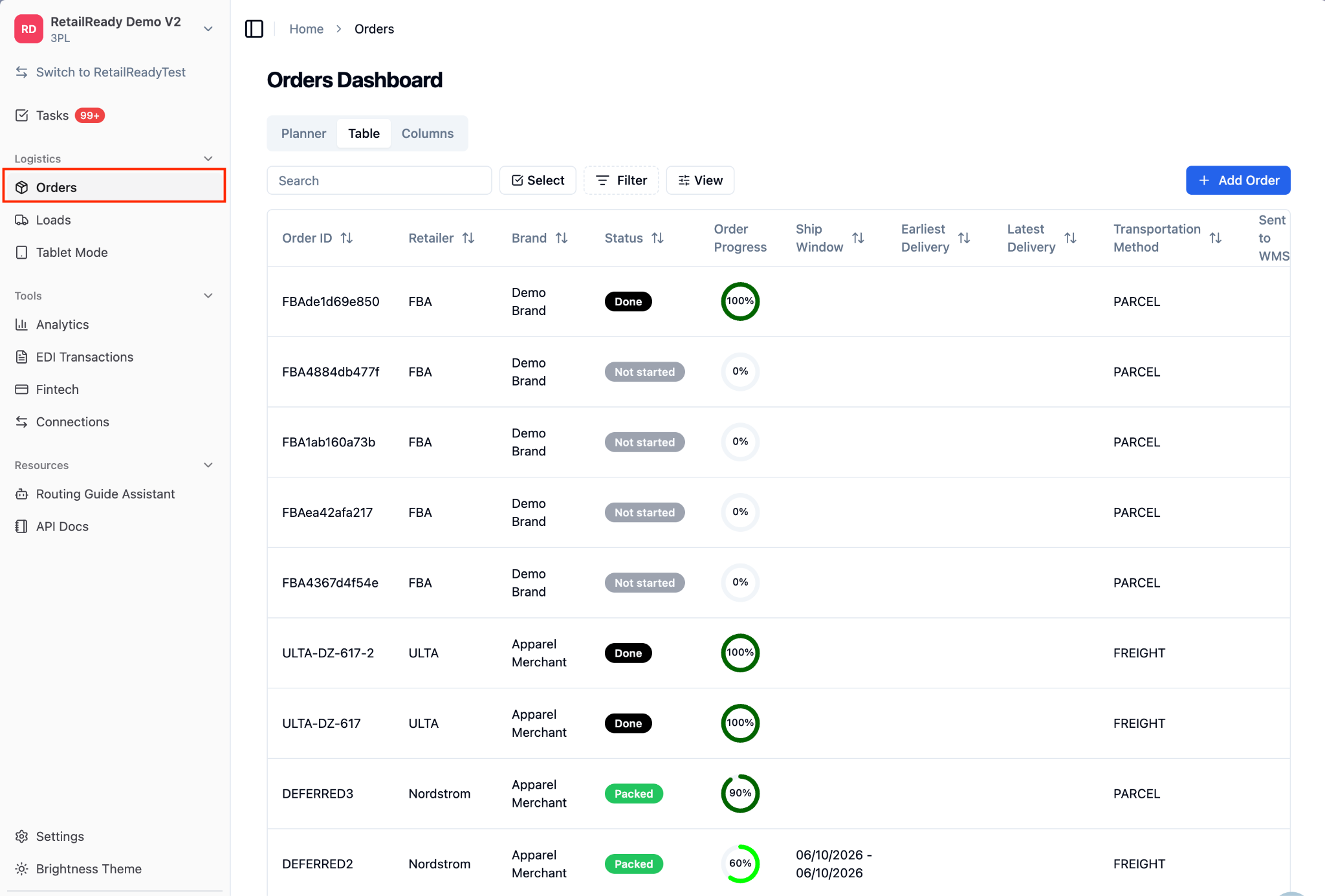
Navigate to the 'Orders' section from the main menu.
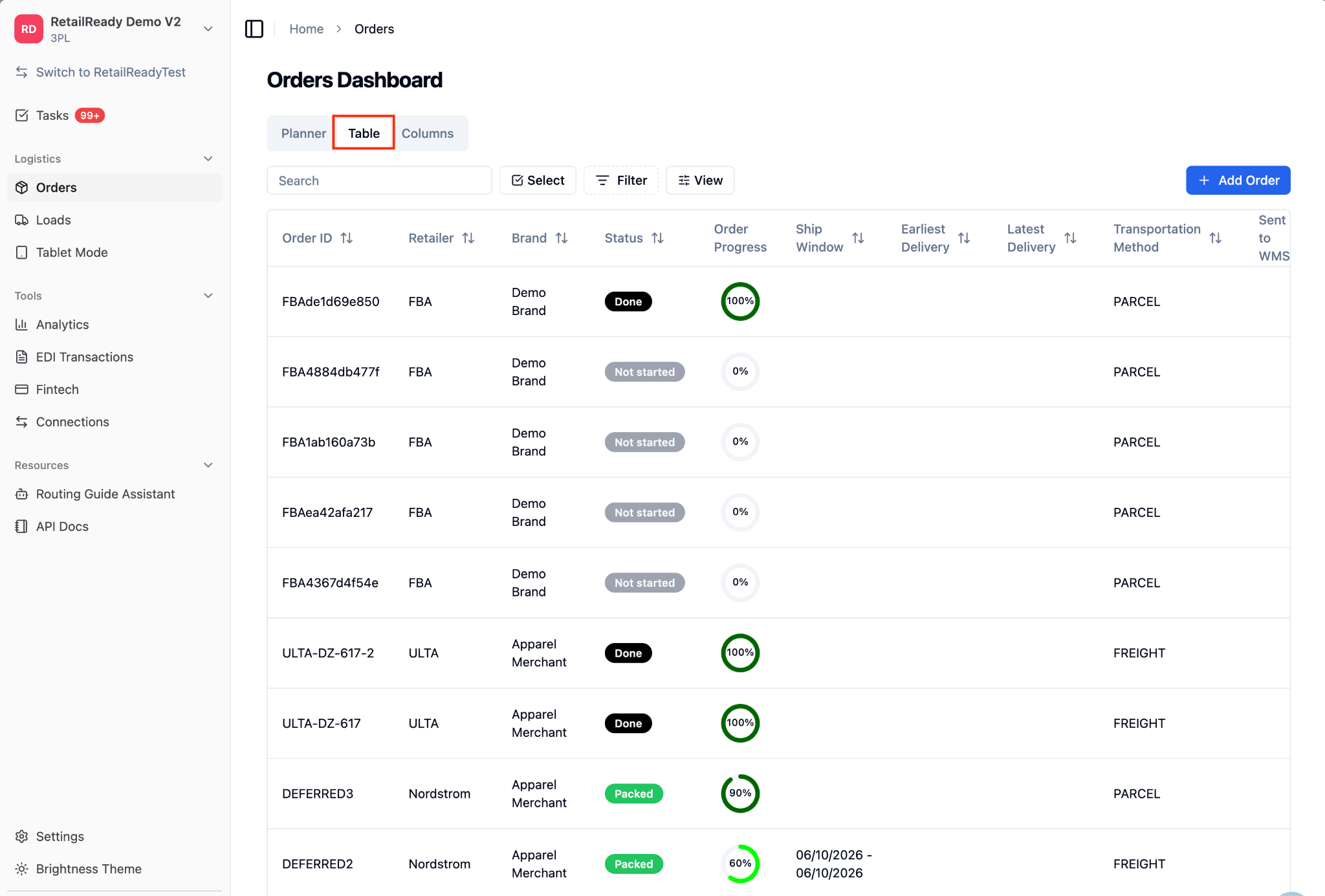
Select the 'Table' view.
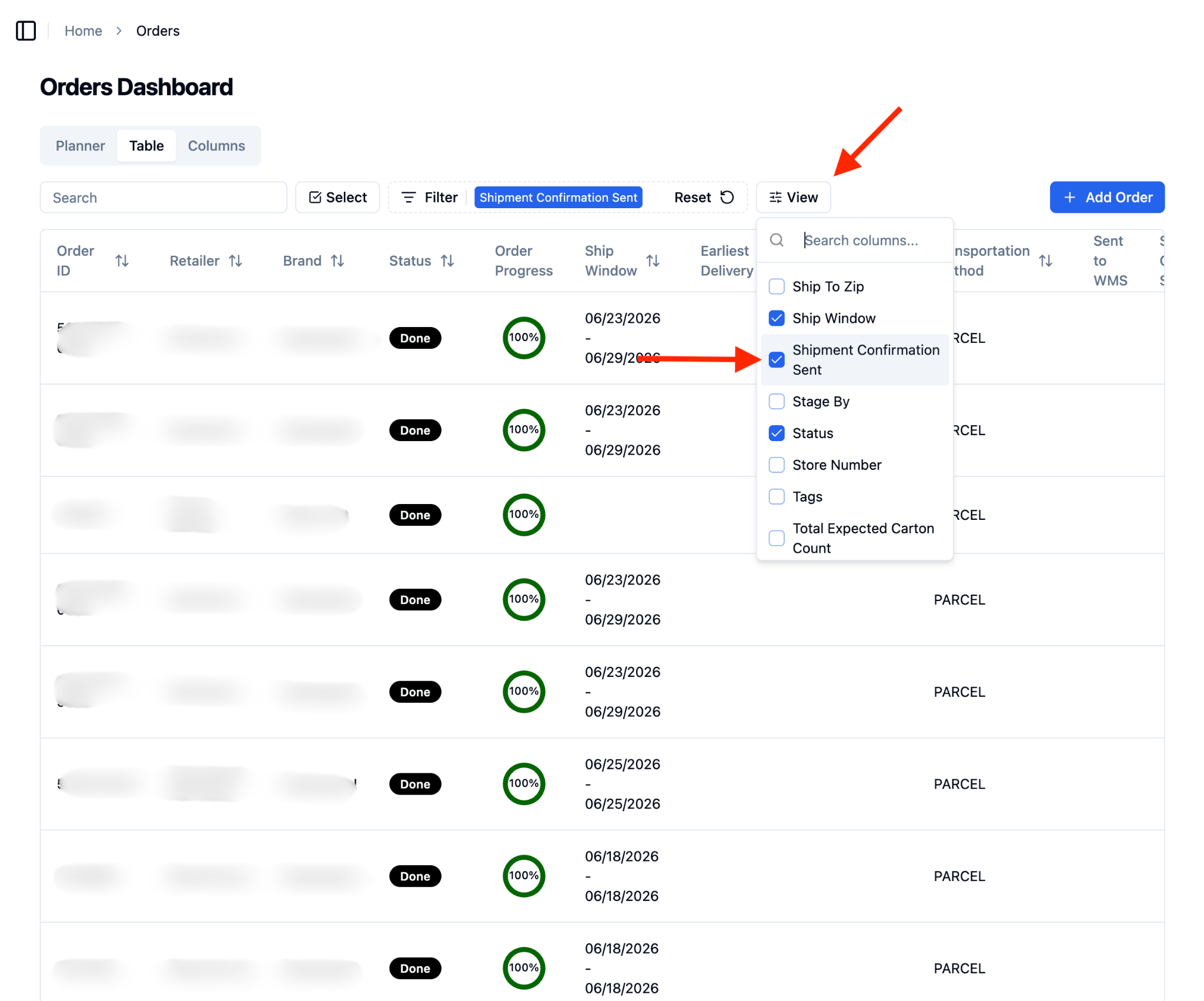
From the ‘View’ dropdown, select ‘Shipment Confirmation Sent’.
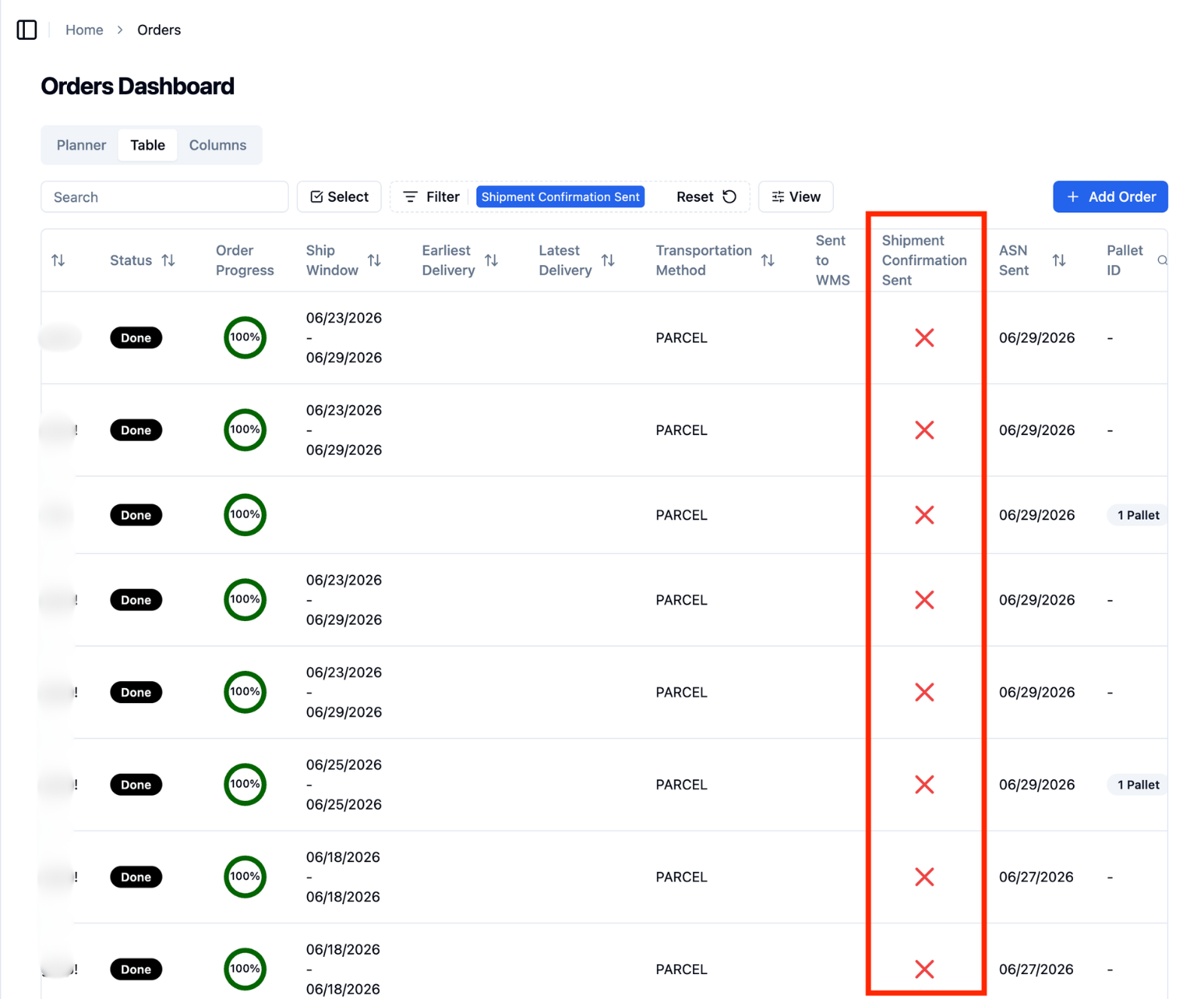
If not all columns are visible, scroll right until you locate the 'Shipment Confirmation Sent' column. A green check with appear for orders that have successfully sent the shipment confirmation. A red X will appear for orders where the shipment confirmation was unsuccessful.
Filtering by Shipment Confirmation Status
Navigate to the 'Orders' section from the main menu.
Select the 'Table' view.
Click ‘Filter’.
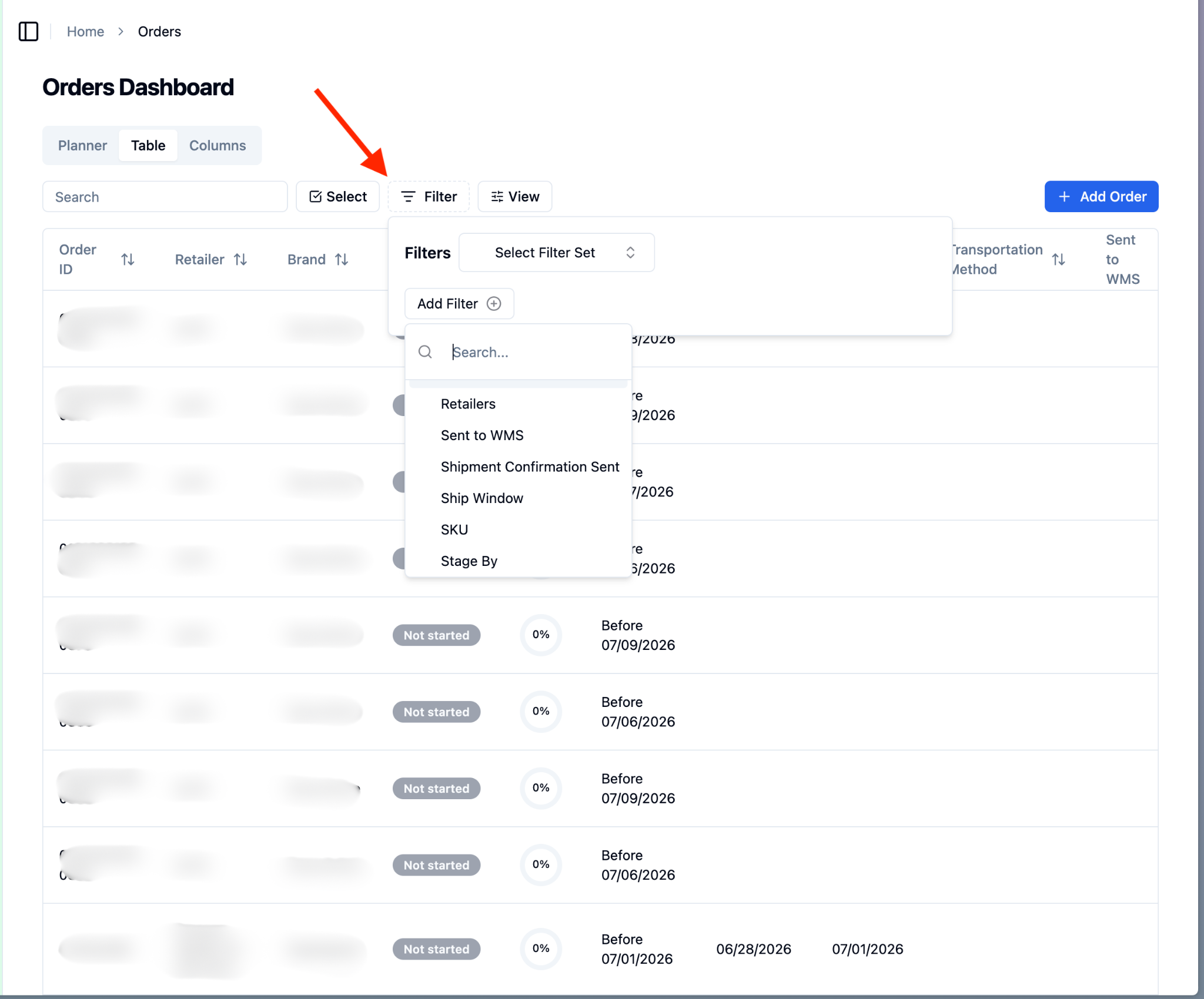
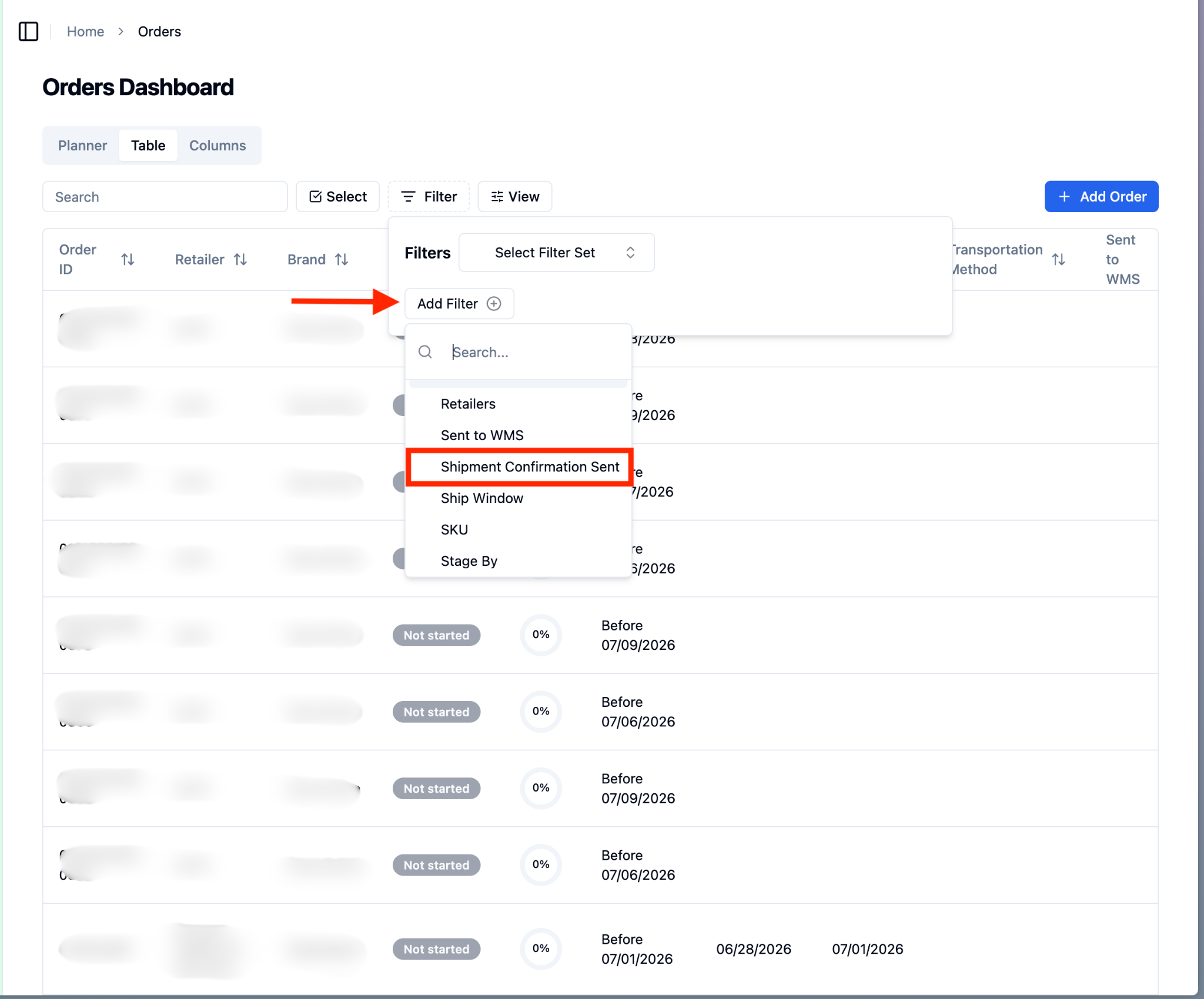
Select ‘Shipment Confirmation Sent’ from the ‘Add Filter’ dropdown menu.
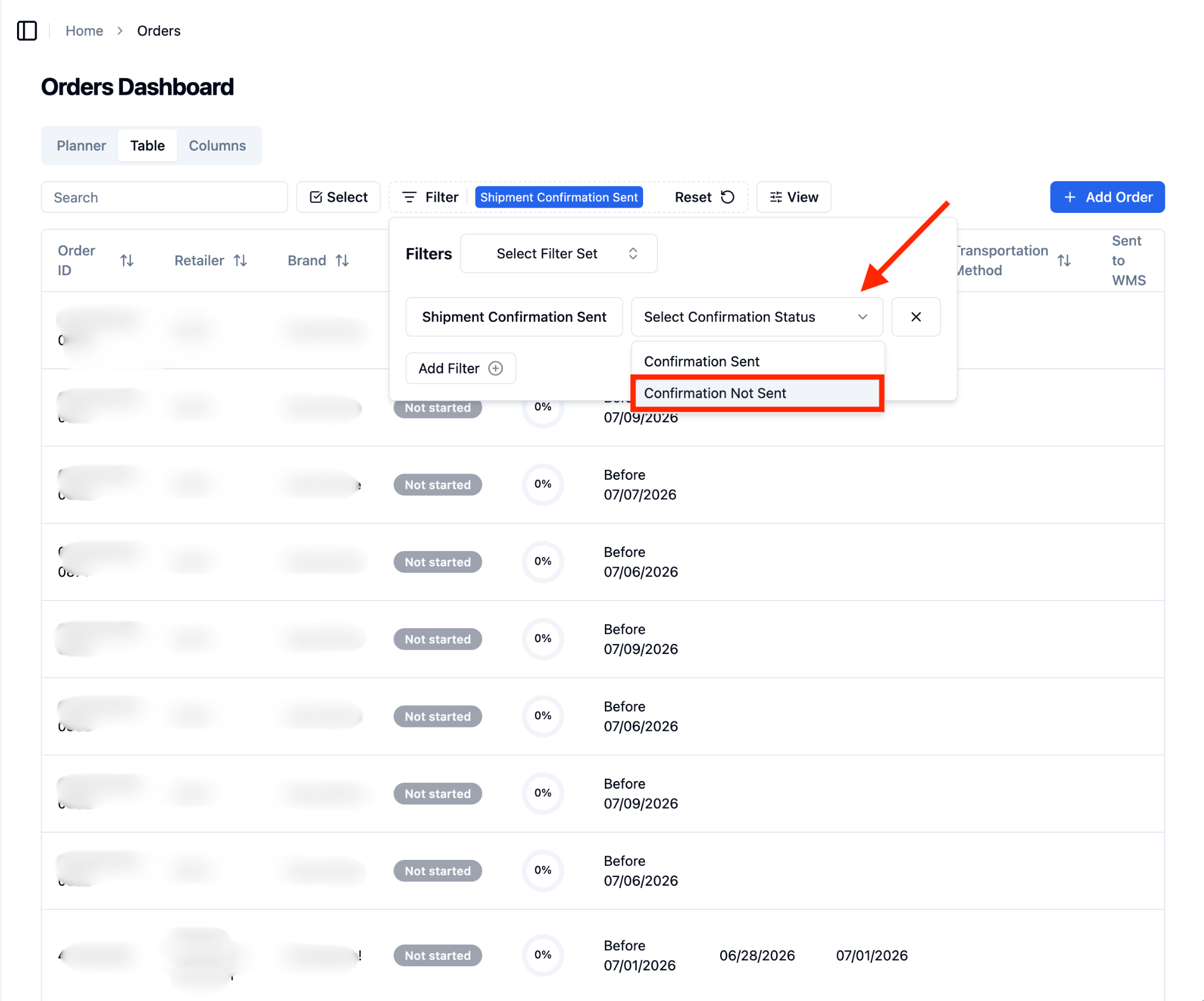
Select ‘Confirmation Not Sent’ from the ‘Select Confirmation Status’ dropdown.
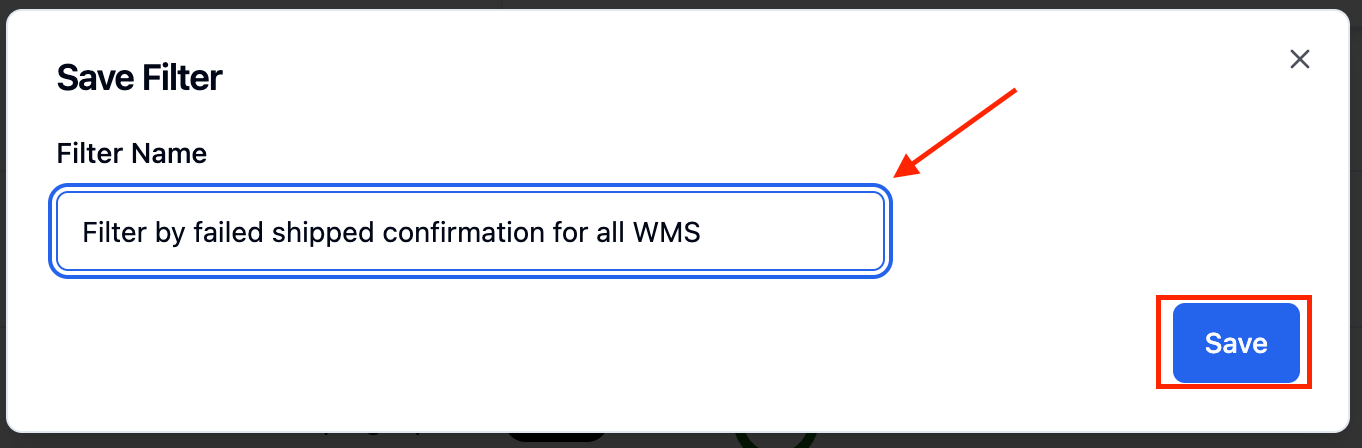
Enter a Filter Name and press ‘Save’.
From the ‘View’ dropdown, select ‘Shipment Confirmation Sent’.
If not all columns are visible, scroll right until you locate the 'Shipment Confirmation Sent' column. A red X will appear for orders where the shipment confirmation was not sent successfully.
FAQs:
An order shows a red X, but I believe the confirmation was sent. What does that mean?
A red X means RetailReady did not record a successful confirmation response from your WMS for that order. This can happen if the order was missing a WMS order identifier at the time of the attempt, or if your WMS returned an error. Check the order's activity log for more details, or contact RetailReady support if you need help investigating.
Does this affect how confirmations are sent to my WMS?
No. This update only adds visibility into confirmation attempts that are already happening. The process by which RetailReady sends shipment confirmations to your WMS has not changed.