How to Submit Batch Disputes
Last updated: September 7, 2026
RetailReady lets you submit disputes for multiple chargebacks at the same time, so you don’t have to open each chargeback one by one. This article explains how to use Batch Dispute Submission, what to expect when chargebacks have different eligibility statuses, and how to handle any disputes that need a follow-up after submission.
Selecting & Submitting Chargebacks for Batch Dispute
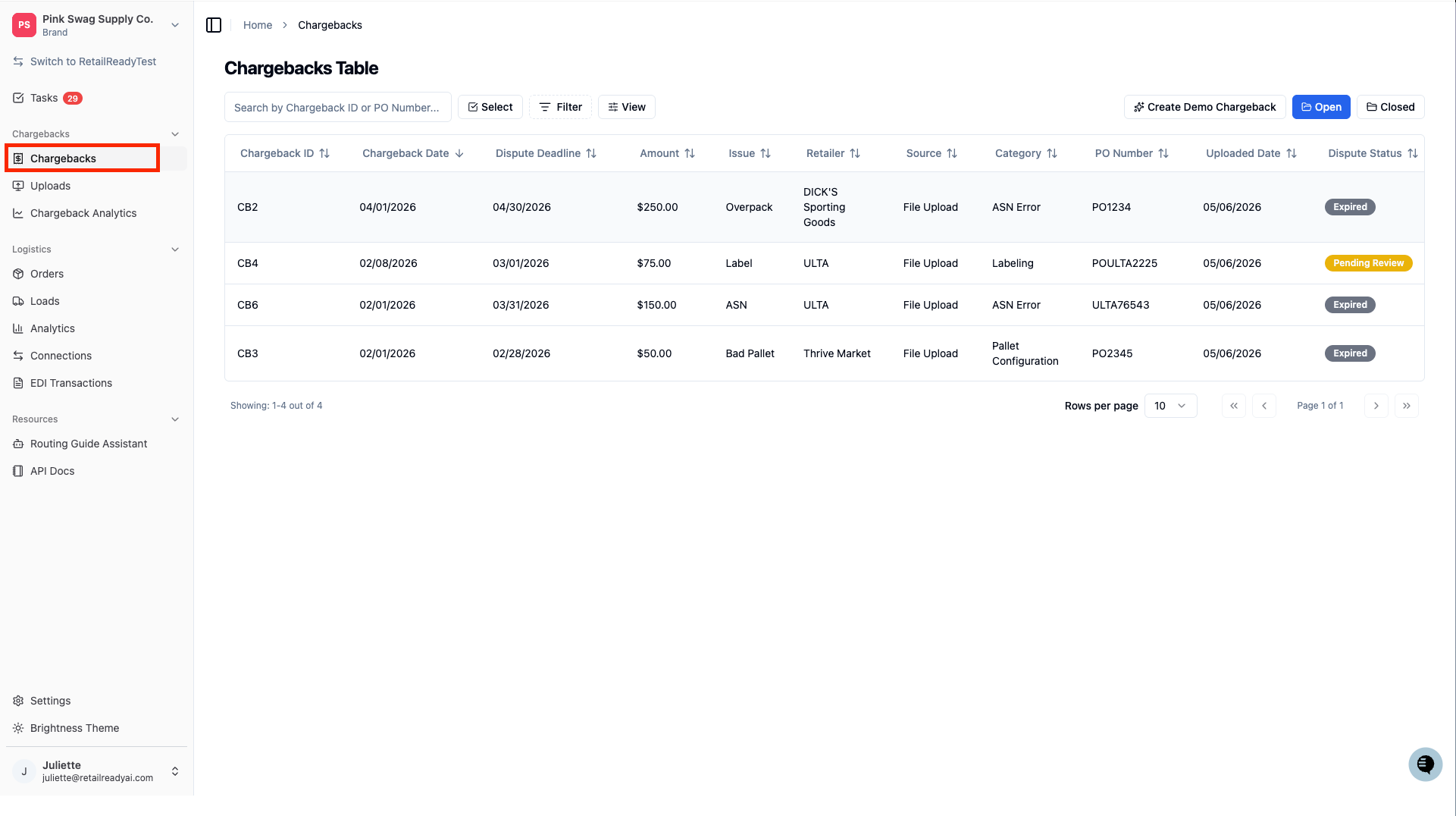
From the left navigation, go to 'Chargebacks'.
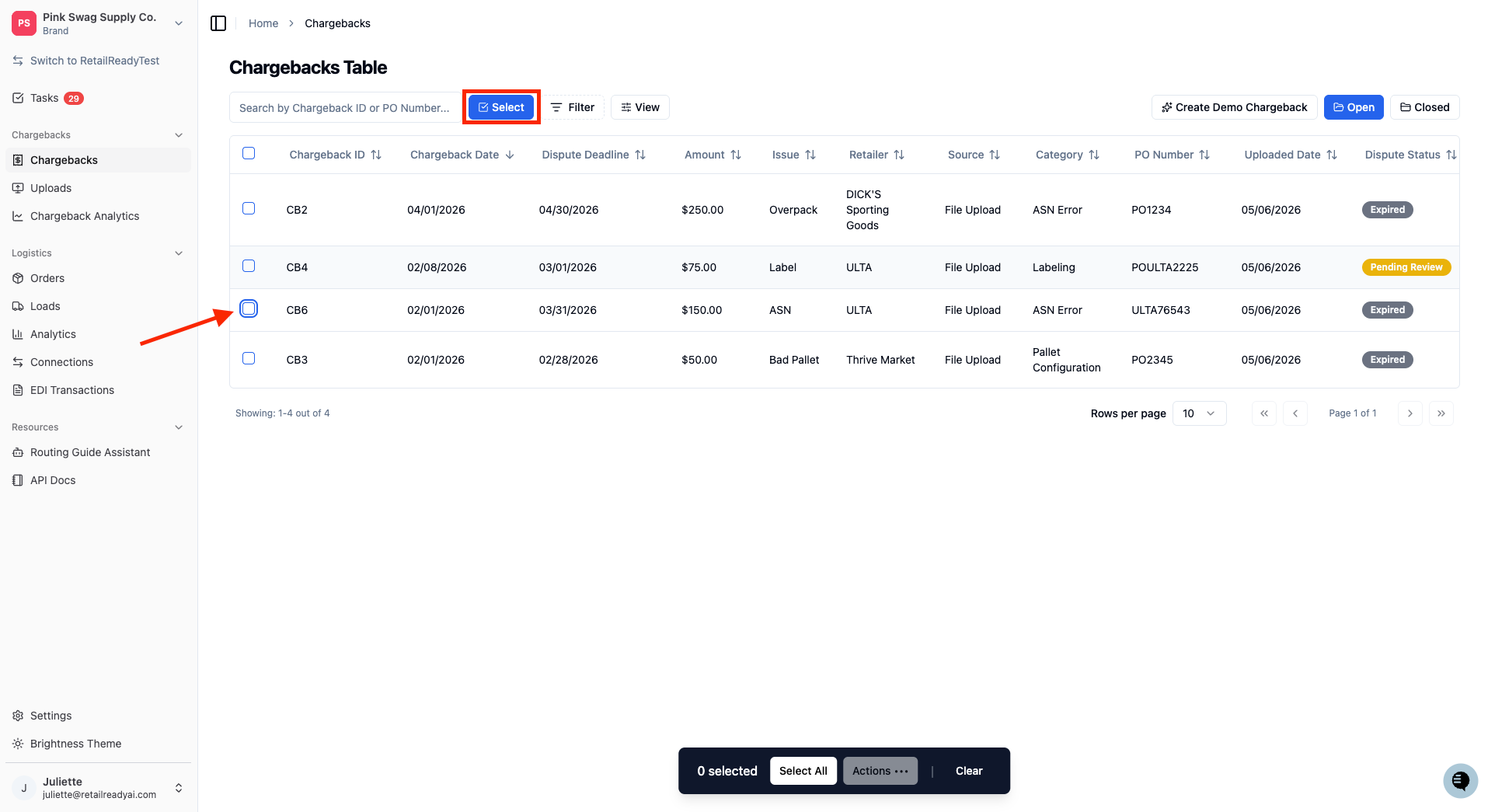
Click the ‘Select’ button and use the checkboxes on the left side of the table to select each chargeback you want to dispute. There is no limit on how many you can choose at once, you can select as many as needed.
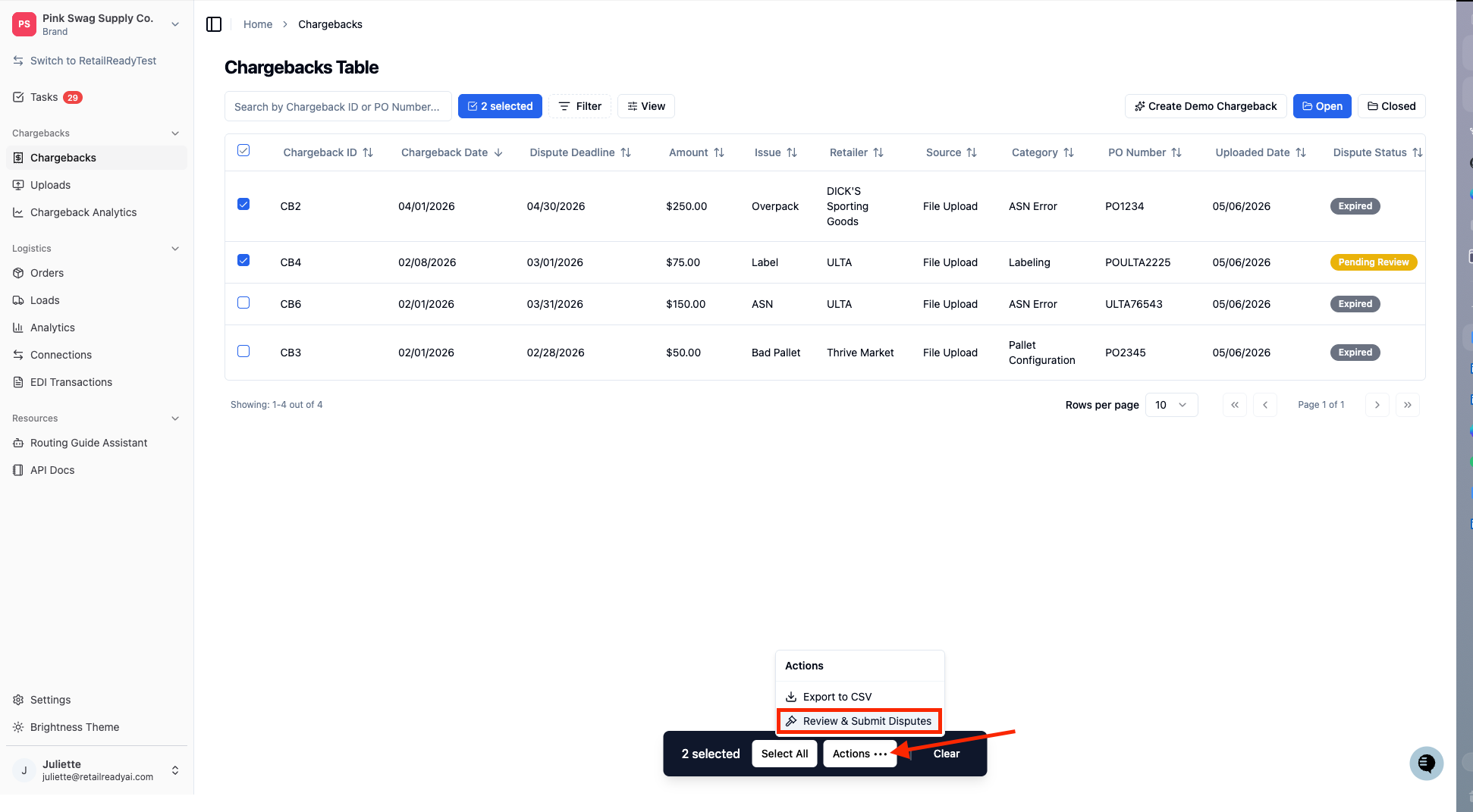
Once you have made your selection, press ‘Actions …’ on the bottom of the page. Then press ‘Review & Submit Disputes’ from the Actions menu.
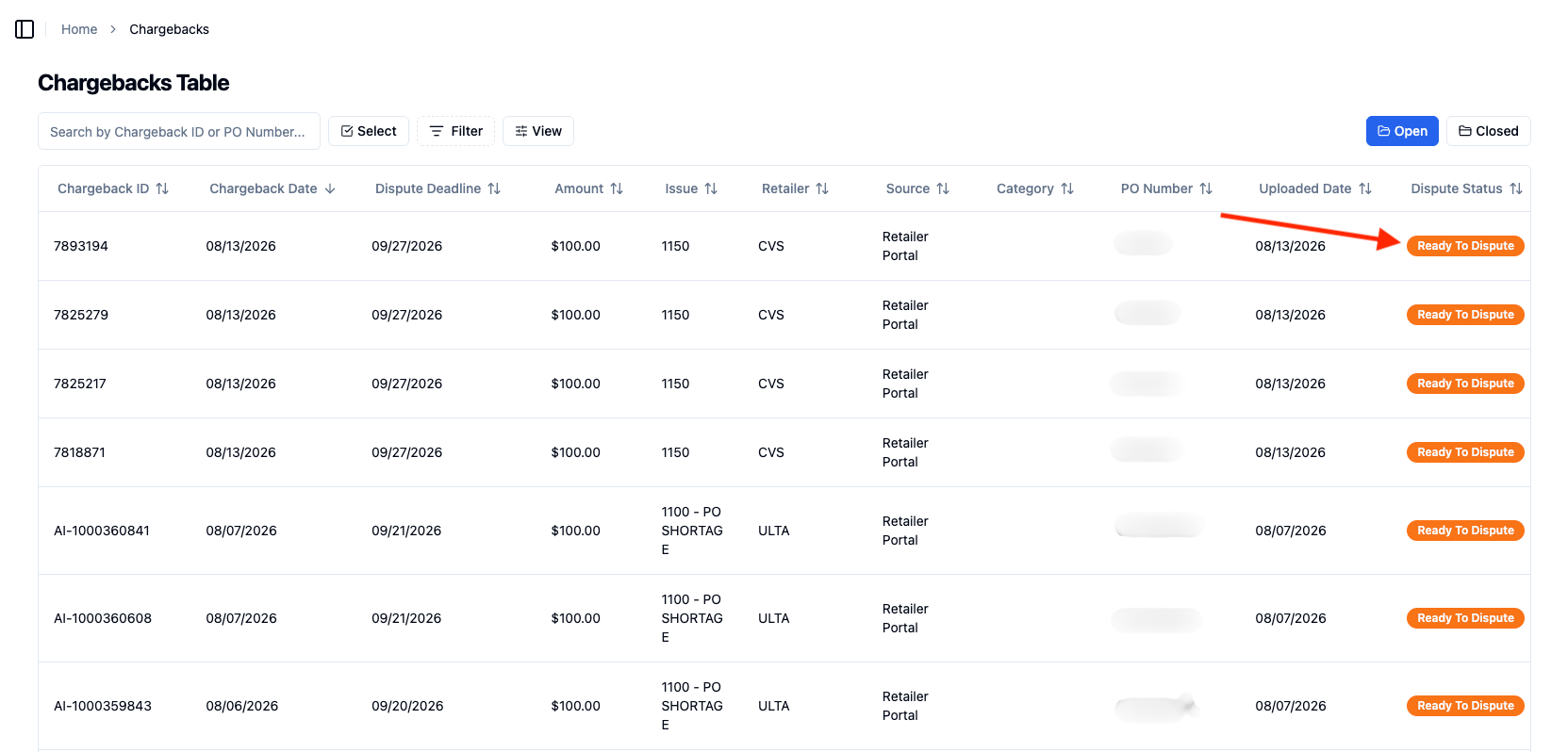
In order to Review & Submit Disputes successfully, the Dispute Status must be ‘Ready to Dispute’
A summary will appear showing a preview of each selected chargeback. Review this overview before submitting.
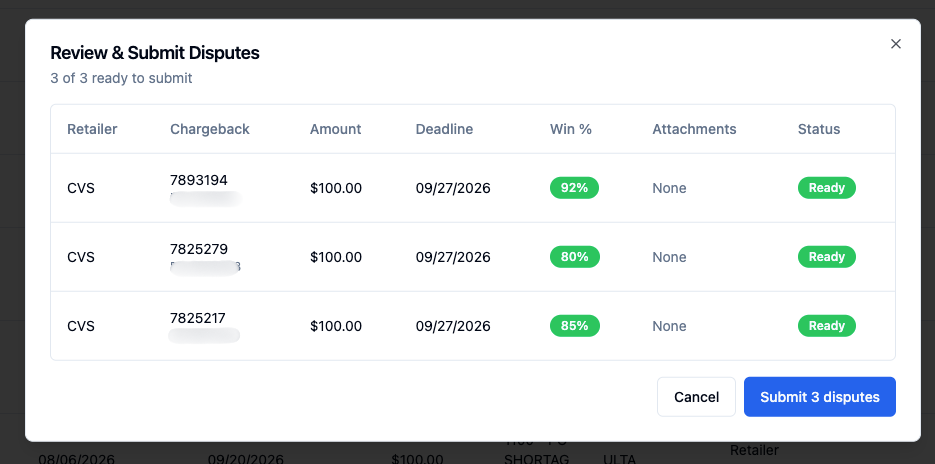
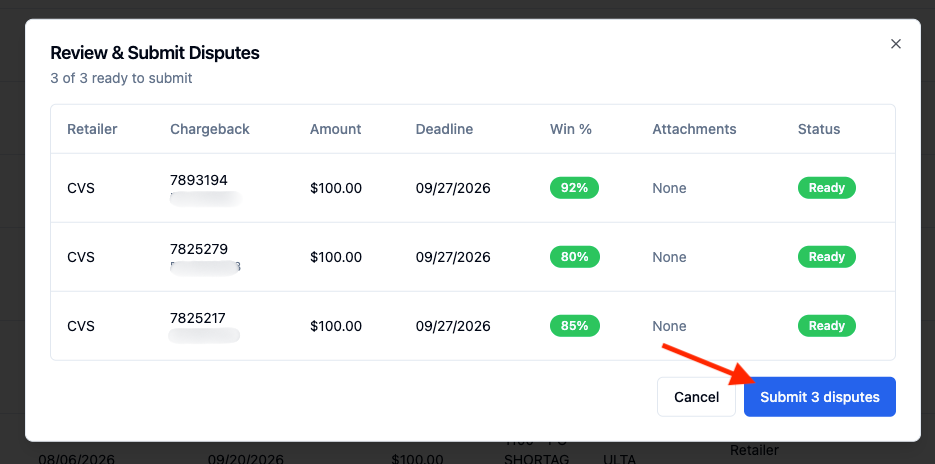
Once you have reviewed your selections, click 'Submit disputes' to begin batch submission. The dispute status will update automatically from ‘Ready to Dispute’ to ‘Submitting’.
Reviewing Failed or Skipped Disputes
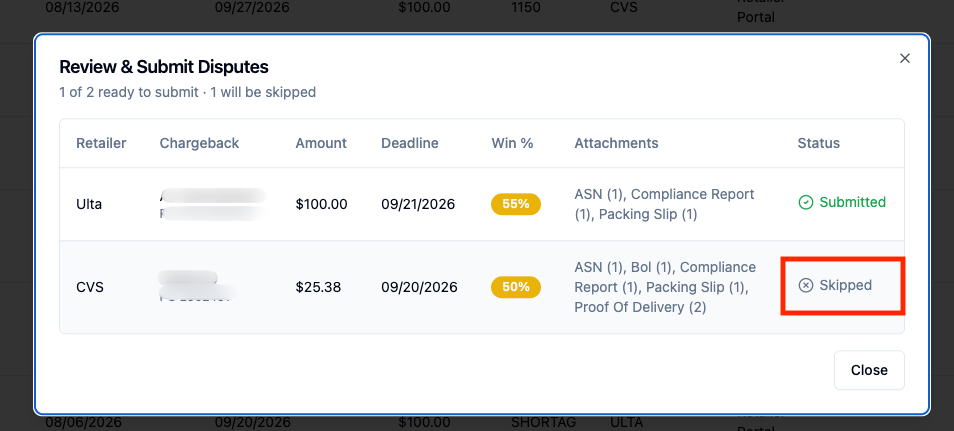
If any chargebacks in your batch could not be submitted, it will be indicated in the ‘Status’ column as ‘Skipped’ after you press submit.
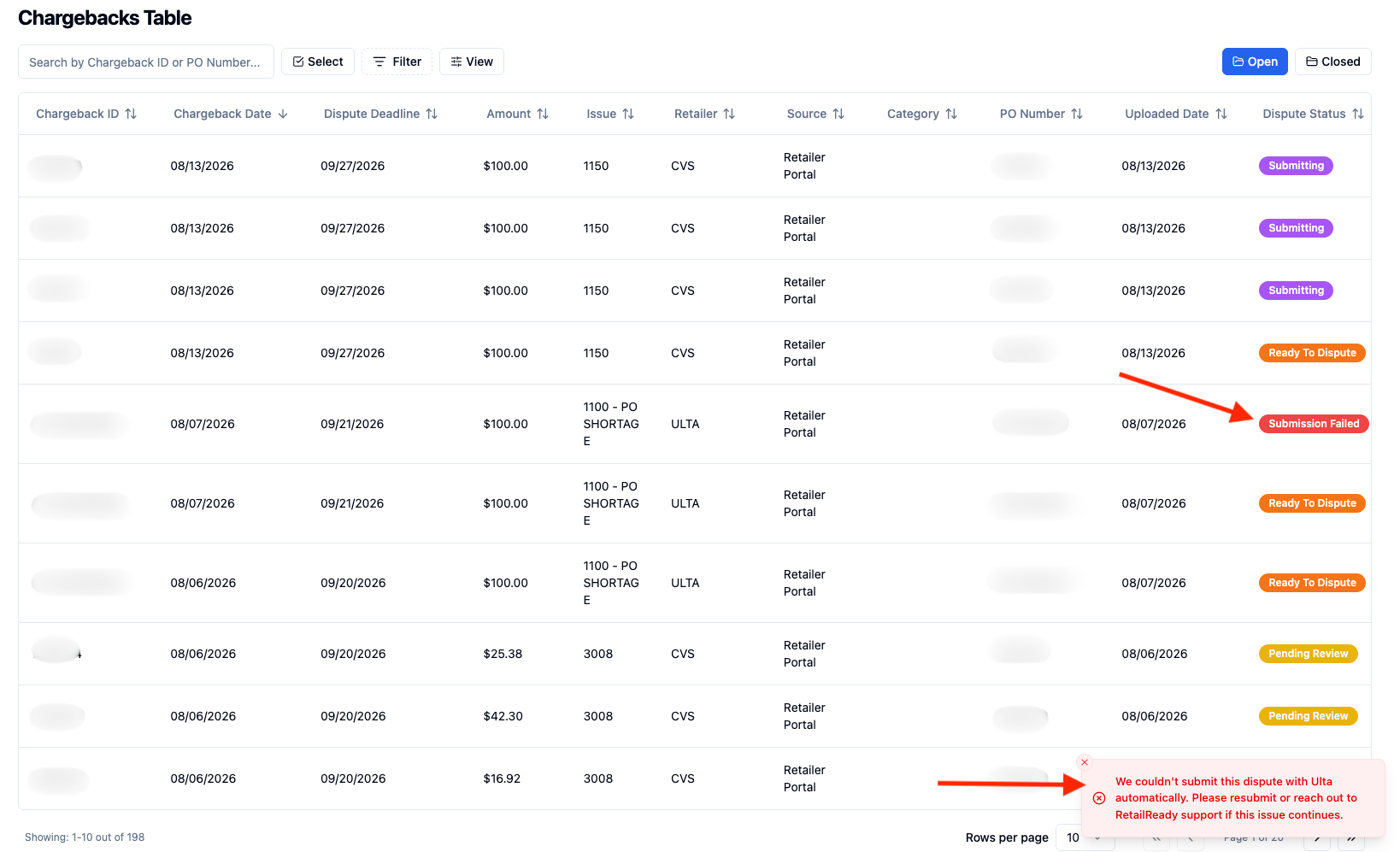
If any chargeback submissions fail, a banner will appear to inform you of the failure. This failed submission will also be reflected in the Chargebacks Table under ‘Dispute Status’.
FAQs:
What happens if some of the chargebacks I selected cannot be disputed right now?
RetailReady will automatically skip any chargebacks that are not currently eligible for dispute submission. Only the eligible ones will be submitted. You will see status ‘Skipped’ for chargebacks that are not submitted, those will be left in their current status.
Is there a limit to how many chargebacks I can select at once?
There is no hard limit on how many you can select.
Why does the panel show a predicted win percentage?
The predicted win percentage gives you a quick sense of how likely each dispute is to be resolved in your favor before you submit. This helps you prioritize which chargebacks are worth including in a batch and which may need more documentation first.