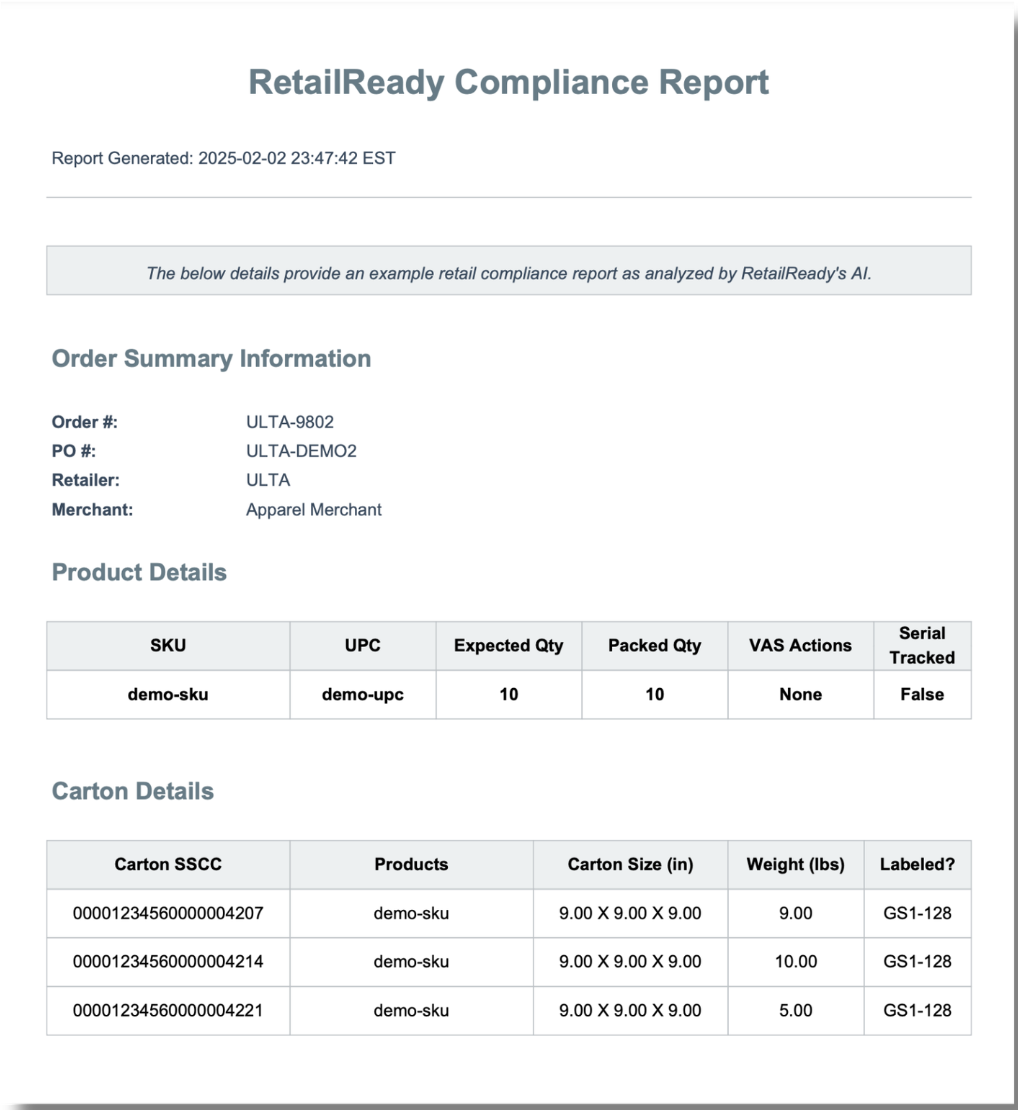
Compliance Report
Last updated: April 21, 2026
What is a Compliance Report?
The RetailReady Compliance Report is a full shipment summary generated directly from an order. It documents everything a retailer needs to verify that a shipment was prepared and sent correctly, from order dates and carrier details to carton and pallet specifics, label validation, and images of the BOL and loadout.
The report is organized into the following sections:
Section | Details |
General Information | Order number, PO, retailer, brand, order dates, ship-to address, and ASN sent timestamp. |
Transportation & Tracking | Transportation method, carrier, PRO number, and Bill of Lading number. |
Order Summary | High-level counts of SKUs, units, cartons, pallets, and labels. |
Product & Carton Details | Per-SKU expected vs. packed units, SSCC numbers, dimensions, weights, and label types (GS1-128). |
Pallet Details & Actions | Pallet SSCC, associated orders, dimensions, weight, and completed pallet actions (e.g. shrink-wrap, label placement). |
Labels & Images | Carton and pallet label validation (required fields, barcode size, format) plus loadout and BOL photos. |
How to Generate a Compliance Report
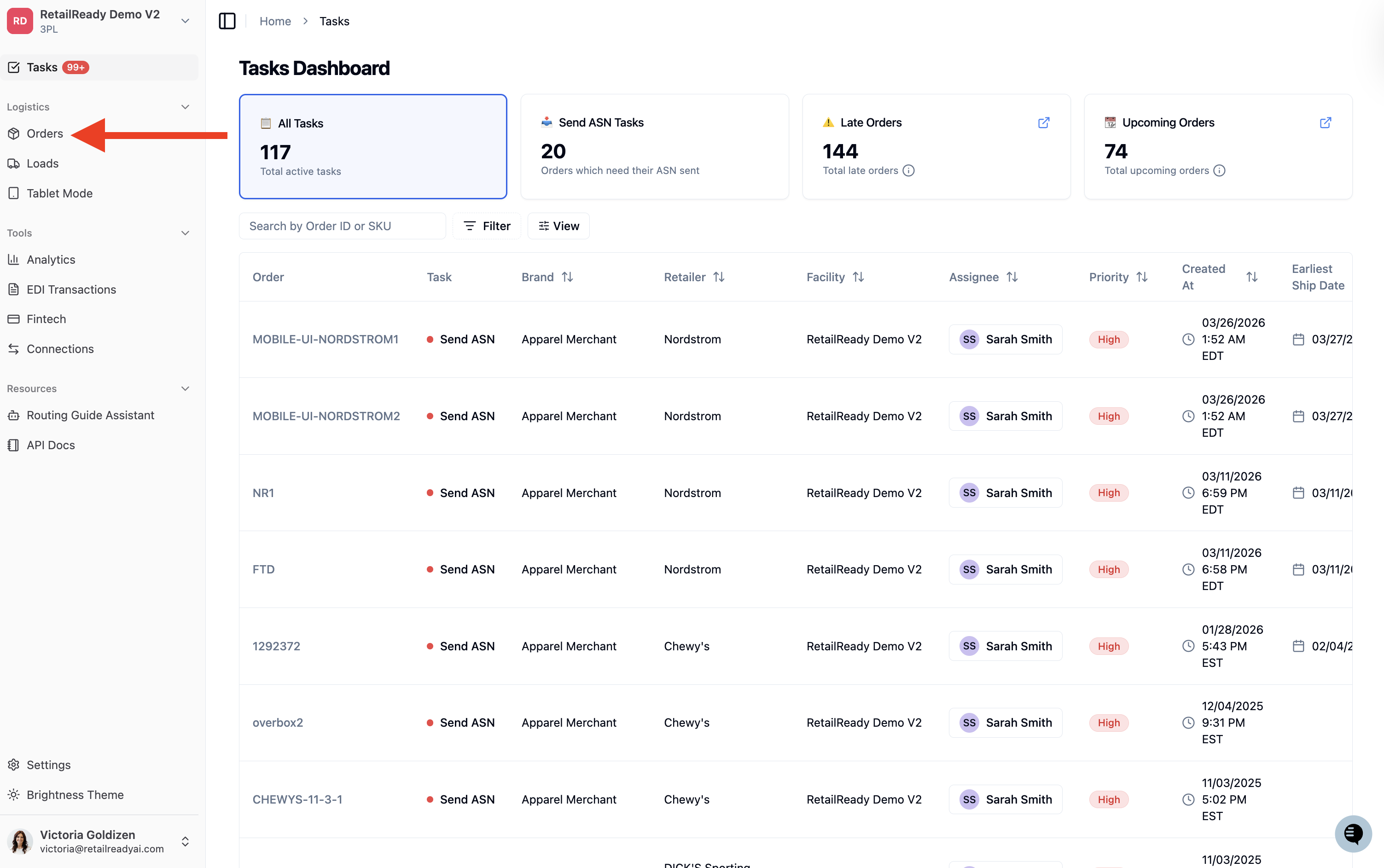
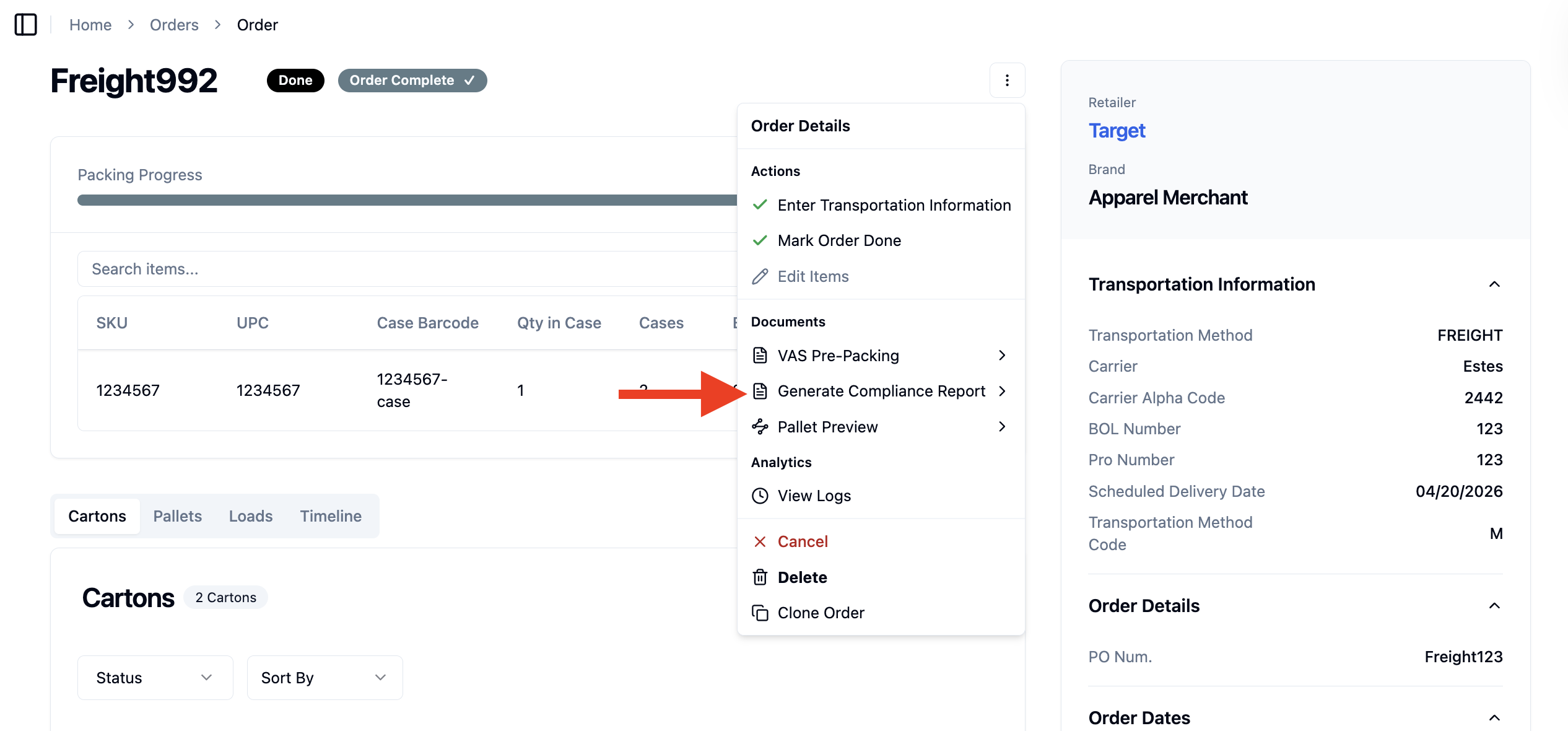
Navigate to the Orders Dashboard from the left-hand sidebar.
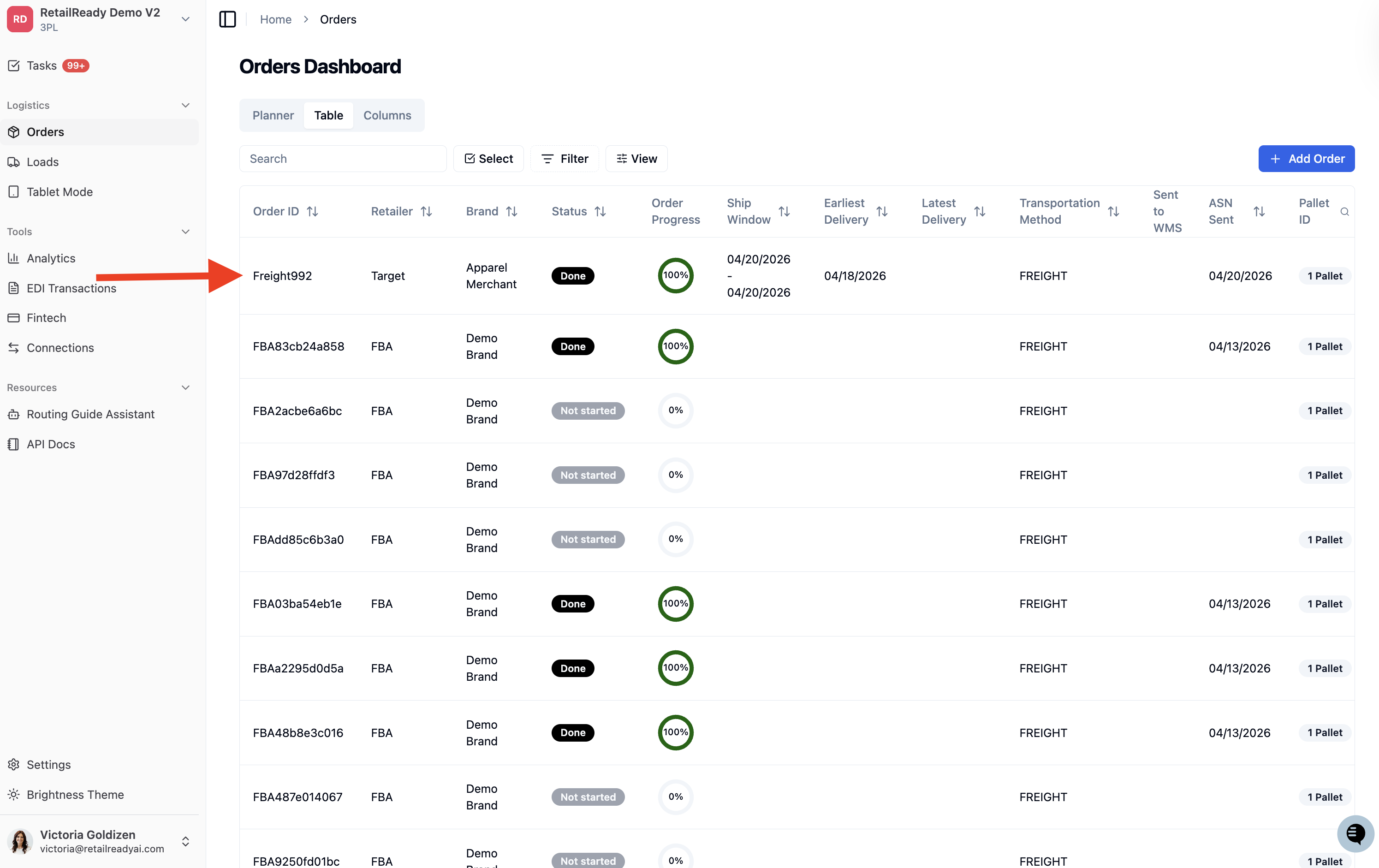
Locate and click into the order you want to generate the report for.
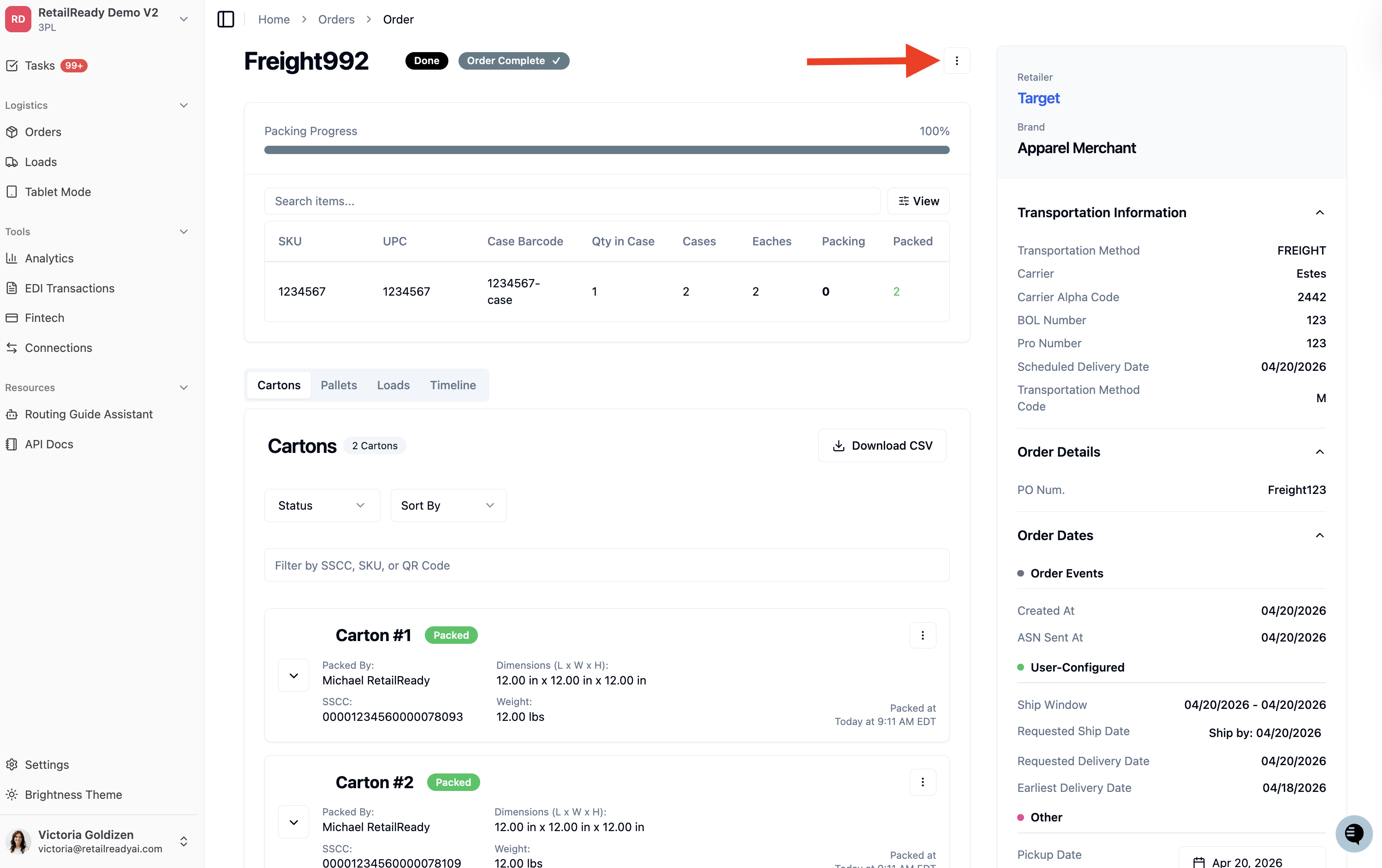
Inside the order, click the '3 dot menu (⋮)'.
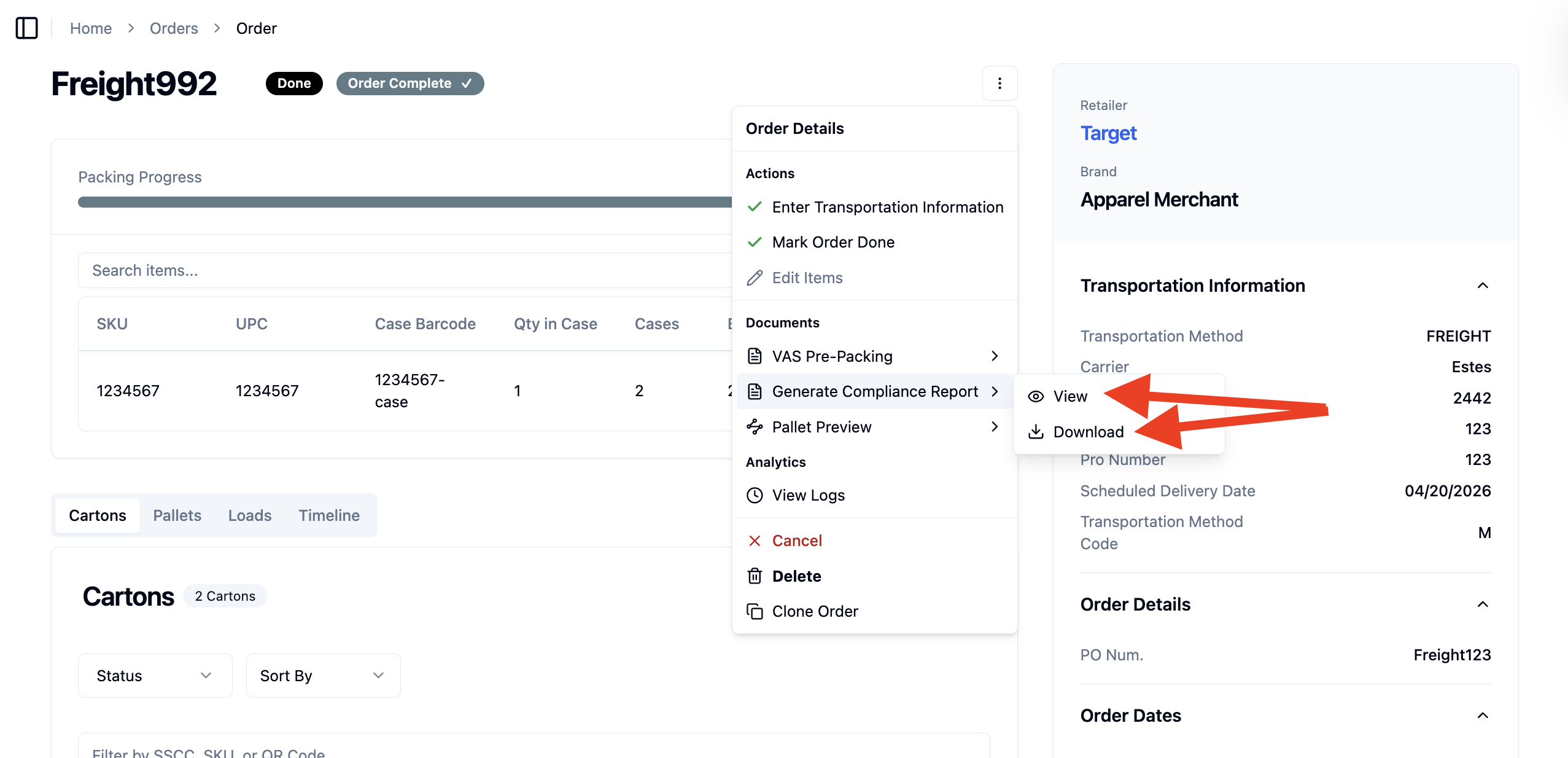
Click 'Generate Compliance Report' from the dropdown.
Select View to open the report in-browser, or Download to save a copy to your device.
Open up your compliance report.