How to Request a New Retailer Chargeback Portal
Last updated: September 7, 2026
RetailReady can automatically monitor your retailer chargeback portals and pull in dispute data on your behalf. If we don't yet support a retailer's portal, you can request it directly from your brand admin account, all you need to do is provide the portal URL and your login credentials, and our team will get to work building the connection. This article walks you through how to submit a portal request for an unsupported retailer.
How to Connect An Already Supported Retailer
Before submitting a request, you can see which retailers RetailReady already supports and which ones are not yet supported.
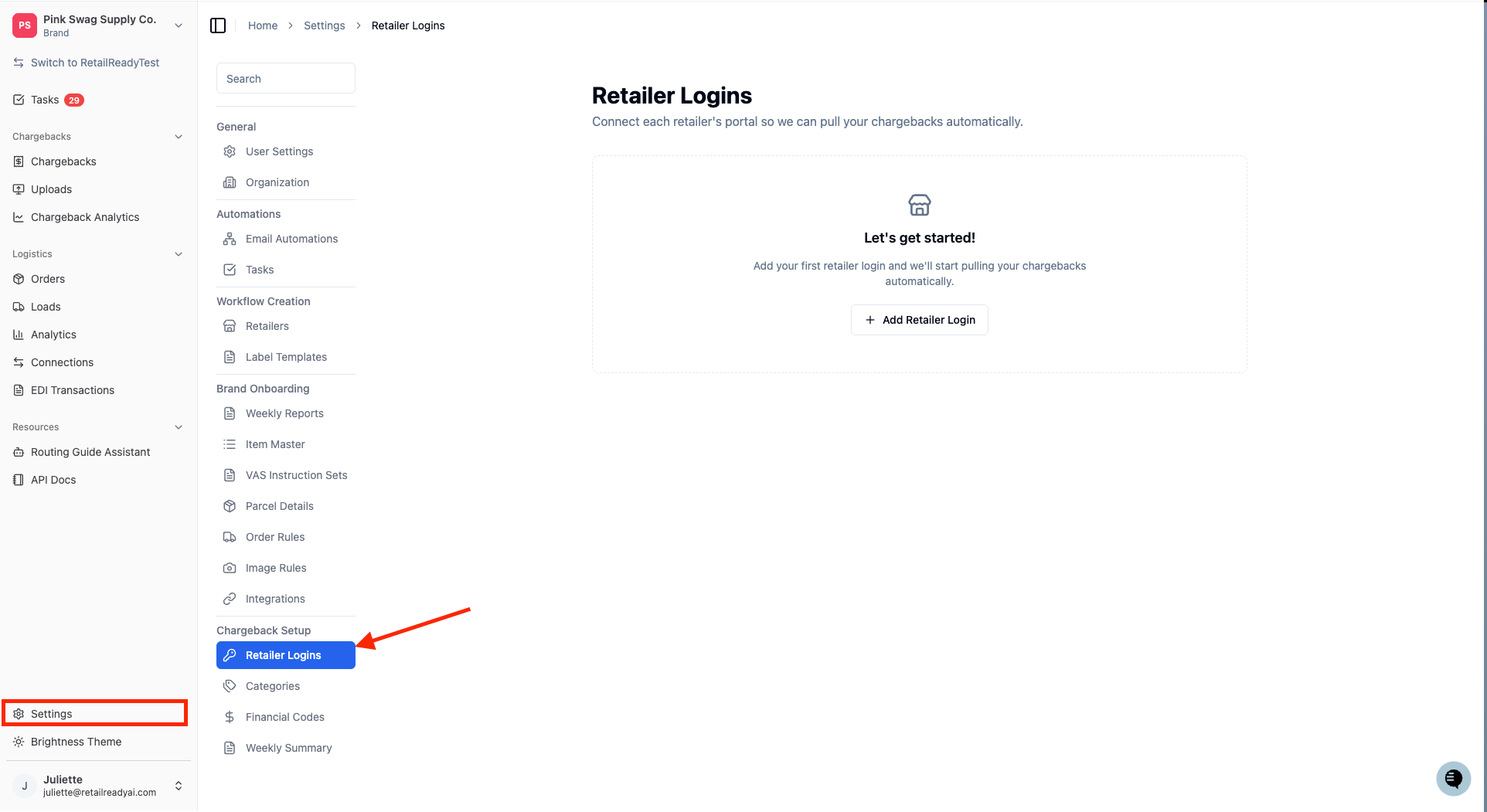
From the left navigation menu, go to ‘Settings’ > 'Retailer Logins'.
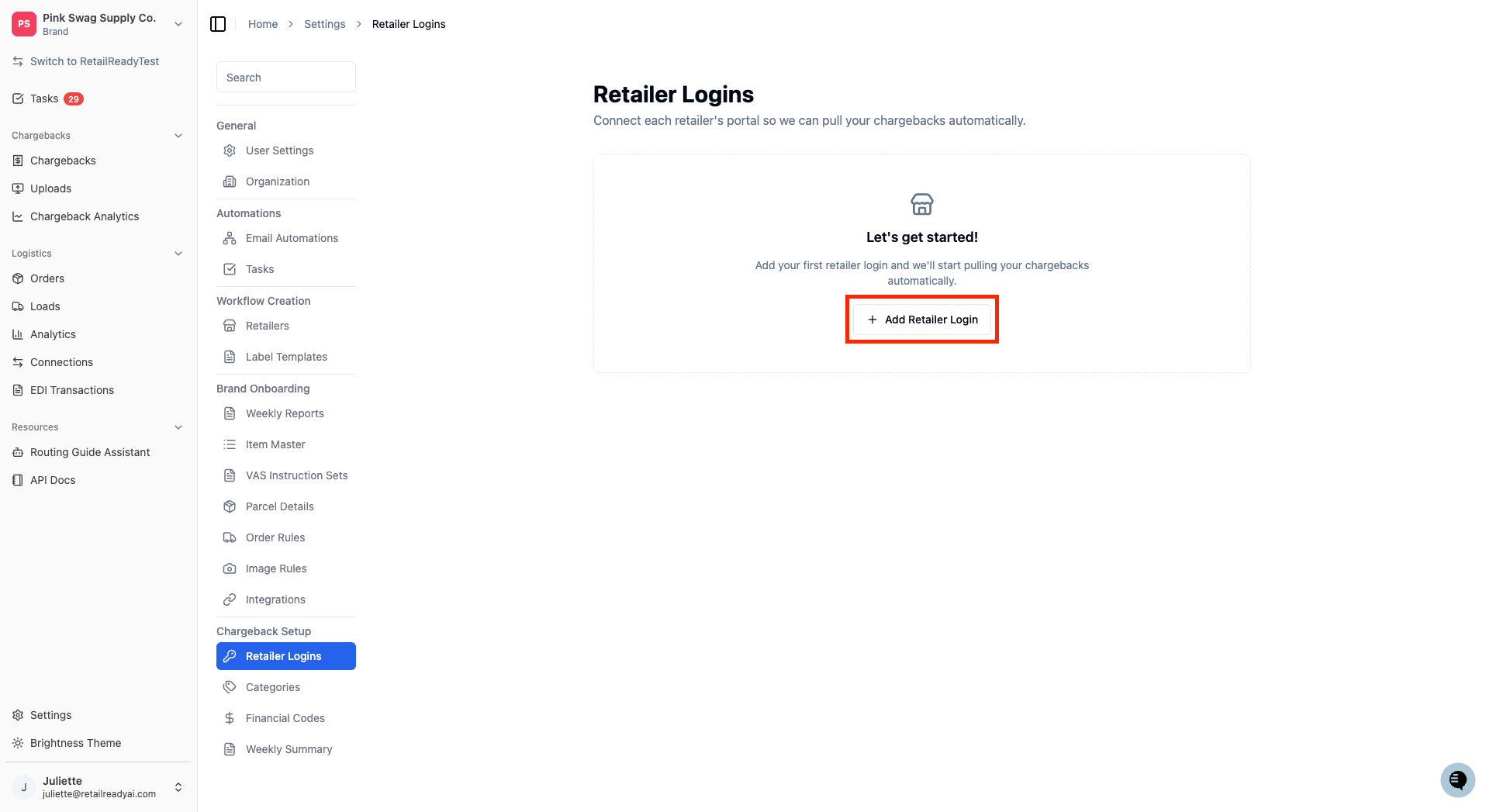
Select 'Add Retailer Login'.
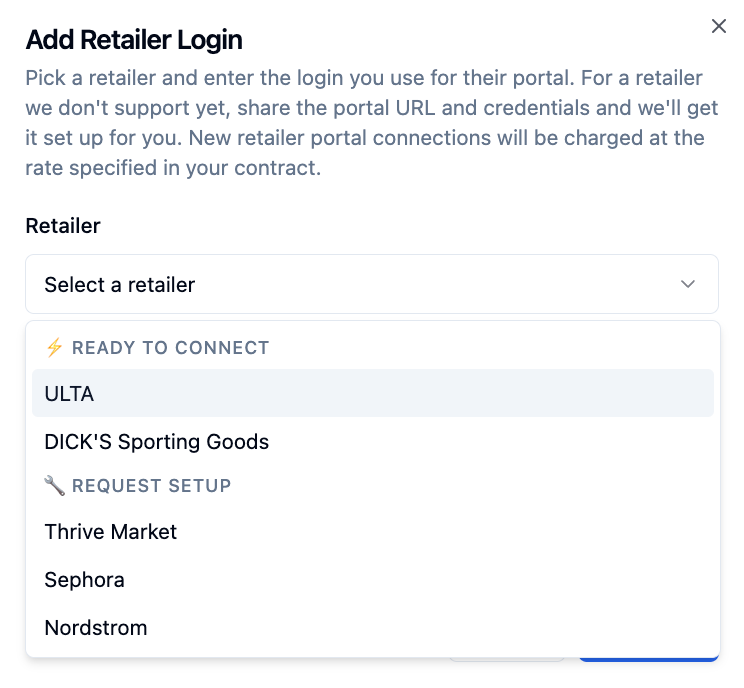
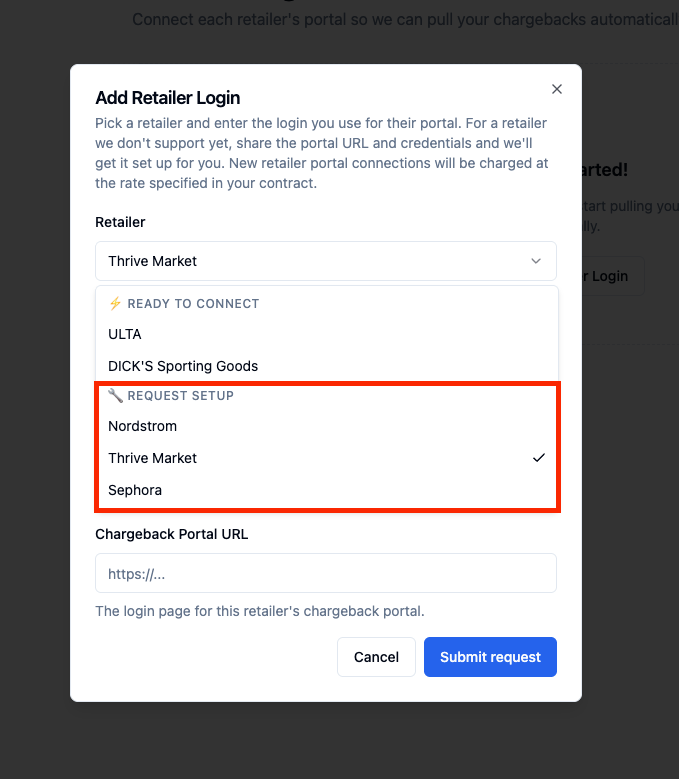
Select the ‘Retailer’ dropdown. A list of your retailers will appear. Retailers that RetailReady already supports will be under the ‘Ready to Connect’ section. Retailers that are not yet supported are under the ‘Request Setup’ section and will give you the option to submit a request.
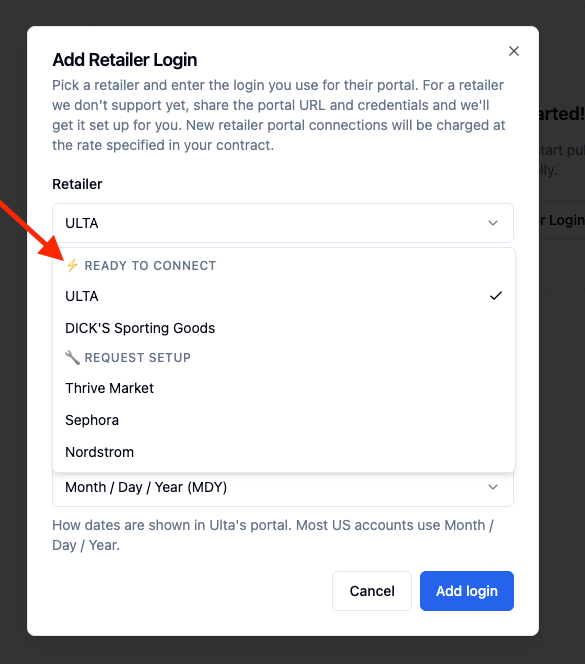
To connect to an already supported retailer, select it from the ‘Ready to Connect’ dropdown. To request a new retailer, jump to the “Requesting a New Retailer Chargeback Portal” section below.
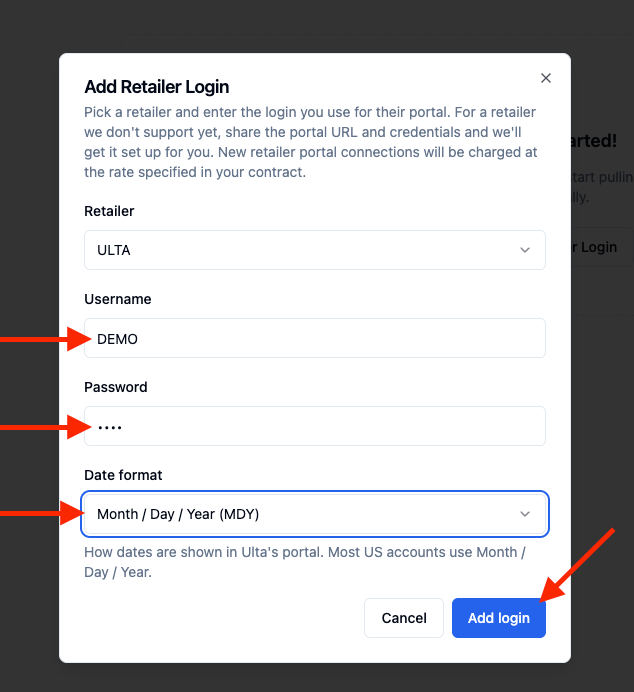
Fill out your ‘Username’, ‘Password’, as well as the ‘Date format’ for that portal. Once completed, press ‘Add login’.
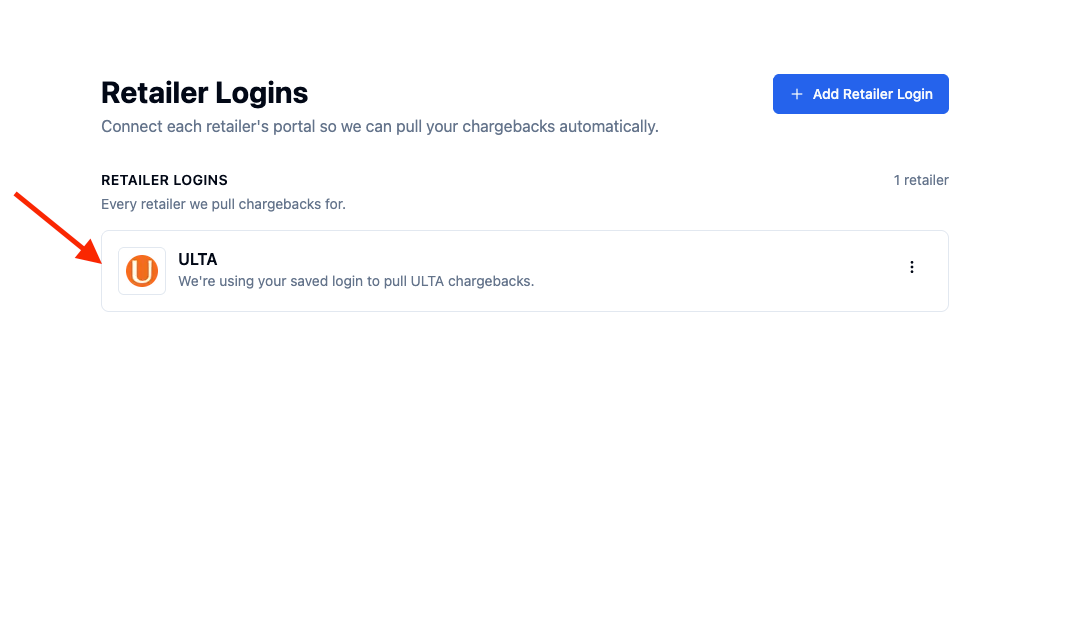
Once successfully added, the new retailer will appear on the Retailer Logins page.
Requesting a New Retailer Chargeback Portal
If a retailer you work with isn't supported yet, follow these steps to submit your portal credentials. Once received, our team will work on building the integration!
From the 'Add Retailer Login' screen, locate the ‘Request Setup’ section and select the retailer you would like to request.
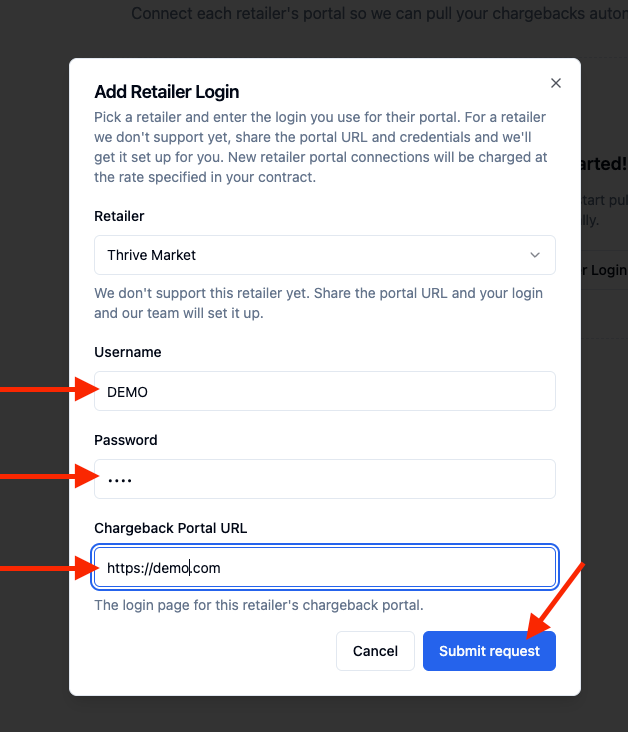
Once the desired retailer is selected, fill out your ‘Username’, ‘Password’, and the URL for that chargeback portal. Then press 'Submit request'.
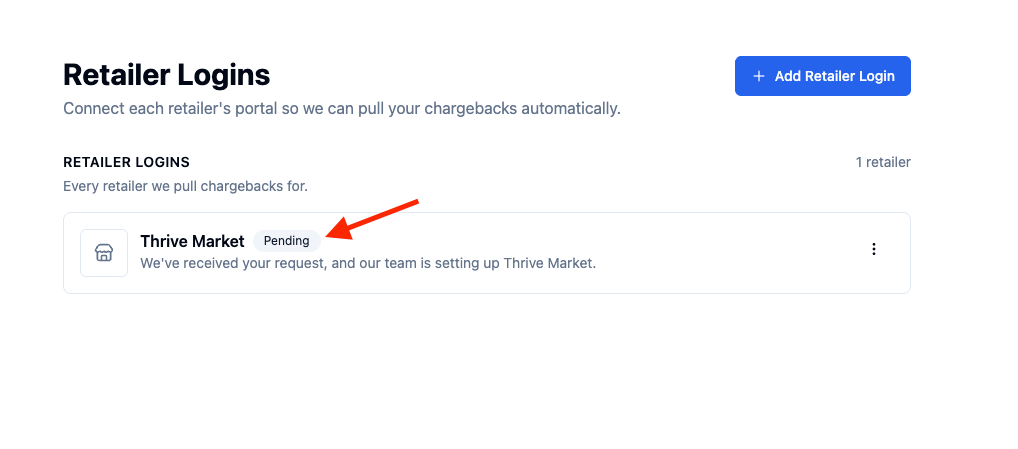
On the Retailer Logins page, your retailer will show a 'Pending' status while our team builds the connection.
What Happens After You Submit
Once you've submitted a portal request, here's what to expect:
The retailer will appear in your Retailer Logins list with a 'Pending' status. This means our team has your request and is working on building the connection.
You do not need to submit the request again. If anything is missing or our team needs clarification, someone from RetailReady will reach out to you directly.
You'll be able to see chargeback data from that retailer appearing in your RetailReady dashboard once the integration is active.
FAQs:
Can I request a retailer that isn't on the list at all?
Right now, you can only request portals for retailers that are already in RetailReady's system. If you work with a retailer you don't see listed at all, reach out to our support team and we can look into adding them.
Is it safe to enter my portal credentials in RetailReady?
Yes. Your credentials are stored securely and are only used by the RetailReady team to build and operate the automated scraping connection on your behalf. We do not share your credentials with any third parties.
How long does it take for a new portal to go live?
Build times vary depending on the complexity of the retailer's portal. Our team will work to get it live as quickly as possible. If you need an update on your specific request, contact our support team and reference the retailer name.
What does 'Pending' status mean next to my retailer?
A 'Pending' status means your credentials have been received and our team is actively building the scraping connection for that retailer. No action is needed from you at this time.
Will I be charged while my portal request is in Pending status?
No. You are not charged for a retailer portal while it is in 'Pending' status.
What if my credentials change after I submit the request?
If your login credentials for the retailer's portal change before or after the connection goes live, please update them by clicking the 3 dots next to the retailer portal on the Retailer Logins page. Outdated credentials will prevent RetailReady from pulling in your chargeback data.
Can I request more than one unsupported retailer at a time?
Yes. You can submit a separate request for each unsupported retailer you work with. Each request is handled individually.
Why don't I see the option to request a new retailer portal?
This feature is only visible to brand Admins and SuperAdmins, standard brand users and 3PLs won't see it. It's also part of our Revenue Recovery product, so your account needs to be contracted for Revenue Recovery to use it. If you believe you should have access and don't see the option, contact our support team or your account manager.
Will I be billed the same amount for every retailer?
No. Scraping for each retailer is billed at the rate specified in your contract.