Onboarding Weekly Report
Last updated: May 15, 2026
You can now receive automated weekly updates about your onboarding connections. These reports include progress summaries, task completions, and upcoming go-live dates.
How to Set Up Reports
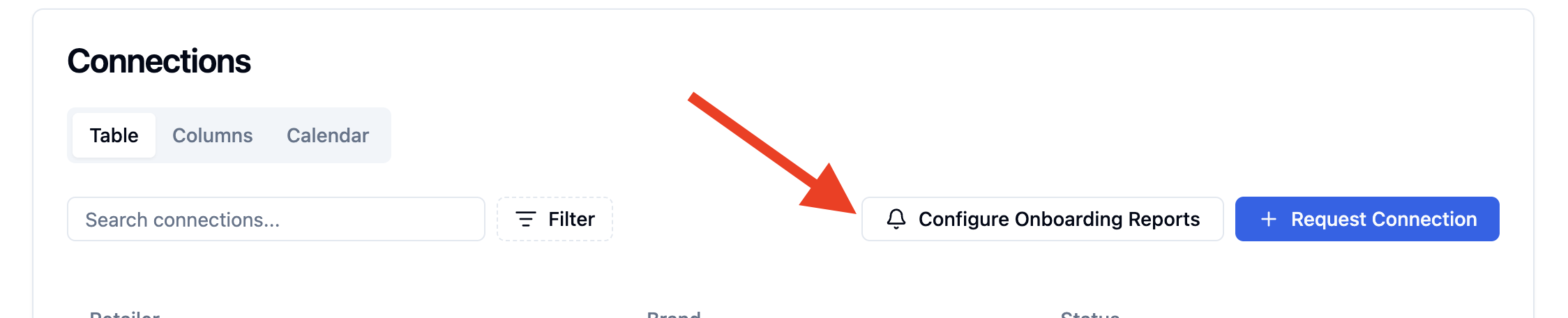
Go to your 'Connections' page
Click the 'Configure Onboarding Reports' button (bell icon)
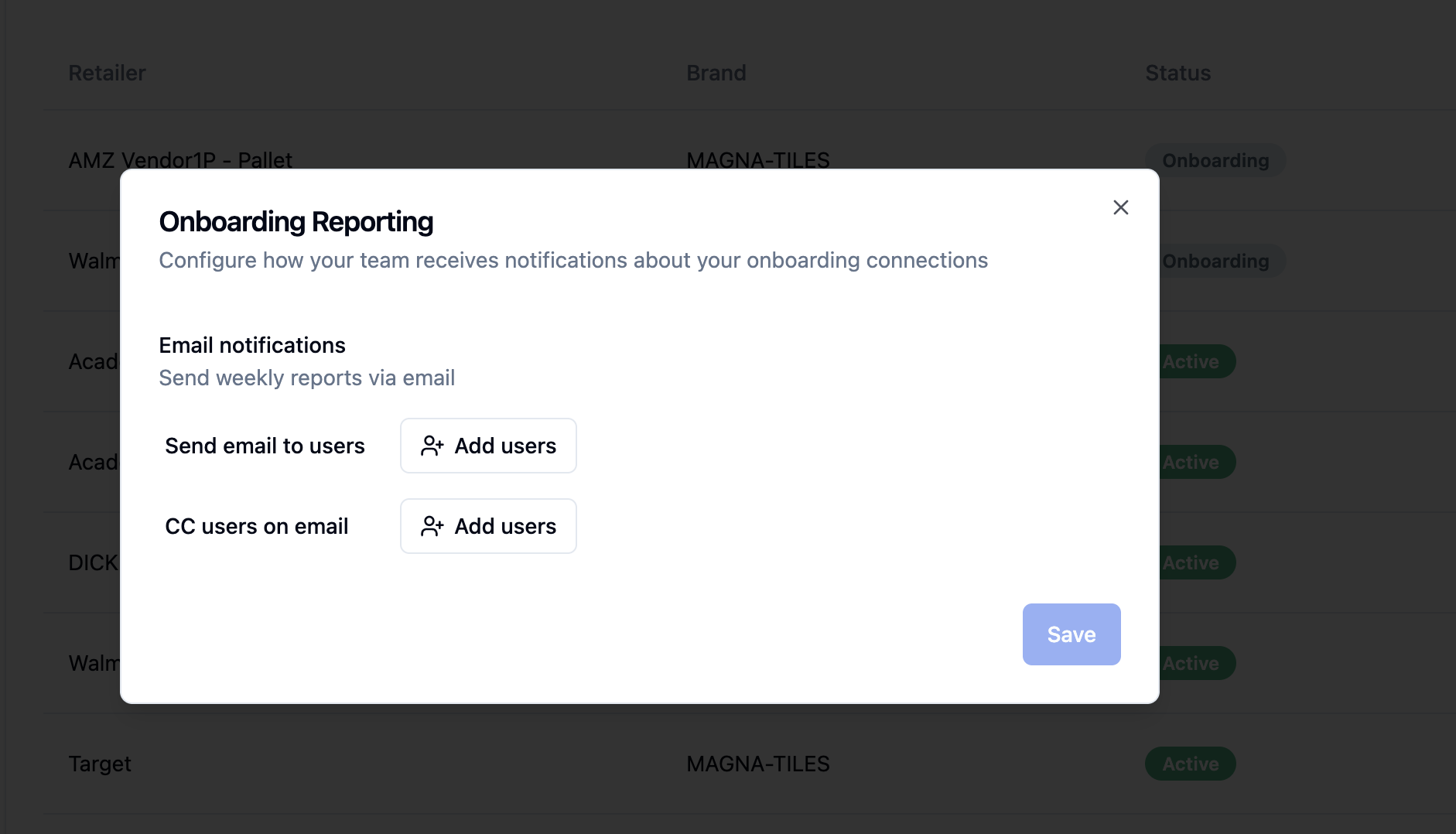
Choose how you want to receive reports:
For Brands
Email reports only
Select team members to receive the report
Optional: Add CC recipients
For 3PL Warehouses
Email reports
Slack notifications (if connected)
Or both email and Slack
What's Included in Reports
Connections Going Live Soon
Connections with go-live dates within 2 weeks
Number of remaining tasks
Summary of this week's progress
Recent comments and updates
Managing Your Settings
Updating Recipients
Click Configure Onboarding Reports again
Add or remove team members from the email lists
Click Save Configuration
Turning Off Reports
Open the configuration dialog
Click Delete Configuration
Confirm the deletion