How to Export a Chargeback List
Last updated: July 27, 2026
Reviewing chargebacks one at a time in the platform isn't efficient when you need to share data with a team, reconcile against retailer deductions, or keep records for accounting. This article shows you how to export a list of chargebacks from RetailReady into a downloadable file for offline review and reporting.
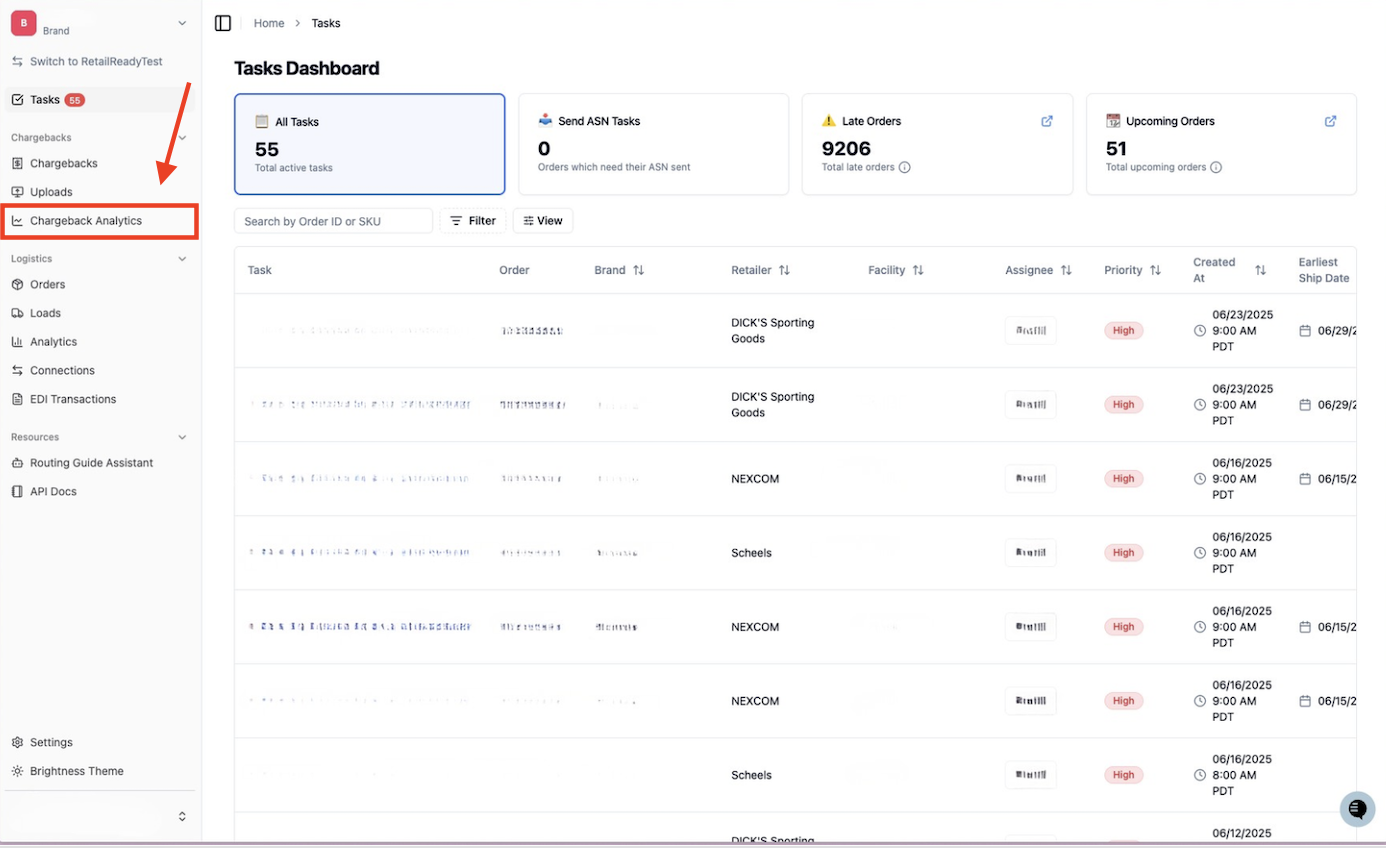
Open up your RetailReady Dashboard, and navigate to 'Chargeback Analytics' tab on the Left Hand Side.
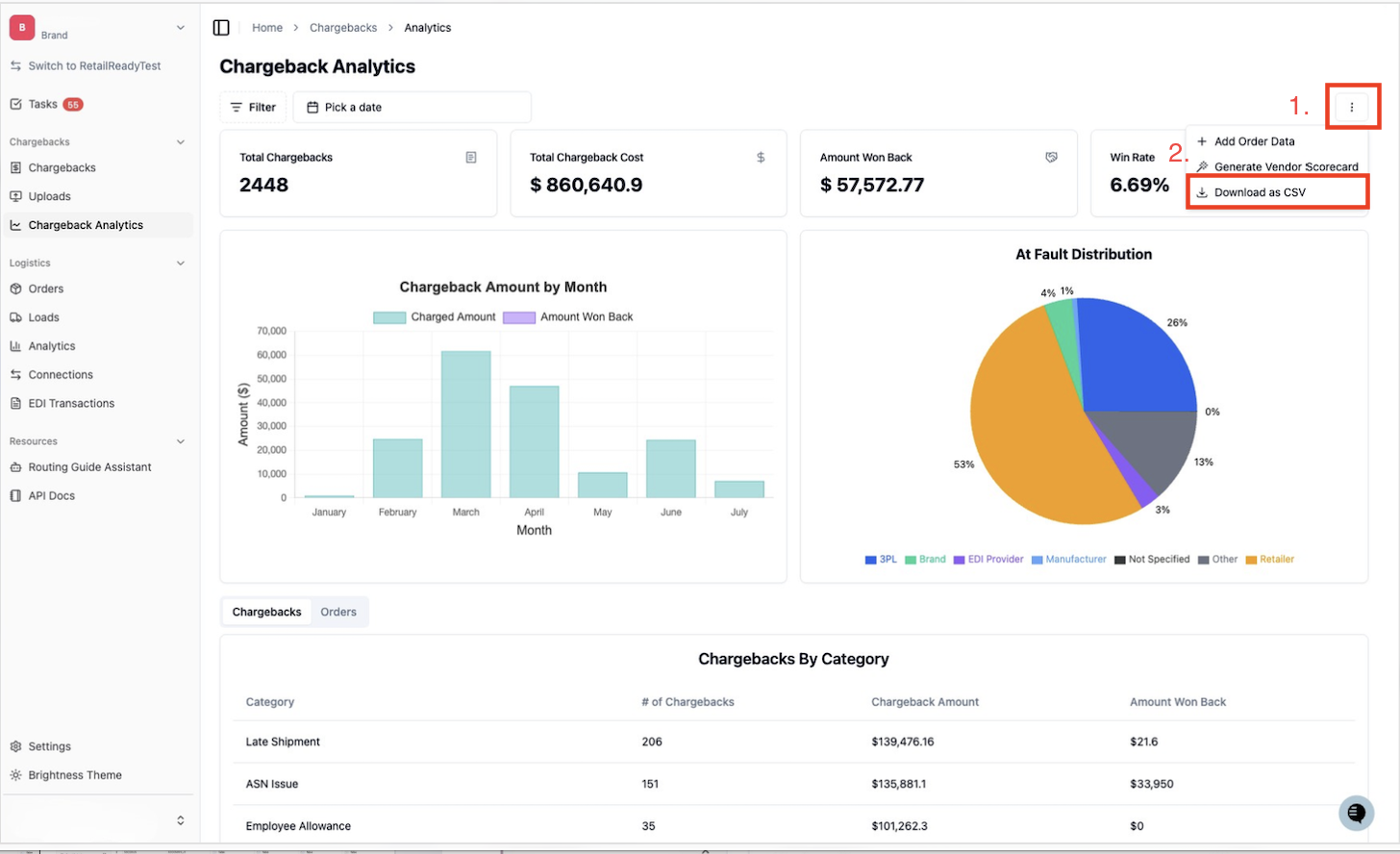
Navigate to and click the three dots in the top right corner, next click 'Download as CSV'
FAQs:
What file format does the export come in?
CSV.
Does the export show summary-level chargeback totals, or individual line-item detail?
Individual line-item detail.