Daily 846 Requirement Reminders
Last updated: September 7, 2026
Shipping to a retailer that requires a daily 846? You can now set up automated reminders in RetailReady. The 846 is a document used to communicate inventory levels to retailers using EDI. By sending this document, you are telling the retailer what product is available for them to order.
Setting Up a Daily 846 Task Assignment
A task assignment tells RetailReady who is responsible for submitting the daily 846 for a specific retailer connection, when to remind them, and who to notify if it hasn't been done by a certain time. This is configured once and then runs automatically each day.
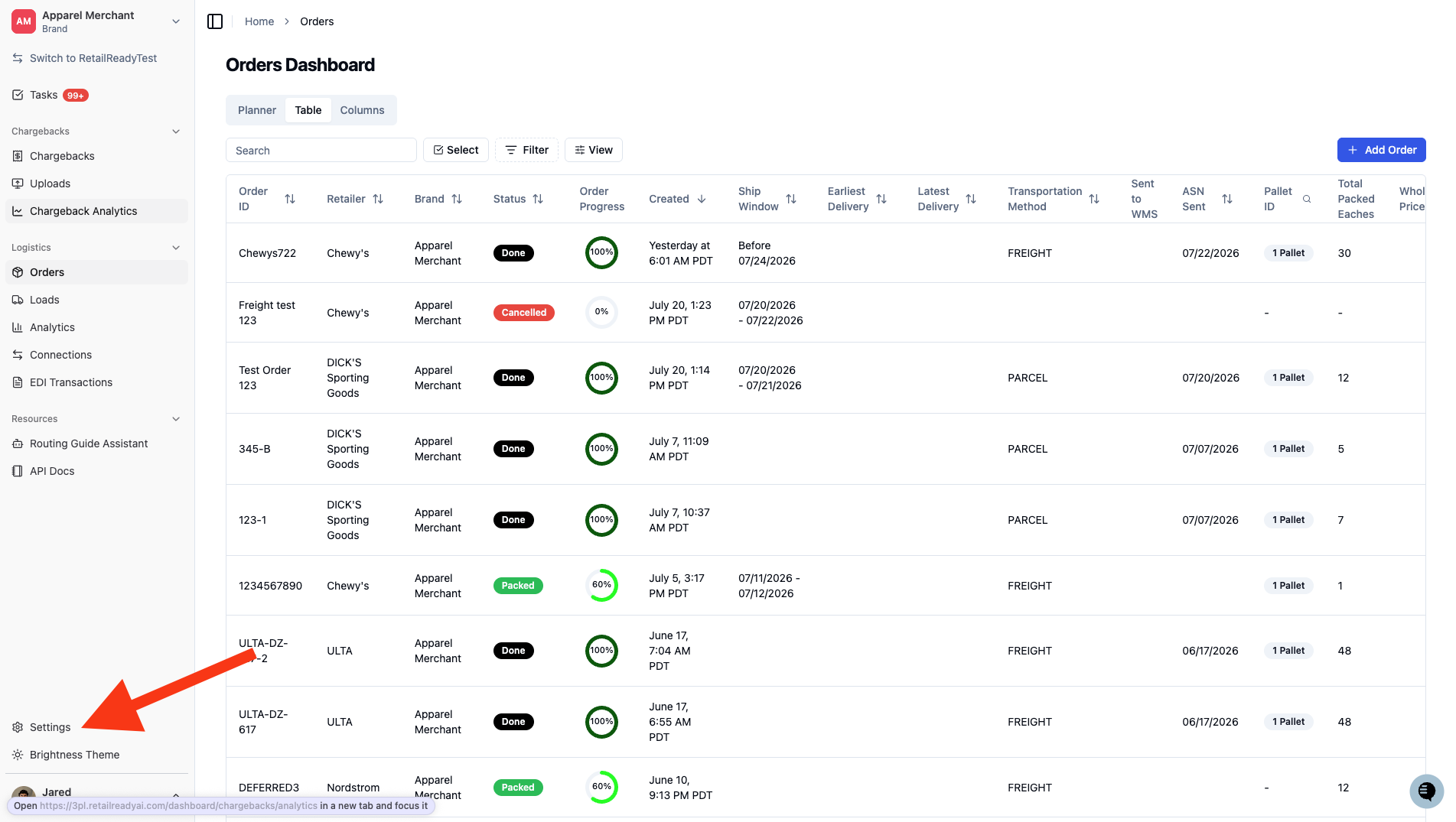
After log-in, click 'Settings'.
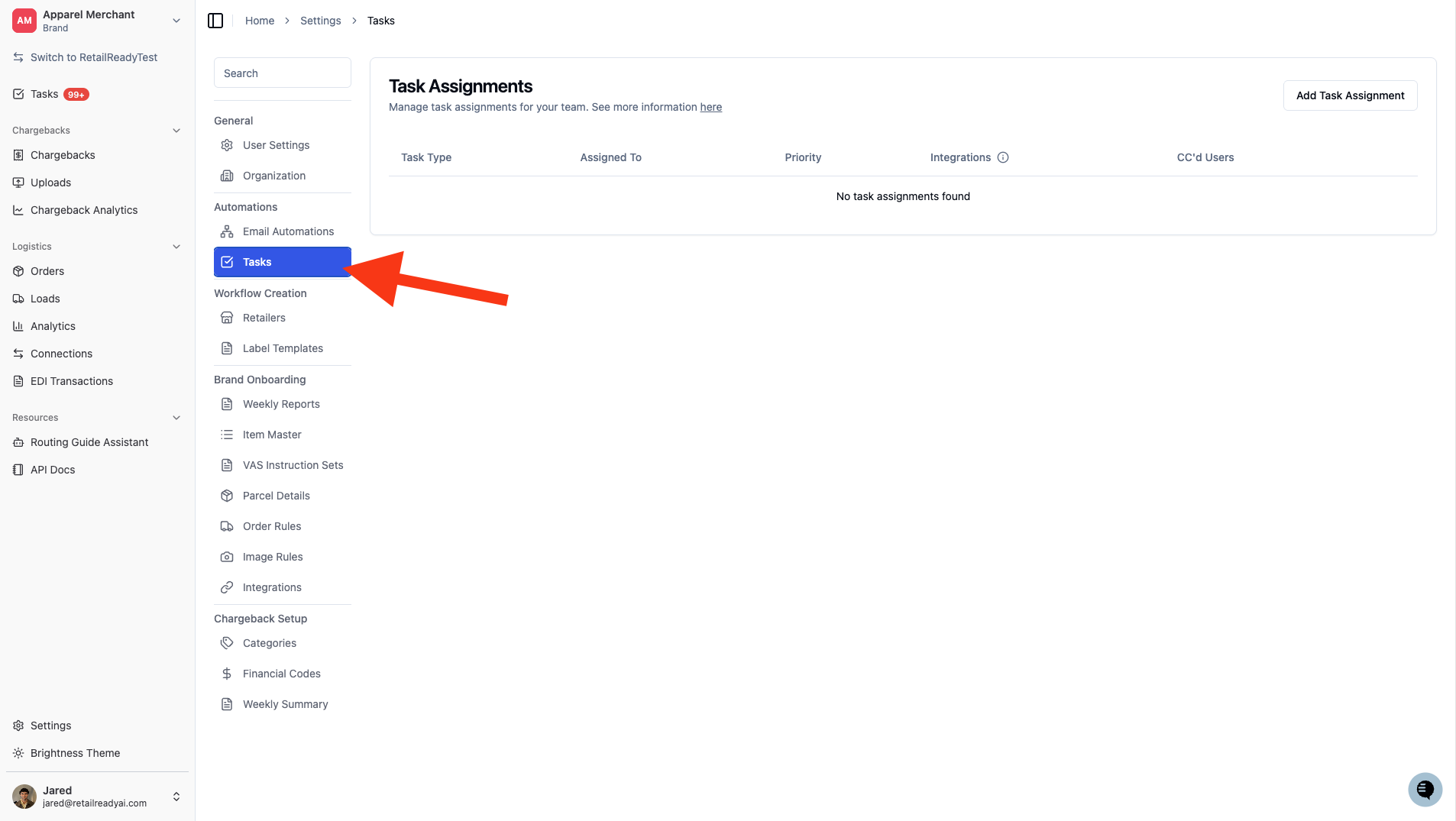
Click 'Tasks'.
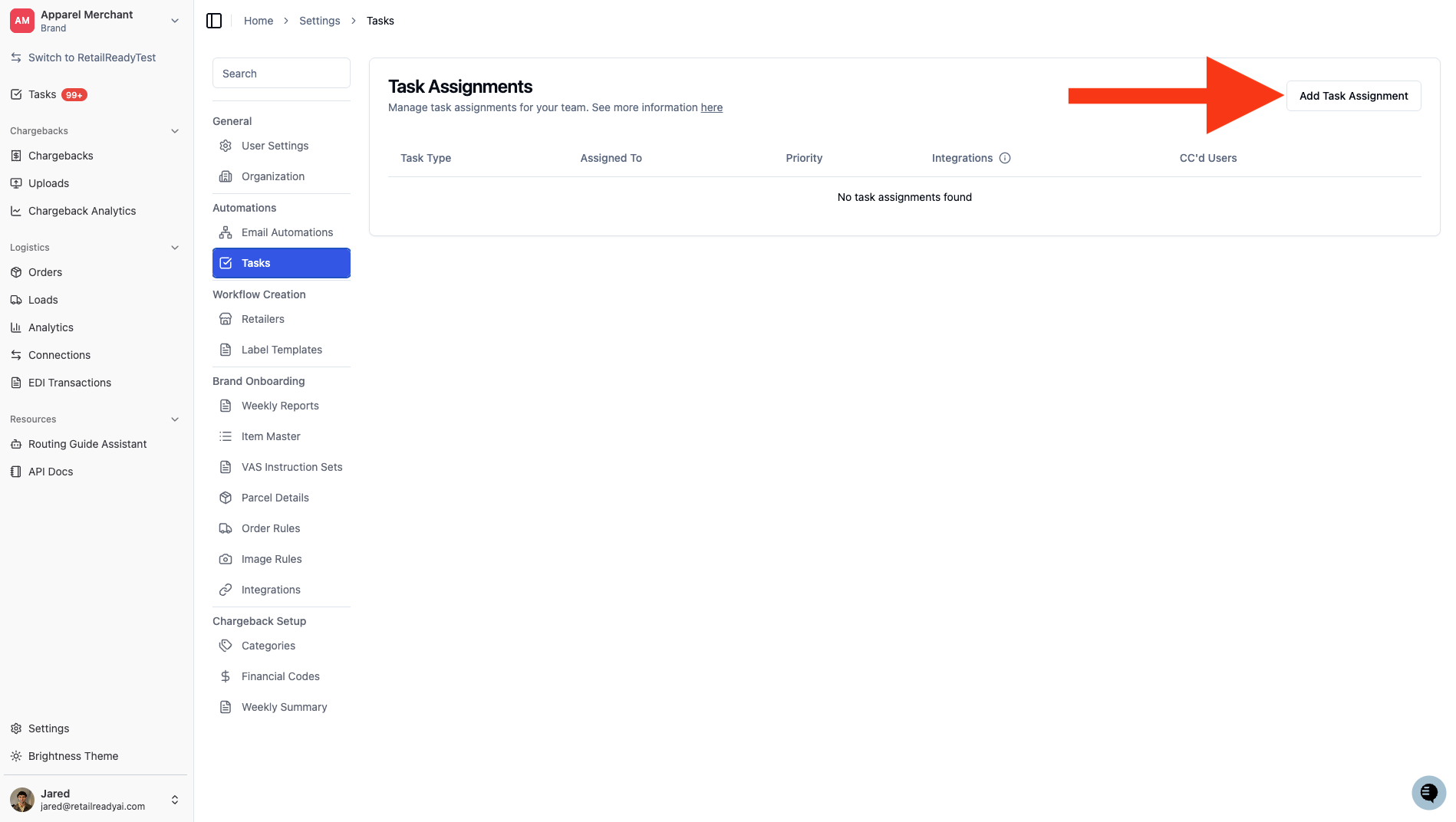
Click 'Add Task Assignment'.
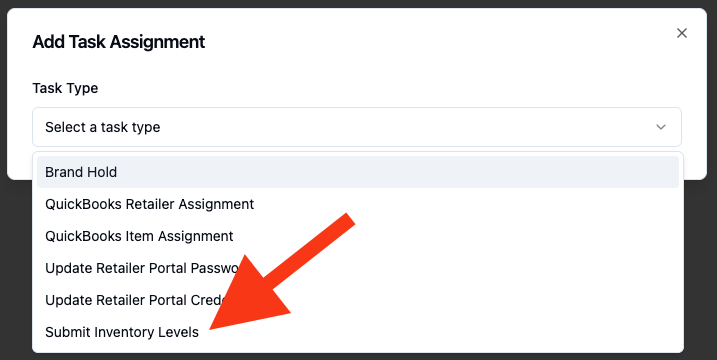
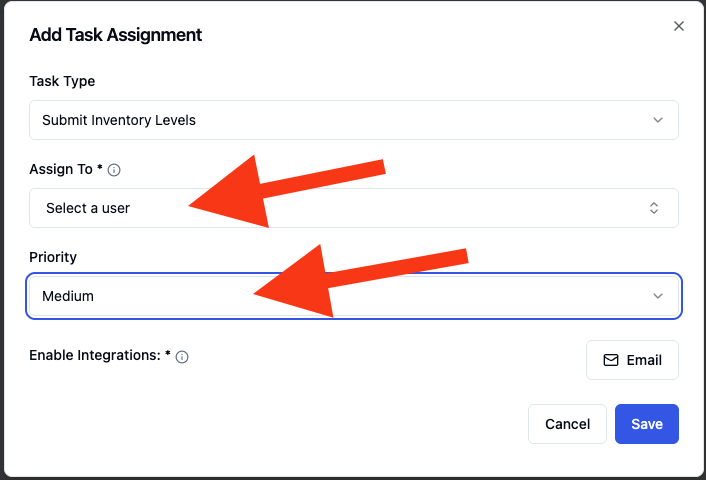
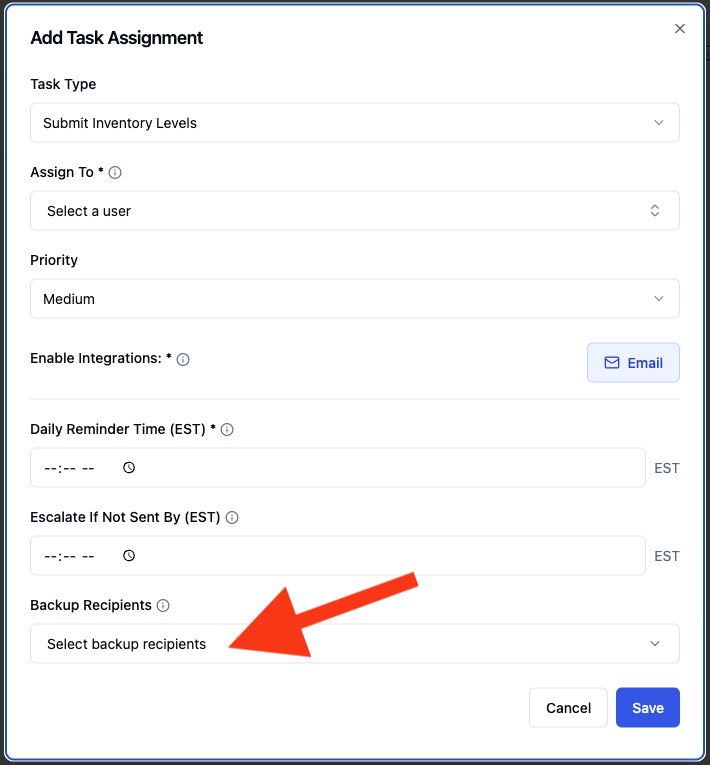
In the 'Task Type' dropdown, select 'Submit Inventory Levels'.
In 'Assign To' select a user to assign the task to. In 'Priority' select the priority level of the task. These will determine the assignee and priority of the task in RetailReady.
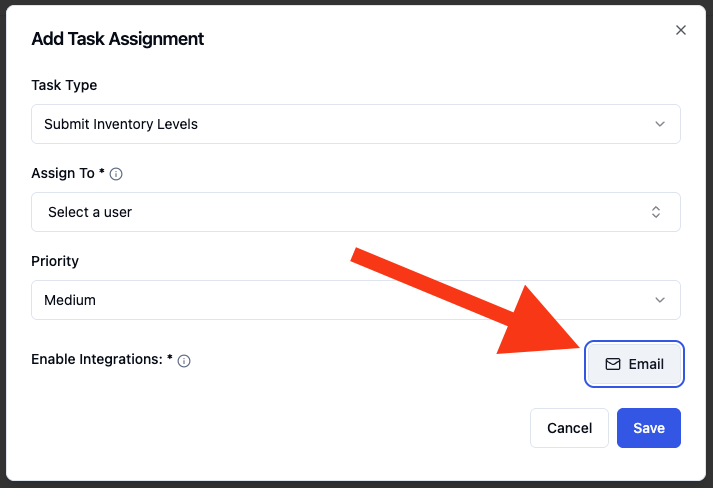
Click the 'Email' button to enable integrations and receive a reminder.
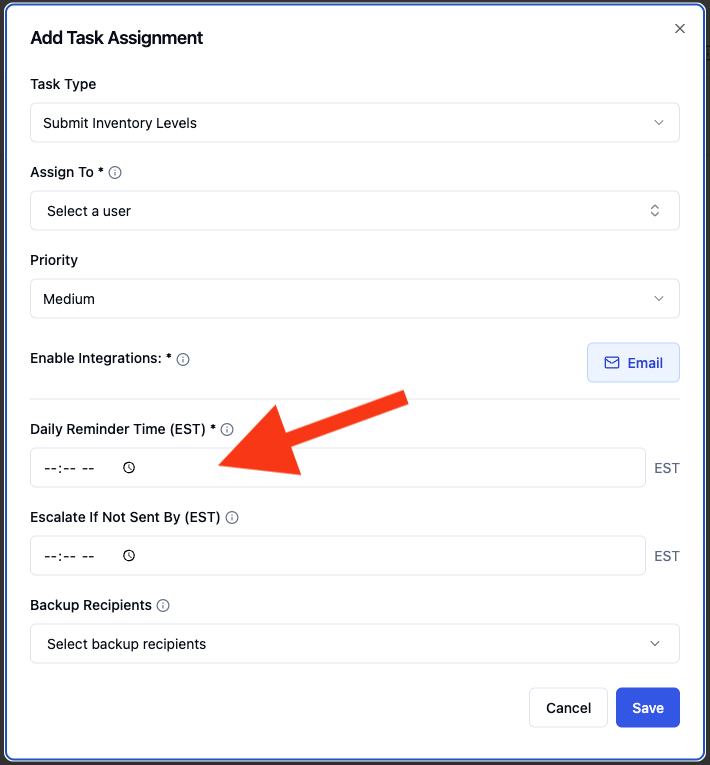
Set the 'Reminder Time'. This is the time of day the assigned user will be notified to submit the 846 if it hasn't been sent yet. Please note these times are in Eastern Standard Time.
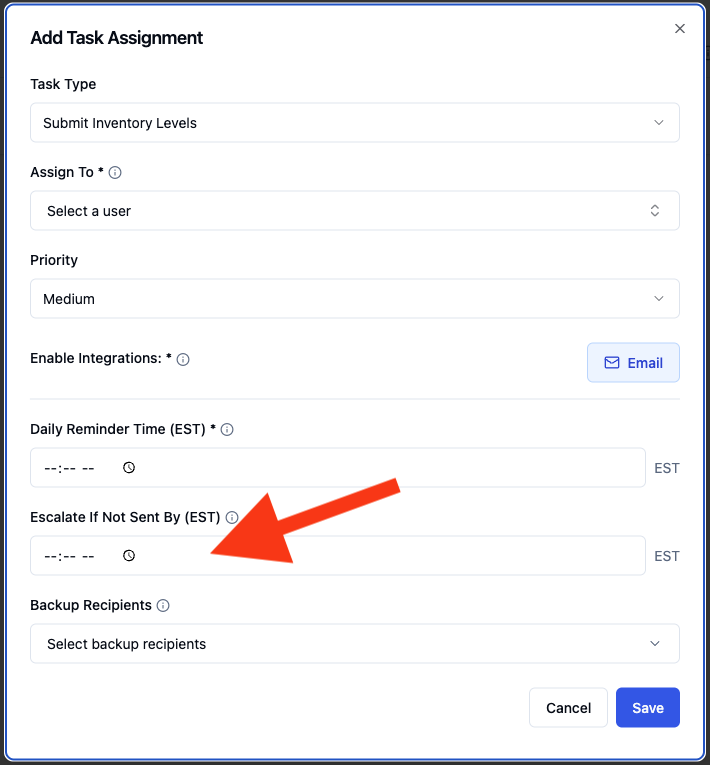
Set the 'Escalation If Not Sent By'. If the 846 has still not been submitted by this time, RetailReady will automatically send a notification to your escalation recipients. This should be set later in the day than the reminder time to give the assignee time to act.
In the 'Backup Recipients' field, add the users who should be notified if the 846 is not submitted by the escalation cutoff time. These are your backup contacts.
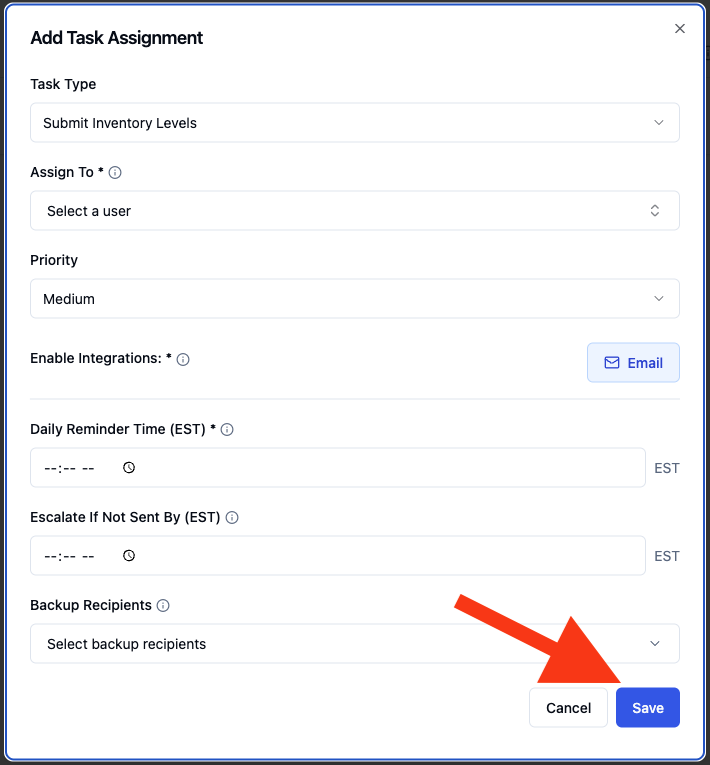
Click 'Save' to activate the assignment. The task will now appear on the assignee's dashboard each day until the 846 is submitted.
How the Daily Reminder and Escalation Work
Once a task assignment is active, RetailReady handles the reminder and escalation automatically each day. Here is what to expect:
Each morning, a 'Submit Inventory Levels' task will appear on the assignee's RetailReady dashboard for the relevant brand and facility.
At the 'Reminder Time' you configured, the assignee receives a notification (via email, Slack, or both) prompting them to submit the 846. This reminder is sent once per day.
If the 846 is submitted before the reminder time, the task clears automatically and no notification is sent.
If the 846 has not been submitted by the 'Escalation Cutoff Time', all users listed as escalation recipients are notified automatically. This escalation also fires once per day.
Once the 846 is submitted, the task disappears from the dashboard immediately and there is no need to manually mark it complete.
Submitting the 846 from the Task - Link
FAQs:
Who receives the escalation notification if the 846 isn't submitted in time?
Only the users you specifically add to the 'Escalation Recipients' field when setting up the task assignment. Escalations are not sent to all users across your facility or brand — you control exactly who is on the backup list.
What happens if the assigned user submits the 846 before the reminder time?
The task clears from their dashboard right away and no reminder notification is sent. RetailReady checks whether the 846 has already been submitted before sending any notifications.
Can I set up escalation without setting a reminder time?
Yes. The reminder time and escalation cutoff time are configured independently. If you leave the reminder time blank, the assignee will not receive a reminder notification, but the escalation will still fire at the cutoff time if the 846 has not been submitted.
Does this work for all retailers, or only specific ones?
The 'Submit Inventory Levels' task assignment is designed for retailer connections that transmit 846 files through Orderful. If you are unsure whether your retailer connection qualifies, contact your RetailReady account manager.
Can more than one person be listed as an escalation recipient?
Yes. You can add as many escalation recipients as needed when configuring the task assignment. All of them will be notified at the same time if the escalation cutoff is reached without a submission.
Is a new task assignment required for each retailer that has a daily 846 requirement?
Yes. Each retailer connection that requires a daily 846 should have its own task assignment so that the correct brand, assignee, and notification settings are applied independently.
What notification channels are supported?
RetailReady supports email and Slack notifications. You can choose one or both when setting up the task assignment. The same channel selection applies to both the initial reminder and the escalation.