How to Fill Out the Transportation Information Form
Last updated: September 7, 2026
Once a retailer provides routing information outside of RetailReady (for example, through the Amazon Vendor Central portal), you'll need to manually enter those transportation details into RetailReady so the order can continue through fulfillment. This article walks through filling out the transportation details form for an order.
Filling Out a Transportation Information Form
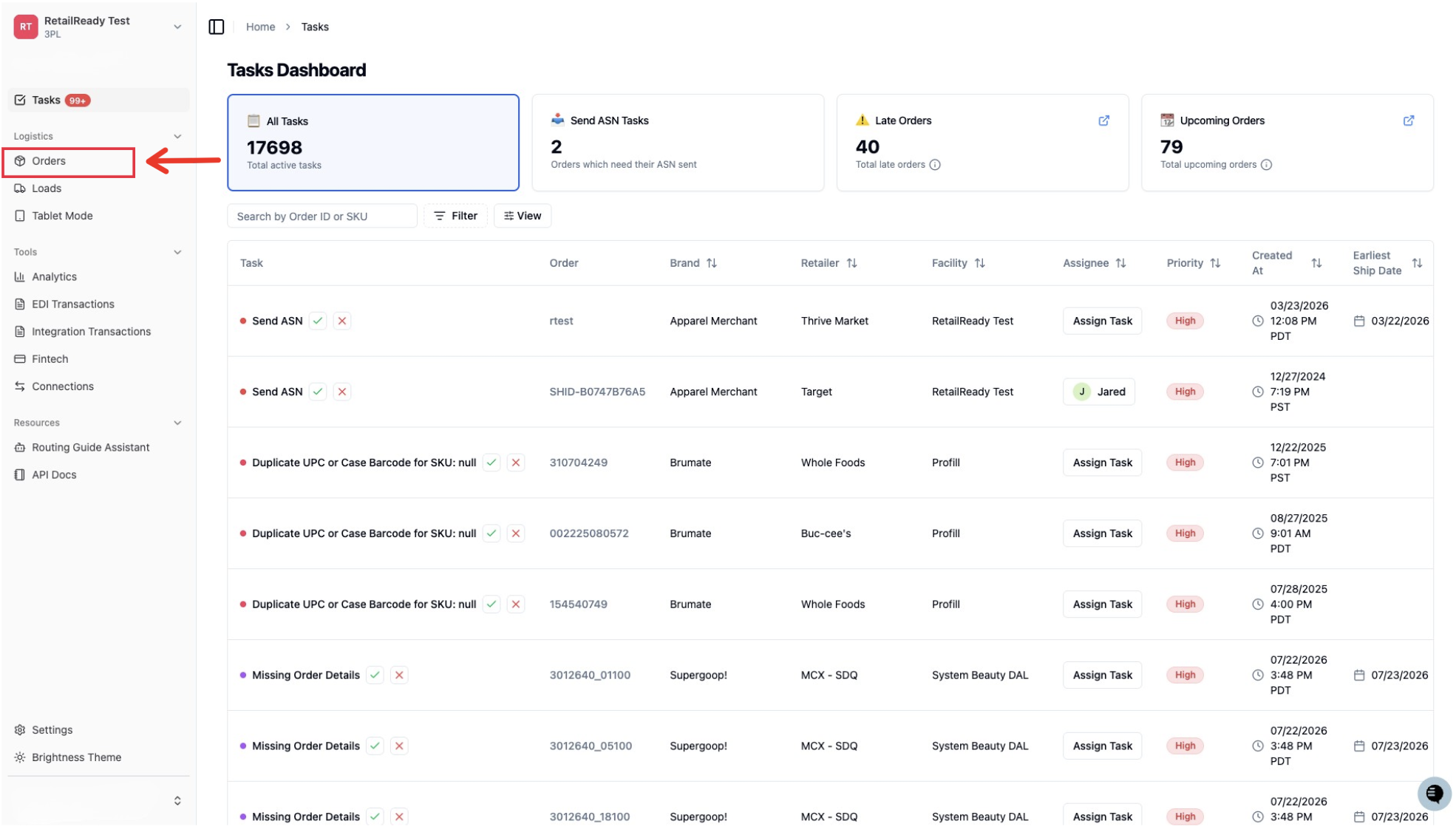
Open up your RetailReady Dashboard, and navigate to 'Orders' tab on the Left Hand Side.
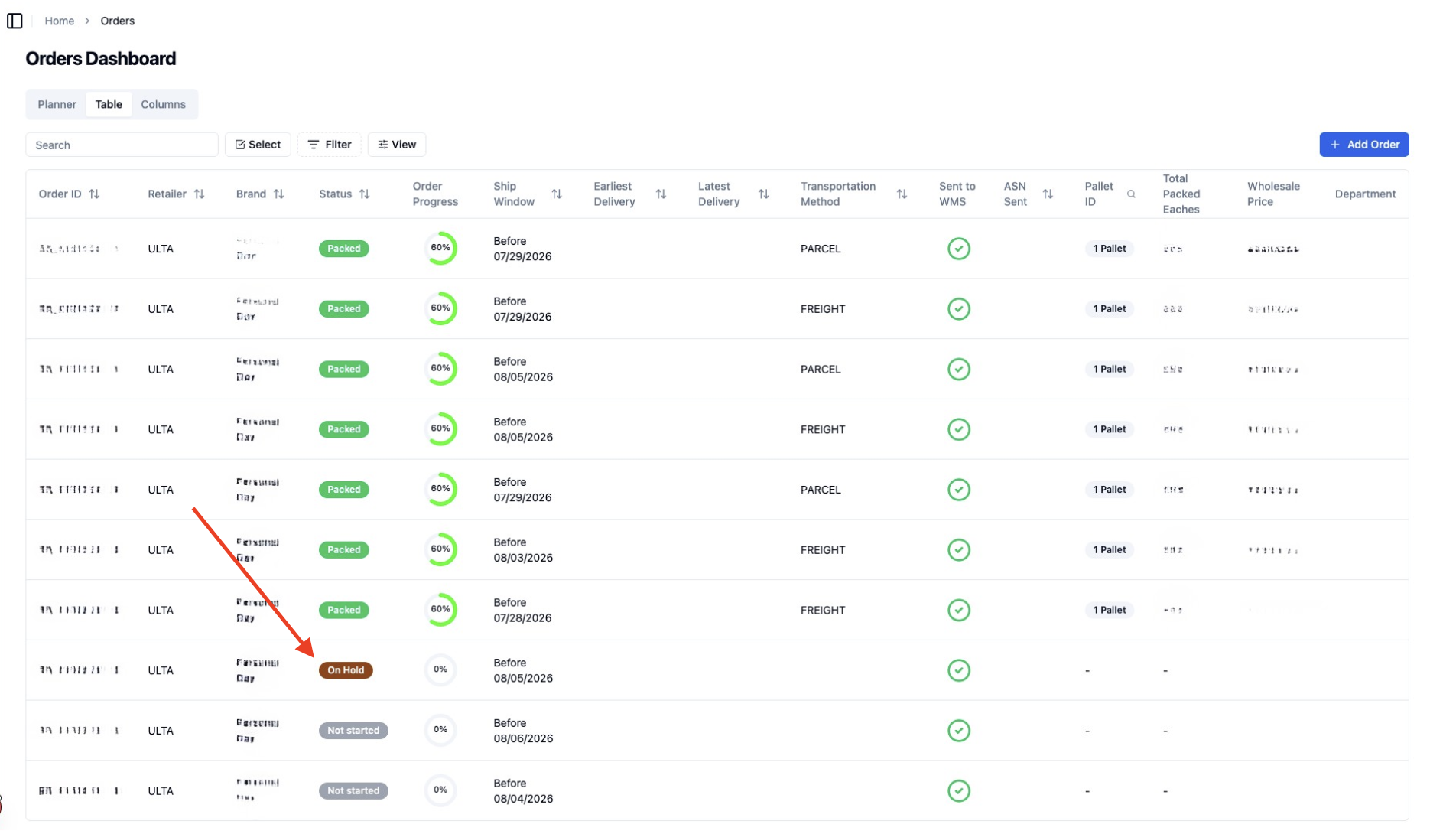
Navigate to the desired order and click on it
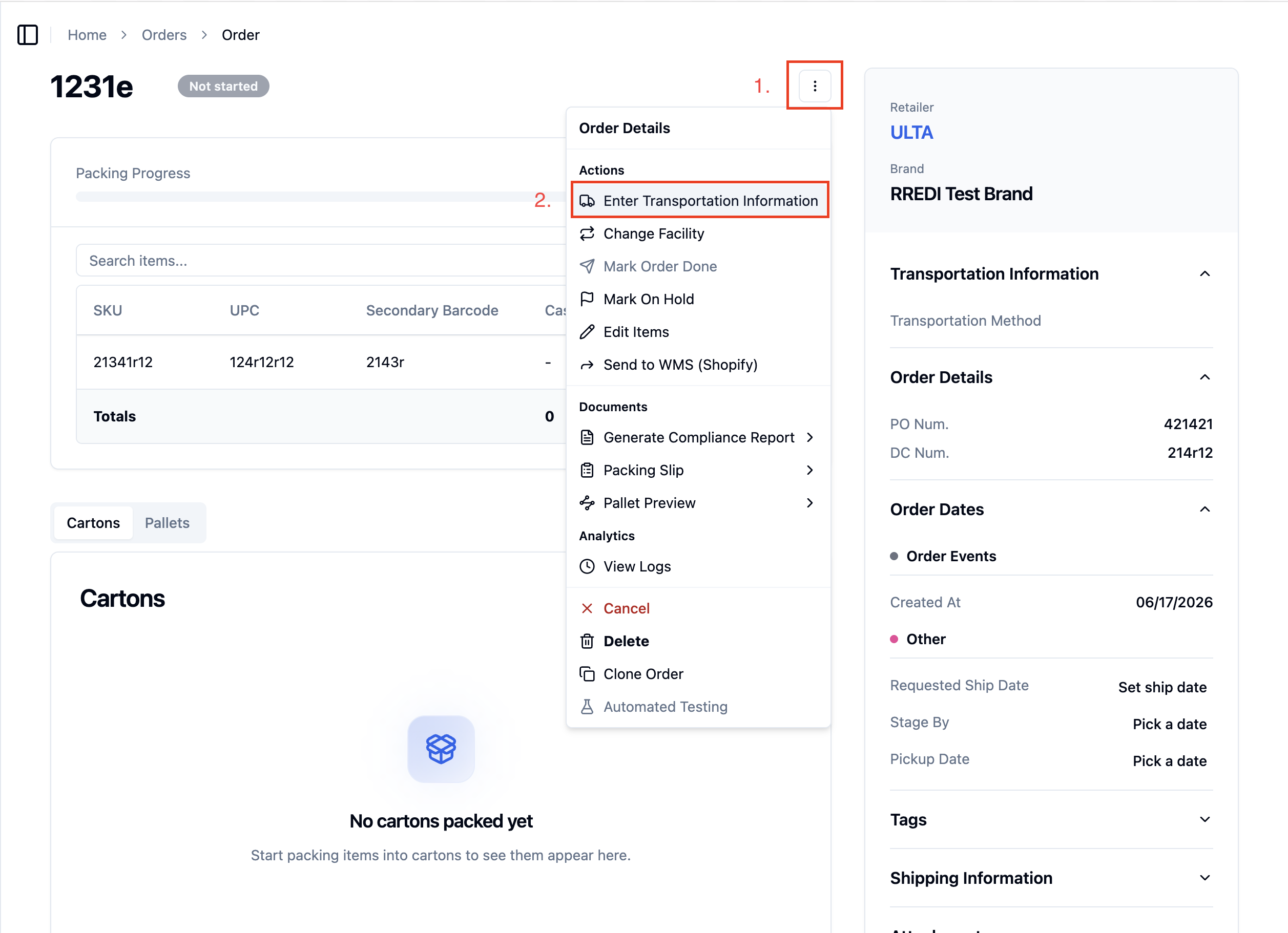
Navigate to and click the 'three dots' in the top right corner and then click 'Enter Transportation Information'
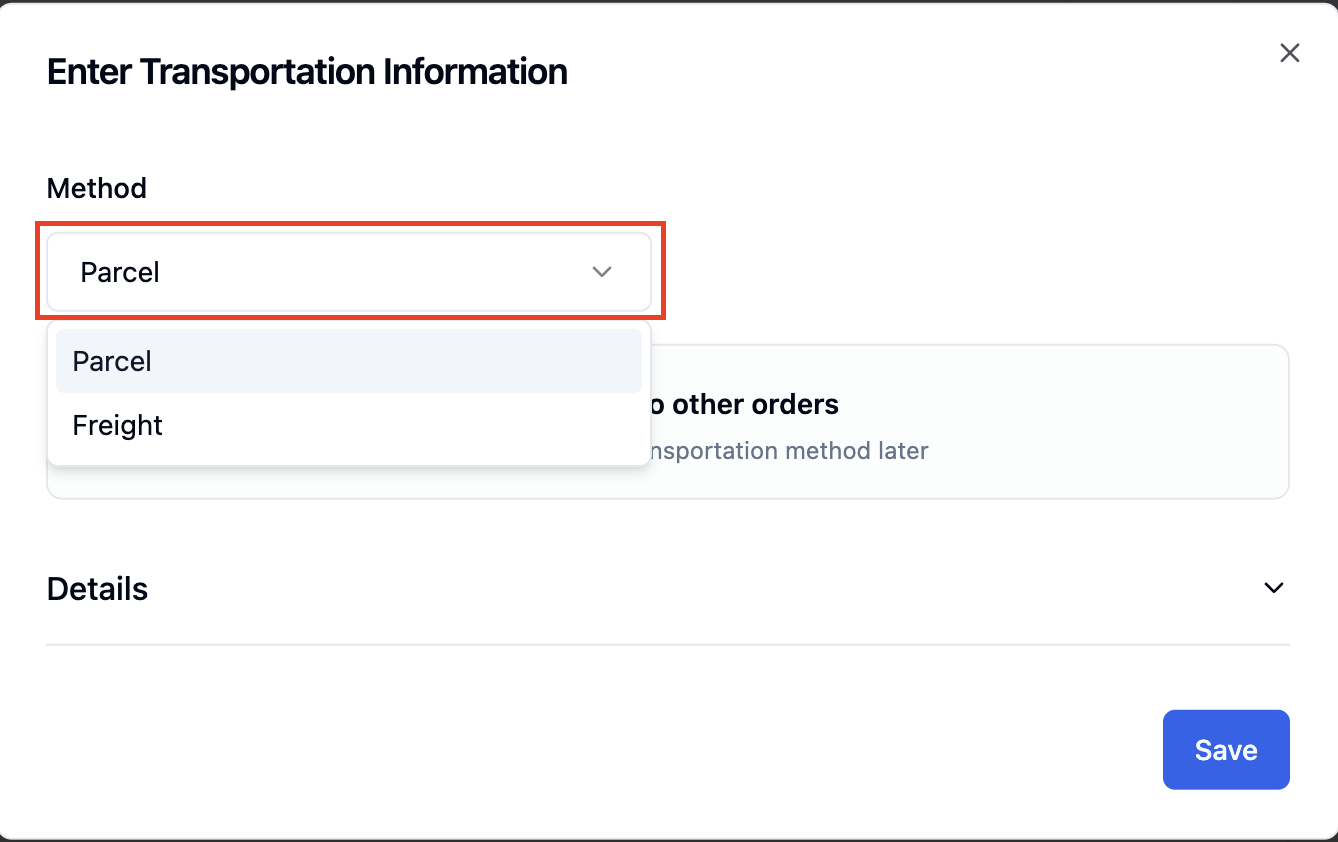
Parcel
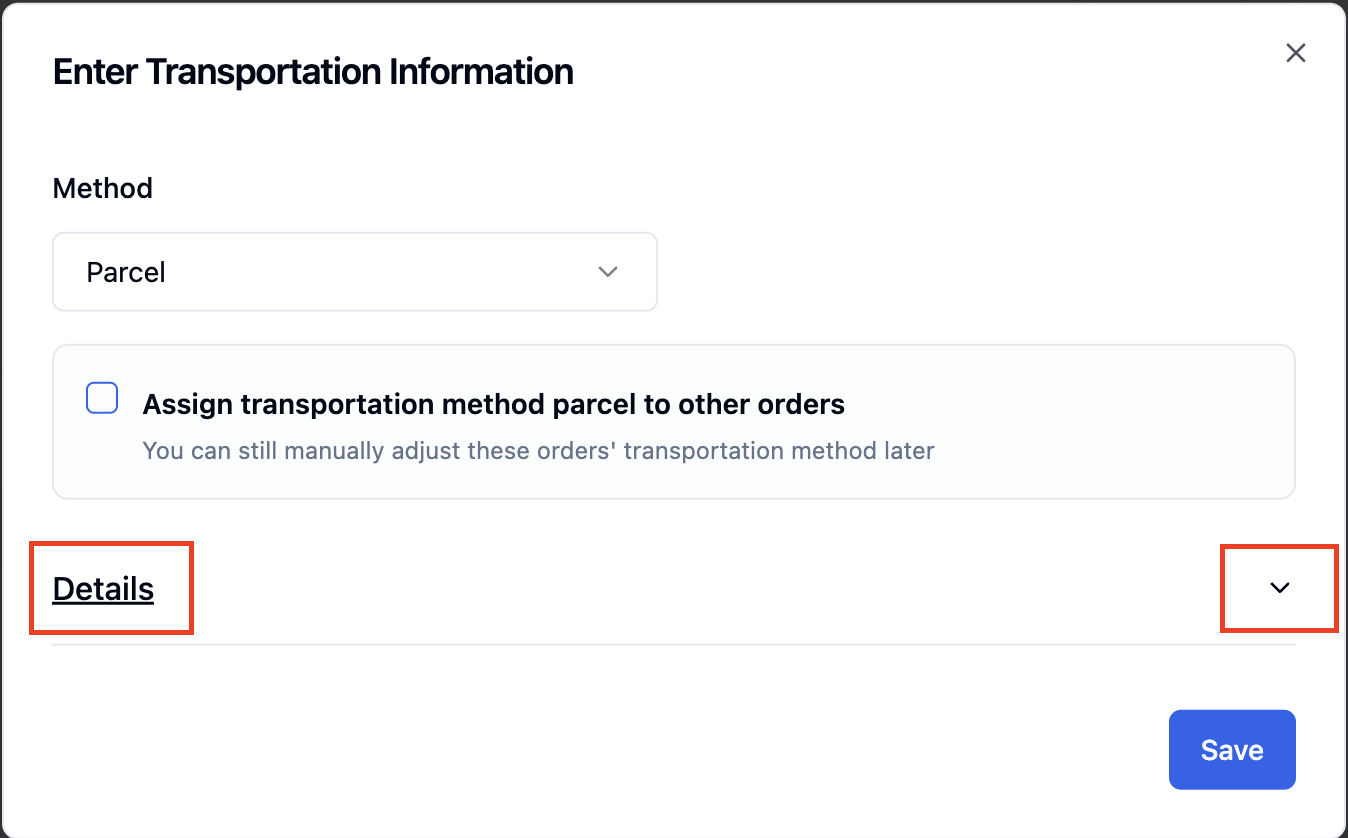
Select 'Parcel' for the transportation method
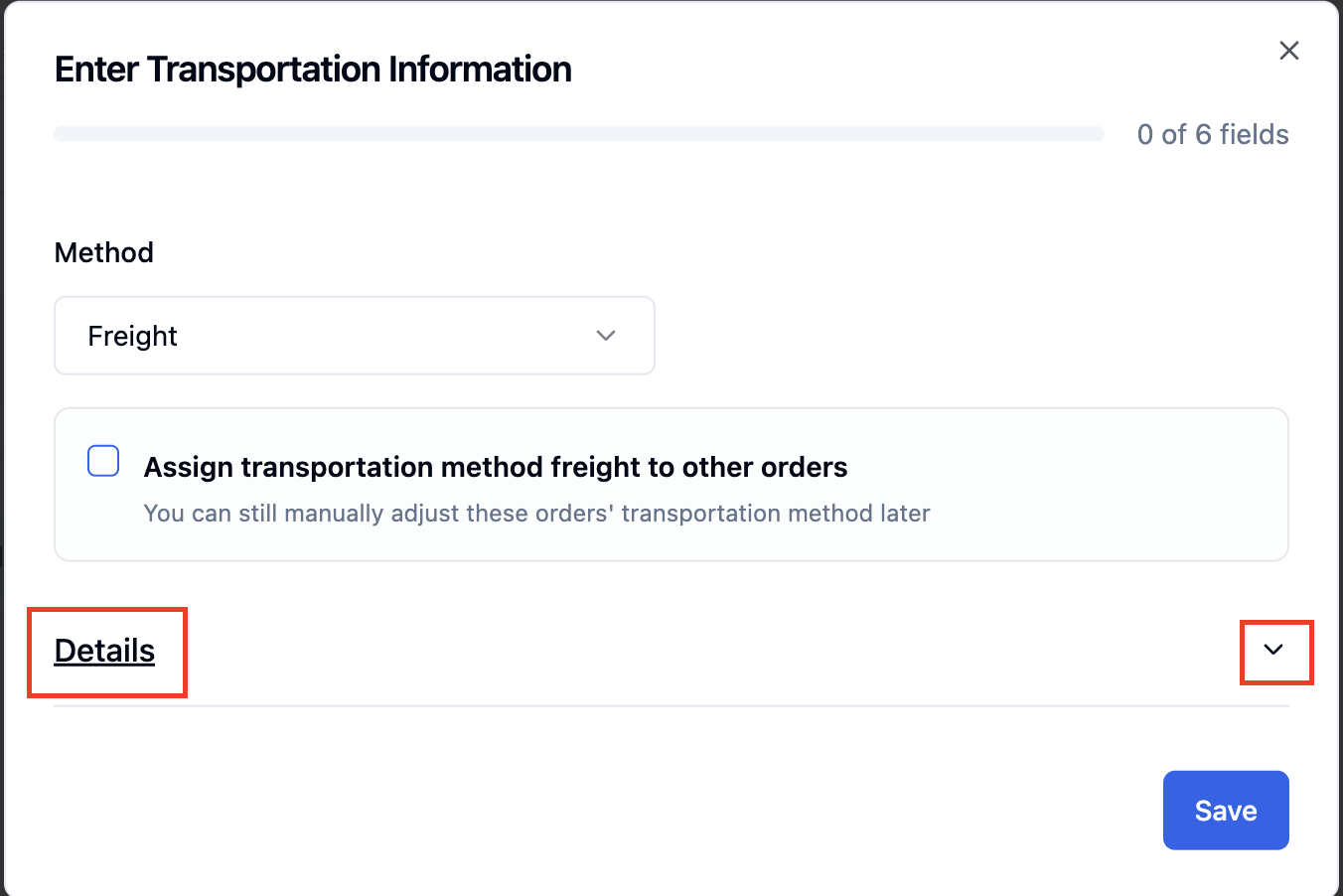
Click 'Details' or the 'Down Arrow' to open up details
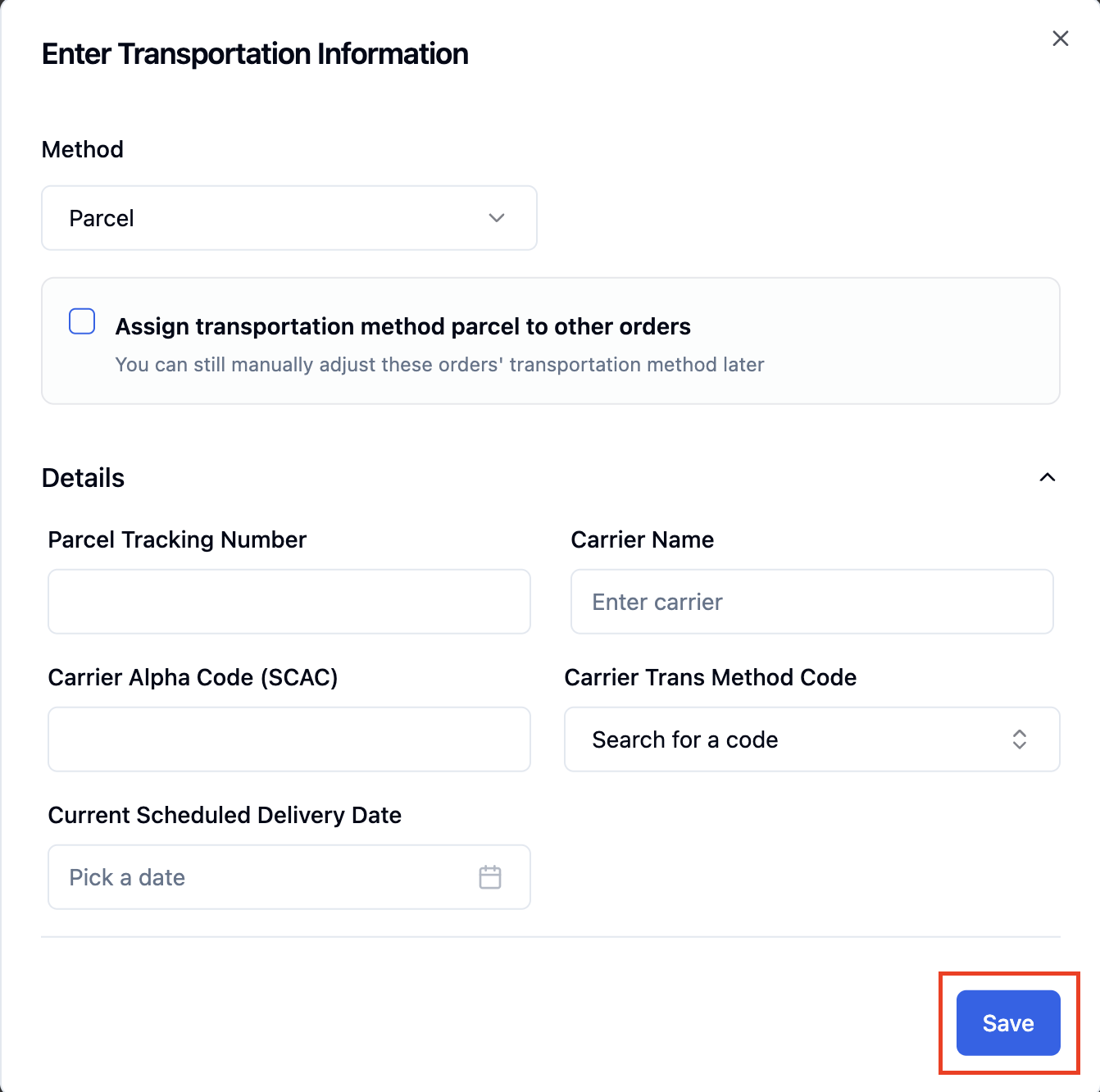
Manual Fill-In
Fill out the details and click 'Save' when done
Parcel Tracking Number: The tracking number assigned by the carrier for this shipment, used to track the parcel's progress.
Carrier Name: The shipping company handling the order (e.g., UPS).
Carrier Alpha Code (SCAC): A unique code assigned to the carrier (given to them by SCAC) used to identify them in shipping systems.
Carrier Trans Method Code: The mode of transportation used for the shipment (e.g., Motor/Truck, Air, Ocean).
Current Scheduled Delivery Date: The date the order is expected to arrive at its destination.
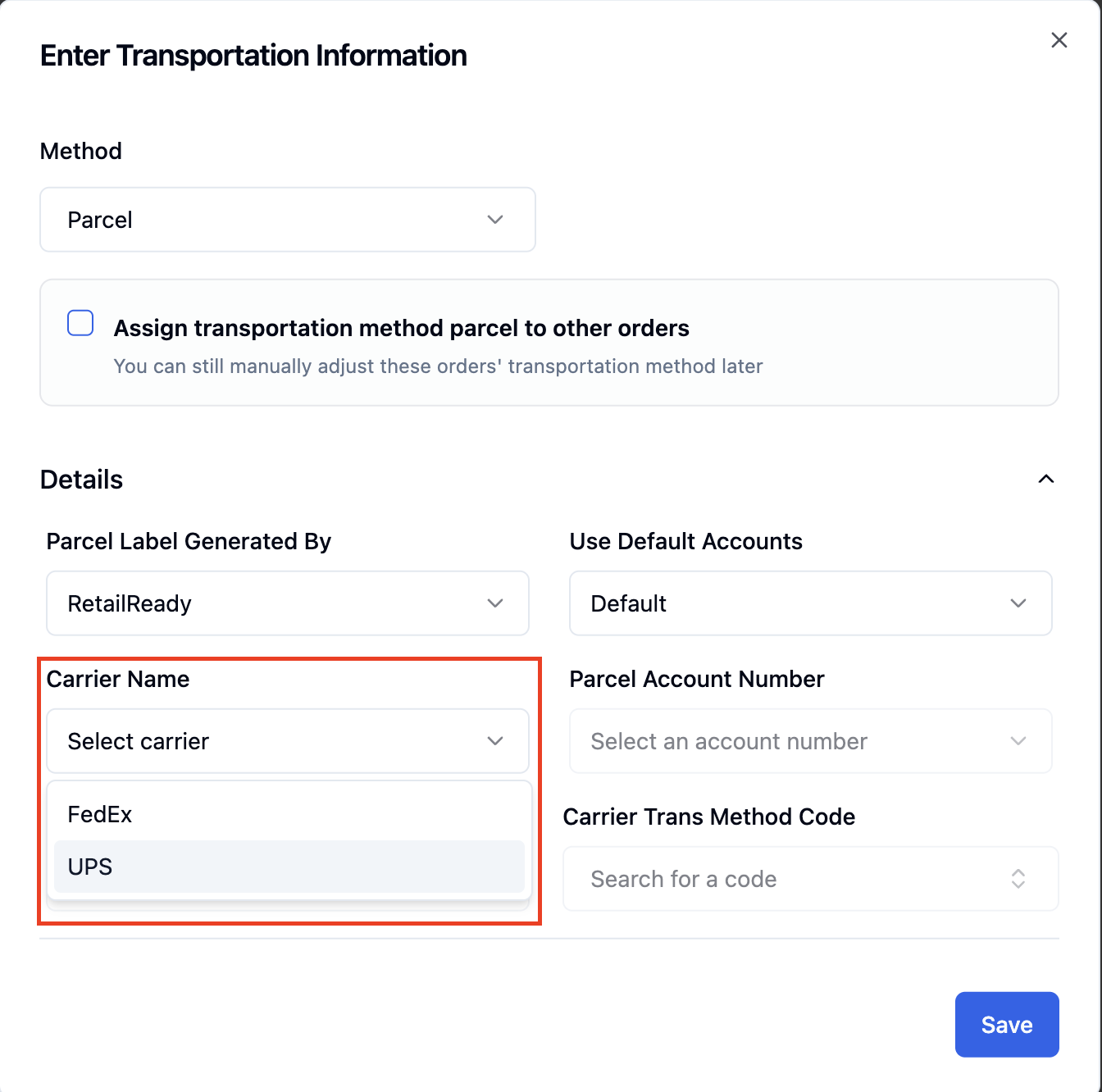
Automatic Fill-In
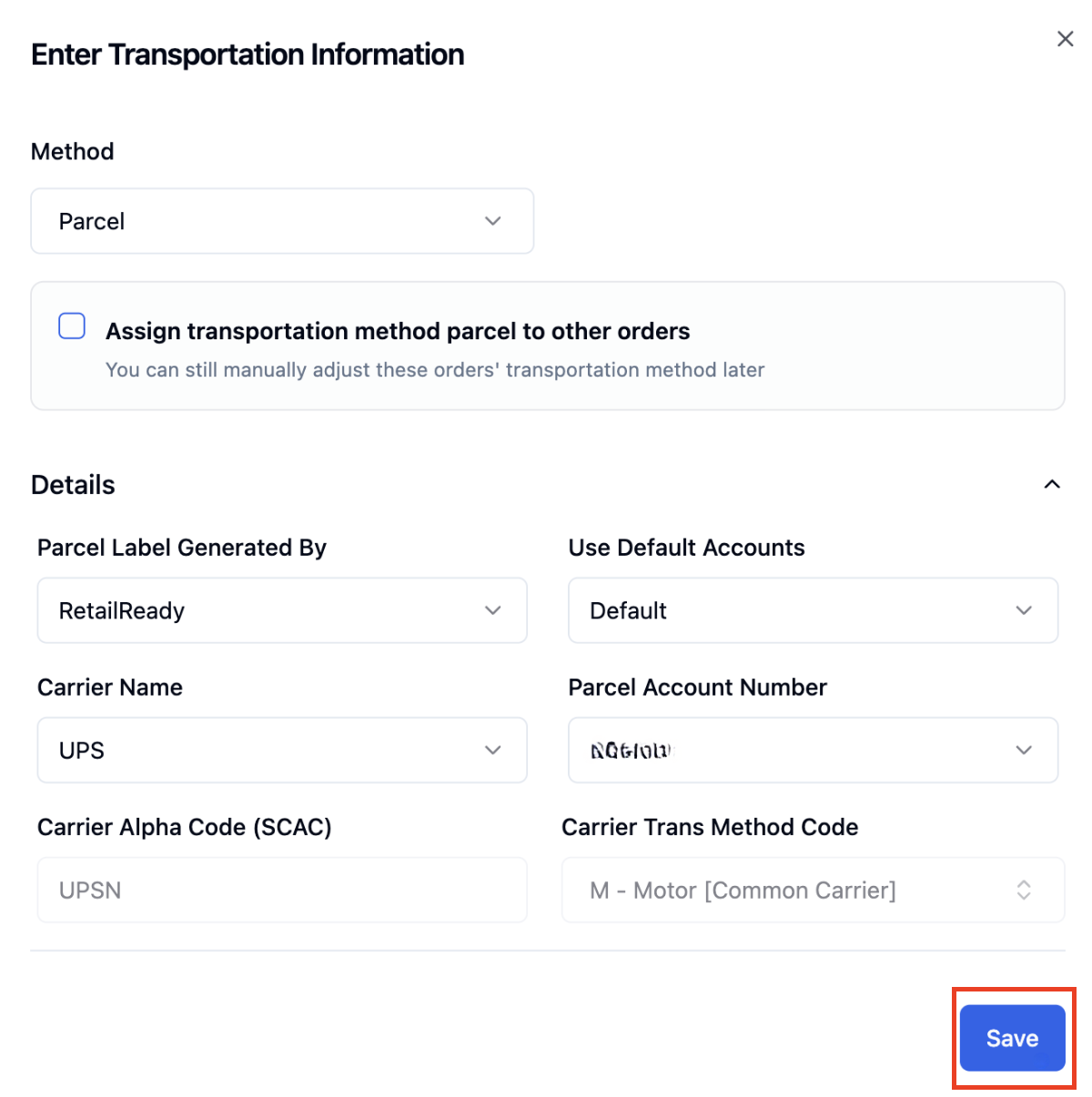
If you have a parcel account set up already in RetailReady these will auto-populate.
📄 Base Account vs. Parcel Accounts
Select your 'Carrier Name'
Click 'Save'
Freight
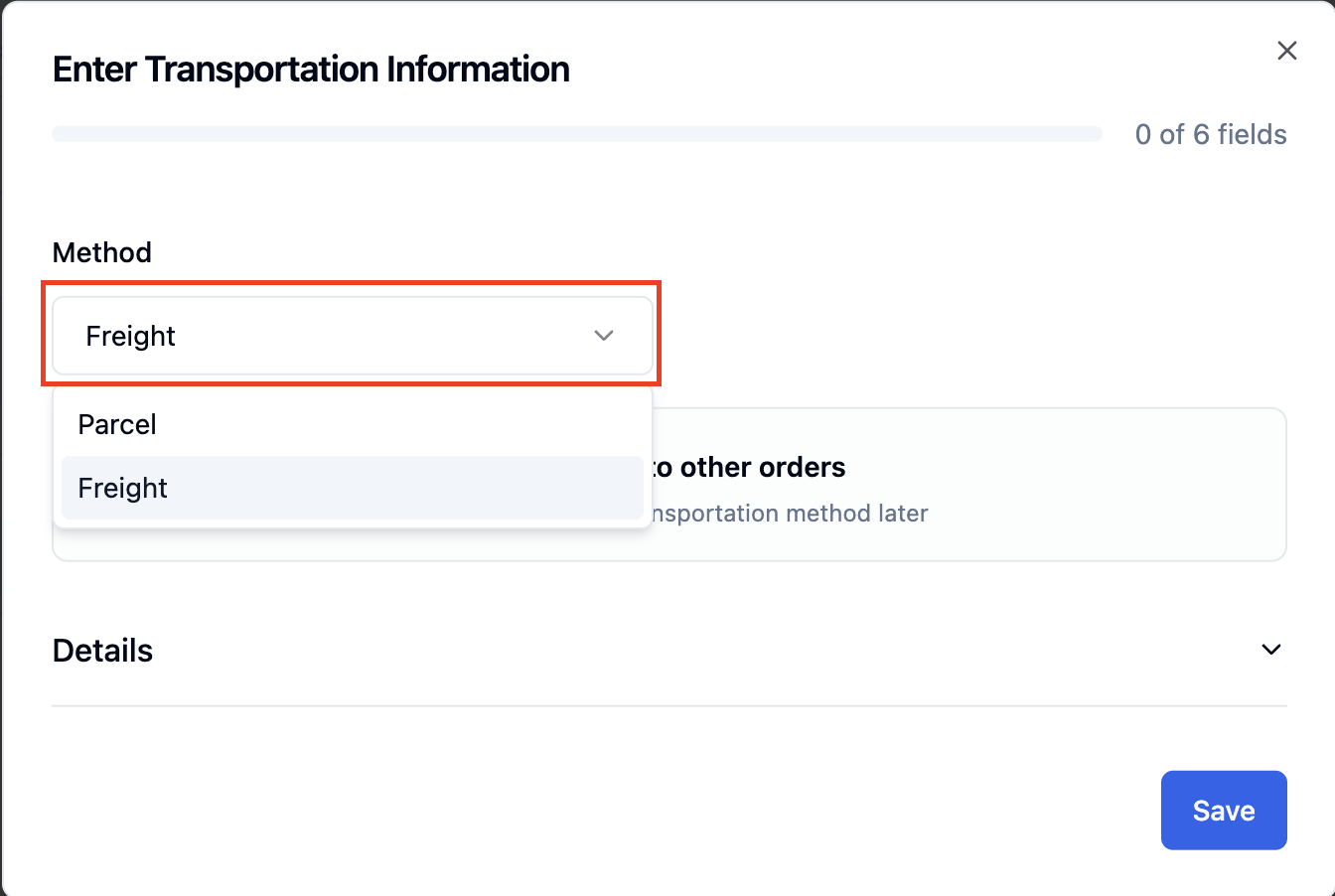
Select 'Freight' for the transportation method
Click 'Details' or the 'Down Arrow' to open up details
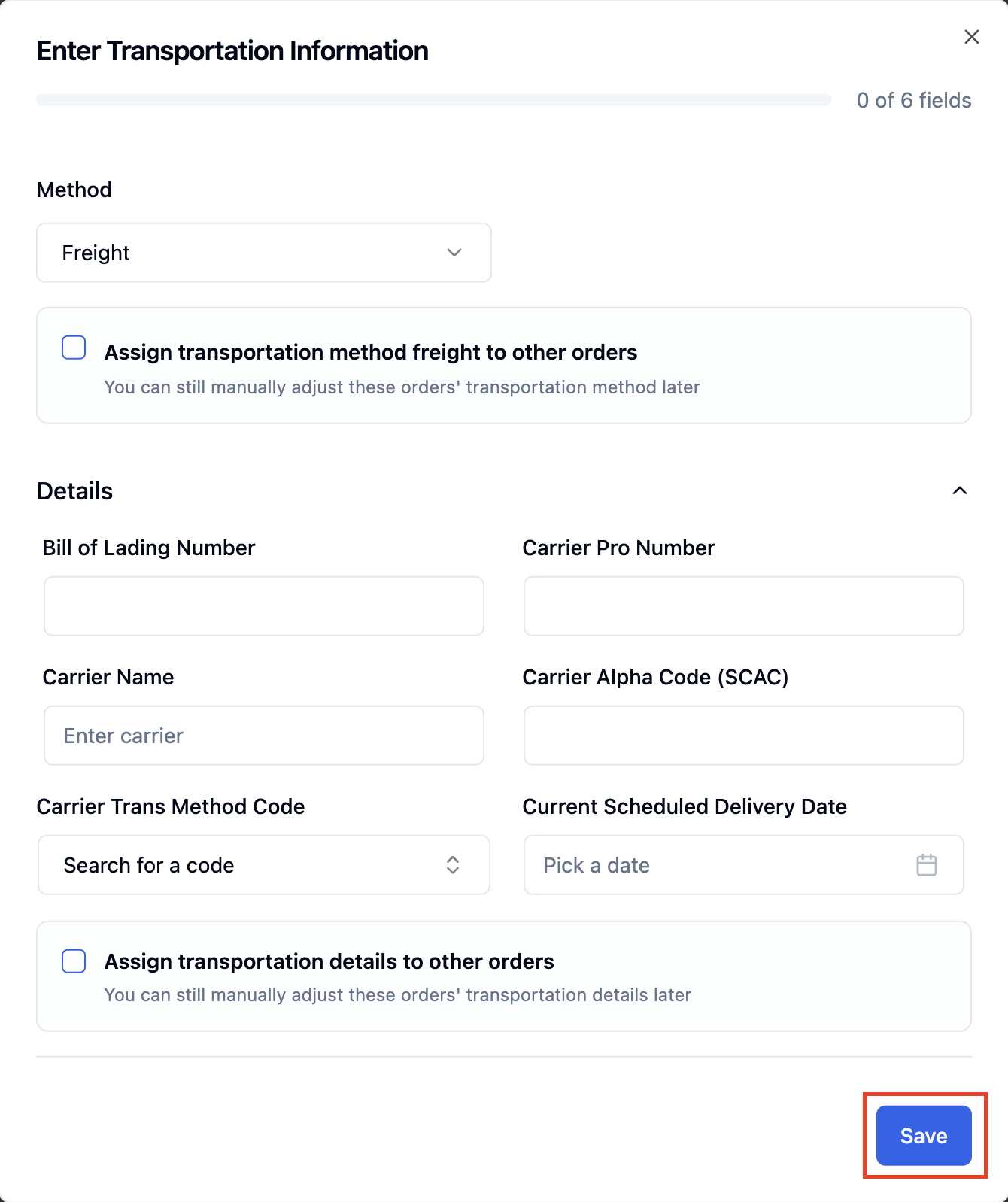
Fill out the details and click 'Save' when done
Bill of Lading Number: The unique number tied to the bill of lading, the shipping document that acts as the contract between shipper and carrier and lists the shipment's contents.
Carrier Pro Number: The tracking number assigned by the carrier for freight shipments, used to track the shipment (similar to a parcel tracking number, but for freight/LTL).
Carrier Name: The shipping company handling the order (e.g., UPS).
Carrier Alpha Code (SCAC): A unique code assigned to the carrier (given to them by SCAC) used to identify them in shipping systems.
Carrier Trans Method Code: The mode of transportation used for the shipment (e.g., Motor/Truck, Air, Ocean).
Current Scheduled Delivery Date: The date the order is expected to arrive at its destination.
FAQs
Where do I find these transportation details?
They're typically provided by the retailer or carrier once routing is confirmed (for example, through a portal like Amazon Vendor Central), or directly from your carrier after booking the shipment.
Is this form required for every order, or only certain retailers/order types?
This form is required for every order.